avatarYusuf Melih Basli

Free AI web copilot to create summaries, insights and extended knowledge, download it at here

3593

Abstract

tate</span>(<span class="hljs-params">word, guesses, wrong_guesses</span>): <span class="hljs-comment"># show the word with underscores for unguessed letters</span> display_word = <span class="hljs-string">""</span> <span class="hljs-keyword">for</span> letter <span class="hljs-keyword">in</span> word: <span class="hljs-keyword">if</span> letter <span class="hljs-keyword">in</span> guesses: display_word += letter <span class="hljs-keyword">else</span>: display_word += <span class="hljs-string">"_"</span> <span class="hljs-built_in">print</span>(display_word)

<span class="hljs-comment"># show the wrong guesses</span>
<span class="hljs-keyword">if</span> <span class="hljs-built_in">len</span>(wrong_guesses) &gt; <span class="hljs-number">0</span>:
    <span class="hljs-built_in">print</span>(<span class="hljs-string">"Wrong guesses: {}"</span>.<span class="hljs-built_in">format</span>(<span class="hljs-string">" "</span>.join(wrong_guesses)))

<span class="hljs-comment"># draw the hanged man</span>
<span class="hljs-built_in">print</span>(<span class="hljs-string">""</span>)
<span class="hljs-keyword">if</span> <span class="hljs-built_in">len</span>(wrong_guesses) &gt;= <span class="hljs-number">1</span>:
    <span class="hljs-built_in">print</span>(<span class="hljs-string">"  0  "</span>)
<span class="hljs-keyword">if</span> <span class="hljs-built_in">len</span>(wrong_guesses) == <span class="hljs-number">2</span>:
    <span class="hljs-built_in">print</span>(<span class="hljs-string">"  |  "</span>)
<span class="hljs-keyword">elif</span> <span class="hljs-built_in">len</span>(wrong_guesses) == <span class="hljs-number">3</span>:
    <span class="hljs-built_in">print</span>(<span class="hljs-string">" \|  "</span>)
<span class="hljs-keyword">elif</span> <span class="hljs-built_in">len</span>(wrong_guesses) &gt;= <span class="hljs-number">4</span>:
    <span class="hljs-built_in">print</span>(<span class="hljs-string">" \|/ "</span>)
<span class="hljs-keyword">if</span> <span class="hljs-built_in">len</span>(wrong_guesses) == <span class="hljs-number">5</span>:
    <span class="hljs-built_in">print</span>(<span class="hljs-string">" /   "</span>)
<span class="hljs-keyword">elif</span> <span class="hljs-built_in">len</span>(wrong_guesses) &gt;= <span class="hljs-number">6</span>:
    <span class="hljs-built_in">print</span>(<span class="hljs-string">" / \ "</span>)

<span class="hljs-comment"># Create a function to play the game</span> <span class="hljs-keyword">def</span> <span class="hljs-title function_">play</span>(): word = get_word() guesses = <span class="hljs-built_in">set</span>() wrong_guesses = [] max_wrong_guesses = <span class="hljs-number">7</span>

<span class="hljs-keyword">while</span> <span class="hljs-literal">True</span>:
    <span class="hljs-comment"># Show the game</span>
    show_state(word, guesses, wrong_guesses)

    <span class="hljs-comment"># Get the player's guess</span>
    guess = <span class="hljs-built_in">input</span>(<span class="hljs-string">"Write a letter: "</span>).lower()

    <span class="hljs-comment"># Check if the guess is a letter</span>
    <span class="hljs-keyword">if</span> <span class="hljs-built_in">len</span>(guess) != <span class="hljs-number">1</span> <span class="hljs-keyword">or</span> <span class="hljs-keyword">not</span> guess.isalpha():
        <span class="hljs-built_in">print</span>(<span class="hl

Options

js-string">"Invalid! Please write just letter."</span>) <span class="hljs-keyword">continue</span>

    <span class="hljs-comment"># Look if the letter has already been guessed</span>
    <span class="hljs-keyword">if</span> guess <span class="hljs-keyword">in</span> guesses:
        <span class="hljs-built_in">print</span>(<span class="hljs-string">"Are you serious? Don't you remember you already guessed that letter."</span>)
        <span class="hljs-keyword">continue</span>

    <span class="hljs-comment"># Add the guess to guesses</span>
    guesses.add(guess)

    <span class="hljs-comment"># Look if the guess is correct</span>
    <span class="hljs-keyword">if</span> guess <span class="hljs-keyword">in</span> word:
        <span class="hljs-keyword">if</span> <span class="hljs-built_in">set</span>(word) == guesses:
            show_state(word, guesses, wrong_guesses)
            <span class="hljs-built_in">print</span>(<span class="hljs-string">"Finally, you win!"</span>)
            <span class="hljs-keyword">return</span>
    <span class="hljs-keyword">else</span>:
        wrong_guesses.append(guess)
        <span class="hljs-keyword">if</span> <span class="hljs-built_in">len</span>(wrong_guesses) == <span class="hljs-number">4</span>:
            <span class="hljs-built_in">print</span>(<span class="hljs-string">"You passed half of the way!"</span>)
        <span class="hljs-keyword">elif</span> <span class="hljs-built_in">len</span>(wrong_guesses) == <span class="hljs-number">7</span>:
            show_state(word, guesses, wrong_guesses)
            <span class="hljs-built_in">print</span>(<span class="hljs-string">"Last chance, use it carefully!"</span>)
        <span class="hljs-keyword">if</span> <span class="hljs-built_in">len</span>(wrong_guesses) &gt;= max_wrong_guesses:
            show_state(word, guesses, wrong_guesses)
            <span class="hljs-built_in">print</span>(<span class="hljs-string">"You have no idea about this game, do you? The word was '{}'."</span>.<span class="hljs-built_in">format</span>(word))
            <span class="hljs-keyword">return</span>

<span class="hljs-comment"># Play the game</span> play()</pre></div><p id="ba34">You can think of these codes as just an outline. If you wish, you can change the number of guesses, the order of drawings, and the messages given by the computer.</p><p id="dd28">You could even try using the <a href="https://www.pygame.org/docs/">pygame</a> library to color the images. All you have to do is read the explanations carefully and follow the steps.</p><h2 id="37bf">Conclusion</h2><p id="029c">Do you know that the hangman game we created in a simple format above is asked as a question in some job interviews? A game that has always been popular with programmers.</p><p id="cd02">Please be sure to <a href="https://medium.com/@basliyusufmelih">follow </a>me and get notifications to stay up to date with more resources. I will try to respond to every comment you make. So feel free to express your thoughts. If you are not yet a member, you can subscribe <a href="https://medium.com/@basliyusufmelih/membership">here </a>with my reference to access all the content of Medium.</p><p id="9982">You can activate your <a href="https://medium.com/@basliyusufmelih/subscribe">e-mail </a>notifications to be instantly informed about my articles. If you want to support me directly, <a href="https://www.buymeacoffee.com/basliyusufmelih">buy me a coffee.</a></p></article></body>

Create Your Own Hangman With Python

How about hangman with Python?
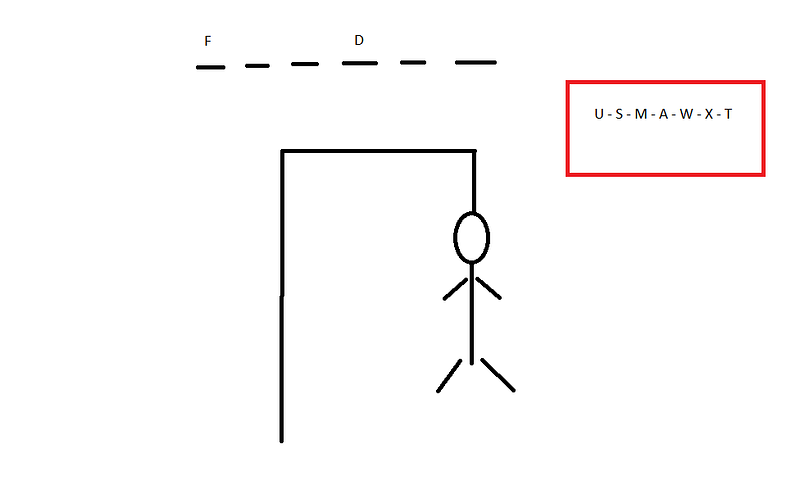
Image by Author

The famous hangman game… No matter what language you speak, I’m sure you’ve played this game. One of the most known games in the world. So, are you ready to design this game yourself using Python?

You know the first sentence of all programmers in programming: Hello world. Just like hello world, many people learning a new programming language are also familiar with the hangman.

Creating a coin flip, hangman with python, which can even be asked in job interviews, can inform people about your level.

Since the game is a word game, you can choose the language you want to create. But as someone who has researched many language packs, I can say that the largest word list is in English, as you can imagine.

If you want to create a game in a language other than English, you can search the GitHub repositories. Today we are going to create a hangman game in the English language.

1- Finding a source for a word list

To create the game, you first need to find a large source of English words list. You don’t need to go far. I’ve included the source here for you.
Photo by Glen Carrie on Unsplash

Since we will create the game using google colab, we need to download the word list to our computer. So on the page that opens, in order:

  • right-click
  • save as
  • set destination for upload
  • click save.

Next, we upload the downloaded file to colab as I explained in my previous articles.

2- Writing codes to create hangman

The next step is pretty simple. You can create your own hangman game by using the code I created in a simple way below. It’s up to you whether or not to make changes to the code.

import random
# Let's create our code by explaining step by step. Read the code comments.
# Load the words file to your colab and then:
with open("words_alpha.txt") as f:
    words = [word.strip() for word in f.readlines()]

# create a function of the random library we downloaded using the random select function
def get_word():
    return random.choice(words)

# define a function related to the progress of the game
def show_state(word, guesses, wrong_guesses):
    # show the word with underscores for unguessed letters
    display_word = ""
    for letter in word:
        if letter in guesses:
            display_word += letter
        else:
            display_word += "_"
    print(display_word)

    # show the wrong guesses
    if len(wrong_guesses) > 0:
        print("Wrong guesses: {}".format(" ".join(wrong_guesses)))

    # draw the hanged man
    print("")
    if len(wrong_guesses) >= 1:
        print("  0  ")
    if len(wrong_guesses) == 2:
        print("  |  ")
    elif len(wrong_guesses) == 3:
        print(" \|  ")
    elif len(wrong_guesses) >= 4:
        print(" \|/ ")
    if len(wrong_guesses) == 5:
        print(" /   ")
    elif len(wrong_guesses) >= 6:
        print(" / \ ")

# Create a function to play the game
def play():
    word = get_word()
    guesses = set()
    wrong_guesses = []
    max_wrong_guesses = 7

    while True:
        # Show the game
        show_state(word, guesses, wrong_guesses)

        # Get the player's guess
        guess = input("Write a letter: ").lower()

        # Check if the guess is a letter
        if len(guess) != 1 or not guess.isalpha():
            print("Invalid! Please write just letter.")
            continue

        # Look if the letter has already been guessed
        if guess in guesses:
            print("Are you serious? Don't you remember you already guessed that letter.")
            continue

        # Add the guess to guesses
        guesses.add(guess)

        # Look if the guess is correct
        if guess in word:
            if set(word) == guesses:
                show_state(word, guesses, wrong_guesses)
                print("Finally, you win!")
                return
        else:
            wrong_guesses.append(guess)
            if len(wrong_guesses) == 4:
                print("You passed half of the way!")
            elif len(wrong_guesses) == 7:
                show_state(word, guesses, wrong_guesses)
                print("Last chance, use it carefully!")
            if len(wrong_guesses) >= max_wrong_guesses:
                show_state(word, guesses, wrong_guesses)
                print("You have no idea about this game, do you? The word was '{}'.".format(word))
                return

# Play the game
play()

You can think of these codes as just an outline. If you wish, you can change the number of guesses, the order of drawings, and the messages given by the computer.

You could even try using the pygame library to color the images. All you have to do is read the explanations carefully and follow the steps.

Conclusion

Do you know that the hangman game we created in a simple format above is asked as a question in some job interviews? A game that has always been popular with programmers.

Please be sure to follow me and get notifications to stay up to date with more resources. I will try to respond to every comment you make. So feel free to express your thoughts. If you are not yet a member, you can subscribe here with my reference to access all the content of Medium.

You can activate your e-mail notifications to be instantly informed about my articles. If you want to support me directly, buy me a coffee.

Python
Game Development
Games
Entertainment
Hello World
Recommended from ReadMedium