
Create an angular library and publish it on Npm
In this article, I will guide you on how we create an angular library and different ways to utilize that library. locally as well as publicly. and we would install the library in another project by npm install commands.

Milestones:
- Sign Up on Npm Popper.js
- create an angular library
- publish on npm
First of all, we need to understand what is the library. its limitation and purpose. let’s go through the overview of the library.
What are Libraries?
Libraries in programming languages are collections of prewritten code that users can use to optimize tasks.
Example of Libraries
Purpose of Library
The main purpose of the library is to achieve reusability. for example, you have multiple projects and every project has a login and user registration process. and you don’t want to repeat the same code in every project. what do you need to do? is to create a library with generic code and publish it on the npm site. either you make it public or private depending upon your usability. once you successfully created a library you need to simply install a library in every project by running this command npm install
Summary
- Shareable code
- Reusable functionality
- Separate dedicated code for one feature
What an Angular library contains?
- Components,
- Modules
- Services
What a library should be to qualify to be an Angular library?
- platform independent, first of all
- bundled and distributed
- AOT compilation ready
- built-in typescript
When you decide to create a library and make it public. be mindful to follow recommended or standard code structure. and cover all the scenarios related to the work. make it generic robust and resilient.
Angular package format is that recommended way to distribute our Angular packages. This focuses on the following:
- Module definitions
- Typing files
- Entry point
- AOT-ready metadata file
Creating an angular library:
when we create an angualr library it will automatically install ng-packagr
the important steps involved in creating a library majorly are inlining all the templates, compiling it with ngc, and producing its build formats. However, this is a lot of manual tasks and ng-packagr has got us covered to do just that.
What does ng-packagr take care of for us?
- creates libraries in the angular package format
- creates all the bundles (es52015, esm5, umd)
- creates type definitions (.d.ts)
- create AOT metadata files
- inlines all the styles and templates!
Let us create a workspace for our library!
ng new age-calculator --create-application=false
This would create a workspace for you with no src folder as you haven’t created the application and just a workspace under which we can create our library using the command:
ng generate library <library-name>


ng g library age-cal
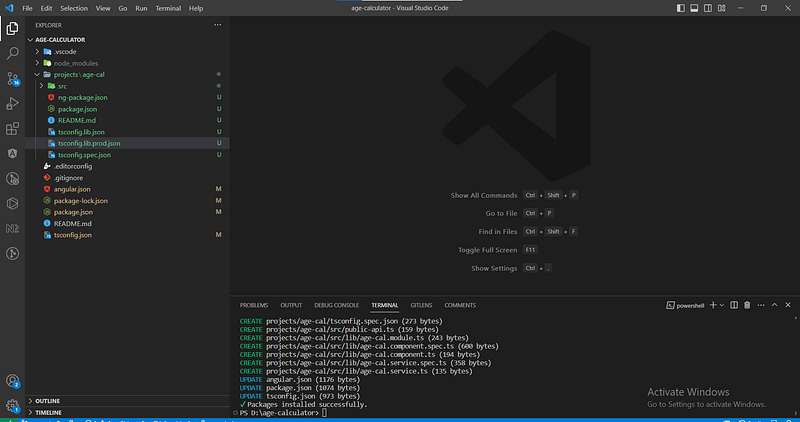
This creates a projects folder with your lib folder inside it. Here you can start writing the feature you want for your library!
Time to build our library!
Add a build library script in your root package.json as:
"build-library": "ng build age-cal”
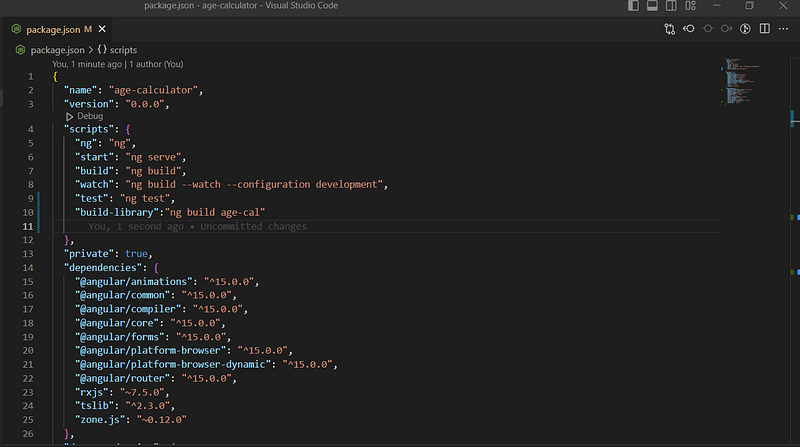
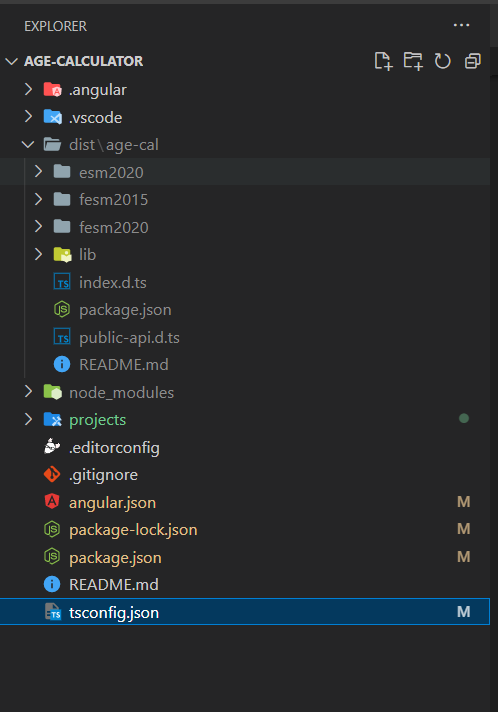
npm run build-libraryRunning this would create a dist folder for your library.
Packaging the library
To pack our library, we go to the library distribution directory and run the npm pack command.
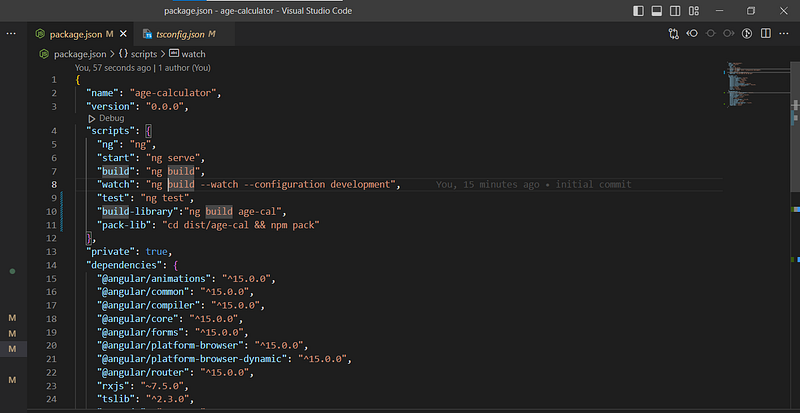
Avoid the confusion here of packing the library directory. We need to pack the built distribution folder of the library. We can add a script also in place of doing this manually.
"pack-lib": "cd dist/age-cal && npm pack"
This would create a .tgz package for the library which is to be exported into other applications we will be using.

Two ways to utilize a library
- Locally by path
- Publish on npm
Locally by path
Create a new angular application and install your library inside this using:
npm install <path-to-tgz-file>
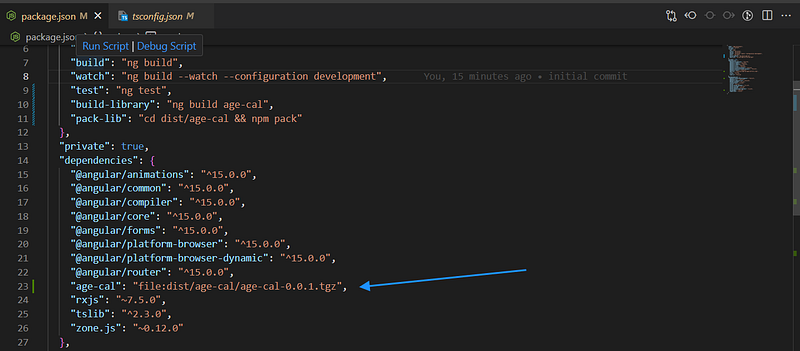
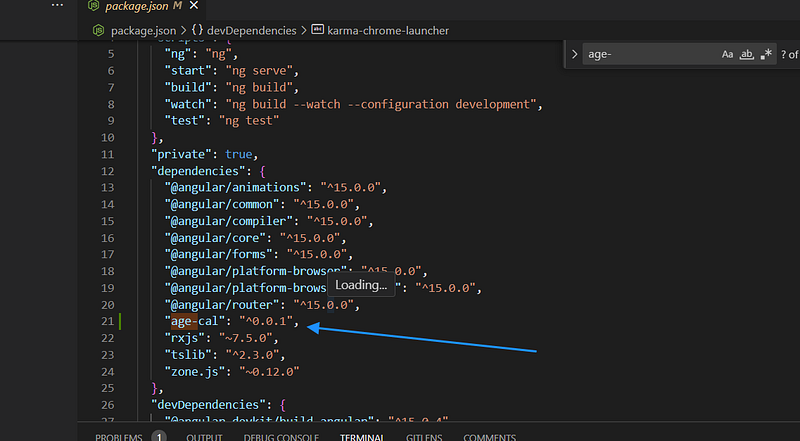
Check your package.json to see if it has been installed and is reflected inside the dependencies.
So for demo purposes, i will create a new angular application and install this library.
You will notice it being added as a file just like this:
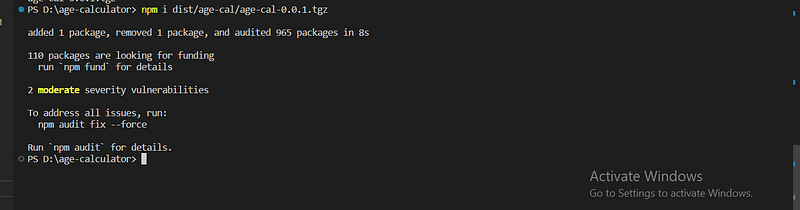
You will notice it being added as a file just like this:
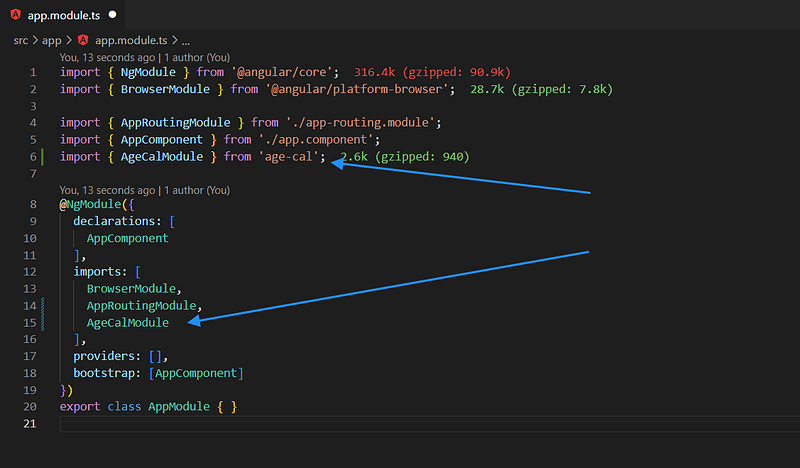
Next step, import the module of your library and use the component.
import { AgeCalModule } from 'age-cal';This should give our project access to the components declared inside this module. We can now use the component directly on the template and see how it works!
Add library component selector in app.compoment.html
<lib-age-cal></lib-age-cal>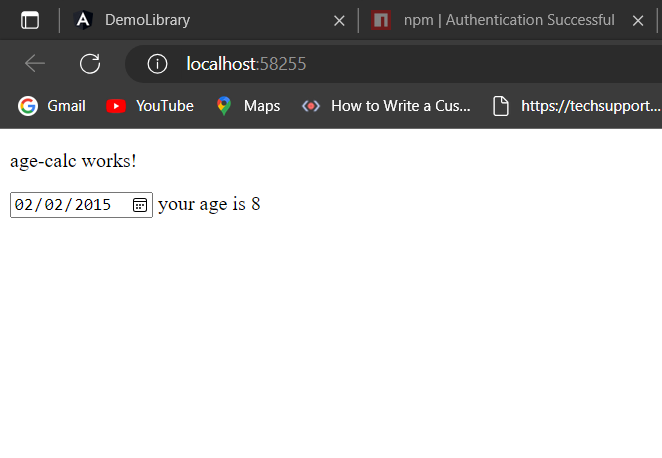
import { Component } from '@angular/core';

@Component({
  selector: 'lib-age-calc',
  template: `
    <p>
      age-calc works!
    </p>
    <input type="date" placeholder="select date" [(ngModel)]="date" [ngModelOptions]="{standalone:true}" (ngModelChange)="dateChange()"/>
   your age is {{age}}
  `,
  styles: [
  ]
})
export class AgeCalcComponent {
date:string='';
age:number=0;
dateChange(){
  var today = new Date();
  var birthDate = new Date(this.date);
  var age = today.getFullYear() - birthDate.getFullYear();
  var m = today.getMonth() - birthDate.getMonth();
  if (m < 0 || (m === 0 && today.getDate() < birthDate.getDate())) {
      age--;
  }
  this.age=age;
}
}
Publish library on npm
To publish your library, follow the naming conventions for an npm package and to keep it unique since there are so many libraries on npm, an easy way is to name your library as @<your-username>/<library-name .
Next step, specify the name and version of the library inside the package.json
{
  "name": "age-90-cal",
  "version": "0.0.1",
  "peerDependencies": {
    "@angular/common": "^15.0.0",
    "@angular/core": "^15.0.0"
  },
  "dependencies": {
    "tslib": "^2.3.0"
  }
}
Time to login npm
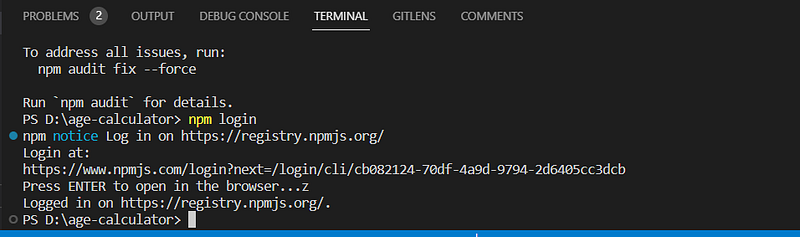
Enable two-step Authentication on npm without 2 step authentication npm package failed to upload.
npm publish dist/age-cal/age-cal-0.0.1.tgz
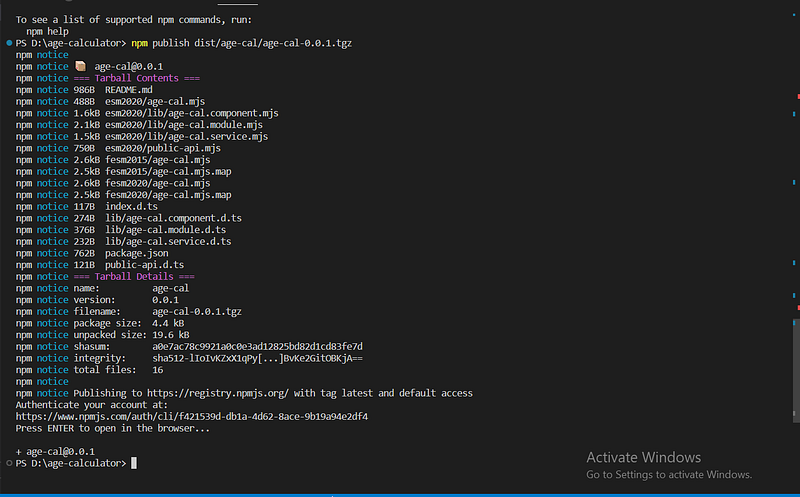
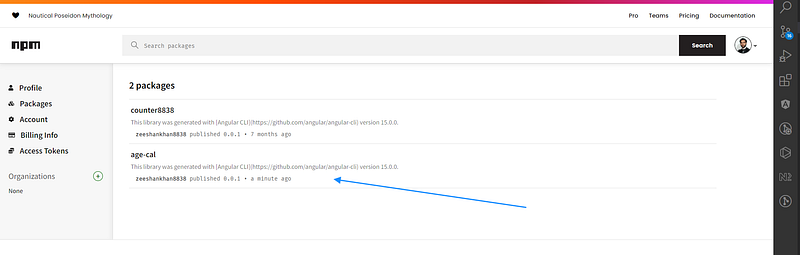
Well, now anybody can use this publicly available library in their Angular projects using:

npm i age-cal
Thank you for reading!
Conclusion:
In this article, we learned about angular library creation and the purpose of the library. different ways to utilize the library, locally and publicly. hope this article would be helpful for you.


