
Effortless Tips for Creating Stunning Portfolios and Blogs with Headless CMS!

Once a myth that crafting your portfolio or blog website was harder than juggling flaming torches, now it’s a walk in the digital park!
Even if you’re from a non-web development background, fear not.
With the latest tech stack magic of ReactJS, NextJS, and Headless CMS, building your online kingdom is as easy as ordering pizza. Forget the tech stress — use hosting platforms like Vercel, Firebase, or your cloud of choice. Focus on your content, not the technology. Building websites is now so easy.
Get ready for a website-building adventure!
I won’t dive into the complex code details just yet (more on that later!), but I’ll show you the easy-to-use platforms and technologies that will make building your site a walk in the park. Let’s keep it simple and get ready for a smooth journey! 🚀
Start with a Template
Begin your expedition by choosing a template. There’s no shortage of ReactJS and NextJS blog templates out there, ready to be your digital canvas.
https://www.sanity.io/templates/blog-with-built-in-content-editing
Set Up Headless CMS
Fear not the complexities of content management! Opt for simplicity with Sanity, your go-to platform for managing content without breaking a sweat. A couple of other popular platforms are Strapi, and Contentful.
Deploy to the cloud (Vercel, Firebase, or any cloud of your choice)
Time to launch your creation into the digital stratosphere! Whether you prefer Vercel’s speed or Firebase’s flexibility, these hosting platforms will make your deployment as smooth as a hot knife through butter.
sample — https://vercel.com/templates/next.js/blog-next-sanity
Setting Up a Sanity-Based Blogging Website.
I’m excited to share with you the process of setting up a stunning blogging website using this — https://github.com/web3templates/stablo template from GitHub.
This template, crafted by talented developers, comes with both a free and a pro version, offering a sleek and modern design for your blog. Once deployed the output will be like this!
Headless CMS
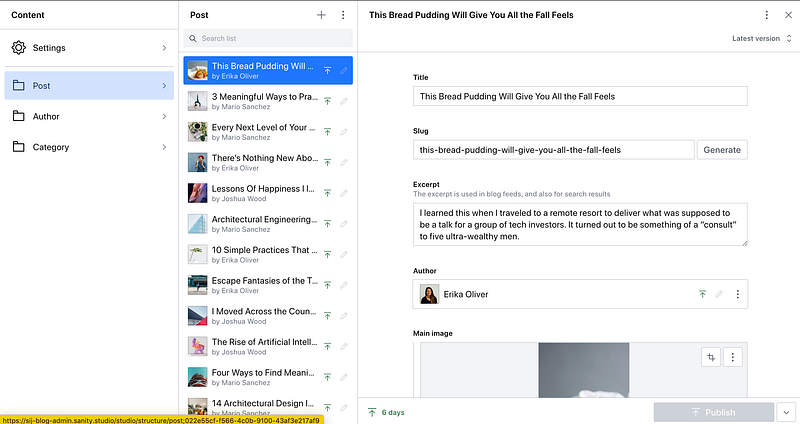
Your Blog.
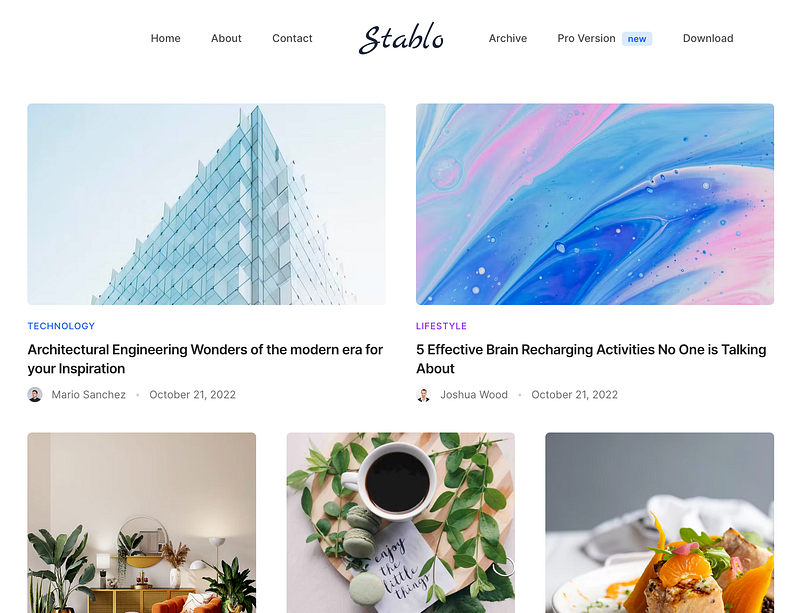
Setting up your blog is a breeze with this template and Sanity CMS.
You’ve got two choices: click-and-go with Vercel for an easy setup (provided in Github), or use basic npm/yarn commands if you prefer hands-on control.
With Vercel, it’s a snap — just click, configure, and your blog is live. If you like doing things yourself, clone Stablo, customize with Sanity Studio, and deploy using simple commands. Try now!
For non-programmers.
Don’t worry about configuring development settings; instead, follow the steps outlined in the GitHub readme page of the template. There, you can effortlessly click on “Deploy” and configure accounts on the fly, making the process hassle-free.
https://github.com/web3templates/stablo
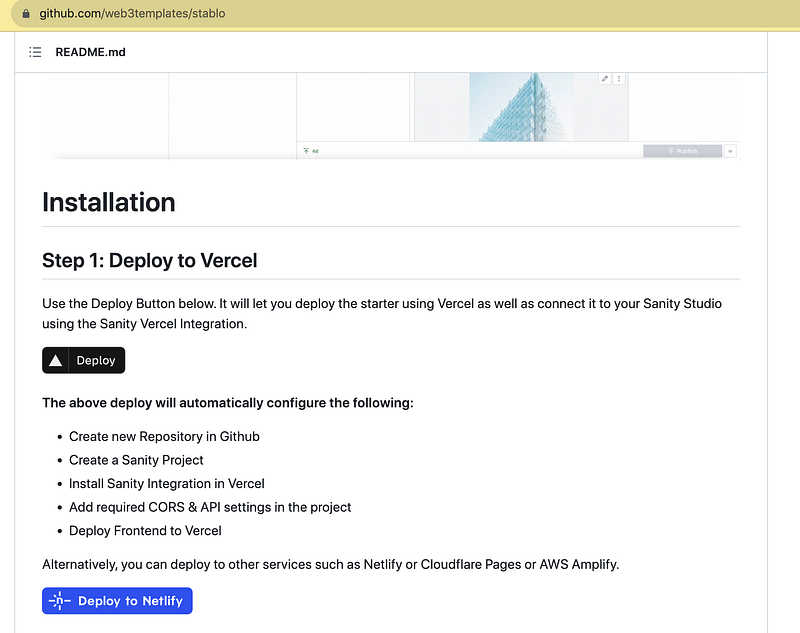
For developers.
Sanity Studio provides an open-source CMS that directly connects to its data store. You can define your schema, including content types and fields, using JavaScript. The platform then transforms this into a straightforward CMS UI. Deploying is easy with the Sanity CLI tool.
Follow our publication
Follow our publication Life & Tech for more article updates.


