
Cracking Consistency: How Character Sheets and ‘Vary (Region)’ Can Create Consistent Characters in Midjourney 5.2
In the ever-evolving landscape of AI-generated art, one persistent challenge has remained tantalisingly out of reach: achieving consistent character expressions, poses, and emotions. Artists and enthusiasts have long sought a solution to the puzzle of creating characters that maintain their identity while effortlessly adapting to a wide array of dynamic situations. Until now, this quest for character consistency within the realm of AI art has felt like chasing a mirage.
But within the established realm of Midjourney, a revelation has emerged. A groundbreaking feature, known as Vary (Region) has uncovered a previously uncharted path toward this elusive goal. This breakthrough discovery has the potential to redefine the very essence of AI-generated character artistry, allowing creators to seamlessly transition their characters between poses, reactions, stances, and emotions based on textual prompts.
The true essence of this discovery lies not just in its existence, but in its profound implications for the world of AI art. It challenges the boundaries of what was once thought possible, offering a newfound freedom in crafting consistent characters that can adapt to any narrative or scene. In this article, we delve into the heart of this revelation — The Character Sheets / Vary (Region) Method — shedding light on its role in deciphering the mystery of maintaining character continuity.
Christie C. recently published an excellent article on character consistency (below), offering valuable method suggestions within Midjourney, but I really wanted to push it a little further to more precisely define specific poses and expressions.
Join me as I explore uncharted territories of AI-generated character manipulation, illuminating the creative possibilities that were once beyond the grasp of Midjourney artists.
After stumbling upon an eye-opening Medium story not too long ago, which discussed the application of character sheets in Midjourney (authored by Adair Lee, below), I couldn’t help but ponder how this innovative feature could potentially offer a solution to the challenge of maintaining consistent character portrayals.
Note: A character sheet used in illustration and animation storytelling is a visual reference document that displays a character from various angles and in different poses, helping artists maintain consistent design and proportions throughout a project.
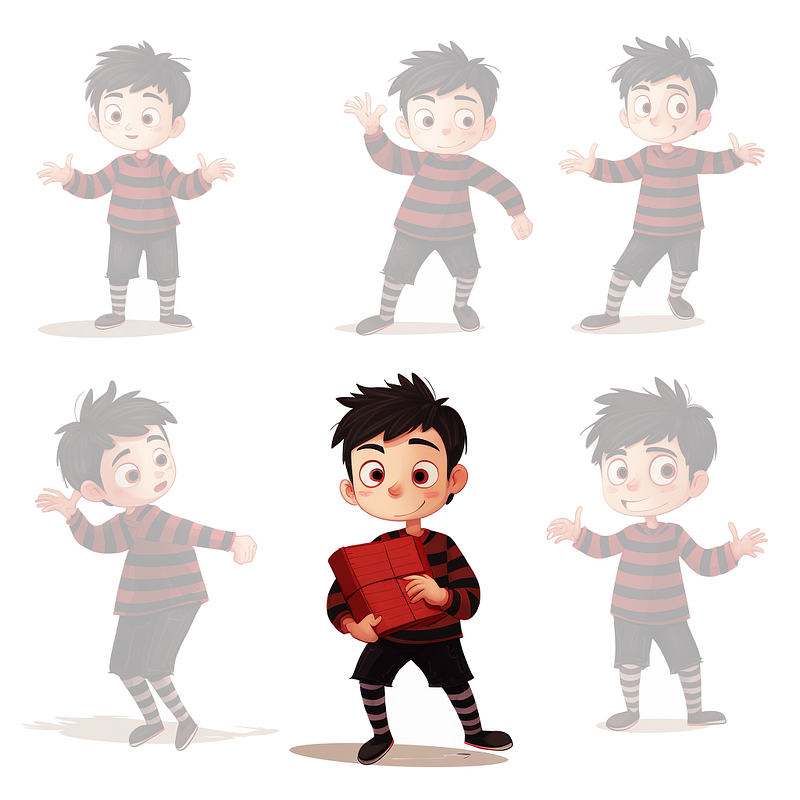
Imagine, for example, a character named Eric in a children’s book who needs to display a consistent personality and appearance throughout the story.
This is where Midjourney’s groundbreaking addition, the Vary (Region) button, comes into play. Combined with Midjourney’s convenient Remix mode, I made a valuable discovery: by selecting one of Eric’s poses from the character sheet and providing an ‘expression’ text prompt to the Vary (Region) option, Midjourney has the remarkable ability to recalibrate the character sheet, rendering Eric in the desired pose as per the provided prompt.
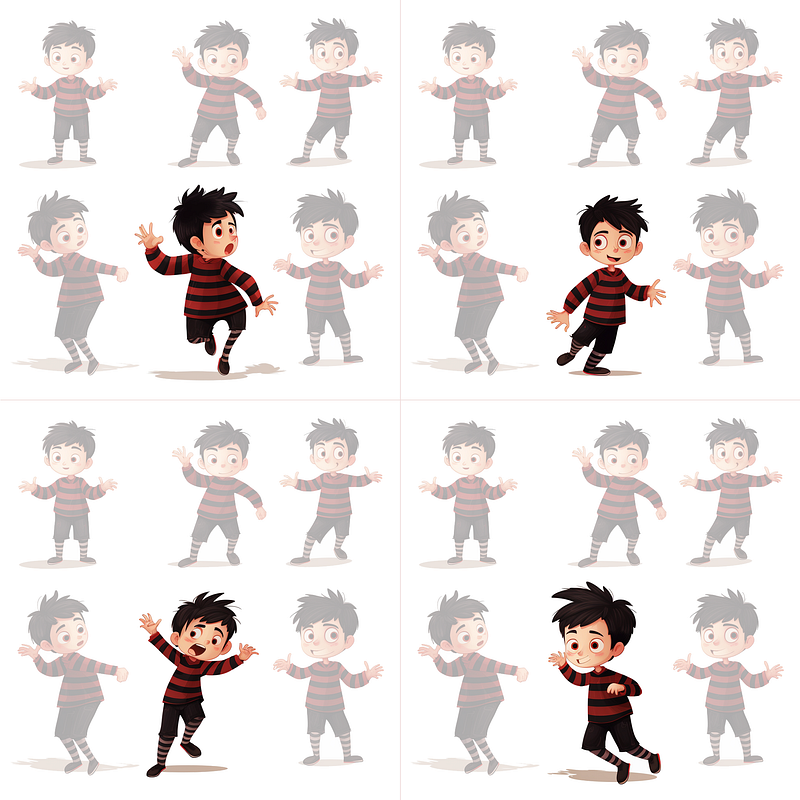
Below is an example of this character recalibration, with use of the expression prompt ‘sprinting’.
(Notice how each of the four image generations is identical except for the middle-lower pose. This is the magic of The Character Sheets / Vary (Region) Method):
Important note: Before we proceed, it’s crucial to understand that while this method is highly effective, it may not yield a 100% perfect result every time, much like other Midjourney textual approaches and prompt combinations that attract varied success rates. However, once an initial image is generated with all poses appearing to be of the same character, the overall character consistency is significantly improved, contingent upon how proficiently your prompts are engineered.
Now, let’s dive into the practical steps to achieve this fascinating result.
Note: To ensure the effectiveness of this guide, activate Midjourney Model V5.2 by navigating to /settings and selecting Use the latest model (5.2) from the drop-down menu. I will test subsequent Midjourney versions as they become available.
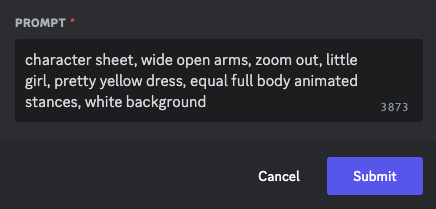
In this example, my initial image prompt is:
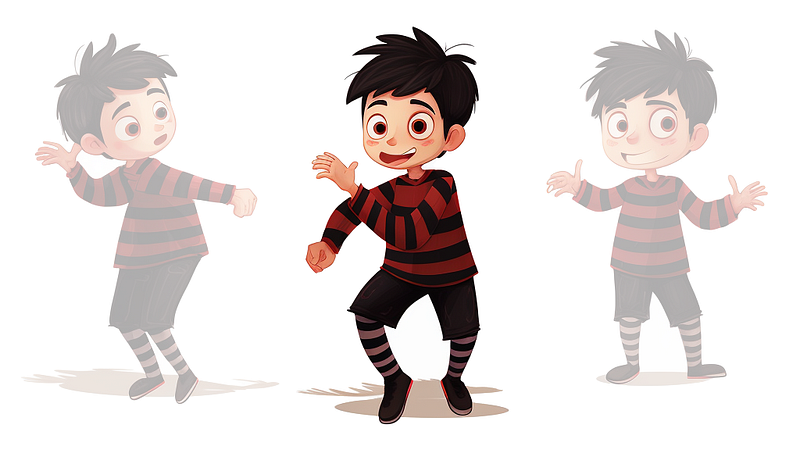
character sheet, wide open arms, zoom out, little boy, black and red stripy sweater, black short pants, equal full body animated stances, white background
ACTION: To start, you’ll want to make some adjustments to your own character creation text prompts. You can follow your usual character prompt keyword method within Midjourney, but with a slight tweak. Directly follow each /image prompt command with the phrase character sheet, wide open arms (we’ll come back in a moment to the rationale behind this latter keyphrase). Applying white background and equal full body animated stances keyphrases can help achieve satisfactory generations, and also try zoom out. The latter phrase helps to avoid cutting off heads and feet which Midjourney is fond of with character sheet generation, especially if experimenting with the — ar Aspect Ratio parameter (although this can be corrected by using one of the Zoom buttons under each upscaled image).
Note: Playing around with the order of keyphrases within Midjourney can produce diverse results, however the prompt sequence I have laid out here can generate suitable character variations for the purposes of this basic tutorial.
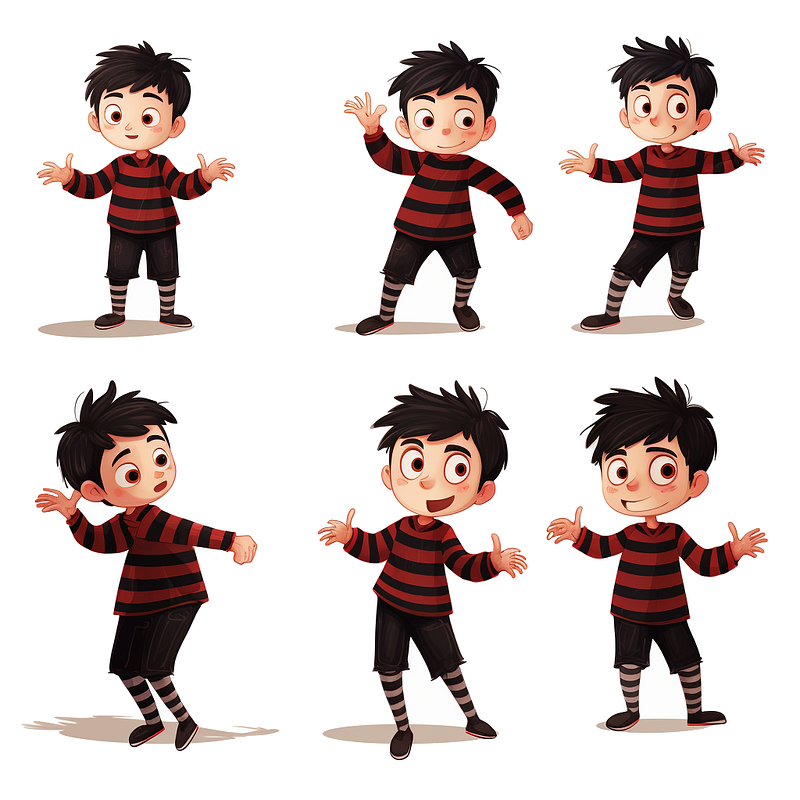
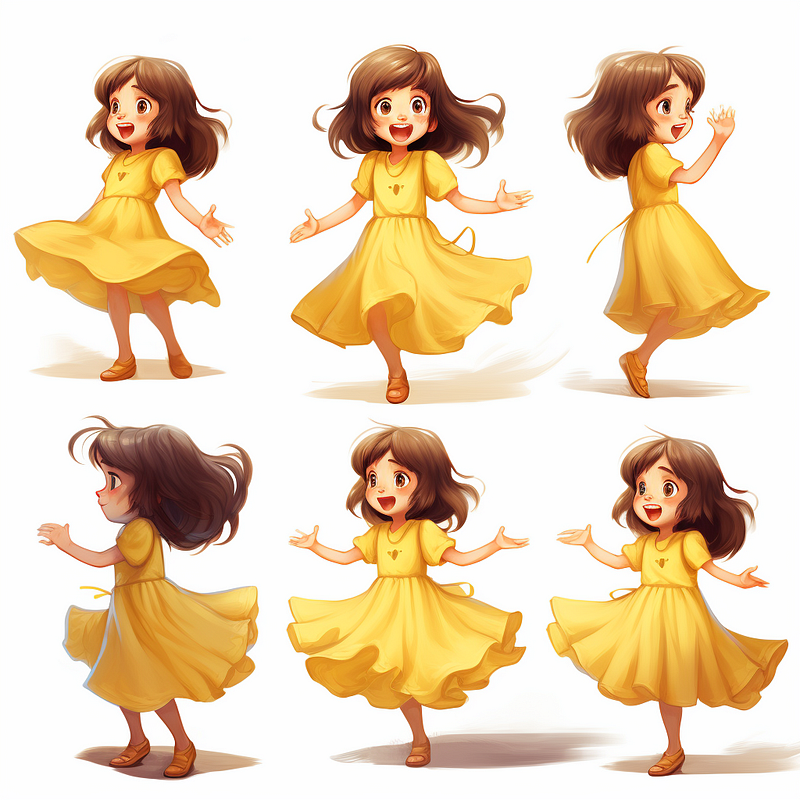
Taking into account that Midjourney provides four image results for a single generation request, the above text prompt adjustments would ideally yield approximately six character variations per result.
ACTION: Keep re-rolling your own character until at least one the four generations reflects a similarity to the ‘open arms’ poses of Eric depicted above.
When the wide open arms keyphrase produces a satisfactory result — a character with arms outstretched — it provides us with the most ample canvas for replacing the character with a new stance. In contrast, if the initial pose is more constrained, it may limit the available creation space for generating a new pose.
Once you have a result that meets the above criteria, select the one that resonates most with your creative vision, as it will serve as the foundation for the next phase of the process.
ACTION: Upscale your chosen image using the relevant U1 — U4 button options presented beneath the generation.
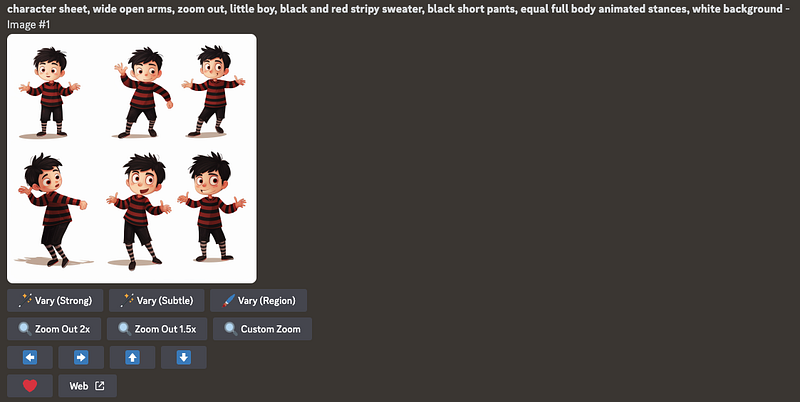
The CSVR Method
[Character Sheet / Vary (Region)]
ACTION: Next, it is important to ensure that Midjourney’s Remix option is active, allowing us to input a new prompt for the fresh pose. You can do this by utilising the /prefer remix command to toggle it on/off or by accessing /settings and selecting the Remix mode button, ensuring it is highlighted in green if it is not already enabled.
Here’s where the new Vary (Region) option comes into play and the magic begins.
ACTION: Press the Vary (Region) button below your character sheet image to bring up the Editor.
ACTION: If this is your first time accessing the Editor, the default will be Rectangle Tool. You will need to amend this by selecting the Lasso Tool at the bottom of the image, to the left of your original text prompt (if no prompt is shown, this indicates that Remix mode is turned off).
I would recommend choosing a single character image with ample white or clear space around it, as it provides Midjourney with more room to generate a new character pose. In this example, we’ll work with the Eric image located in the lower-middle section.
ACTION: Using the Lasso Tool, direct your cursor around your character of choice, taking in as much empty space as you can. This results in the production of an ‘alpha channel’ effect, defining the shape you’ve created around Eric.
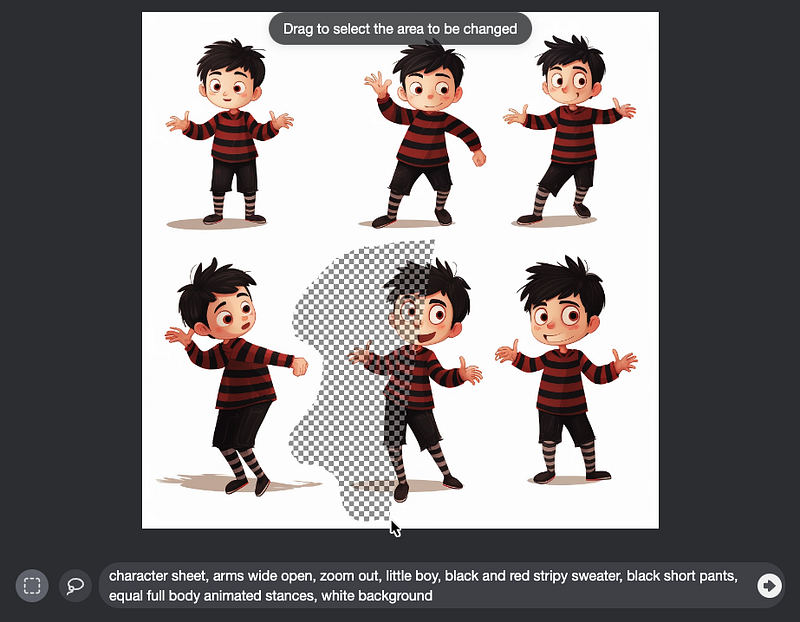
Adding your new ‘Expression Prompt’.
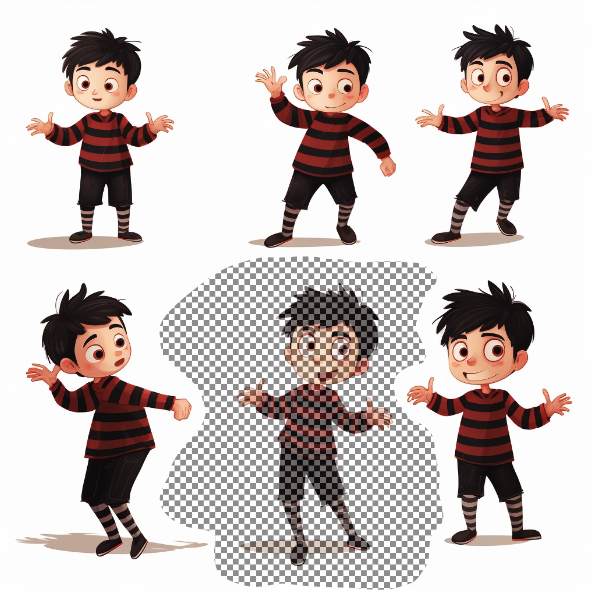
This is the point at which your new character pose will be created.
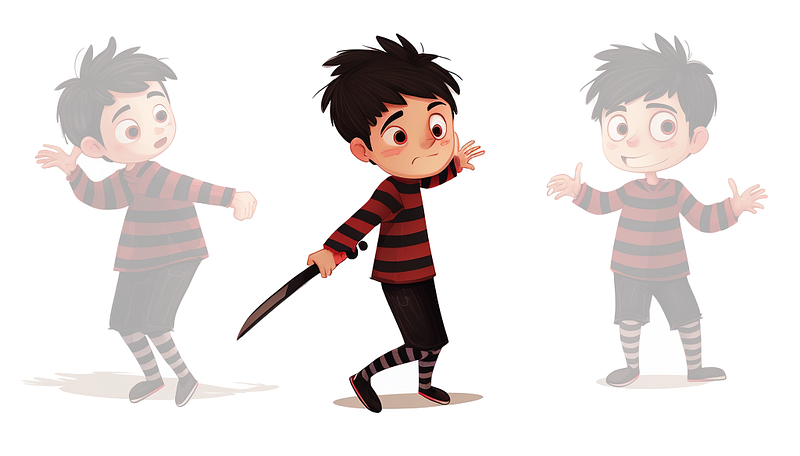
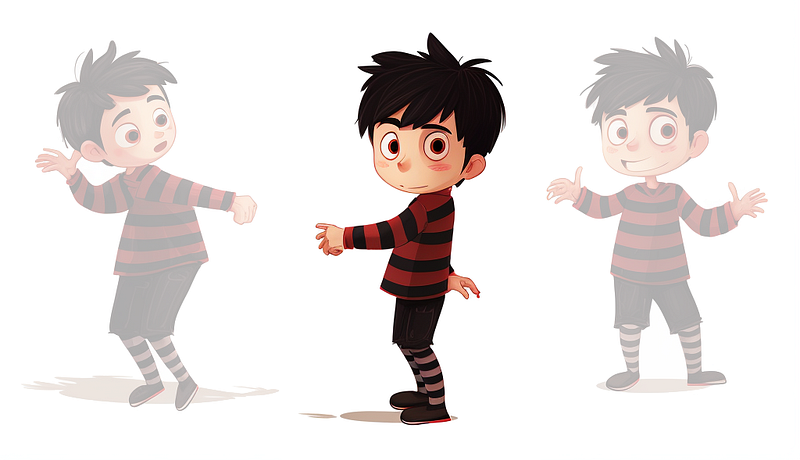
ACTION: Highlight the text that reads wide open arms and replace it with your new concept for a pose, expression, reaction or stance; such as on a chair, gloomy, startled or shaking hands. Finally, click the Submit Job arrow.

Midjourney will now generate four options of the same character sheet as before, with each lower-middle positioned version of Eric reflecting your new expression prompt.
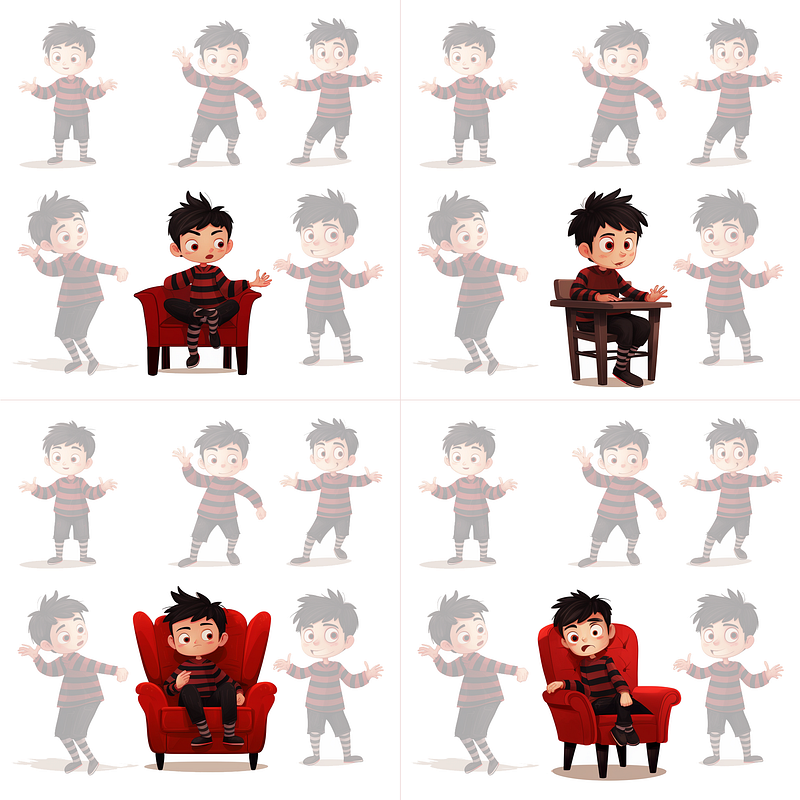
Bingo! A brand new characterisation of Eric for our children’s book.
ACTION: We can now enhance the resolution of our preferred new character sheet using the U1-U4 scaling method covered earlier, and then right-click and Save Image. Afterward, we can employ an editing application such as Photoshop to extract the desired character pose, which can be utilised in our illustrated book.
Expression Prompts — examples
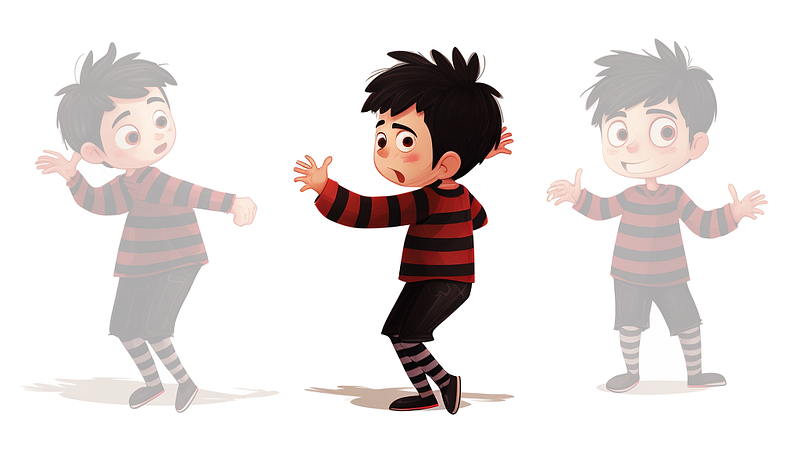
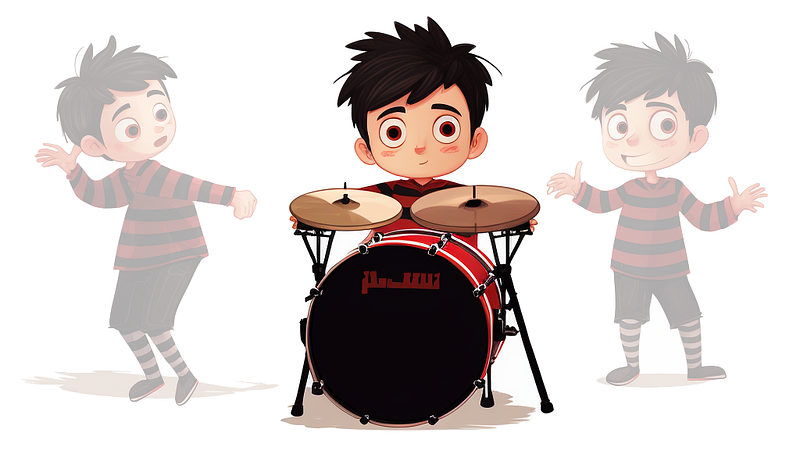
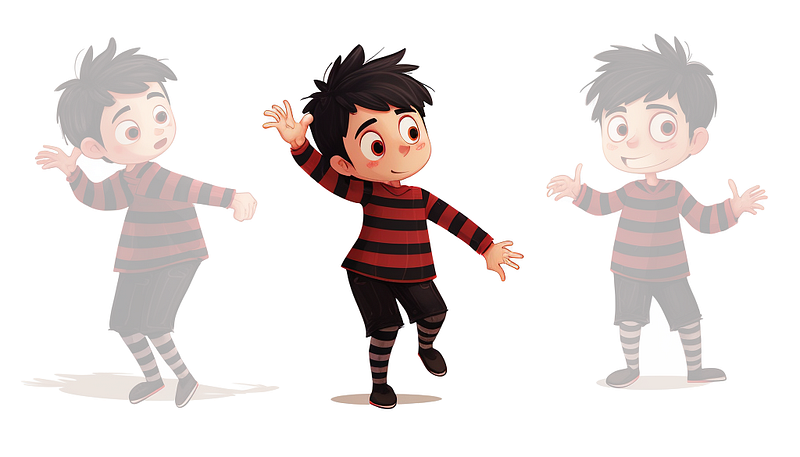
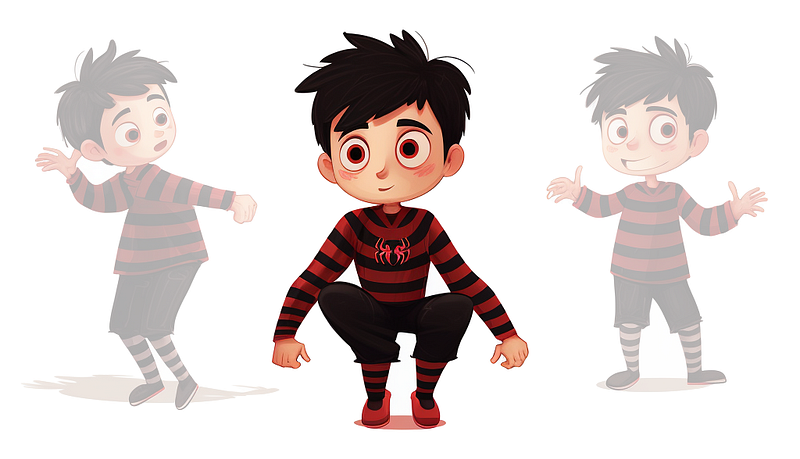
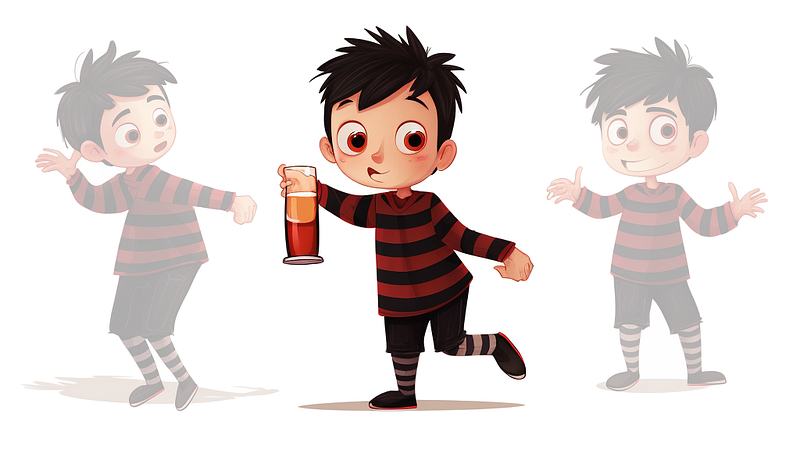
Here is a selection of example expression prompts and the resulting Midjourney generations (lower three Erics from each character sheet displayed).
Scared
Playing a drum kit
Hopping on one leg
Shrugging
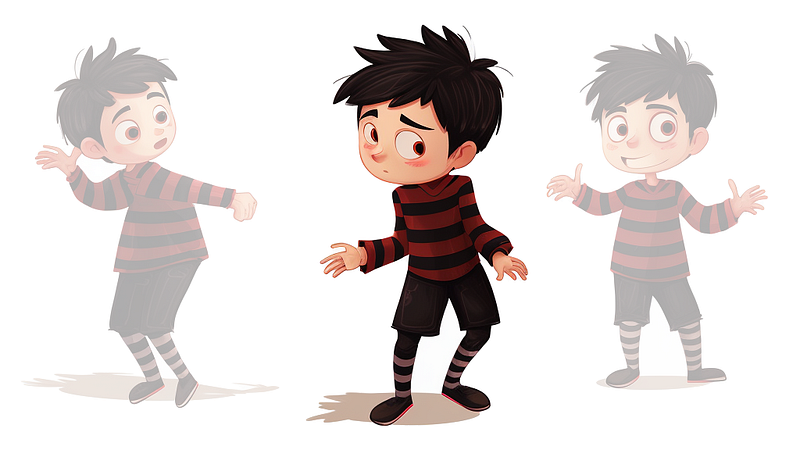
Spider-man pose
Drinking
Crouching
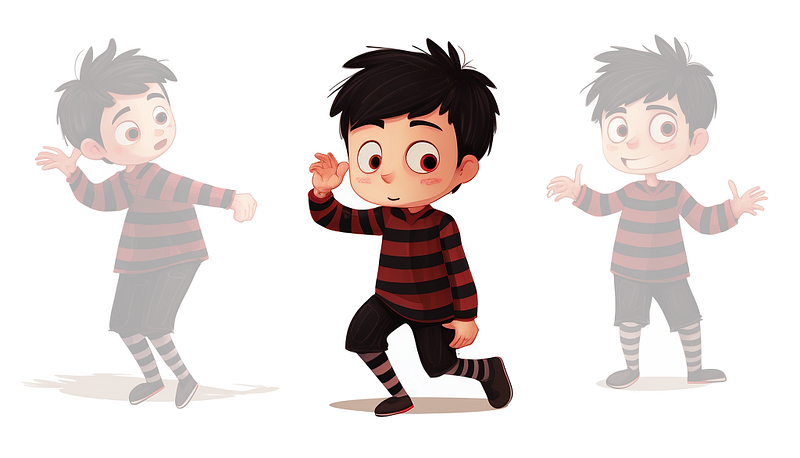
Ballet 2nd position
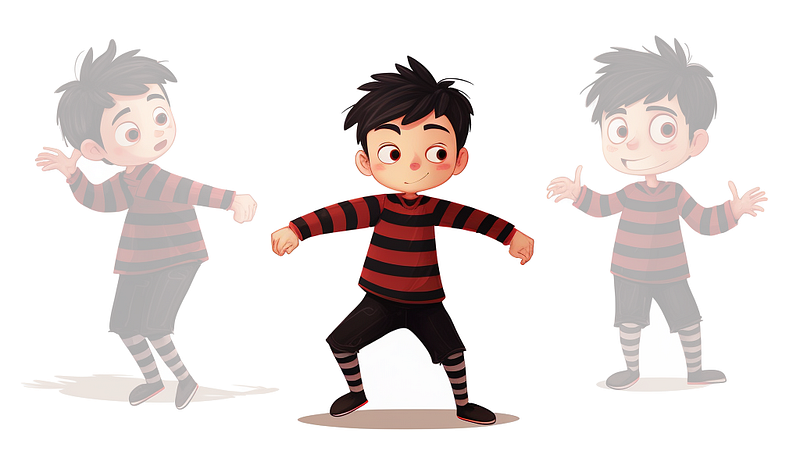
Depressed
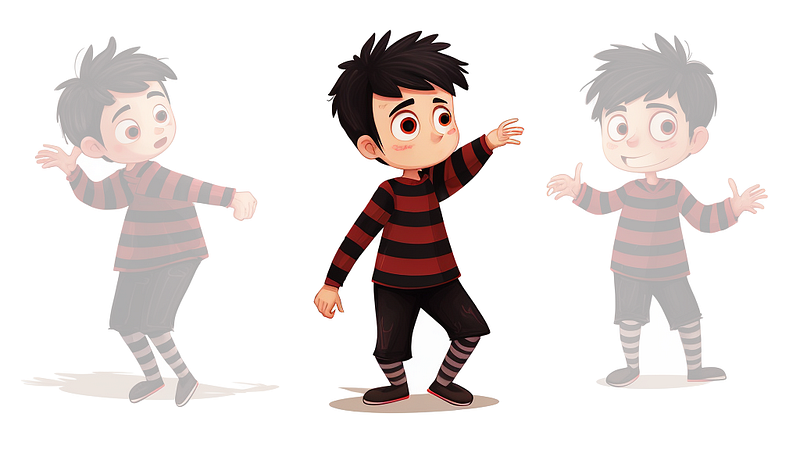
Playing a violin
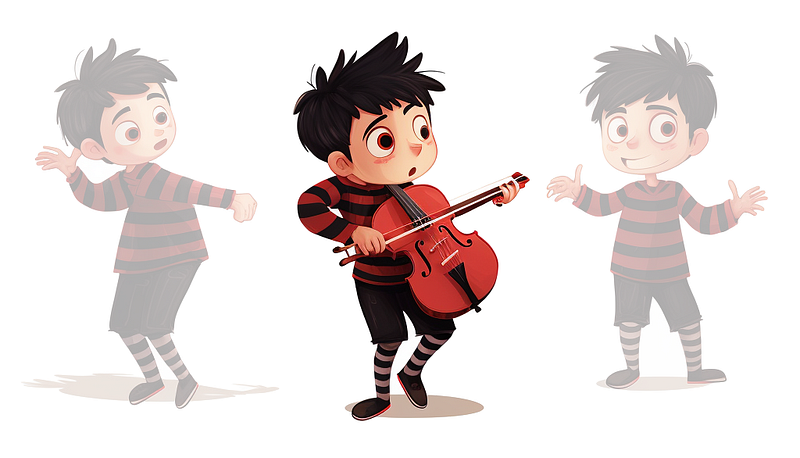
Shouting cupping mouth
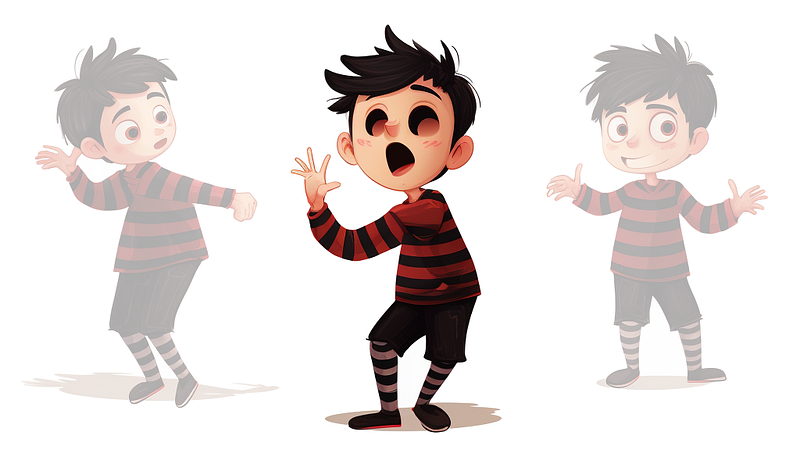
As evident from these last few examples, even Midjourney’s finest generations may not always meet our expectations. We hope for improvements with the upcoming Midjourney Model V6.0.
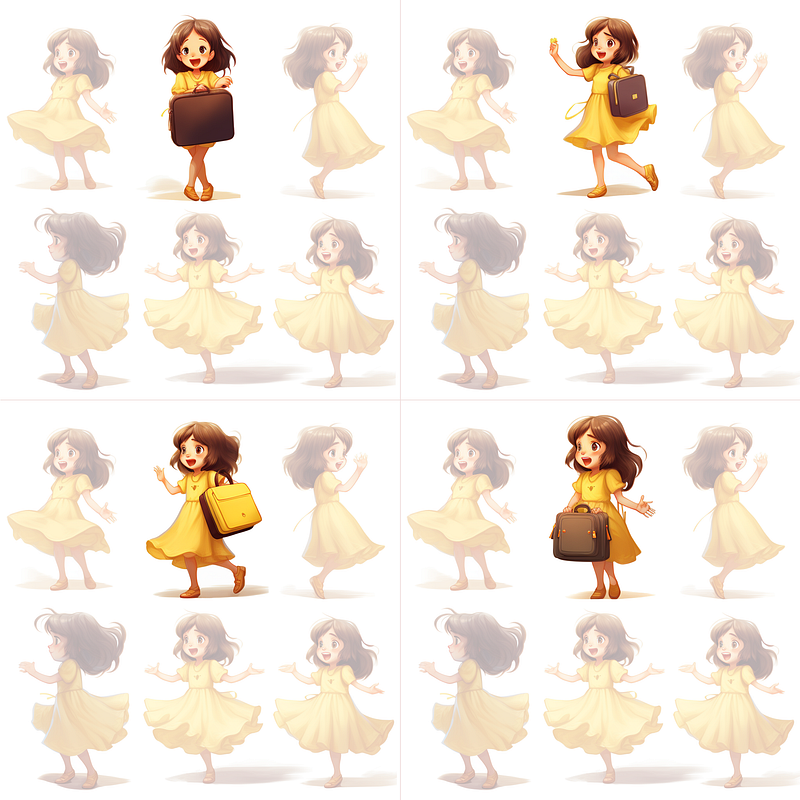
Tip: I have found that using ‘props’ such as a satchel for the expression prompts helps to work more consistently than merely poses or reactions. See below for the results when we adapt my initial prompt and subsequent image calibrations.
Carrying satchel to school and in a hurry
Fantastic! That concludes our exploration of The CSVR Method to achieve character consistency in the context of illustration.
‘Contact sheet’ prompt for photography
Now, you may be wondering, ‘Can this method be used in the same way with photography prompts?’ Through experimentation, I have found that using the prompt contact sheet in place of character sheet goes some way to achieving this.
Note: In photography, a contact sheet is a single print or image that displays an array of smaller thumbnail-sized photographs, usually from a roll of film or a digital photoshoot, allowing photographers to review and choose specific images for further processing or printing.
However, it’s worth noting that due to the low resolution of Midjourney’s initial generated images, when requesting a full-body human in the initial contact sheet result, facial and other details may be somewhat lacking. We may need to await future versions of Midjourney to see improvements in this aspect.
Nevertheless, using the Contact Sheet method with headshots, for instance, can yield some effective results.
In this example, my initial image prompt is:
contact sheet, white background, beautiful model
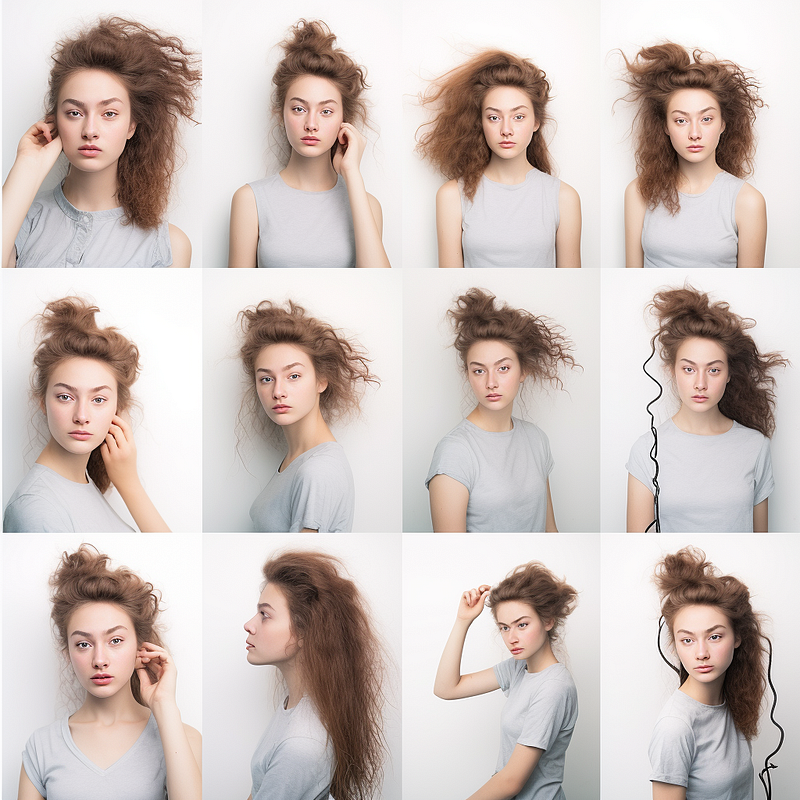
Now, let’s introduce a new prompt; smiling with teeth. Inside the Vary (Region) Editor, my ‘alpha channel’ selection encompassed four of the original faces for recalibration.
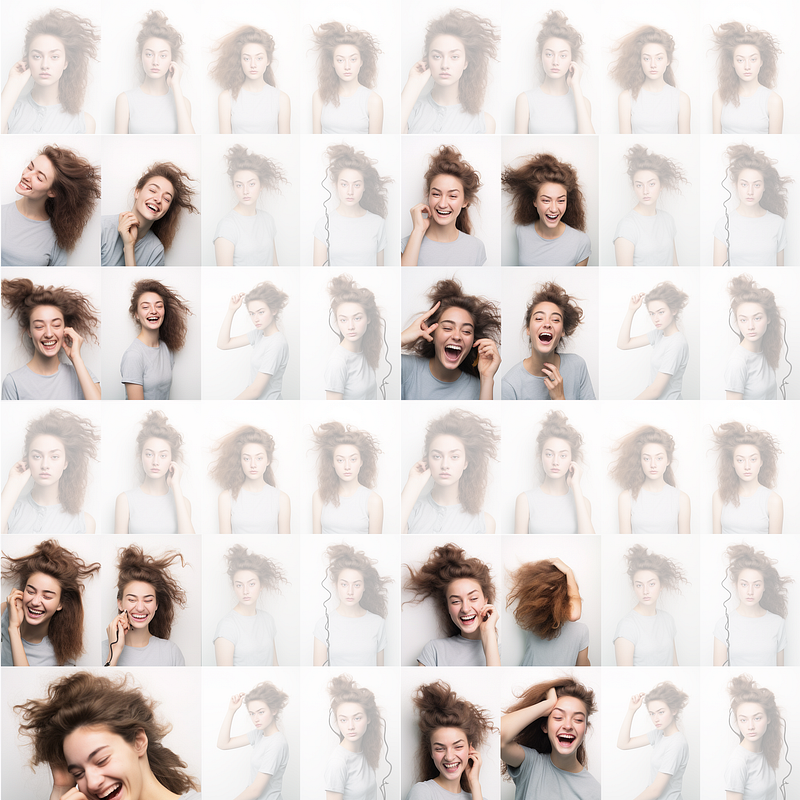
As evident from the examples above, it’s clear that there is significant potential in using the contact sheet text prompt in close-up photography shots to attain favourable results.
In conclusion, the utilisation of character sheets along with the Vary (Region) feature in Midjourney offers a valuable solution for addressing character consistency issues in AI-assisted generative illustration.
Once again, please keep in mind that, as with any Midjourney endeavour, the best results may not be immediate. It is advisable to re-roll from your chosen upscaled character sheet multiple times to explore a wider range of options.
Finally, my thanks for accompanying me on this exploration of character consistency through use of The CSVR Method.
If you’re interested, do please check out my new publication over on Amazon: ‘AI To AI: Exploring The Intersection of Multi-Dimensional Theory, Dark Matter and Artificial Intelligence’ by Morten Staveley, published by Aquillia Champney Publishing House. Thanks!


