
Convert your Markdown into a beautiful Mindmap with Markdown Map

If like me : - You like using Markdown to take notes ! 😎 - You think mindmap software aren’t pretty enough ! 🤔 - You don’t want to pay just to make a beautiful mind map ! 😤
Markdown Map is the tool for you : https://markdown-map.com

In this article, we’ll walk you through the basics of mind mapping with Markdown Map and show you how easy it is to turn your ideas into a beautiful mind map in no time.
What is Markdown Map?
Markdown Map is a free, user-friendly tool that allows you to create mind maps using Markdown syntax. It is designed to be intuitive and efficient, prioritizing a clean and minimalist interface that puts the focus squarely on your ideas. If like me you don’t want to spend hours just to make a mindmap, you’ll like this tool !
Creating Your First Mind Map
To begin, head over to the Markdown Map website. You’ll be greeted by a clean and minimalist interface that’s easy on the eyes.
To create a mind map, simply start typing your ideas using Markdown syntax. To structure your mindmap you can use headings. To create a heading, add number signs (#) in front of a word or phrase. The number of number signs you use should correspond to the heading level. For example, to create a heading level three (<h3>), use three number signs (e.g., ### My Header)
For example:
# 😋

## 🦄
### Unicorn
### ▨ Fantasy land

## 🦙
### Alpaca
### ▨ South America

## 🦥
### Sloth
### ▨ South America

## 🦒
### Giraffe
### ▨ Savane
Markdown Map will automatically generate a visual representation of your mind map as you type, making it easy to see how your ideas are connected.
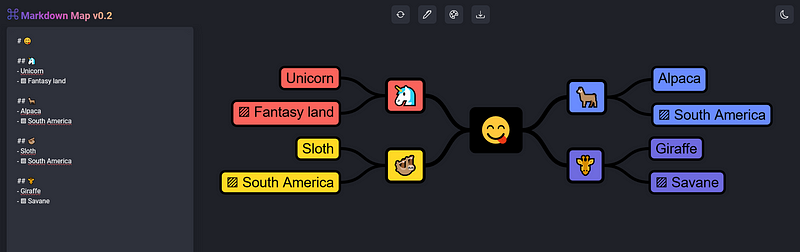
You can also use list delimiter such as -,* or +. The following markdown generates the exact same mindmap above :
# 😋

- 🦄
 - Unicorn
 - ▨ Fantasy land

* 🦙
 * Alpaca
 * ▨ South America

+ 🦥
 + Sloth
 + ▨ South America

## 🦒
 - Giraffe
 - ▨ Savane
Customizing Your Mind Map
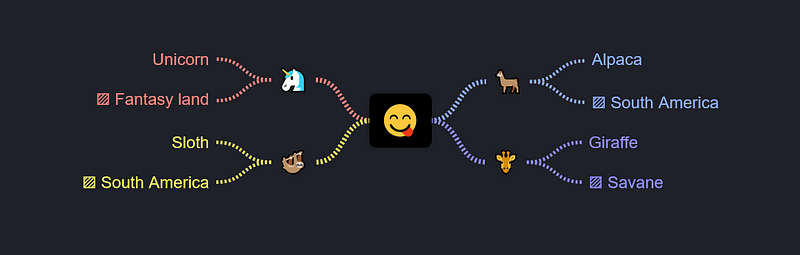
Markdown Map offers a range of customization options to help you make your mind maps truly your own. You can change the colors, the shape, and style to match your personal preferences or the theme of your project.

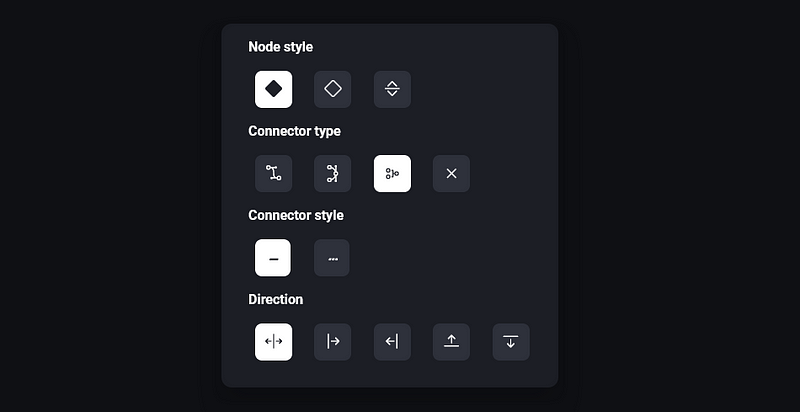
For example these are the mindmaps that is generated after diffrent customizations :


Sharing Your Mind Map
Once you’ve created your mind map, it’s time to share it with the world !
You can choose to export your mindmap as a JPG or a PNG file (the SVG format will be soon available) :

But you can also simply copy your markdown and send it wherever you want ! Letting others the freedom to modify your mindmap.
Limitations
Note that most of the markdown syntax is ignored by this tool. The tool doesn’t support image linking, links, tables or blockquotes.
Conclusion
With Markdown Map, mind mapping has never been easier. Whether you’re brainstorming ideas, planning projects, or organizing your thoughts, Markdown Map has everything you need to bring your ideas to life quickly without thinking about the design of your mindmap. Currently, the tool have only limited features but it is suffficient for my needs, at least for now !
Markdown 2 Mindmap : https://markdown-map.com
Hacktivity : https://hacktivity.fr
Github : https://github.com/CAPSULE-CORP-TECHNOLOGY/Markdown-Map


