
Concurrency in Databases & Database Isolation Levels(Dirty Read, Phantom read, Non-Repeatable Read) with examples
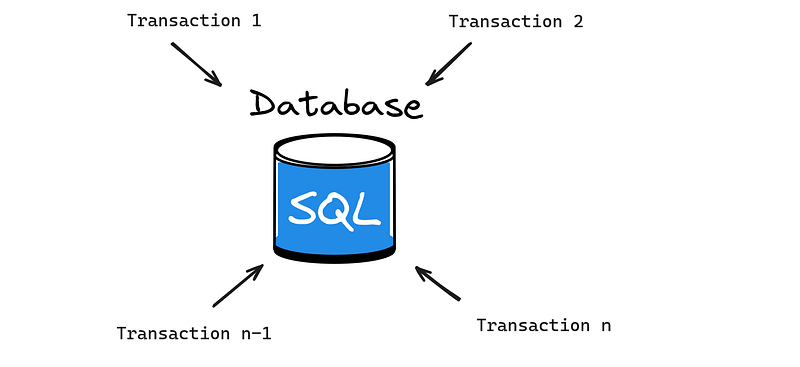
Databases are the backbone of applications. It acts as a persistent storage for the valuable data that our apps generate. So since our apps are used by millions of people the database should also be capable to handle that kind of load. Load in terms of Databases are Database queries, read and write operations. Since there can be multiple users of our app, our Database will also have multiple transactions. Now if we run the transactions one-by-one the last transaction will have to wait till the user thrashes his/her keyboard and Monitor. So here comes the concept of concurrency in Databases.
What are Transactions in Databases?
A transaction comprises a series of instructions that together carry out a cohesive unit of logical work. Transactions adhere to the atomicity principle, ensuring that either all operations succeed or none at all. If at any point during the course of the Transaction execution any error occurs the whole transaction is rolled back. In case of successful execution commit is done.T1- -> Transaction 1, T2- -> Transaction 2.

Concurrency wrt DBMS
Concurrency in DBMS means running multiple transactions at the same time but the transactions are in isolation. Each transactions think its the only transaction running in the Database. Concurrency decreases waiting time, increases response time and utilizes the resources properly.
Problems with concurrency
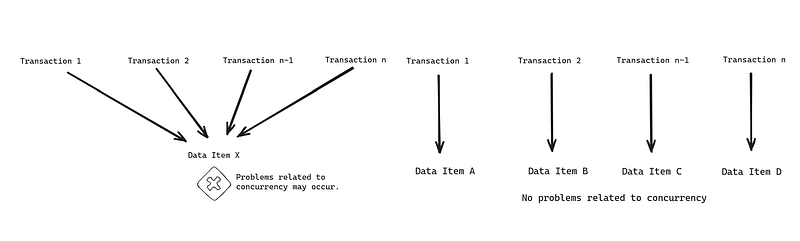
Problem with concurrency occurs only when multiple transactions work on the same data item. If they are working on different data items there would be zero problems in concurrency. When multiple transactions are executed concurrently in a random fashion, various issues arise. Database transactions primarily involve two major operations: “Read” and “Write.” Effectively managing these operations during concurrent transaction execution on same data item is crucial to ensuring the consistency of the data in the Database.
Dirty Read Problem in concurrency
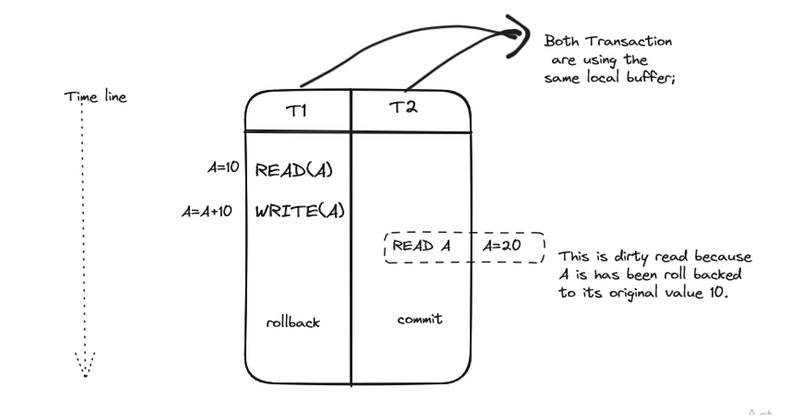
Dirty read occurs when a transaction reads shared data that has been modified by another transaction but that transaction is not yet committed. In other words a transaction reads uncommitted data from another transaction, which can lead to incorrect or inconsistent results. Here is an example T1- -> Transaction 1, T2- -> Transaction 2, A- -> Shared Data Item.
Phantom Read Problem in concurrency
In the course of a transaction, two identical queries are executed by the same transaction and the collection of rows returned by the second query is different from the first. This happens because another Transaction works on the same data and commits. Here is an example T1- -> Transaction 1, T2- -> Transaction 2, X- -> Shared Data Item.

Non Repeatable Read Problem in concurrency
A non-repeatable read occurs when, within a transaction, a row is retrieved twice at different time instances and the values within the row vary between the two reads. In simpler words reading committed data from an update query done by another Transaction between the two reads.Here is an example T1- -> Transaction 1, T2- -> Transaction 2, X- -> Shared Data Item.

These are the problems faced due to concurrency in DBMS. Next I will be talking about How to solve these problems using Transaction Isolation levels and Concurrency control measures/protocols to ensure consistency in database.
Types of isolation levels
There are 4 types of transaction isolation levels which helps us to counter the problems that arises during concurrency:
- READ_UNCOMMITTED
In the READ_UNCOMMITTED isolation level, transactions can access data that has not been committed by other transactions. This level of isolation is the weakest among concurrent transactions, allowing reads to occur without acquiring locks. Consequently, transactions may retrieve uncommitted data from other transactions, resulting in the possibility of encountering DIRTY_READS.
Example below:-
I have same table opened in two different terminals(Left->Terminal 1,Right->Terminal 2) and I have set the transaction isolation to READ_UNCOMMITTED.
Terminal 1.
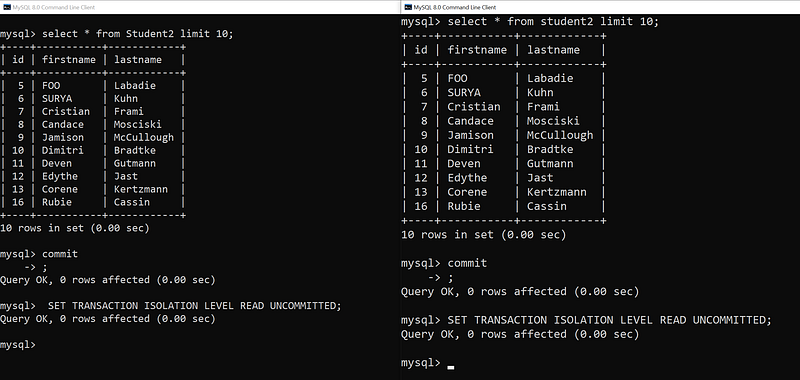
Now from Terminal 1 I will UPDATE the row with firstname=FOO and change it to “JHON” but I will not commit the Transaction.
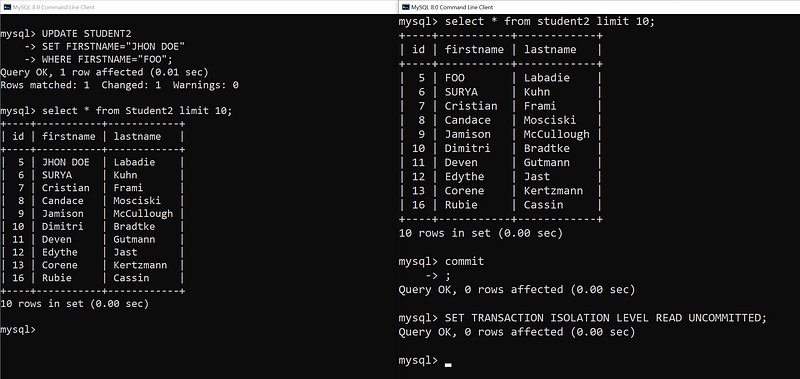
Lets check from Terminal 2 If it reads the uncommitted data.

Now from Terminal 1 I will rollback the transaction and again read from Terminal 2. We will see that the value of the firstname has changed so it is a dirty read. So if the Tranaction 2 has used the value for any business operation there will be inconsistency because the value after roll back is changed back to its original value.

2. READ_COMMITTED
Read Committed isolation level prevents dirty read problems. It provides a higher level of transaction isolation compared to Read Uncommitted and a slightly lower level than Repeatable Read. In this isolation level, transactions can access updated data from other transactions, but only if the data has been committed. This ensurps that dirty reads are avoided. When operating in READ_COMMITTED mode, every SQL statement captures changes that have been previously committed, such as newly added rows in the database by other transactions. Ruunning the same SELECT statement multiple times within a single transaction may yield different results due to the ongoing commits by other transactions.
Example below:-
I have same table opened in two different terminals(Left->Terminal 1,Right->Terminal 2) and I have set the transaction isolation to READ_COMMITTED.
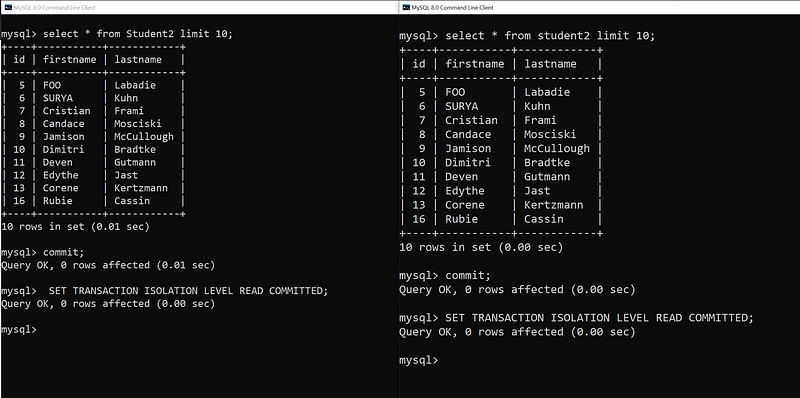
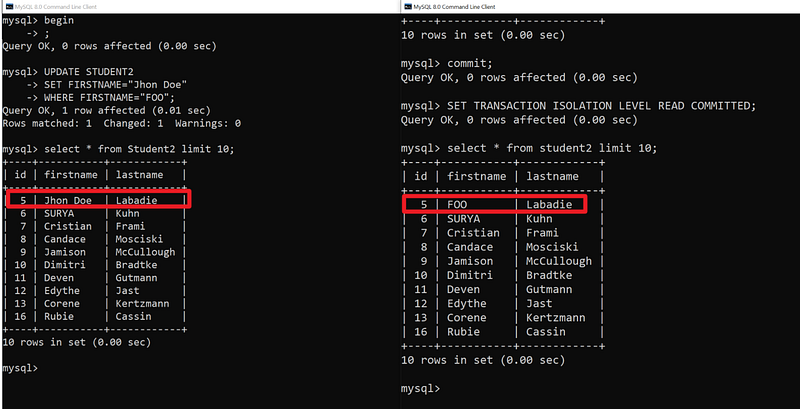
Now from Terminal 1 I will UPDATE the row with firstname=FOO and change it to “John Doe” but I will not commit the Transaction.

In terminal 2 I will again run the query and we can see that the name has not changed because the Transaction Isolation Level is set to READ_COMMITTED. Now even if i rollback from Terminal 1 it will not affect Terminal 2.
3. REPEATABLE_READ
Prevents both dirty reads and non-repeatable reads, Repeatable Read is the default isolation level for the MySQL InnoDB engine. This level addresses non-repeatable reads by employing and maintaining a snapshot established at the starting of the transaction. Consequently, queries executed within the same transaction consistently yield the same values. A transaction operating in REPEATABLE READ mode remains unaffected by the concurrent commitments of other transactions. It consistently presents the same data, ensuring a stable snapshot throughout the entire transaction.
Example below:-
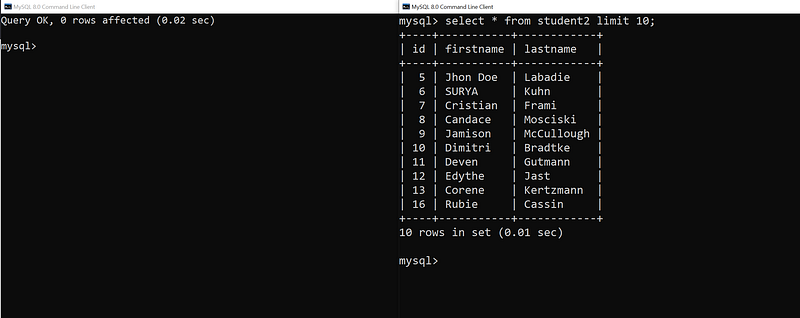
I have same table opened in two different terminals(Left->Terminal 1,Right->Terminal 2) and I have set the transaction isolation to REPEATABLE_READ.
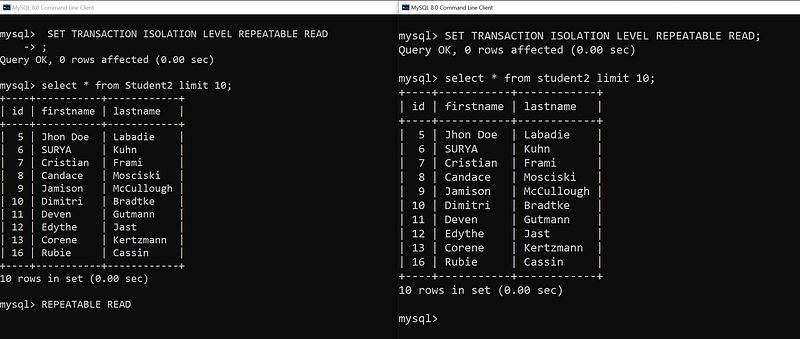
Now from Terminal 1 I will delete the row with firstname= John Doe and also commit the Transaction.

In Terminal 2 we can see that Jhon Doe is still present and this is because a snapshot has been taken at start of the Transaction and this will be maintained throughout the transaction.
4. SERIALIZABLE
Prevents Dirty reads, Non-repeatable reads and Phantom reads Serializable provides the highest level of isolation between concurrent transactions. While Serializable isolation level enhances transaction consistency, it introduces heightened locking conditions in MySQL that need to be managed.
Example below:-
I have opened in two different terminals(Left->Terminal 1,Right->Terminal 2) and I have set the transaction isolation to SERIALIZABLE.
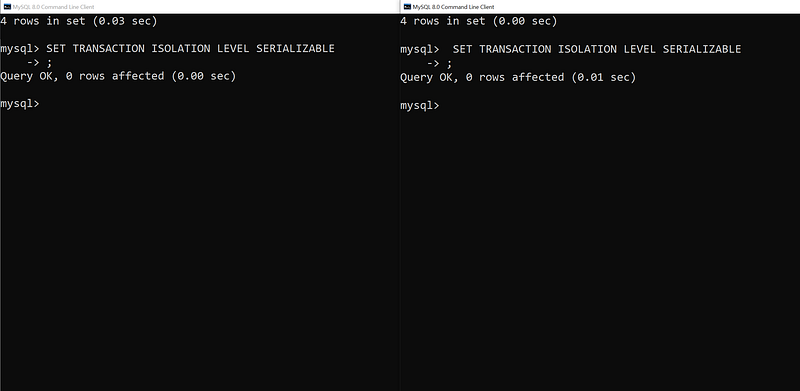
Now I will run SELECT query from Terminal 1 and will try to update a row from Terminal 2.

We can see that the SELECT query is working fine in both the Terminals because both he Transactions are holding the SHARED_LOCK which allows concurrent Transactions to read the shared data but doesn't allow to modify them. You need to acquire EXCLUSIVE_LOCK to UPDATE OR DELETE. That is why the UPDATE transaction in Terminal 2 times out.
The SELECT statement employs shared locks (LOCK IN SHARE MODE), allowing other transactions to read the selected rows but preventing them from performing updates or deletions. That is why the INSERT/UPDATE operation is failing.
But as soon as I commit the 1st Transaction from Terminal 1 the second Transaction form Terminal 2 acquires the EXCLUSIVE_LOCK and updates the row.

I hope you found this article informative and Thank you so much for reading this article. I frequently post articles on tech so please do check out my profile. Thanks again. Happy coding.


