
How to Format Code on Medium
Learn three most common ways to format code in your Medium articles

How to Write Inline Code
To format code inside a paragraph inline like this: <h1>Hello</h1>, simply highlight the code and press the backtick (`) key:
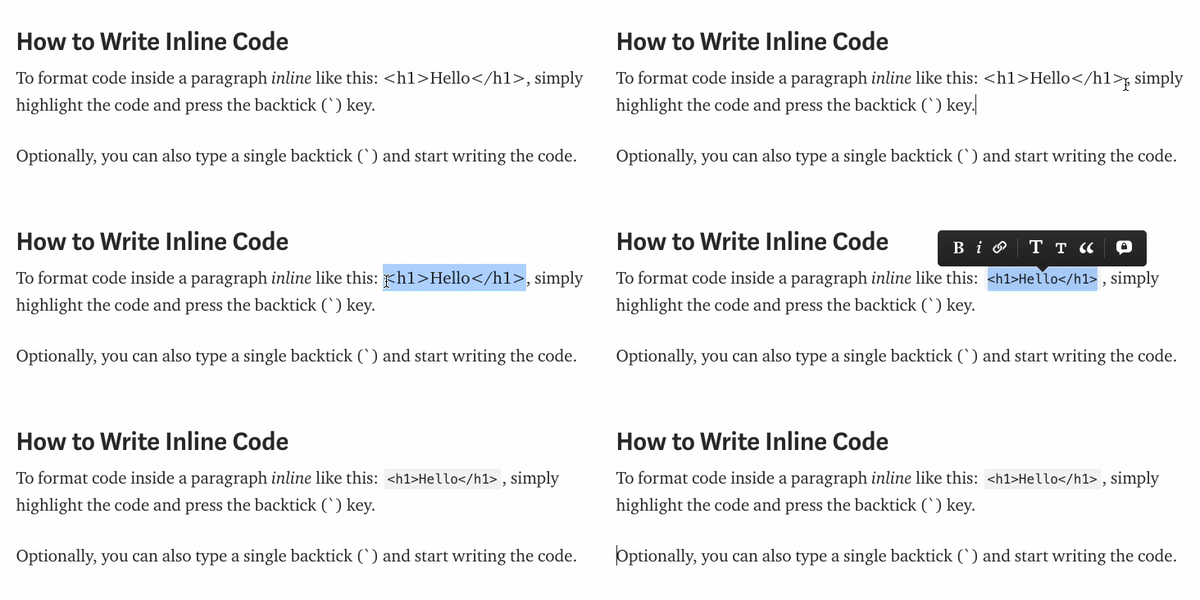
Remember: Inline code cannot be added to headings, quotes, or image captions.
👉 Join my Free Medium Course to learn how to grow your followers, reads, and earn more.
How to Create a Bigger Code Block
If inline code is not enough for your purposes, you can also create a bigger block of code like this:
while(1 < 2) {
    print("Hello, world!")
}
To create a block of code, press one of these key combinations depending on your system:
- Windows: ctrl+alt+6
- Mac: command+option+6
- Linux: ctrl+alt+6
OR type three backticks (```) in a new line to start a new code block and start typing code.
Hint: If you’re copy-pasting code from an editor, you may lose code formating, i.e. indentations and line breaks, etc. To fix this, you can use the Paste and Match Style property by right-clicking the code block when pasting:

Github Gists
This is a very common way to add chunks of code to your article.
Embedding your code as a Github Gist preserves the code style e.g. syntax highlighting, indentations, etc:
Furthermore, if you need to make changes to the code in the gist, the changes will automatically be reflected in the article.
Also, some publications accept programming articles only if Github Gists are used when embedding code.
How to create a Github Gist:
- Go to https://gist.github.com/
- Give the gist a description, write the code, and remember to use the proper file extension. e.g. with javascript, name your gist like
example.js - When you’re ready, publish the gist by creating a public gist:
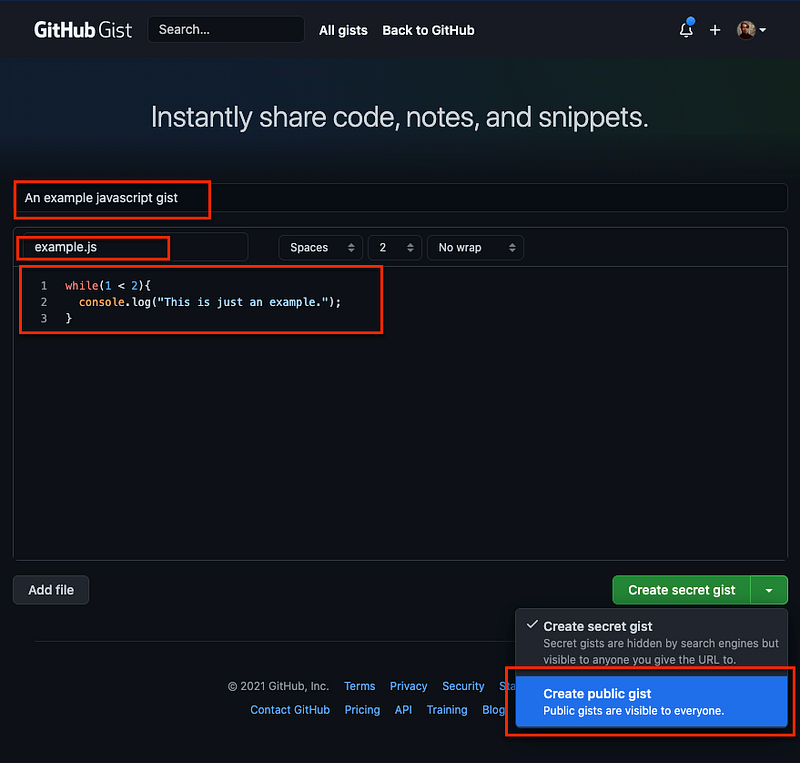
4. Copy the URL of the published gist and embed it into Medium:

5. Profit
Conclusion
I hope you find these code formatting tips useful.
Give it some claps to make others find it too! Make sure you follow me on Medium not to miss anything. Also, let’s be friends on Linkedin.


