
Code-based Diagramming
Draw diagrams programmatically.
We talked about text-based diagramming using Mermaid and Vite, and text-based diagramming in writing technical documentation. In this article, we will go through open source libraries that can help us generate diagrams programmatically.
Diagrams for Python
Diagrams helps us draw on-premise and cloud system architecture in Python code.
It supports all major cloud providers like AWS, Azure, GCP, IBM, OpenStack, DigitalOcean, Oracle, Firebase, and other platforms like Kubernetes, Saas, and Elastic search services.
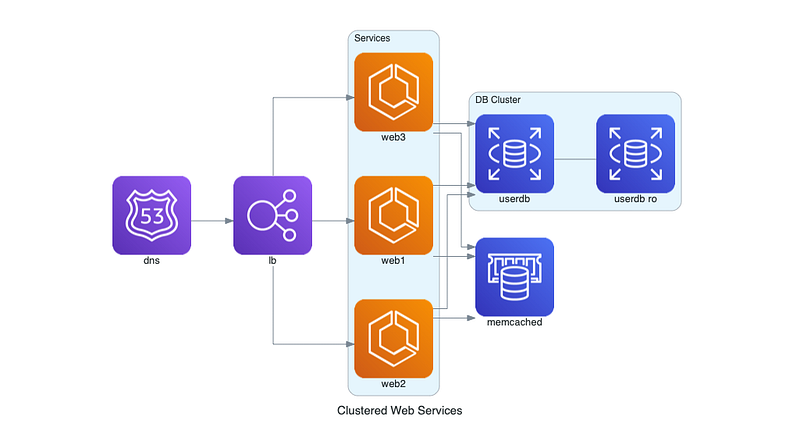
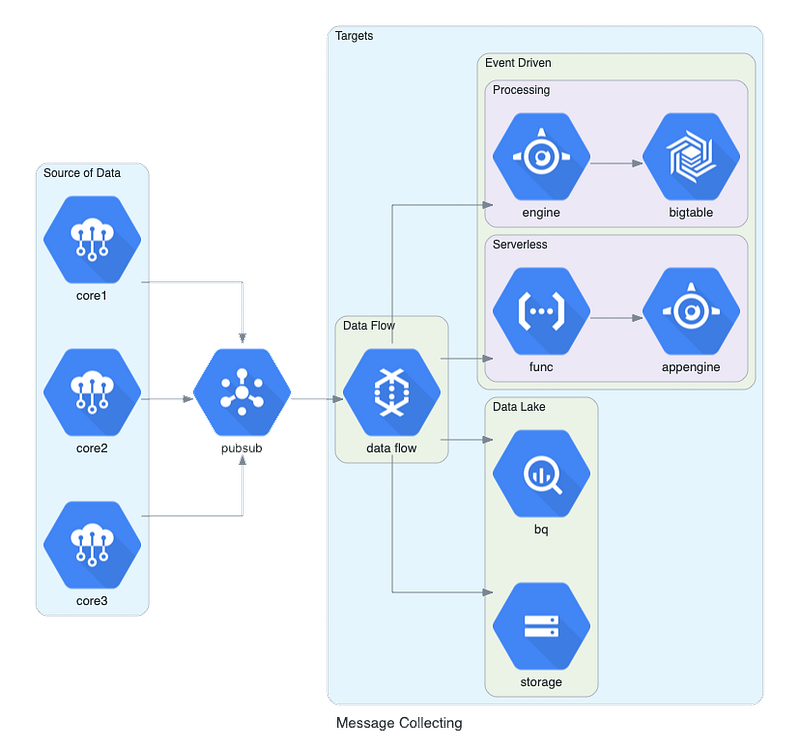
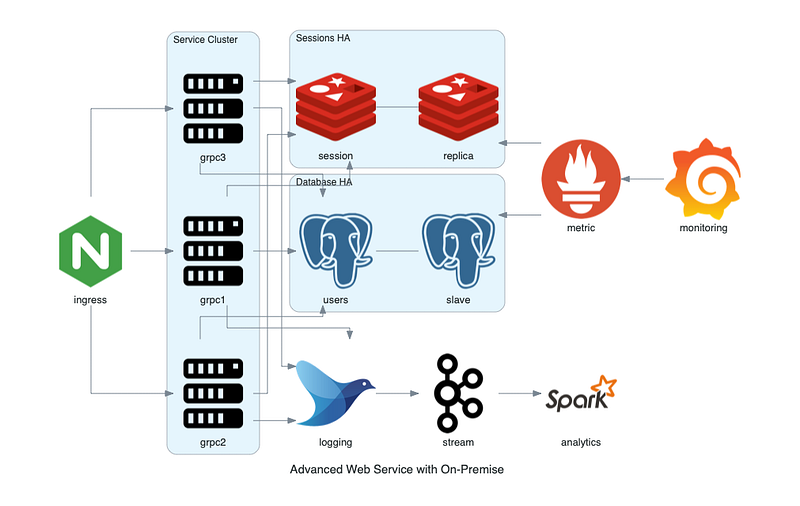
Below are some examples taken from the documentation.
AWS
GCP
On-Prem
Kubernetes
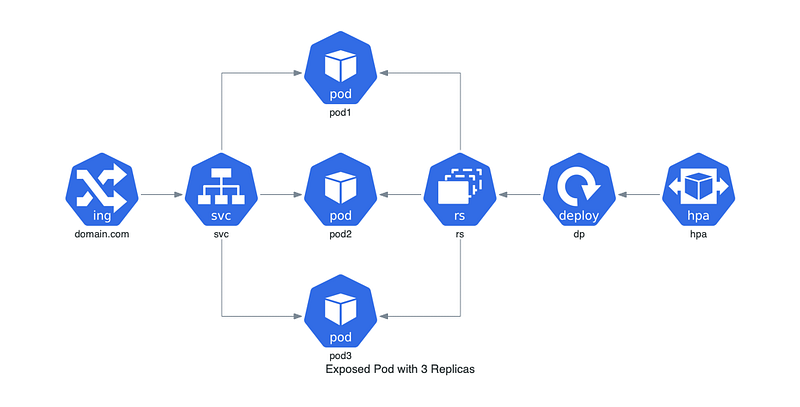
Note: Go-Diagrams is a port of this library for the Go language.
Mermaid for Javascript
Mermaid is a Javascript-based diagramming and charting tool that renders Markdown-inspired text definitions to create and modify diagrams dynamically.
Using Markdown-like syntax, we can create flow charts, sequence diagrams, class diagrams, ER diagrams, user stories, Gantt charts, pie charts, and requirements diagrams.
To create a diagram, we can use the live editor, plugins for any of your preferred editors or tools, Javascript APIs, mermaid-cli, or add it as a dependency.
Sequence Diagram
sequenceDiagram
    Alice->>John: Hello John, how are you?
    John-->>Alice: Great!
    Alice-)John: See you later!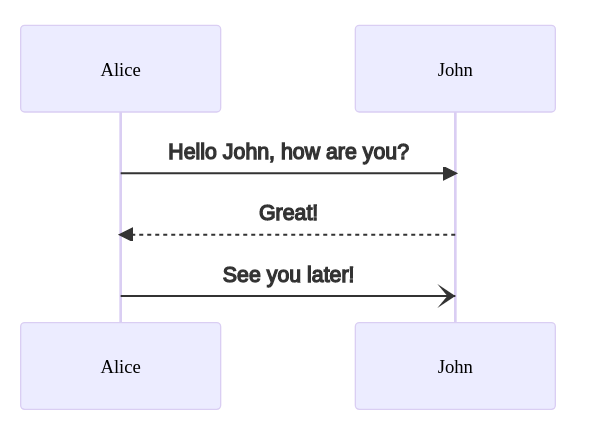
User Journey
journey
    title My working day
    section Go to work
      Make tea: 5: Me
      Go upstairs: 3: Me
      Do work: 1: Me, Cat
    section Go home
      Go downstairs: 5: Me
      Sit down: 5: Me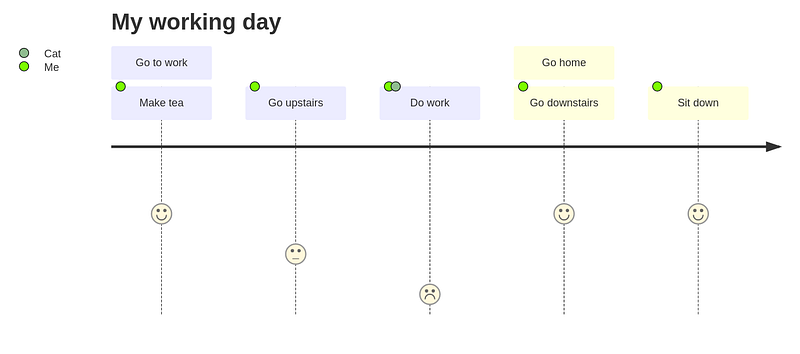
PlantUML
PlantUML, developed in Java, is another popular option to generate all sorts of diagrams like sequence diagrams, class diagrams, object diagrams, activity diagrams, component diagrams, deployment diagrams, state diagrams, timing diagrams, etc.
The good thing is that it also supports non-UML diagrams like visualizing JSON and YAML data, network diagrams, wireframe mock-ups, Archimate diagrams, Ditaa diagrams, mind maps, etc.
E.g below is a use case diagram generated by PlantUML.
@startuml
left to right direction
actor Guest as g
package Professional {
  actor Chef as c
  actor "Food Critic" as fc
}
package Restaurant {
  usecase "Eat Food" as UC1
  usecase "Pay for Food" as UC2
  usecase "Drink" as UC3
  usecase "Review" as UC4
}
fc --> UC4
g --> UC1
g --> UC2
g --> UC3
@enduml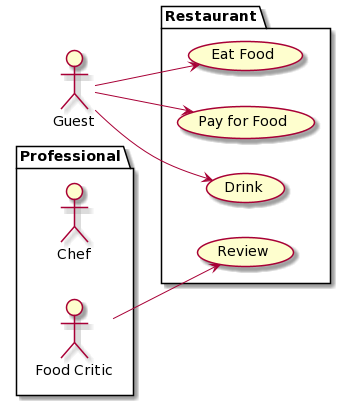
A sample state diagram,
@startuml
scale 350 width
[*] --> NotShooting
state NotShooting {
[*] --> Idle
Idle --> Configuring : EvConfig
Configuring --> Idle : EvConfig
}state Configuring {
[*] --> NewValueSelection
NewValueSelection --> NewValuePreview : EvNewValue
NewValuePreview --> NewValueSelection : EvNewValueRejected
NewValuePreview --> NewValueSelection : EvNewValueSavedstate NewValuePreview {
State1 -> State2
}}
@enduml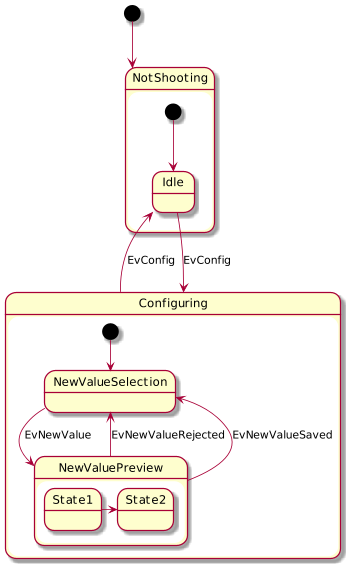
A sample mind map,
@startmindmap
* root node
	* some first level node
		* second level node
		* another second level node
	* another first level node
@endmindmap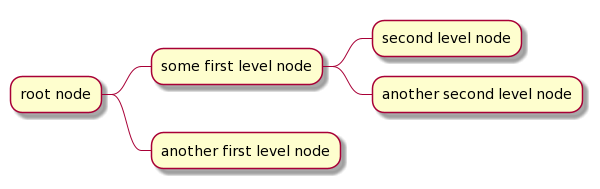
C4-PlantUML
The C4 (Context, Containers, Components, and Code) model is a set of hierarchical diagrams to describe software architecture at different zoom levels, each useful for different audiences.
- Context — Shows the software system we are building and how it fits into the world in terms of the people who use it and the other software systems it interacts with.
- Containers — Zooms into the software system, and shows the containers (applications, data stores, microservices, etc.) that make up that software system.
- Components — Zooms into an individual container to show the components inside it. These components should map to real abstractions (e.g., a grouping of code) in the codebase.
- Code — Shows the code for the component.
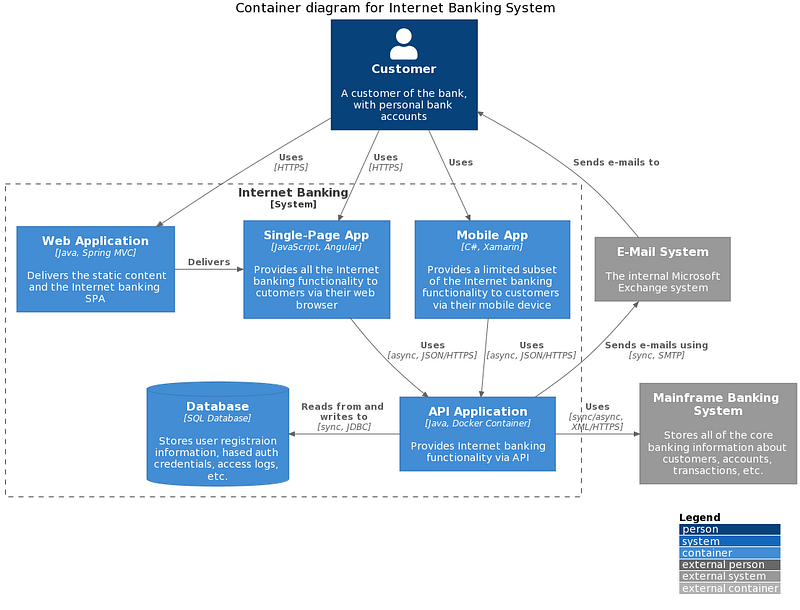
C4-PlantUML combines the benefits of PlantUML and the C4 model for providing a simple way of describing and communicating software architectures. It supports system context & system landscape diagrams, container diagrams, component diagrams, dynamic diagrams, and deployment diagrams.
Below is a sample container diagram from the documentation.
Asciidoctor Diagram
Asciidoctor Diagram is a set of Asciidoctor extensions that enable us to add diagrams written in plain text to the AsciiDoc document.
The good thing is we can use syntax that we are familiar with, e.g. Mermaid, PlantUML, GraphiViz, and the diagram processor can generate an SVG, PNG, or TXT file from the input text.
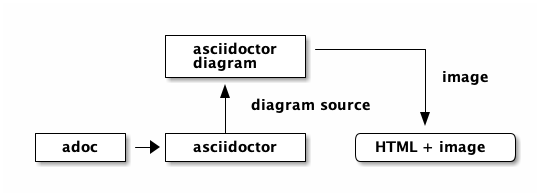
Below is an example from the documentation.
[ditaa]
....
                   +-------------+
                   | Asciidoctor |-------+
                   |   diagram   |       |
                   +-------------+       | PNG out
                       ^                 |
                       | ditaa in        |
                       |                 v
 +--------+   +--------+----+    /---------------\
 |        | --+ Asciidoctor +--> |               |
 |  Text  |   +-------------+    |   Beautiful   |
 |Document|   |   !magic!   |    |    Output     |
 |     {d}|   |             |    |               |
 +---+----+   +-------------+    \---------------/
     :                                   ^
     |          Lots of work             |
     +-----------------------------------+
....
Structurizr
Lastly, you may want to also check out Structurizr which is a collection of tooling to create software architecture diagrams and documentation based upon the C4 model.
It provides a set of authoring and rendering tools that make it possible to generate multiple diagrams from the same model to ensure consistency, with details being in sync across all diagrams, using the Structurizr DSL.
Editor Integration
Modern editors like VS Code, Emacs, Neovim, etc have plugins that help us integrate all these tools.
- For Mermaid, check here for the available plugins.
- For PlantUML, check here for the available plugins.
- For AsciiDoctor, check here for the available plugins.
Also, using an editor like Emacs, we can seamlessly integrate all these tools to help us write technical documentation.
Check out this article for more details on how we can use Emacs to write technical documentation.
You may also want to check out these related articles!
If you are not a Medium member yet and want to become one, click here. (A part of your subscription fee will be used to support alpha2phi.)


