

Cloud skills for Data Engineers: Google Cloud (Part 1)
How to use Google Pub/Sub
About me
Hello 👋 I’m Hugo Lu — I started my career working in M&A in London before doing data engineering at JUUL and London-based Fintech, Codat. I’m now CEO at Orchestra, which is a tool to help Data Teams release data into Production reliably and efficiently. ⭐️
Introduction
I’ve mentioned google pub sub a lot in my articles, and with good reason. Fundamentally, if you (the data team) can get the software team to just send you events with all the information in them you’ll ever need) then your life just got ALOT easier. You have a big incentive to do this, but with one snag — how do you ingest events? There are many options, Google Pub/Sub is but one! So let’s dive in.
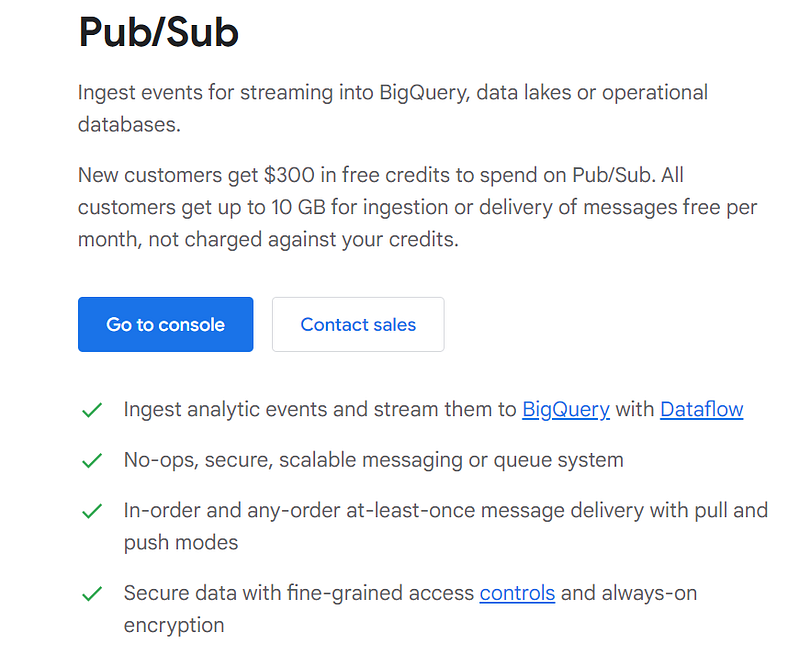
Pubsub is a way to get events in a data warehouse without using a data ingestion tool. As I alluded to, this is also often best practice. It’s often best practice because you (the data team) have to speak to your colleagues in software engineering (data producers) and thereby by having this dialogue you are already more advanced than 70% of data teams as you instil better lines of communication and better data culture. You also get to do less transformation and fundamentally get software engineers to do some of your work for you.
Furthermore, you realise that any time you need an event from an internal system, there is a single replicable thing to do (get events). Events are fantastic because they typically have all the data you ever need, can easily be aggregated, and are cheap! Streaming events into bigquery is CHEAP. No need for CDC on a massive table. No need for flat copying 1bn rows using a data ingest tool. Just use events.
Getting set-up
This is what it should look like in the Google Cloud console — I assume you already have this:
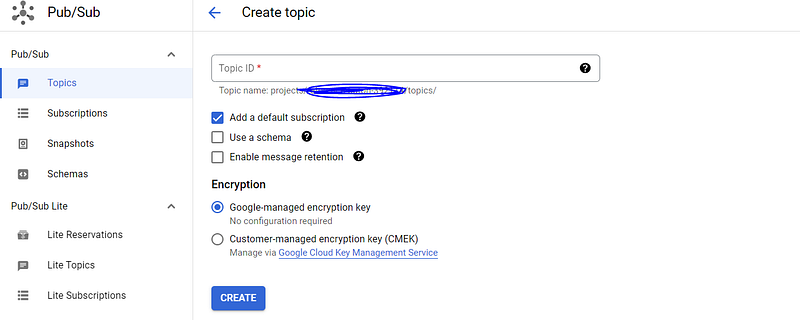
A topic is an entity that allows messages to be put onto it. It is similar to a queue in Azure. An important thing to bear in mind is that you should enforce the schema on messages that get put on the topic. This is called a data contract, and you can read more about that here from Andrew Jones.
The first thing you’ll do, then, is actually define a schema. Hit that “Use a schema” checkbox and build out a schema- this uses something you might have heard of called Google Protocol Buffer or “Protobuf”. It’s not that complicated.
After doing that, you’ll get something like this.
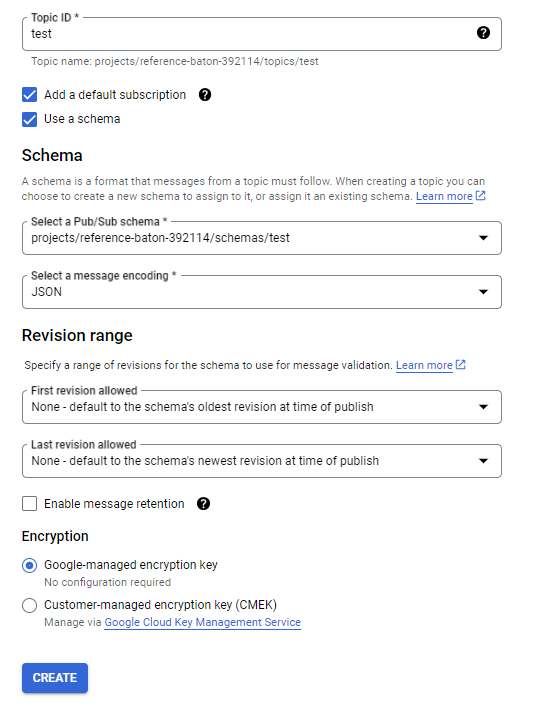
The revisions section is arguably not even best practice. If people keep changing the schema, it may be sensible to just force people to change the topic they put messages on for radical changes. If something changes from a string to an integer however, the important thing is that when you set up destinations for the data they’re partitioned in such a way that you don’t get differently-formatted data in the same data store — therefore generally I like to be pretty strict on allowing revisions.
Enabling message retention is normally unnecessary. It is costly, not recommended.
Encryption refers to how the data is formatted when it is in transit. You can read more about that here.
Ok — hit create.
Subscriptions
Ok head over to subscriptions on the LHS. You’ll see BQ made a subscription for you. Click the three dots on the RHS and hit edit to see some more cool stuff
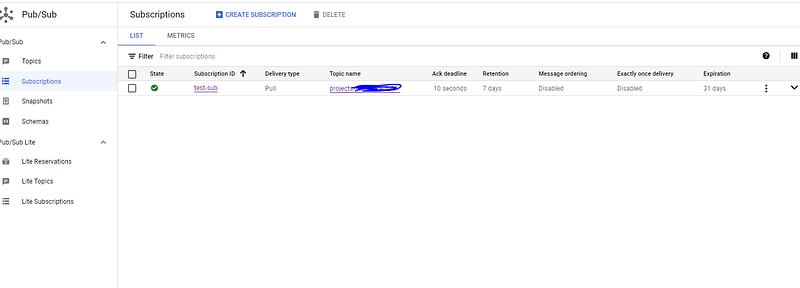
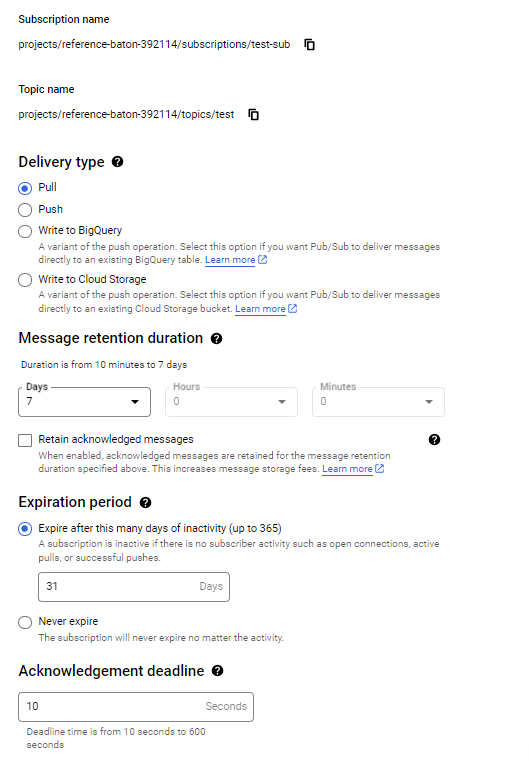
The subscription is an object that listens to messages on the topic and does stuff with them. This configuration is very powerful. You can retain messages, expire the subscription, and do cool stuff with the messages like push them to cloud storage or anything really. Select to BigQuery, and create a new dataset and table. You’ll also be able to select “write metadata” on the table, which will write the metadata from the message e.g. the time it was delivered, so when you specified your schema in the first part, you can leave stuff out. This also ensures there is a common metadata structure across all events which is desirable.
Ensure you create the table in the relevant dataset in Bigquery too. Google Cloud can auto create a dataset for you, but not a table (stupid). Ensure you add this schema to the table if you selected write metadata:

You will also need to add columns here that mirror the schema you set in Protobuf.
Also see:

If the message cannot be delivered (maybe you destroyed your bigquery) then typically these get put on something known as a “Dead Letter Queue”. This is basically just another Topic s.t. every Topic has another Topic for failed messages (this gets auto made in Azure, not so in BQ). The best practice thing to do is to ensure there is also a subscription for the dead letter queue, handling the messages that cannot be delivered. For example, you might have a table called {event_name} and maybe the dead letter queue ingests data to a separate table called {event_name_dl}. That way, you have all the data getting ingested but it’s separate so you don’t get corrupted data.
Google Cloud has created a service account to operate the subscription, however that service account does not have access to Bigquery. You’ll need to add it in IAM. See a nice error message post from StackExchange below:
I also got stuck. This is how I unstuck myself.
But the problem is that you cannot see this service account (even after selecting “Include Google-provided role grants”).
Solution:
* Choose your project
* Click “Add+” and enter the principal email
* Provide the Roles as required (double check docs)
* BigQuery Data Editor
* BigQuery Metadata Viewer
Success
Sending an event onto the topic
To send an event onto the topic, you’ll need to ensure you have the relevant credentials set in the right way as an environment variable. This is non-trivial. There are multiple hacky ways to do it — ignore them all and do it properly by creating a new service principal and assigning it the role of Cloud Pub/Sub Service Agent. Go to Keys and download the json file — this is important.
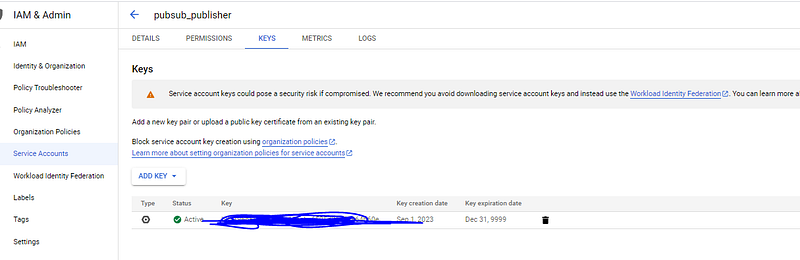
You’ll then need to head over to the Topic and add the Pub/Sub roles to service principal for that topic:
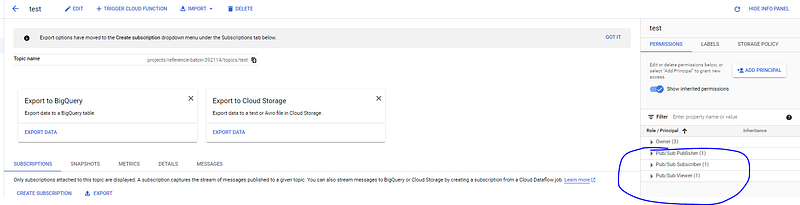
Ok now you’re ready.
First run pip install google-cloud-pubsub.
See here.
Then, you need code like the below:
"""Publishes multiple messages to a Pub/Sub topic with an error handler."""
import os
from concurrent import futures
from typing import Callable

from google.cloud import pubsub_v1

project_id = "yourid"
topic_id = "yourtopic id"
os.environ["GOOGLE_APPLICATION_CREDENTIALS"] = "Route to the creds you downloaded"
publisher = pubsub_v1.PublisherClient()
topic_path = publisher.topic_path(project_id, topic_id)
publish_futures = []


def get_callback(
    publish_future: pubsub_v1.publisher.futures.Future,
    data: str,
) -> Callable[[pubsub_v1.publisher.futures.Future], None]:
    def callback(publish_future: pubsub_v1.publisher.futures.Future) -> None:
        try:
            # Wait 60 seconds for the publish call to succeed.
            print(publish_future.result(timeout=60))
        except futures.TimeoutError:
            print(f"Publishing {data} timed out.")

    return callback


for i in range(10):
    id_ = i + 100
    data = str(
        {
            "name": "Message",
            "id": 100,
            "email": "[email protected]",
            "numbers": "123455"
        },
    ).replace("'", '"')
    # Note - the string you put into bytes needs to be a properly formatted json string
    # Do this, use json.dumps, JSON.stringify() etc.

    # When you publish a message, the client returns a future.
    publish_future = publisher.publish(topic_path, data.encode("utf-8"))
    # Non-blocking. Publish failures are handled in the callback function.
    publish_future.add_done_callback(get_callback(publish_future, data))
    publish_futures.append(publish_future)

# Wait for all the publish futures to resolve before exiting.
futures.wait(publish_futures, return_when=futures.ALL_COMPLETED)

print(f"Published messages with error handler to {topic_path}.")
And that’s it!
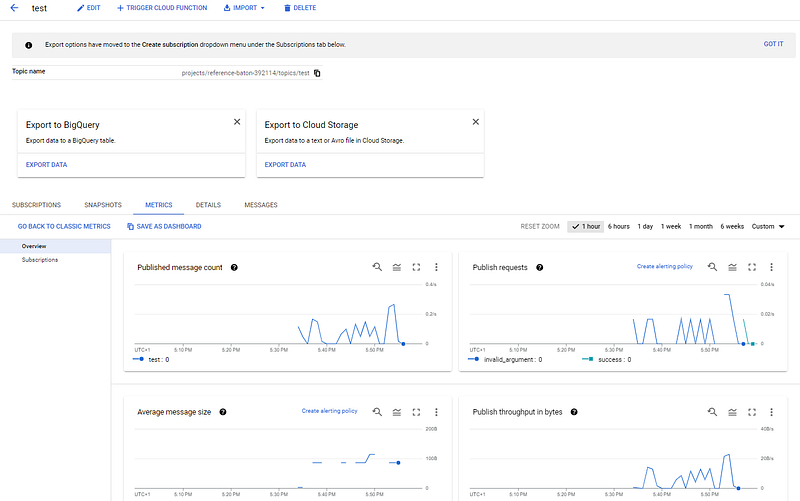
Head to the topic and you’ll see:
And in Bigquery:
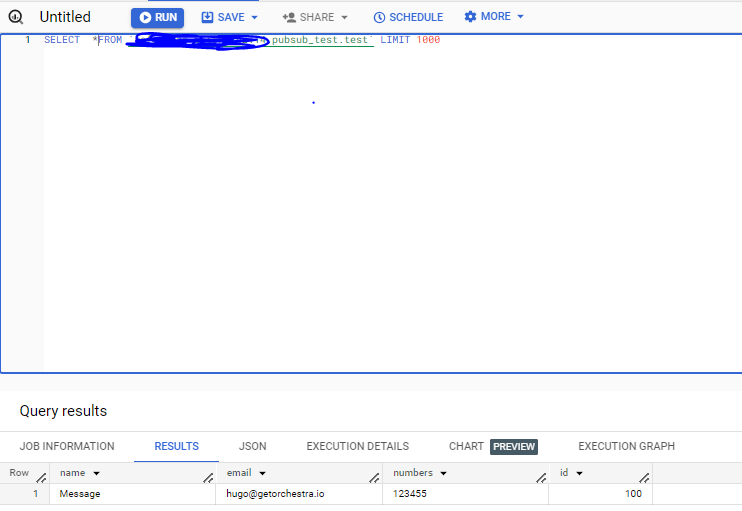
To make this really best practice, you should ensure you are streaming into a partitioned table. More on that here: https://stackoverflow.com/questions/61114455/pub-sub-on-daily-table
Also if you want to do this in Azure, it’s a little more complicated but I wrote this up too: Azure Service Bus.
Conclusion
This article covered the practical steps you need to take to get started ingesting event-style data using BigQuery Pub/Sub.
This is a very very powerful thing to do. The most tricky and important sources of data in tech companies (and similar) come from proprietary databases. These are owned by Software Engineering teams, and in many ways you (the data engineer, the analytics engineer, the head of data) are at their behest if you piss them off. Asking them to open up their networks so a tool like Fivetran can tunnel in will definitely not make them happier.
Instead, impress them. Impress them by demonstrating your knowledge of reasonably intermediate engineering concepts like message buses and BigQuery pub/sub. Propose a few lines of code they can use to send you events, and use these for analysis instead of replicating tables.
Not only is this architecturally elegant but culturally it’s enormously beneficial to be on speaking terms with your software engineers. Taking an events-first approach to data / data ingestion is also beneficial because event data is intuitive to understand and fun to work with.
Hope you enjoy. Feel free to connect on Linkedin 👍