
Cloud Computing Fundamentals For Dummies
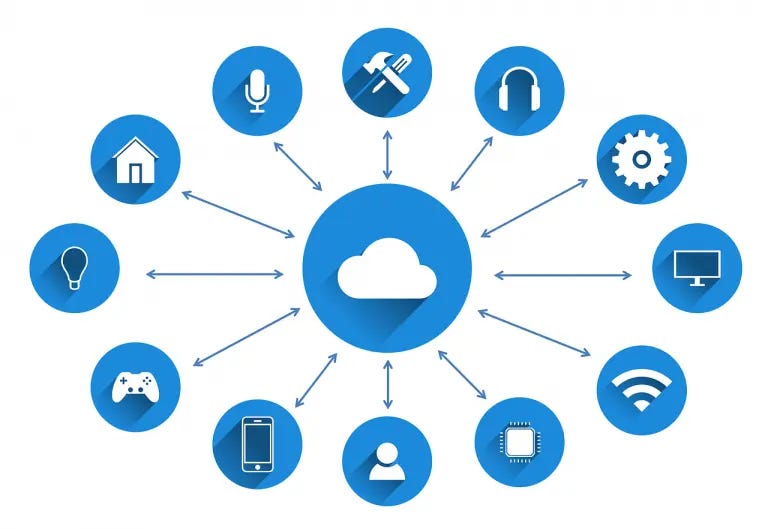
Cloud computing is making a lot of noise everywhere. But what exactly is cloud computing? How does it work? Why use it? Let us find the answers to these questions all over.
What is Cloud Computing?
“The cloud” basically refers to the internet or the servers accessed over the internet. A server consists of software and hardware that allows it to provide services across its network these servers are known as “data centers” located across the globe while “computing” refers to some sort of internet-based computing, while “cloud computing” relates to accessing and storing data over the internet.
By using cloud infrastructure, customers do not have to maintain their own physical systems running hardware and software rather this burden is transferred to the companies delivering cloud computing over the internet such as Amazon Web Services(AWS).
Why Cloud Computing?

Let’s say you need a car. Normally what you’d do is go out and buy one. You then have to park it in a garage, take it for regular servicing, pay for any repairs. Basically a whole lot of responsibility. But what happens if your needs change and now a convertible or a micro suits you better? You pay for another car and its servicing (upgrading or downgrading).
Consider, however, using a car rental service. You can upgrade or downgrade according to your dynamic needs — and just take the car and start driving it. No worries about additional expenses — maintenance, repairs, changing the car, finding parking space.. you can pay as you go and return it when you are done driving!
This is the basic ideology of cloud computing — you rent the car you need and start driving it, return it when you’re done.
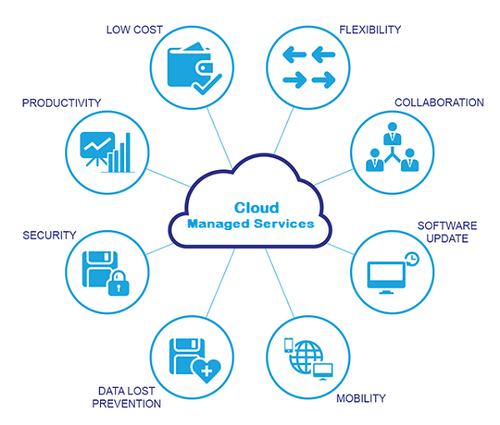
Efficiency/Cost Reduction: Cloud computing requires no investment in hardware, significantly cutting capital expenditure. You don’t need to invest in buying and maintaining hardware and equipment or a huge data center. Pay as you go and enjoy a cash-flow friendly model.
Flexibility: It is ideal for growing businesses with dynamic requirements or entrepreneurs with a scarcity of investment capital. It enables ease of scaling up or down as per market demand or product innovation, without spending a single penny on physical infrastructure.
Disaster Recovery: Storing your data on the cloud ensures that data is always available — it provides quick recovery from interruptions such as power outages. When your data is stored on local computers, you may lose your data due to failure or malfunction but there’s a minimal chance of this happening with cloud computing.
Security: Data security and privacy is a major concern today. Cloud providers maintain data protection by introducing authentication, access control and encryption, as well as more sophisticated options for sensitive data.
Control: Cloud allows full control over your data — you can determine which user has access to what level of data. e.g. Exchanging emails used to be the norm — people exchanged documents or files through email attachments, which often lead to confusion due to overlapping names and content. But with the cloud, you can streamline your work by assigning a document to particular staff. Since numerous employees can work on one version of the document and everyone sees the same version this contributes to greater visibility and collaboration (think google docs).
How does cloud computing work?
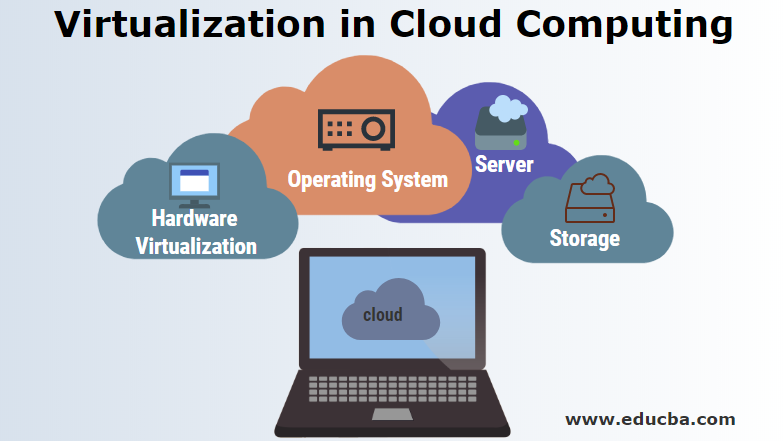
Cloud computing uses virtualization. Virtualization enables us to have a virtual computer that operates as a physical computer with hardware that can be accessed from anywhere using an internet browser (or a cloud computing software). Often these computers are also known as virtual machines.
Virtual machines are more efficient in the use of the hardware hosting them. We can spin several virtual machines so that one server becomes several servers and one data center becomes multiple data centers. All this is possible due to “sandboxing” — where several virtual machines can operate on the same physical infrastructure.
Even if a server goes down, cloud servers are always online since cloud providers have the resources to back up their data across multiple regions.
Cloud Computing Service Models
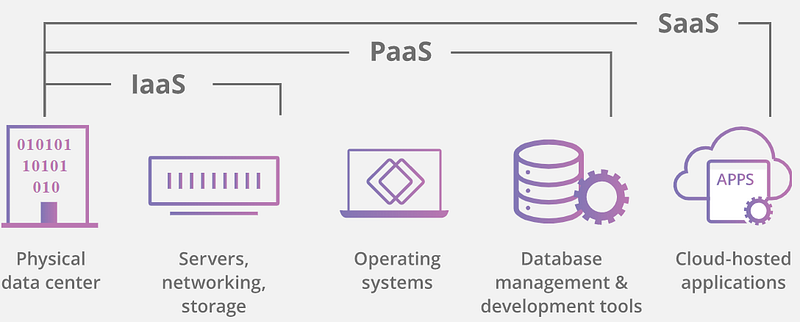
Infrastructure-as-a-Service(IaaS): It is one of the fundamental service models. It allows an organization to rent computing resources such as servers and storage space in a virtualized environment. The server runs in the data center of the service provider but is fully managed by the organization. It’s like leasing a plot of land — create whatever you want but with your own materials.
Platform-as-a-Service(PaaS): In this model, a server runs in the data center of the service provider and is entirely managed and hosted by the service provider. Instead of paying for the computing resources, you pay for the tools required to create and operate an application; tools such as the operating system, development software and more.
Software-as-a-Service(SaaS): In this model, an application is hosted and managed by cloud service providers and users access it via the internet. It’s like renting a house where the landlord maintains the house but the tenant can use it as if it was their own.
Cloud Computing Deployment Models
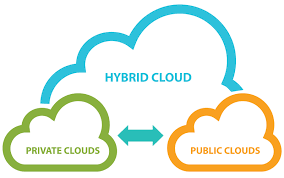
Private cloud: It is a server and data center wholly owned by an organization. It provides increased security at a greater cost.
Public cloud: It is a service offered by an external cloud service provider that maintains all of the physical infrastructures but the service is publicly available. E.g. Dropbox, Google Drive.
Hybrid cloud: As the name suggests, it is a combination of public and private cloud. An organization can use its private cloud for some services and public cloud for some other.
Thanks for reading!
If you enjoyed this post, please click the clap 👏 button below a few times to show your support.