Clojurescript Project — Weather forecasting Web application
With a heavy Backend experience for most of my time , I wanted to get familiar with the frontend too , so that I can reach the coveted Full-Stack Engineer title.
Clojure is my long time love and hence thought of using its frontend avatar to get started with the full stack journey
Of course after Typescript entered the scene , hopes of clojurescript taking over JavaScript are now distant , but the sheer simplicity and beauty of Clojure convinced me to try it out.
I already have some overview on Clojure , and it is quite easy to recall its syntax ( It is the most simple and most beautiful lisp style syntax — ignore the paranthesis alone :))
So I just googled and found a good online free website\book for clojurescript with projects in each chapter
Capstone 1 — Weather Forecasting App | Lesson 8 | Learn ClojureScript (learn-clojurescript.com)
Just went through the first chapter and was able to recall and understand the clojure parts , using the clear steps given
There were a few rough edges mainly due to myself using a Windows system
Clojure script and especially the book is for mainly Mac/Linux and we are on our own for windows.
But now the tooling has improved for Windows [was not so when I had tried many years ago] and with some debugging was able to sail through
For installing clojure , we need Java 8 and need to run the below command as Admin in Powershell [ Install doc for windows clj on Windows · clojure/tools.deps.alpha Wiki (github.com) ]
iwr -useb github.com/clojure/brew-install/releases/latest/download/win-install.ps1 | iex
One installed we can run clojure commands like > clj -h only inside the powershell [ differs for normal CMD prompt per install docs ]
For creating a basic template project , the author had used a tool called clj-new
For that tool to work , need to create a file deps.edn at ~/.clojure/deps.edn i.e under user’s home folder and put below content
{:aliases
 {:new {:extra-deps {seancorfield/clj-new
                     {:mvn/version "1.1.243"}}
        :exec-fn clj-new/create
        :exec-args {}}}}
Next we have to run the below command to create a sample project based on figwheel template — figwheel helps in REPL development ,with code changes immediately reflecting in browser for quick development iterations
Note the weird double quotes which are needed for windows alone
clj -X:new :template figwheel-main :name learn-cljs/weather :args '[""+deps"" ""--reagent""]'This creates a folder named weather with all the base files
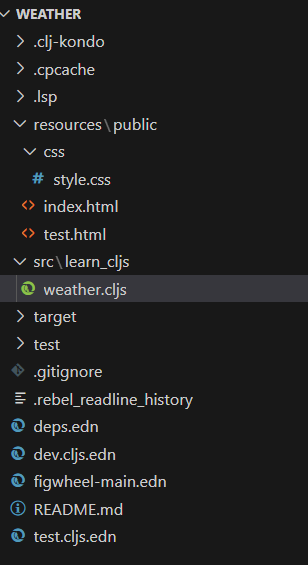
Next we can navigate to the weather folder in powershell and run below command to start the figwheel , so that we can start our app
clj -A :fig:buildThis downloads all the dependencies [ mentioned in deps.edn ] file and starts the famous Clojure REPL. Simultaneously the code is deployed and runs in the default browser.This signals our install and setup are successful
If we make any changes in our weather.cljs file it reflects automaatically in the browser
Now we have to add the cljs-ajax library as dependency in dep.edn file as we need to make API calls to Openweathermap
For accessing Open weather ‘s API we need API key , so create a free account with them and you can get the API key from your Account page
The API key takes time to become active and may give unauthorized error for some max 2-3 hours per their site [for me it took some 10–15 minutes]
Refering the code at author’s github , learn-cljs/code/lesson-8/weather at main · kendru/learn-cljs (github.com) made changes to the deps.edn to add the cljs-ajax library , updated the css file under public/resources directory and also remove the test directory from to-be watched dirs , so taht figwheel does not face errors while restarting ,because once we change the weather.cljs code also the tests will fail
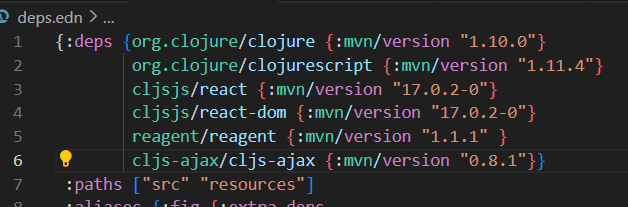
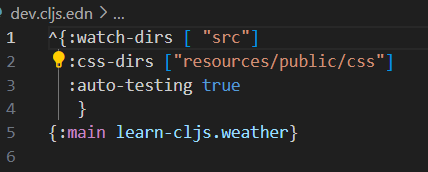
Replace the content of weather.cljs with author’s content ,and also remember to replace the actual API key
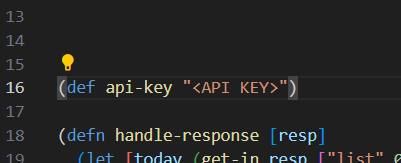
With all these changes , we need to stop [Ctrl-D] the REPL and restart using the same command to start earlier ,because of the extra clsjs-ajax dependency needs to be downloaded
The app is loaded in the browser , now with the Weather App running
Enter the pincode or city name in the search field and we can get the today and tomorrow temperature predictions
I had also made changes to the code to also add the predicted weather description , as the temperature alone was not much useful
This description was present in Openweather’s Response and the changes required were minimal
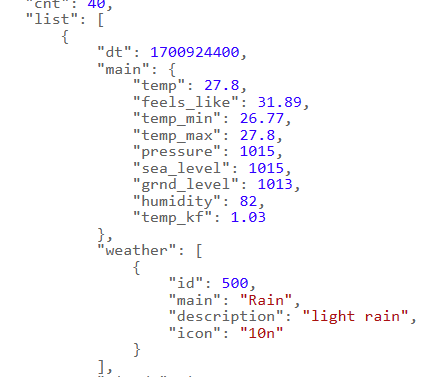
The addition of an extra component was trivial and the new component was displayed immediately on the browser
This convinced me that using clojurescript has a good use case for rapid development
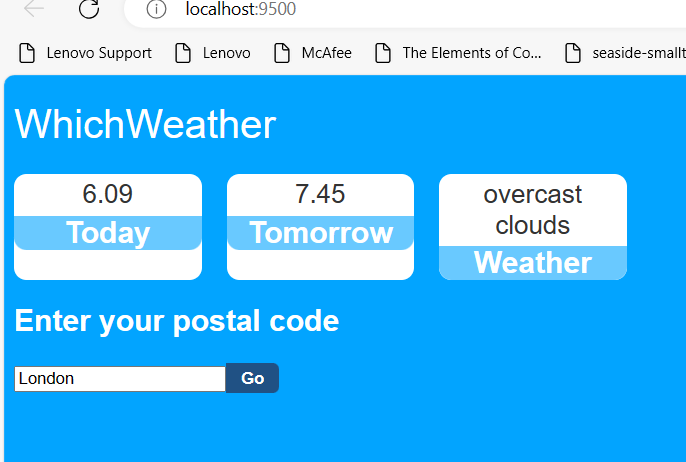
The modified code is in github with lots of comments added , if you want some idea
weather/src/learn_cljs/weather.cljs at main · thunderbirdceg/weather (github.com)
Overall I am yet again in love with Clojure..it is simply beautiful :)))