
Cinematography with Midjourney, Part 2: Mis-En-Scène & Lighting (AI Image Generation)
Creating Cinematic AI Images with Midjourney
This is the second part of a three-part series on cinematic prompts. In this post we will cover the following:
- Adding descriptions for the set design
- Adding descriptions for the set design with negative prompting
- Adding descriptions for lighting
- Adding descriptions for lighting with negative prompting
If you missed the first part of this series, you can read it here: Cinematography with Midjourney, Part 1: Anatomy Of A Cinematic Prompt
Introduction To Mise-En-Scène
“Mise-en-scène” (from French for “to put in the scene”) refers to the arrangement of visual elements within a shot, such as the set design, the props used, the lighting, and the positioning of the characters. The thing people are actually talking about when referring to the “style” of a director.
Adding descriptions for the set design
Since we are using the prefix “film still” to let Midjourney render images in the context of filmmaking, we can simply add general descriptions for the mise-en-scène to the style description.
Remember, in part one of this series we defined our basic prompt anatomy like this
/imagine prompt: film still, [scene description], [style description] — ar 3:2 [options]
So, for example, to change the set design’s style of composition we could simply use the following prompts:
film still, man at a bar, symmetrical — ar 3:2 — seed 3000
or
film still, man at a bar, asymmetrical — ar 3:2 — seed 3000
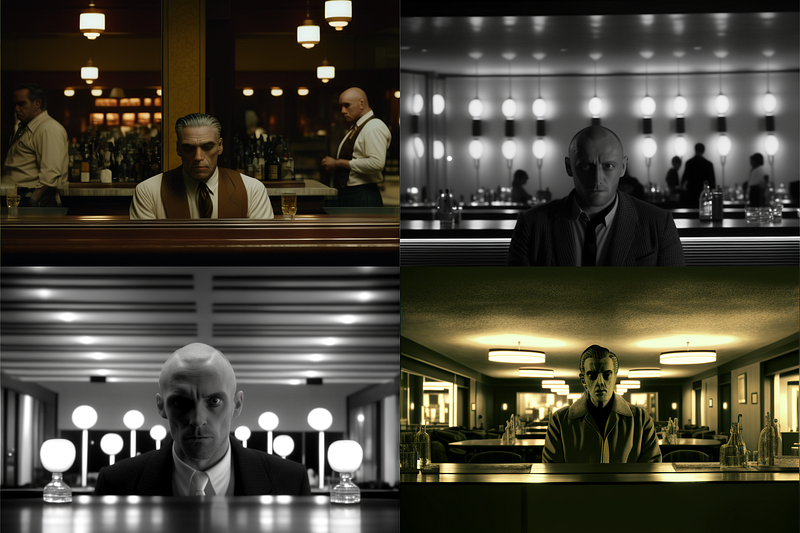
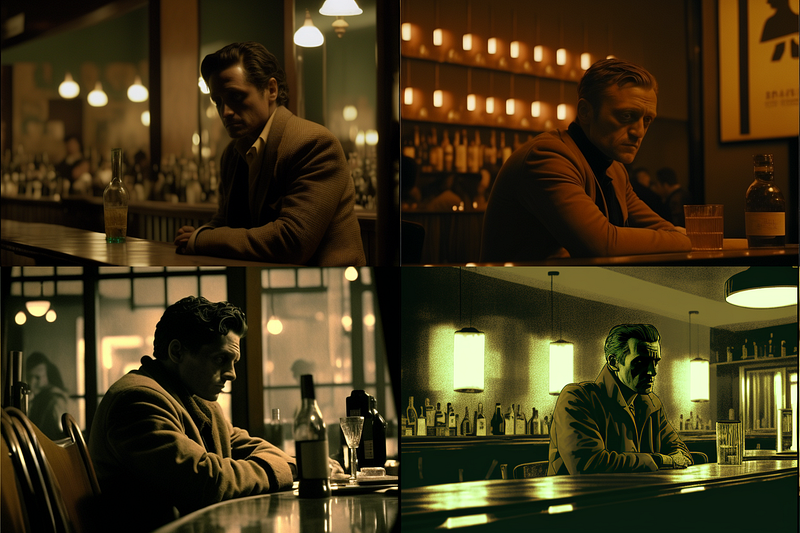
Then, to change the set design and stage props in a general way we could use a combination of genre/era (see part one) and further descriptions:
film still, man at a bar, style by 1980s sitcom, intricate interior decoration — ar 3:2 — seed 3000
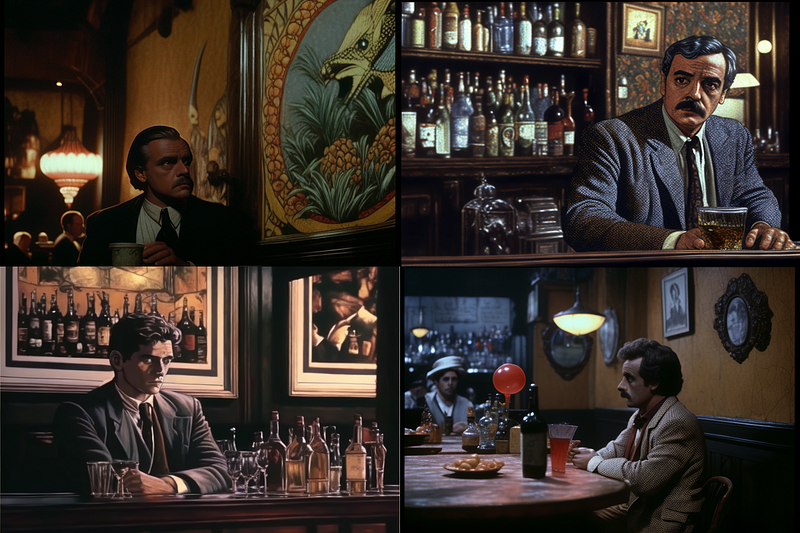
Or:
film still, man at a bar, style by 1980s sitcom, shabby decors — ar 3:2 — seed 3000
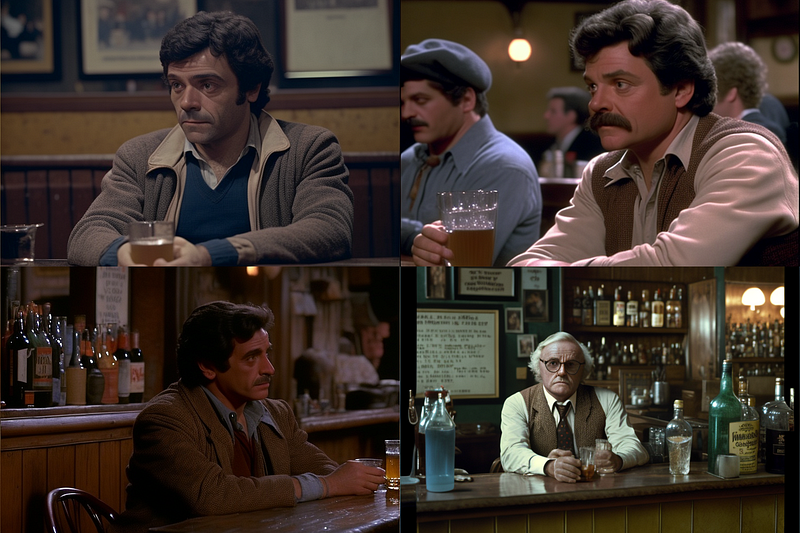
When combining descriptions for set design and props, keep in mind that genre/era references already carry visual conventions.
film still, man at a bar, style by 1980s sitcom, minimalism, eerie, symbolic — ar 3:2 — seed 3000
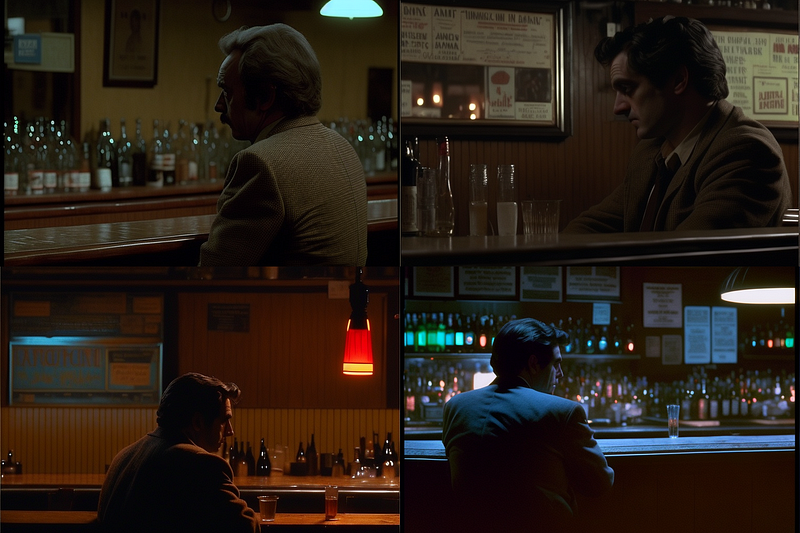
Finally, adding props is also possible with this method:
film still, man at a bar, style by 1980s sitcom, flowers, plants — ar 3:2 — seed 3000
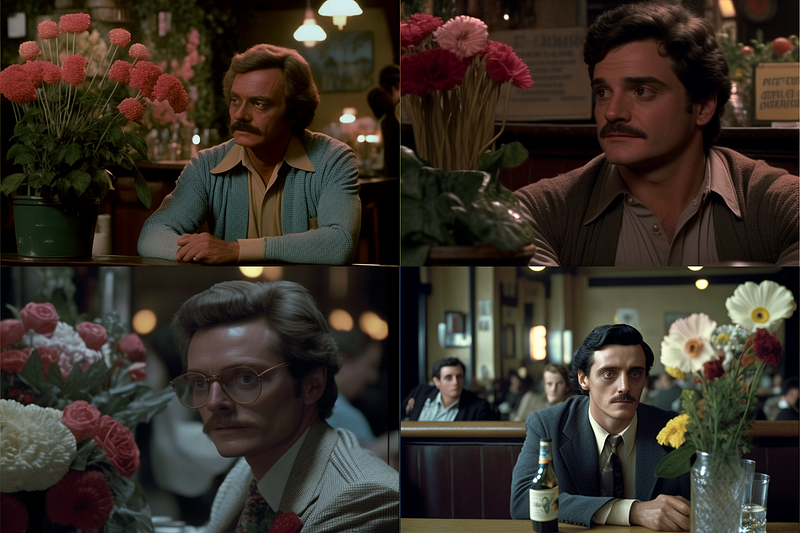
You can also use negative prompting to get things out of a scene. For example, if we wanted no paintings on the walls:
film still, man at a bar, style by 1980s sitcom — no paintings — ar 3:2 — seed 3000
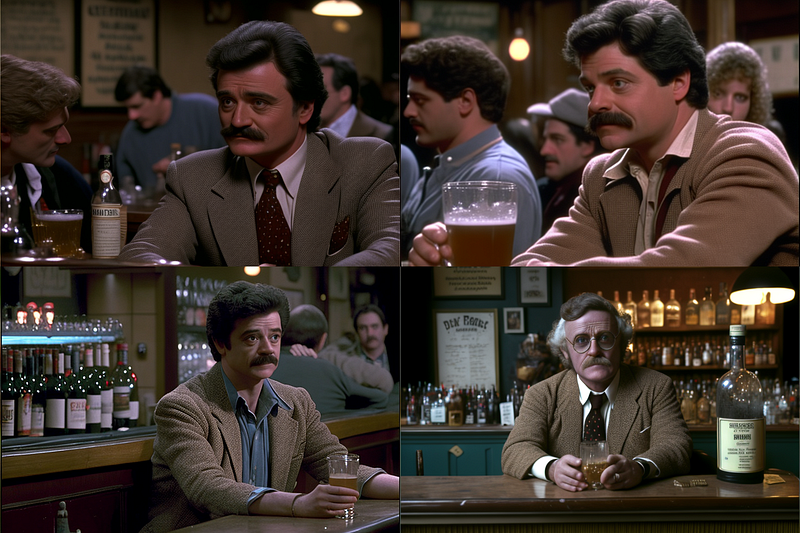
Recap: Where are we at?
You remember the Wes Anderson image we had created in part one of this series with a direct reference to the director’s name?
Here it is again:
film still, a man in a hotel bar, style by 1960s, directed by wes anderson — ar 3:2 — seed 3000
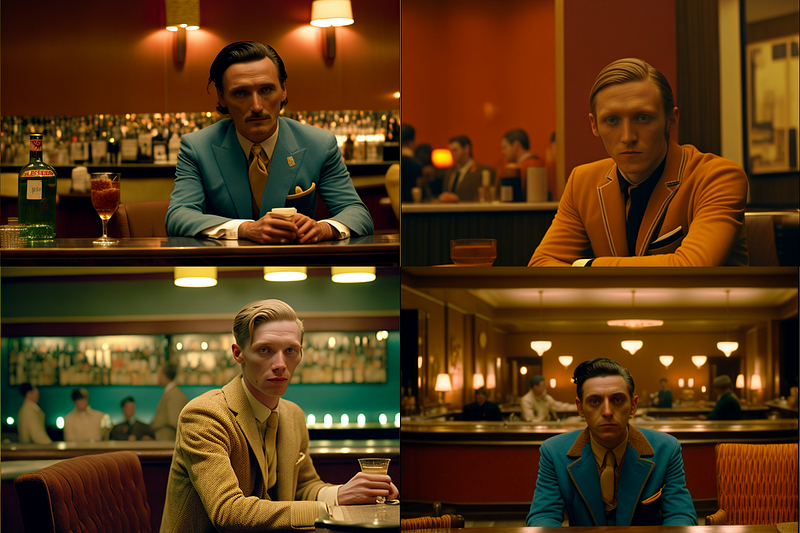
We can now replace the direct reference to Mr. Anderson and try to recreate his style by analyzing the mise-en-scène.
We notice
- muted colors
- earthy, pastel-like color tones
- the guy’s clothes are contrasting the background
- not many props (minimalistic)
- rather symmetric
- rather wide angle view
So let’s try:
film still, man in blue jacket at a bar, symmetrical, muted colors, minimalism, orange wall — ar 3:2 — seed 3000
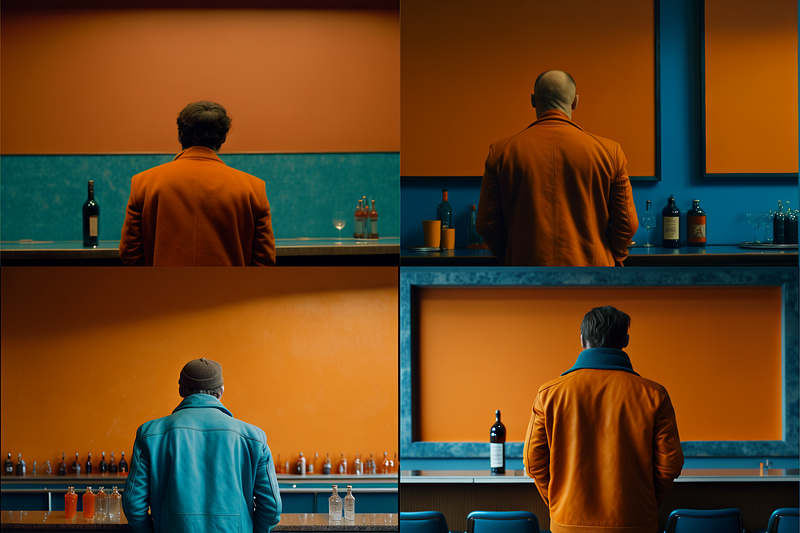
An interesting fail indeed.
In my experience, people are depicted with their backs to the viewer when the character description is followed by an expression that has a combined effect with another expression on the final image.
In this case, I would guess “minimalism” along with “symmetrical” might be problematic. If we omit the “minimalism” part, we get
film still, man in blue jacket sitting at a bar, symmetrical, muted colors, light orange wall — ar 3:2 — seed 3000
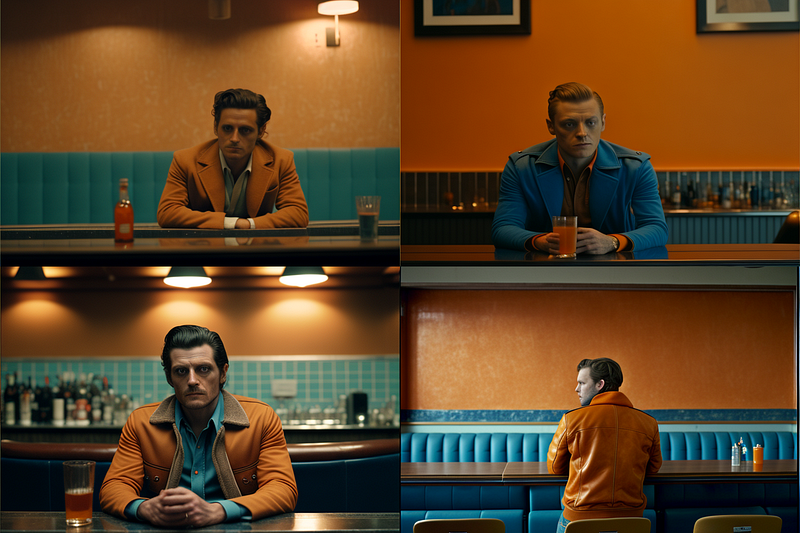
This definitely goes into the direction of a Wes Anderson shot. We could improve the lighting, though.
Introduction To Cinematic Lighting
Cinematic lighting involves the strategic placement and adjustment of lights to illuminate actors, sets, and props in a way that enhances the storytelling of the movie and underscores the overall look.
Since we are using the “film still” prefix and also often include genre/era references in our prompts, Midjourney will render images within these genre/era conventions and thereby include genre-specific lighting out-of-the-box.
So before messing with lighting separately, think about whether it’s the genre or style reference you might want to change.
Natural & Dramatic Lighting
With the “film still” prefix we actually do not need to specify lighting techniques explicitly and still get very cinematic results if we only mention the light sources in our prompts.
film still, man at a bar, candles — ar 3:2 — seed 3000
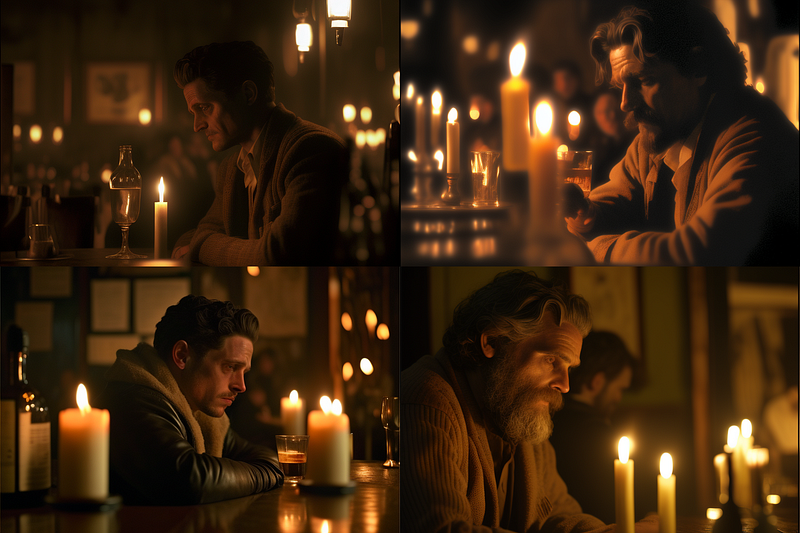
This is what filmmakers call “natural lighting”: the use of light sources that are on set already, e.g. lamps, candles, monitors, etc. Here is another example:
film still, a man sitting on a park bench, a candle — ar 3:2 — seed 3000
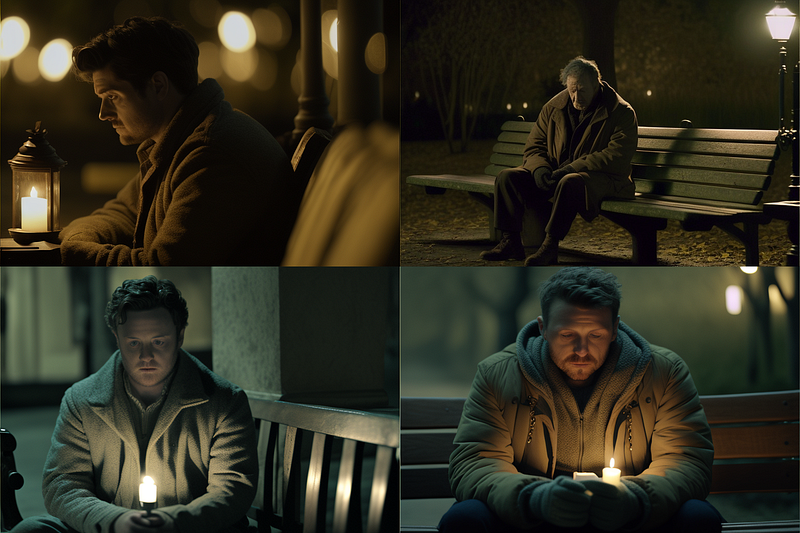
Of course, we can also explicitly ask for “natural lighting” in scenes where we do not specify the light source in the prompt. However, this will almost every time result in a tendency to natural lighting and come with additional cinematic lighting effects.
film still, man at a bar, natural lighting — ar 3:2 — seed 3000
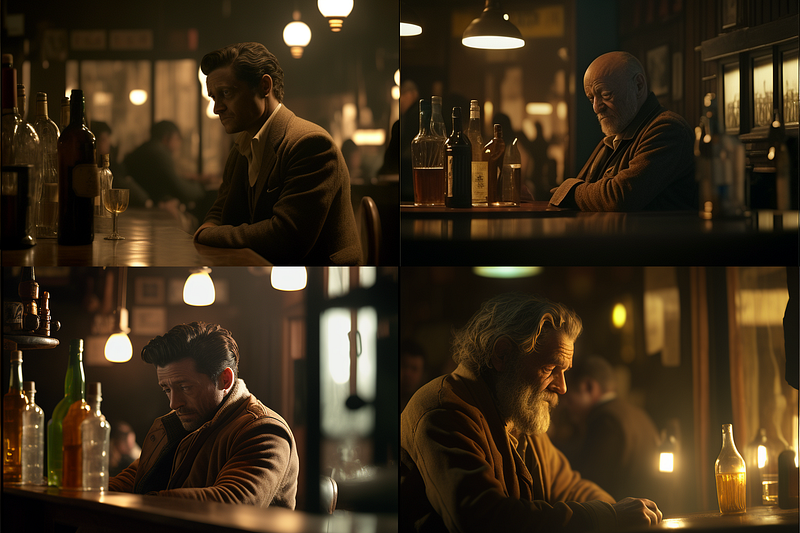
Just as “natural lighting” functions only as a tendency to recreate an image that the technical setup for natural lighting would have produced at a film set, “dramatic lighting” functions as a collection of all the lighting and set design techniques that would lead someone to call a scene “dramatic.”
film still, man at a bar, dramatic lighting — ar 3:2 — seed 3000
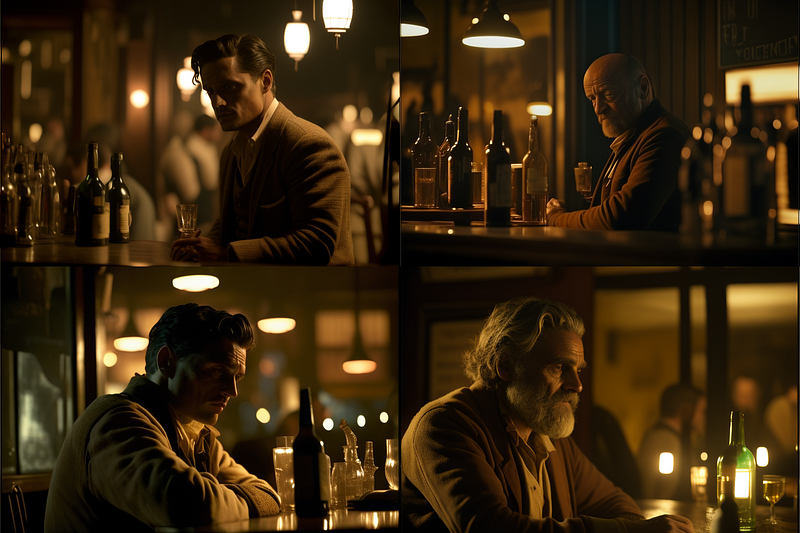
In addition, we can also add modifiers such as “daylight” to alter “natural” and “dramatic” lighting:
film still, man at a bar, daylight, natural lighting — ar 3:2 — seed 3000
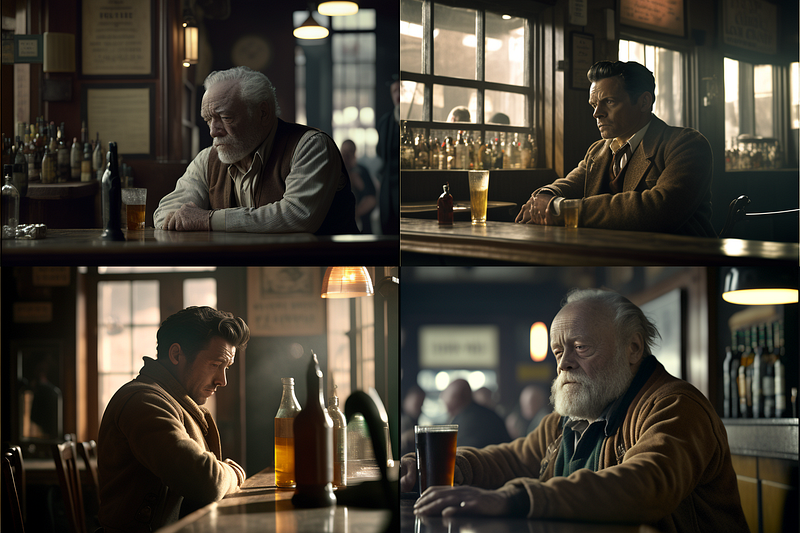
film still, man at a bar, daylight, dramatic lighting — ar 3:2 — seed 3000
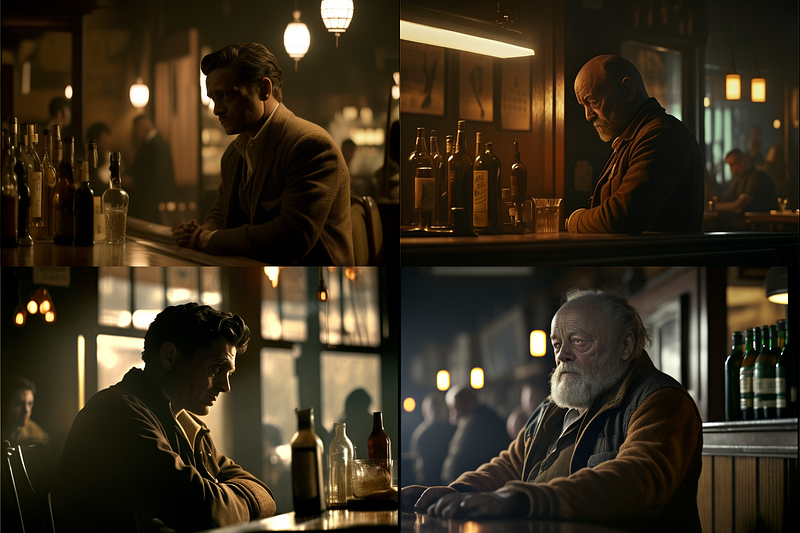
In Midjourney (and other AI image generators) it is often straightforward to control lighting in a general way, but pretty hard to translate specific technical applications into a prompt.
It’s much easier to try to describe the lighting from the viewer’s perspective with adjectives or genre references:
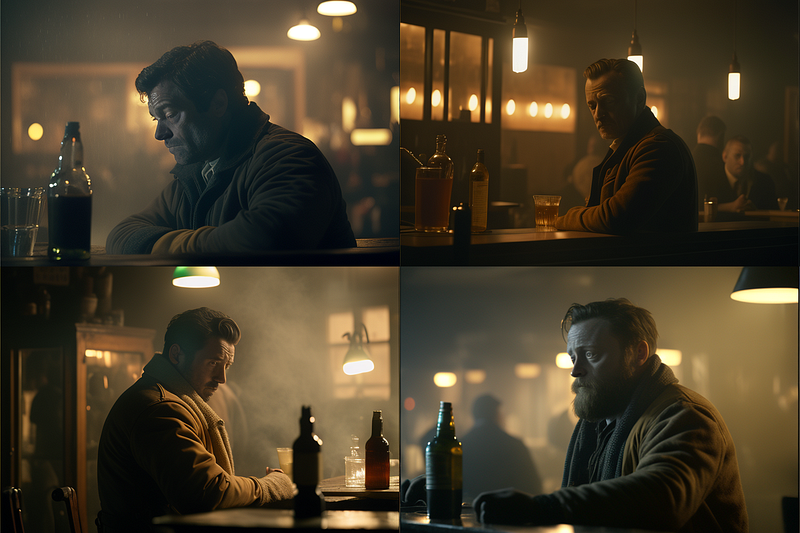
film still, man at a bar, foggy lighting — ar 3:2 — seed 3000
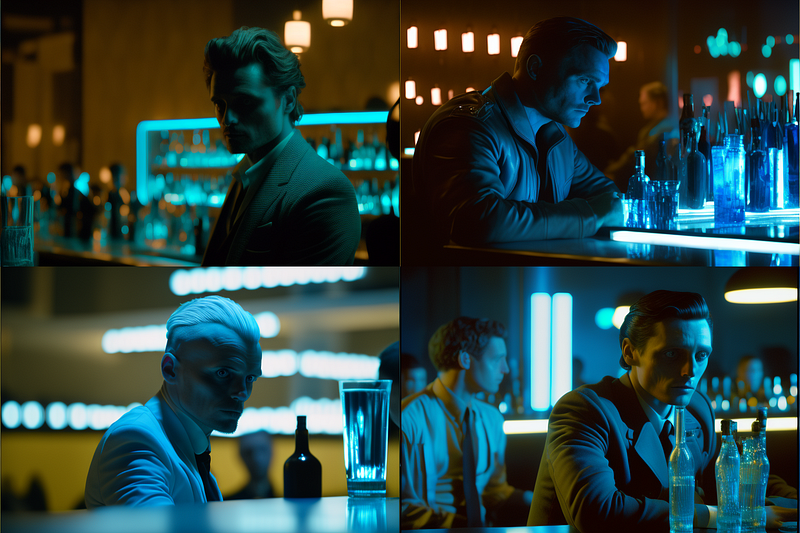
film still, man at a bar, futuristic blue lighting — ar 3:2 — seed 3000
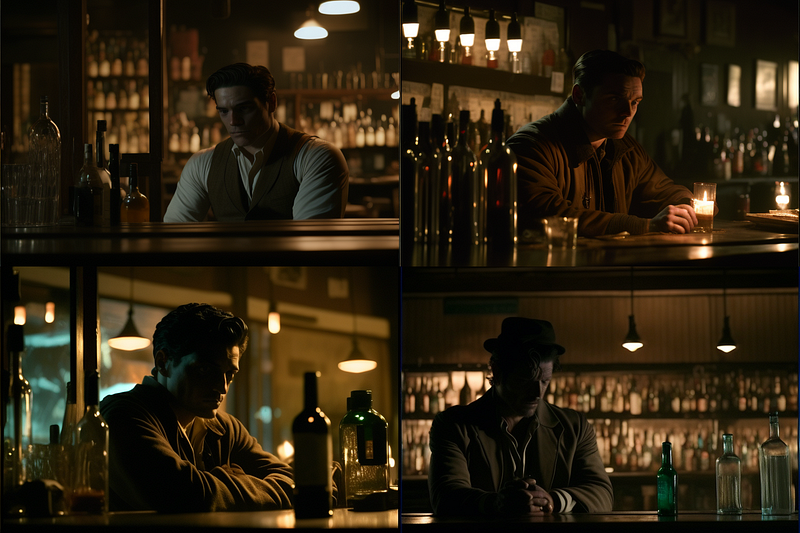
film still, man at a bar, dark lighting — ar 3:2 — seed 3000
You could also be more experimental with things like
film still, man at a bar, light blue and orange lighting — ar 3:2 — seed 3000
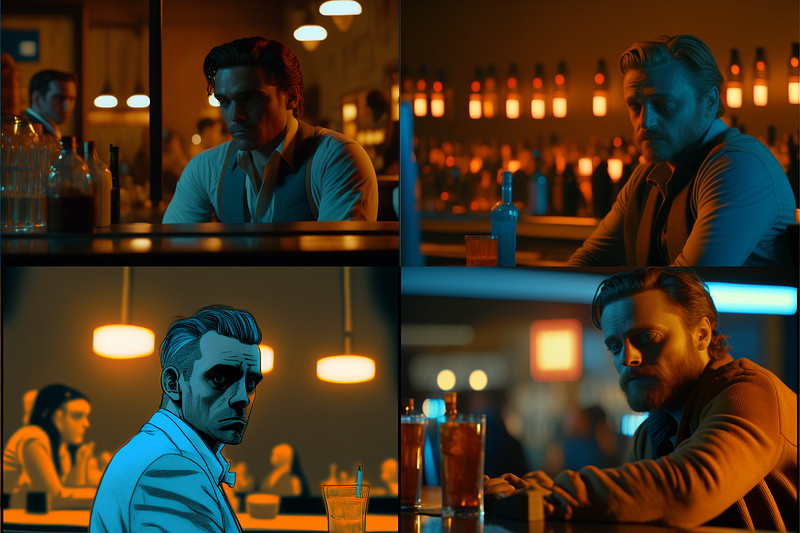
film still, man at a bar, green and red and blue lighting — ar 3:2 — seed 3000
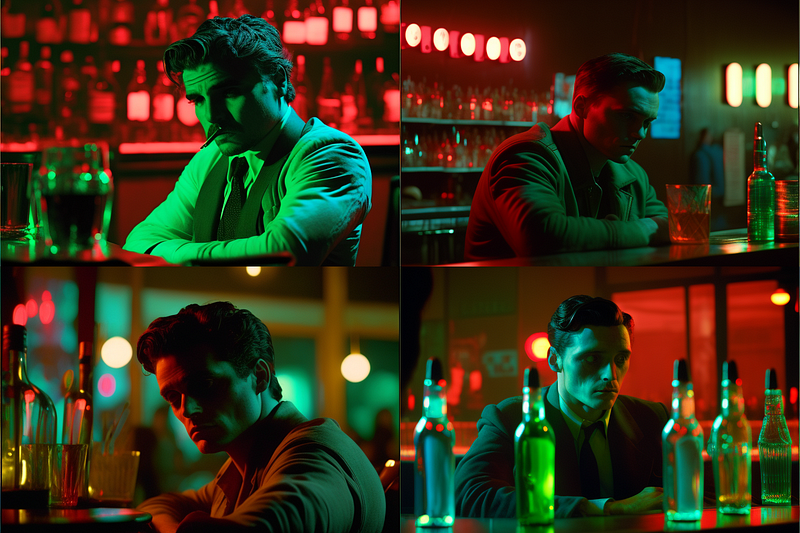
Very useful in this regard are negative weights.
For example, to brighten the following image
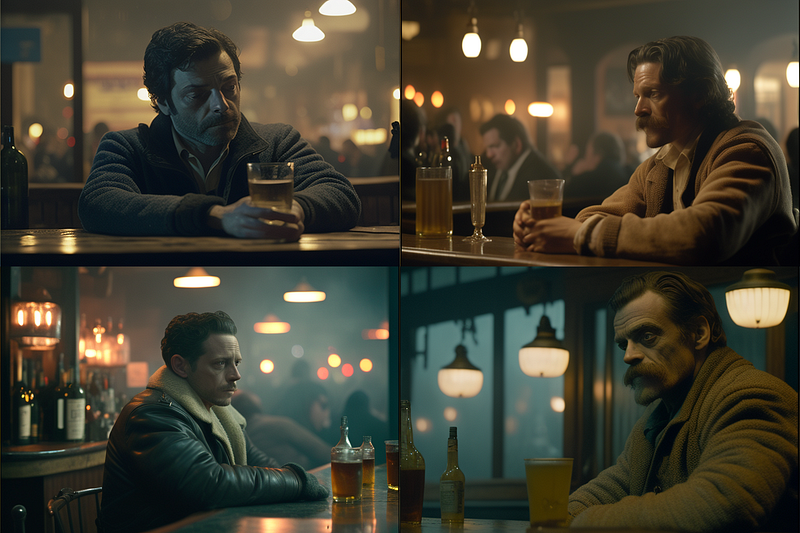
film still, man at a bar, foggy lighting — ar 3:2 — seed 3000
We could add “ — no shadows” and get
film still, man at a bar, foggy lighting — ar 3:2 — seed 3000 — no shadows
Or, to darken this one
film still, man at a bar, futuristic blue lighting — ar 3:2 — seed 3000
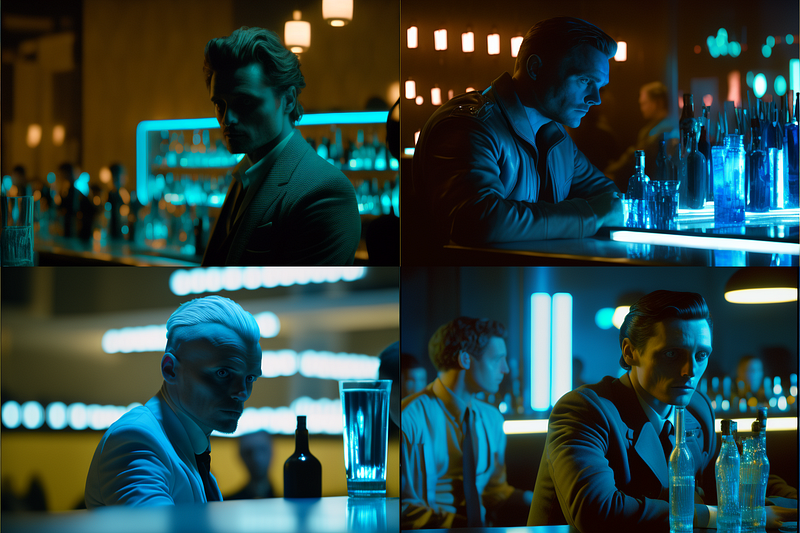
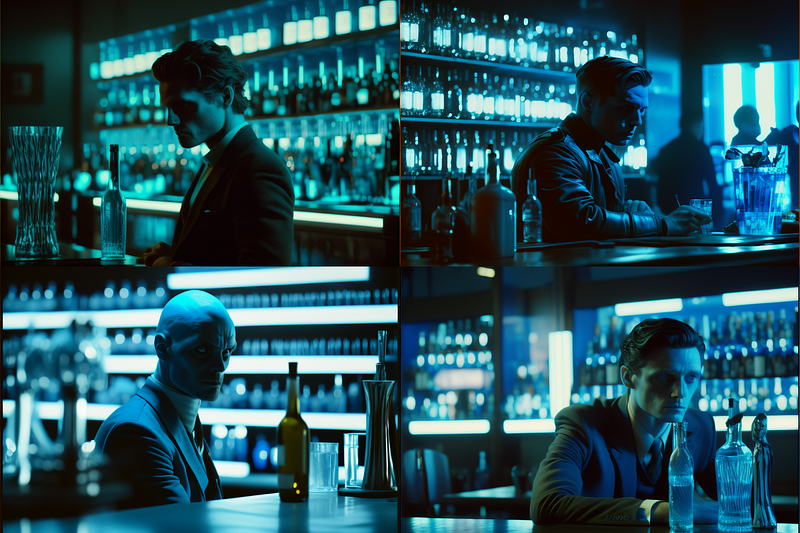
We would apply “ — no highlights” and end up with
film still, man at a bar, futuristic blue lighting — ar 3:2 — seed 3000 — no highlights
How far did we get?
Remember we wanted to imitate this direct reference to the style of Wes Anderson?
And tried this prompt instead:
film still, man in blue jacket sitting at a bar, symmetrical, muted colors, light orange wall — ar 3:2 — seed 3000
Now we can add a little bit of lighting change and use:
film still, man in blue jacket sitting at a bar, symmetrical, muted colors, light orange wall , natural lighting — ar 3:2 — seed 3000 — no shadows
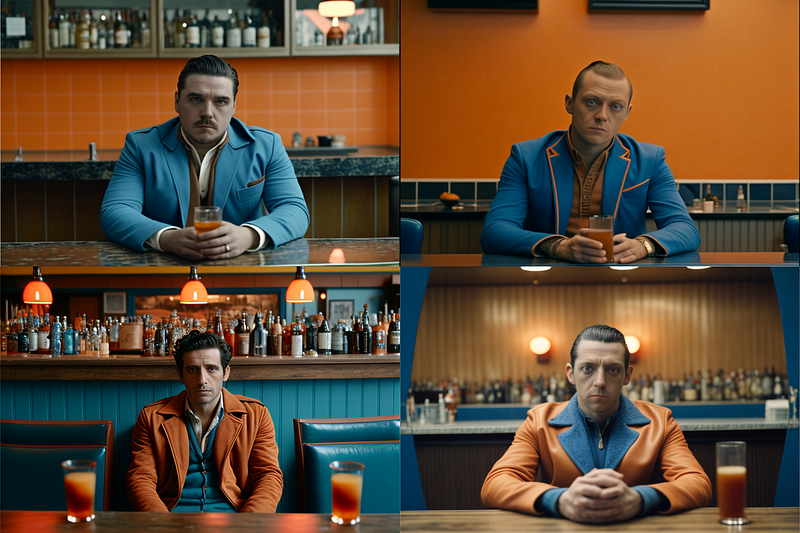
This brings us pretty close already.
What’s missing is the type of camera shot Wes Anderson is known for. That’s what we’ll cover in the next part of this series to get to this:
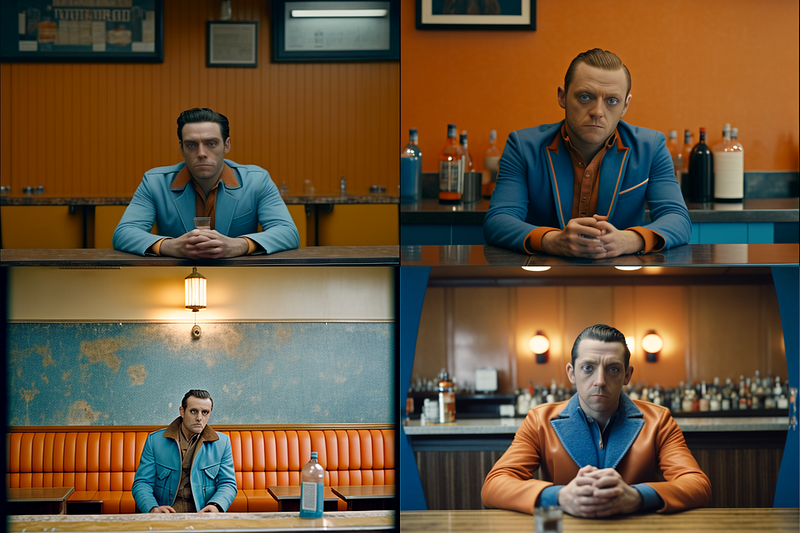
Thanks for reading! 🙏
Part 1: Anatomy of a cinematic prompt, referencing genre & style
Part 2: Lighting & Mise-en-scène
(missing links will be added in the coming days)




