
ChatGPT with Python
A simple step-by-step tutorial on how to use ChatGPT in Python

Recently, OpenAI has made their text-davinci-003 model ‘free’ along with their Python API. This tutorial allows users to access this GPT model from Python using a few simple steps.
- Create a free account with OpenAI
- Create an API Key
- Some basic Python code to parse through your prompt, and return the response
The text-davinci-003 GPT-3 API enables developers to generate natural language text from just a few examples. It is designed to be able to generate high quality text for various tasks, such as the ability to summarize text, translation, question answering and text editing. The API also provides a library of pre-trained models, allowing developers to quickly start using the model without having to build it from scratch. Overall, a very powerful tool!
Step 1. Create an OpenAI account
Create a user account from here:
This should be free. New users are provided with $18 credit which is last approximately 1,800 API calls.

Step 2. Create an API key
You will need an OpenAI API secret key, which you can obtain from the OpenAI website above, after you have created an account. Once you have an API key, you can use it to access the various OpenAI APIs, including the GPT-3 API, which powers ChatGPT.
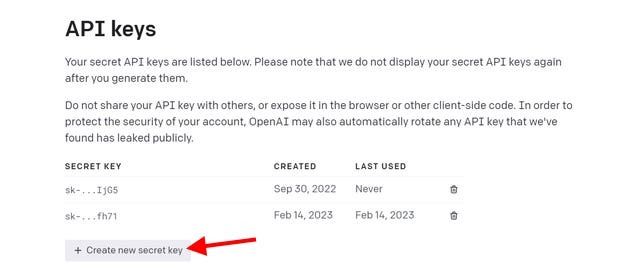
Keep your secret key safe!
Step 3. Basic Python Code
Next you will need to install openai on your Python distribution. This can be done using the following command prompt:
pip install openai
import openai

openai.api_key = "your secret key here"
model_engine = "text-davinci-003"

prompt = "Here is where you enter your requests!"

completion = openai.Completion.create(
  engine=model_engine,
  prompt=prompt,
  max_tokens=1024,
  n=1,
  stop=None,
  temperature=0.5,
  top_p=1,
  frequency_penalty=0,
  presence_penalty=0
)

print(completion.choices[0].text)
The API client provides several methods for interacting with ChatGPT, including the ability to set the context of the conversation and specify the maximum length of the response (using max tokens). It also allows users to send and receive messages and view the full conversation history.
Below, we briefly explain the tuning parameters:
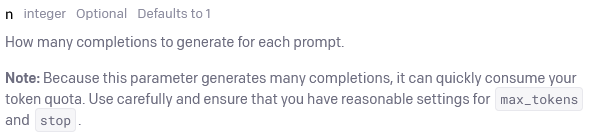
n parameter
The number of completions to be generated for each prompt. If you want the GPT model to generate more results, then n should be greater than 1.
Temperature parameter
This controls randomness. Low temperature is less random or more deterministic, whilst high temperature is more random. In other words, low temperature makes the model more confident in its top choices.

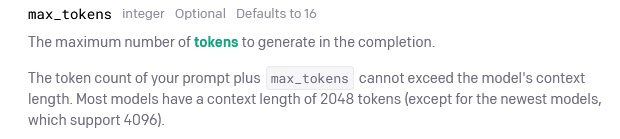
Max Token parameter
This specifies the upper bound of the in the maximum number of tokens to generate in the completion. It does not necessary guarantee the response will be of the same length.
Top_p parameter
This is alternative to sampling with the temperature parameter.
Top P is “An alternative to sampling with temperature, called nucleus sampling, where the model considers the results of the tokens with top_p probability mass. So 0.1 means only the tokens comprising the top 10% probability mass are considered” (OpenAI, 2022).
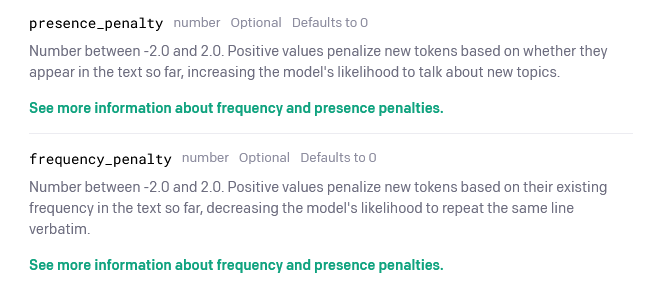
Frequency Penalty parameter
The frequency penalty is a number between -2.0 and 2.0. Positive values penalize new tokens based on their existing frequency in the accumulated text so far, decreasing the model’s likelihood to repeat the same line verbatim.
Presence Penalty parameter
This checks whether the tokens have already been present in the response or not
For more details, you can check out the Open AI API reference manual.
Some applications
I hope the above has provided you with some basics on using ChatGPT or GPT models in Python. Below are some examples to use in practice.


