
ILLUMINATION Book Chapters — Resources
Presenting your book on ILLUMINATION Book Chapters
Chapter Craft

It’s a different world
You've written a book and published it, maybe on Amazon, maybe printed it up as a paperback; now you are considering a new online audience of readers.
Here at ILLUMINATION Book Chapters it’s a different experience. Not a printed book you can hold in our hands, not a Kindle tablet. Instead your hard work is going to be chopped up into chapters and presented as web pages. How do you maintain the relationship with your reader?
We’re aiming for readers, right?
Here’s what not to do: 1. Copy your first chapter as a slab of text. 2. Paste it in as a new story 3. Give it a title of “Chapter 1” 4. Repeat until all chapters are posted.
You’re a clever, creative person. You can do better. For a start, you can think about the reading experience. It’s different here.
Here’s what you could do instead: 1. Create a new story. 2. Title it “My Clever Book Title — Introduction” 3. Give it a subtitle: “My clever subtitle name, or, why you should read this book” 4. Give it a kicker — don’t worry, we’ll walk through the process later — of “Illumination Book Chapters: My Book’s Topic” 5. Add an image; this could simply be the front cover of your published book. 6. Copy and paste your “front matter”. This is all the stuff that goes in the book before the actual text starts. Introduction, author notes, table of contents, dedication. 7. On the edit menu, select “Add to publication” and choose “ILLUMINATION Book Chapters. 8. Hit the “Submit” button but before you complete the process with “Submit to publication” choose five tags. 9. Now do the same with all chapters. 10. Once you have completed publishing the book — we only accept one chapter every eight hours so it may take a while — finish it off with the “end matter”.
Of course, you don’t have to do all this but there are good reasons for each step. Let’s go through them one by one. Once you understand what factors are in play, you might work out ways of adding your own style. After all, if you have a specific author “voice” or branding, your loyal fans are going to keep on coming back for more. You are clever and creative. Make this process your own.
1. Create a new story
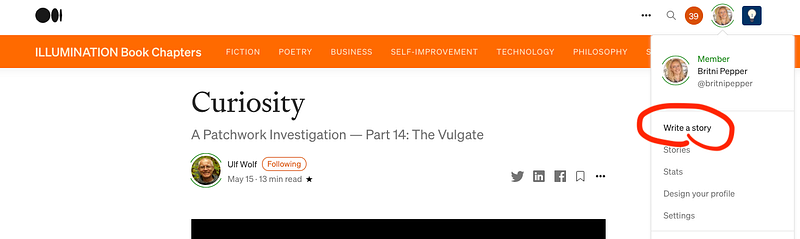
This is where it all begins, but you’ve already done most of the work. You’ve written the book; it’s just a matter of getting it to a new audience, and this is the first step.
2. Title it
The internet is a huge place. It’s the biggest library and art gallery and shopping centre and social club in the world. Wandering through the endless halls in search of the best experiences isn’t a useful strategy. You need a map and signposts.
For all of its apparent customisation to your interests and favourites, Medium is like that. You can’t read everything and if you scroll through the recent articles looking for something good, all you have to catch your eye are a few things: Title, subtitle, and lead image. Unless you already know what you want and can go right there.
As an author, you want your work to be what people read, and the best way to get them looking at your words is by carefully selecting the few tiny bits of information that will lead them there. Once they read your work, they’ll want more and they’ll keep on reading, but that first step is the one that counts. If a reader doesn’t take it, it doesn’t matter how sparkling your story is; the reader will never get there. They’ll be looking at something else that caught their eye. Let’s catch their eye.
Don’t click on that box right now — although you should soon — just look at the three pieces of information that appear.
I hope that you thought very carefully about your book title when you were writing your book. It is the five-word summary, the teaser, the hook, the name of the thing. If people talk about your book, they’ll be using the book title and it’s what will appear on the screen when they make it into a movie and start handing out the Oscars.
There are two strategies you can use for title and subtitle. I recommend using the title of your book as the title of each chapter you publish and adding something like “Introduction” or “Chapter 1”.
And if you don’t do that, you should certainly do that for subtitle or kicker.
My gut feeling is that if the title is carefully chosen, it will work whether it is to draw in a first-time reader or to alert an existing fan that there is a new installment available.
You may choose a different strategy; all I ask is that you think very carefully about the few words that are all you get to attract eyes onto your words.
3. Give it a subtitle
A subtitle — if it isn’t too long — also appears in the little box. Like this:
Who knows what goes on behind closed doors?
That’s a teaser if I ever saw one! Not clickbait, but it certainly has a higher chance of being clicked than “My experience filing invoices and buying printer supplies”!
Again, think about your subtitle. If you use the “Book Title — Chapter X” strategy for your article title, then the subtitle should give your readers some information about the contents of the chapter, rather than the whole book.
You want the readers to fall over themselves in their desire to click that box and keep on reading your story. What was going on in the supply room after hours? Why are there lipstick marks on the stapling machine? OMG, is that photocopy what I think it is?
4. Give it a kicker
On the actual article page, the first things you see are title, subtitle, and sometimes a kicker. The kicker is that small upper-case grey printing just above the big black bold title. Here are a few:
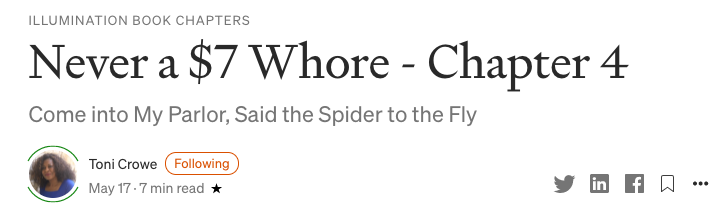
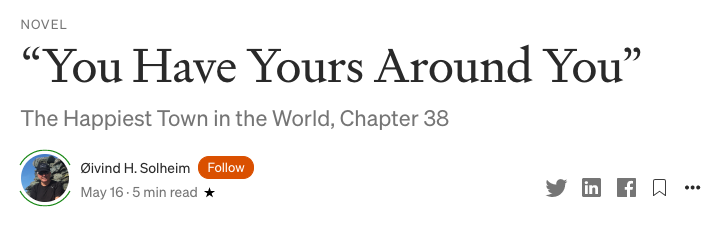
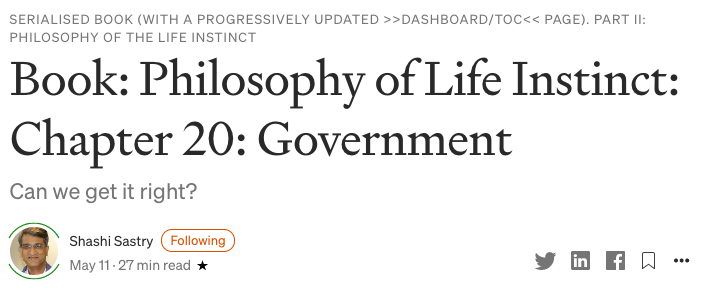
There’s no required format for a kicker but ideally it should be something that says a lot about the topic in a few words.
The last one is quite clever and explores the possibilities of the format. Those words “>>DASHBOARD/TOC<<” are actually a link to the index article — and an excellent example; well worth a look— where a reader can see at a glance all the links to all the chapters. More about that later.
Most writers don’t seem to use a kicker and that’s because it isn’t obvious how to do it. It’s easy!
- Write the title.
- Position your cursor just ahead of the first letter of your title and hit return. A new field on the screen will open up.
- Type something in there and select the subtitle font.
- You now have a kicker. Congratulations!
Here’s the amazing Casey Botticelli explaining it with a video example.
As an aside, Casey’s Medium Blogging Guide publication is something every Medium writer should look into, for a treasurehouse of information and resources.
For a book divided into book chapters and published separately, a kicker can tie the whole project together. If nothing else, it can make your work look professional, simply because so few writers do it. If you use a kicker, obviously you have skills that most do not. That says something.
5. Add an image
Never judge a book by its cover, they all say, but we all do. Long before we learned to read, we looked at pictures.
A striking image helps draw the readers in. If your book is already published, there will be a cover image. That’s a good start. You can even mockup images with free tools.
You get three elements to attract a reader to your words, and the image is probably the item that will attract most eyes. Ironic, isn’t it?
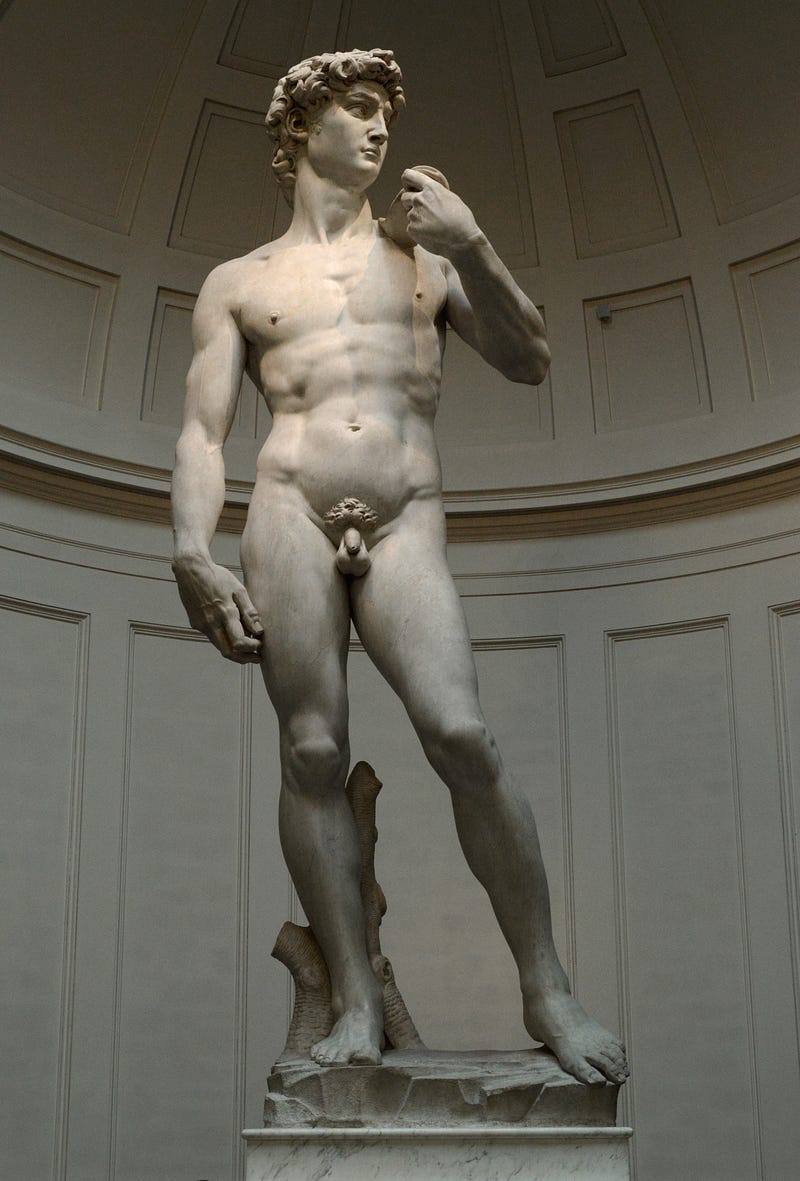
So put some thought into your featured image. If you have more than one image in your chapter, you may choose any to be a featured image. It should be the most eye-catching.
If your image is not square, Medium will choose the middle square of your image to display in a teaser box. You might want to guide Medium away from a default choice. If your featured image is a full-length portrait, think about where you want the viewer’s eye to focus. You may choose a specific focus point by doing an [option-click] or [right-click] on the exact spot.
Perhaps some theme or element can tie all the chapters together. Colour, maybe, or landscapes featuring mountains. If it’s a love story, photographs of couples. You get the idea.
It doesn't have to be random. Nor should it be the first image that pops up in a search; every lazy writer has already selected that one. Scroll a bit further on ahead of the pack.
6. Front matter
Beginning your book with chapter one is a mistake, especially if you have published it elsewhere on Medium first and are now bringing it to ILLUMINATION Book Chapters.
Articles are displayed in time sequence, and if a story was first published six months ago, that means a reader browsing the front page of ILLUMINATION Book Chapters is going to have to scroll through six months of other stories by other authors, even if you only had your story accepted and published by the editors here a few seconds ago!
An index or Table of Contents article constructed especially for this publication will show up correctly and will remain visible for some time.
This is where you sell the book, both literally and figuratively. The book cover — if you have one — is most appropriate as your featured image. The book “blurb” full of keywords and calls to action goes here. Maybe some positive reviews and comments from readers. A link to your Amazon and Goodreads author pages. Your website. Your mailing list.
You want to look like a professional author and the best part is that all of these things are available for free. Even if you have employed a branding consultant, this Index article is the best possible place to put forward your carefully-chosen author image, favourite quotes, writing philosophy, and all the things that you have developed as a way to make your writing style attractive to your reading audience.
Your aim here is to at least get them to click on the link to your first chapter and begin reading. Once they are reading those crucial few sentences, if you are any sort of writer, you will have hooked your reader.
Your second aim is to have an article that contains all the links to all your chapters in one spot. Suggest that readers bookmark it for future reference.
And make sure you keep it up to date. Every time you publish a new chapter, update your Table of Contents with the link to that chapter.
7. Choose “ILLUMINATION Book Chapters”
For your Index article, and for every chapter, it is best possible practice to submit a draft to ILLUMINATION Book Chapters instead of publishing your work elsewhere on Medium (such as on your own page) and then submitting it here.
The reason is that as soon as you publish a chapter, the clock begins ticking and your story starts aging and every newer story is piling up on top of it from the reader’s point of view as they go scrolling through Medium looking for something new to read.
You want your stories to be as fresh as possible and to need a minimum of scrolling to get to them.
Another reason is that our editors can give them a quick look over to check for possible problems and get them fixed before publication. As an author, your nose has been pressed close to the screen full of your words for a long time, and you see what you intend to see, instead of what is actually there.
I’m an author myself and all too often I wince when I find a typo that has made it through umpteen readings, beta readers, a professional editor, and any number of paying readers. These things shouldn’t be there, but they pop up. Every fresh pair of eyes on your work is good for quality and professionalism.
Another point is that for a professional writer, publishing here means more income, more exposure, and more followers. It is a chance to build your brand. If readers like your style, they will hunt your writing down and read everything. They will buy your books, they will sign up to your mailing list, they will tell all their friends.
8. Choose five tags
As part of the submission process, you will be asked to choose five tags. These tags are what Medium uses to recommend your story to as many readers as possible.
Remember how when you signed up on Medium you were asked to choose a list of interests? You can find them here.
Medium uses these topics to present stories to readers.
Everybody’s Medium home page is different; it contains stories from writers and publications they follow, and stories from random people and places that match the interests you have listed.
If a reader has listed “Feminism” amongst their interests, Medium will find some stories about feminism for them. If your story is about feminism and you give it that tag, there is a good chance that readers interested in that topic will see it.
In choosing tags, it is good to be as broad as possible. You are not catering for readers searching for a specific topic, you are trying to get your story on as many front pages as possible so that you can catch as many eyes as possible with your cleverly-crafted title, subtitle, and image.
There is an art to choosing tags on Medium. It is an art well worth learning.
9. Do the same for each chapter until you publish them all
Please don’t drop them on us all at once. Too much of a good thing might be wonderful but we have a policy of not publishing two chapters any less than eight hours apart. This keeps the “latest stories” section on our front page always fresh and having a reasonable selection from all authors.
Now read this next part carefully. This may be the most important point of all.
At the end of each chapter, include a link to the next chapter.
The reason this is important is that because when a reader gets to the end of a chapter, you want them to keep on reading your book, and if there is a link to the next chapter, then they can keep right on reading without having to hunt or scroll or search for the next instalment and maybe getting distracted by something else on the internet.
Obviously, when you publish a fresh chapter you don’t yet have a link to the next one — it’s still at least eight hours away — so just put in a place holder:
Chapter 38 of The President’s Boyfriend coming soon!
…and when that chapter is published, copy the link and update the previous chapter.
While you’ve got that link URL copied, also go and update your Table of Contents article, because your regular readers will likely have that one bookmarked and be checking it on a regular basis for their next fix.
- At the end of each chapter, include a pointer to the next chapter
- Also include a link to the table of contents. This was the first part of the book you published, right?
- When the next chapter is published, copy the link into the previous chapter so readers can keep on with your story and not get distracted, and update the chapter list in your table of contents article.
(As an aside, once a story is published, it isn’t set in stone. You can go back to it and correct minor errors. I mean, it should have been perfect the first time around, but real life isn’t like that and there’s always something that needs fixing. Or is that just me?)
10. Finish the book off with your “End Matter”
You’ve run out of chapters but this is your big chance to get readers hooked on another of your books. Or your blog. Or your mailing list. Or to buy an actual print copy of the book they just finished reading.
You know how when you’ve gone through the museum and you’re ready to go home the only exit is through the museum gift shop? Well, this final instalment is your chance to do a bit of selling. Once the reader finishes reading, they are gone and they are going to read someone else’s work.
You want them to stick with you, you want them back. This is your best chance while they are still full of admiration for your fabulous story-telling and wiping away the tears of joy at the clever ending where everyone was rescued and all the loose ends tied neatly up.
Some things to include here:
- Author notes. Every author has a story about the story. What inspired the idea, the reason the murderer needed a pet octopus, the interesting details about the real-life settings. Share them with the reader. It doesn’t matter now if they include spoilers; the reading is done.
- Other books you have written. A link to the second book in the trilogy. Teasing details about the book you will publish next. The companion guide to the epic with all the maps and timelines and family trees.
- Your Amazon author page link.
- Your Goodreads author page.
- Your blog, your online courses, your mailing list.
- The discount code for a signed print copy of the book just completed.
Here’s a good example of an author closing the door on a project as she opens it:
Over to you, author
The essence of good writing is creativity and thoughtfulness. To be entertaining, you need to stay one jump ahead of the reader, always delivering something surprising that they should have seen coming.
You have the luxury of planning and mapping out your work, trying to get inside the reader’s mind so that they are entertained, delighted, and want more, more, more of what only you can give them.
The course I have mapped out above is only one way of doing it. Your book has its own special plan and niche and direction; you are the best person to present it for an online audience, chapter by chapter.
A final request
Any tips and traps, zingers and dingers you discover, please share them here. We’re a community; if something works for you, it may work for others. Or if something is a problem and you waste time, lose readers, make a mistake, capitalise on it so it doesn’t happen again. Heck, make a funny story out of it and add it to your portfolio!
The comments section is available for comments. I’m just a hack of an editor; authors are the stars of the show here: share your thoughts, please!
Britni