
Ceph RBD Mount & More
Ceph RBD, Mount, User Management, Snapshot, Clone
In the previous article, we showed how to mount an rbd image and mount it temporarily and permanently. That was with the admin client, which is discouraged due to security concerns. In this tutorial, we will show how to
- Create a Ceph user
- Create rbd images and mount rbd images using non-admin client
Furthermore, we will demonstrate a real use-case where a rbd image is cloned from another rbd image in a pool that a Ceph user should not be able to change.
Mounting an rbd image using non-admin client
Before we create a Ceph user, we will create an rbd pool that we want to assign to a new user.
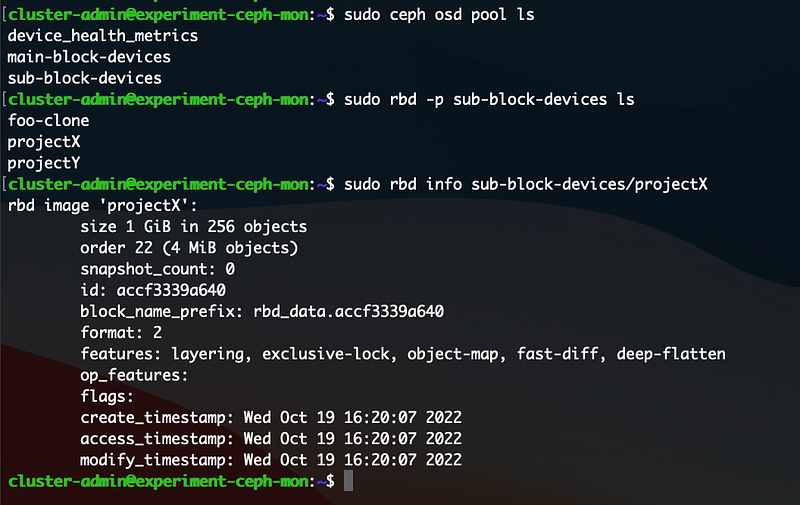
Please note that we use the admin user to run these commands. We got sub-block-devices rbd pool and projectX rbd image. The other entities will be explained later.
Now, we are ready to create a client (user) that will manage the pool.
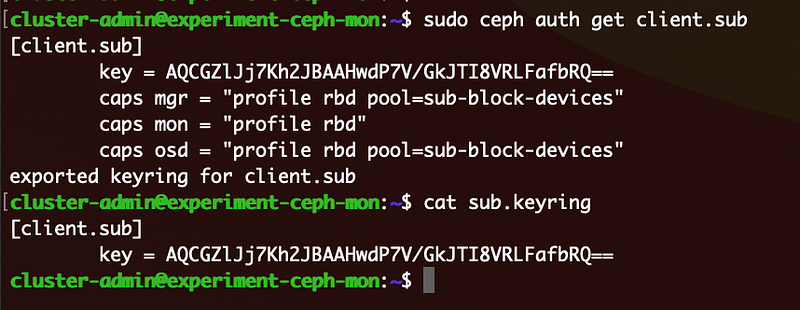
“profile rbd” gives a user permission to manipulate RBD images. With pool option, we can restrict what pools this user can access. The screenshot below show the result of the above command.
Now, we need to move sub.keyring file to a ceph client node. Then, we can create a rbd image, list images in the pool and mount rbd images.
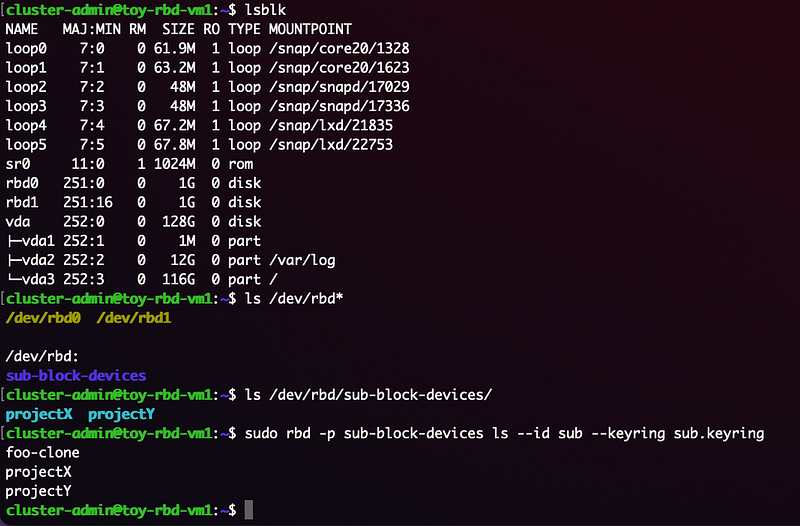
Now, we want to check that this user does have permission to map other images in pools other than the assigned one, sub-block-devices. We try to map rbd image foo in main-block-devices and this is what we got.

Some of objects here are described in the previous article on RBD mount. The persistent configuration for mounting rbd images is also explained there.
For a clone rbd image where the underlying snapshot is in a different pool
Let’s say we have a few projects where their own Ubuntu Repos are required. Majority of files will be duplicated, so we want to set up overlay file system. Ceph provides this feature through snapshots and clones. Let’s assume that main-block-devices/foo has a base repo. Then, we can create a snap of it and clone it to be placed in sub-block-devices pool.
Note that the clone is in sub-block-devices pool.
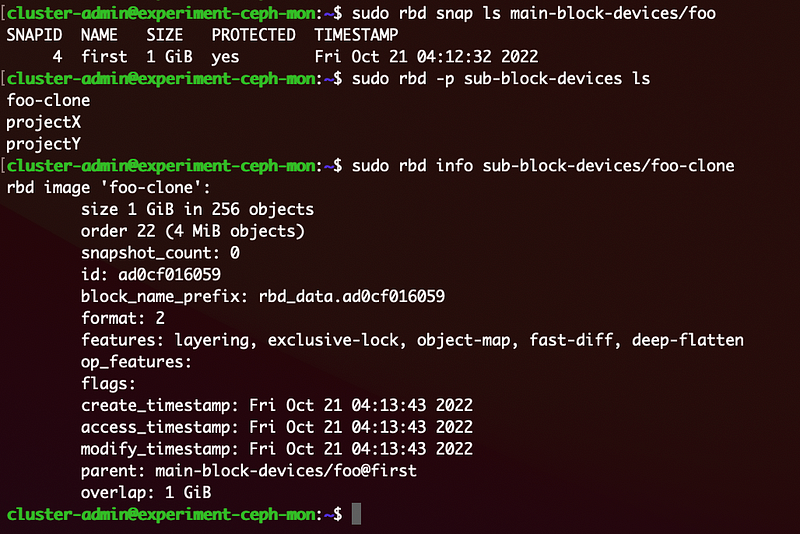
Now, we want to use (mount and read/write) this clone image using user sub. So, we tried and got some errors.

Most likely, it is becasue the client.sub does not have permission to read the snapshot. Snapshots are read-only. Now, we will create another user called subplus with the following command.
In addition to profile rbd on sub-block-devices pool, another ready-only permission was granted on the main-block-devices pool.
Now, we can copy the subplus.keyring to the ceph-client node and map the clone image.
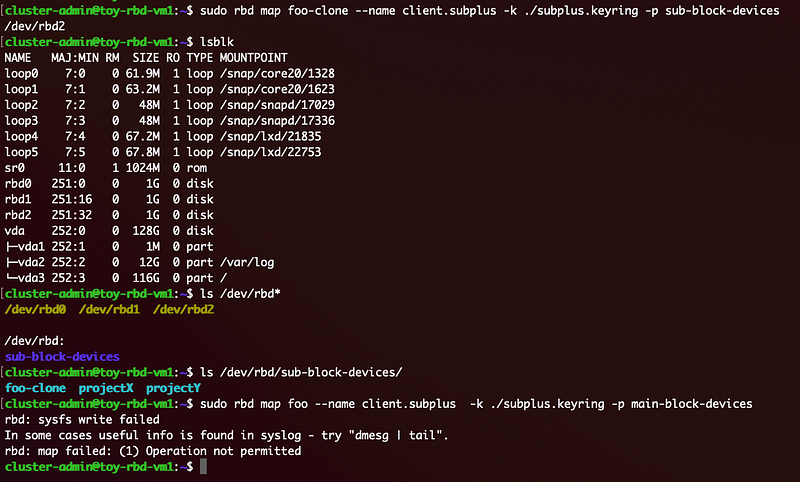
This is the desirable output. The subplus.client can map an image cloned from main-block-devices pool, but cannot map an image in the pool itself.

