avatarJim McAulay🍁 I'm nobody. Are you a nobody too?

Summary

The web content provides a Python Turtle programming challenge to create an animation of blinking cat's eyes on a midnight blue background, encouraging users to apply their knowledge to craft their own artistic projects.

Abstract

The article titled "Cat’s Eyes In Python Turtle" invites readers to exercise their creativity by using Python Turtle to generate a visual artwork. The challenge involves drawing a pair of pale yellow cat's eyes that blink and move to random positions on the screen, appearing and disappearing a total of five times before remaining visible. The provided code snippets demonstrate how to set the background, draw the eyes, and make them vanish, serving as a foundation for users to build upon and personalize their animations. The article concludes with a humorous quote from Jim McAulay regarding the unpredictability of the year 2020, which may serve as an inspiration for the creative coding challenge.

Opinions

  • The author believes that readers can create something wonderful by applying their coding skills.
  • The use of a midnight blue background and pale yellow color for the eyes is suggested to evoke a specific aesthetic.
  • The random movement and blinking of the eyes are intended to add an element of surprise and life to the animation.
  • The inclusion of Jim McAulay's quote implies that creativity can be a response to the chaotic nature of events, such as those experienced in 2020.
  • The article encourages readers to go beyond the example provided and to create their own unique masterpieces.

Cat’s Eyes In Python Turtle

Create your own masterpiece
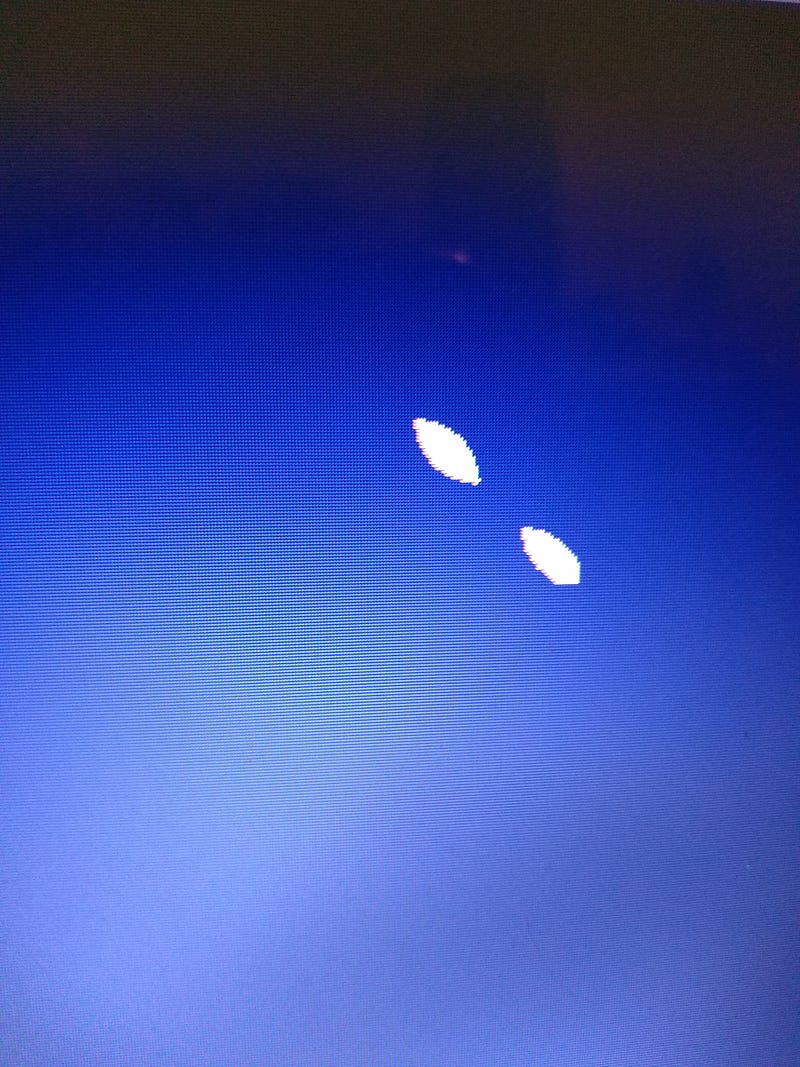
Source screenshot my personal computer

In this lesson your challenge is to take what you have learned so far and create something wonderful.

Here is an example:

On a midnight blue background a pair of pale yellow cat’s eyes appear. They blink and disappear then reappear at a random spots. They appear and disappear 4 times before appearing for a final time and remaining on the screen.

Look at the code and create your own masterpiece.

import turtle as T
import random
for i in range (4):
    loc = random.randrange(-200,200)
T.bgcolor ("midnight blue")
    T.color ("light yellow")
    T.hideturtle()
# create pair of eyes
T.penup()
    T.goto (loc,loc)
    T.pendown()
    
    T.begin_fill ()
    T.circle (-20,90)
    T.penup()
    T.goto (loc,loc)
    T.pendown()
    T.circle (20,90)
    T.end_fill()
T.right (45)
    T.penup()
    T.forward (20)
    T.left (45)
T.begin_fill ()
    T.circle (-20,90)  
    T.right(90)
    T.circle (-20,90)
    T.end_fill()
# cover eyes to make them disappear
T.color ("midnight blue")
T.penup()
    T.goto (loc,loc)
    T.right(90)
    T.pendown()
    
    T.begin_fill ()
    T.circle (-20,90)
    T.penup()
    T.goto (loc,loc)
    T.pendown()
    T.circle (20,90)
    T.end_fill()
T.right (45)
    T.penup()
    T.forward (20)
    T.left (45)
T.begin_fill ()
    T.circle (-20,90)
    T.end_fill()
    T.right(90)
    T.begin_fill()
    T.circle (-20,90)
    T.end_fill()
# final pair of eyes
loc = random.randrange(-200,200)
T.color ("light yellow")
T.penup()
T.goto (loc,loc)
T.pendown()
T.begin_fill ()
T.circle (-20,90)
T.penup()
T.goto (loc,loc)
T.pendown()
T.circle (20,90)
T.end_fill()
T.right (45)
T.penup()
T.forward (20)
T.left (45)
T.begin_fill ()
T.circle (-20,90)
T.end_fill()
T.right(90)
T.begin_fill()
T.circle (-20,90)
T.end_fill()

Jim McAulay🍁 says “So far 2020 is like looking both ways before crossing the street and then getting hit by a plane.”

81–79

Technology
Python
Python Turtle
Jim Mcaulay
Illumination
Recommended from ReadMedium