
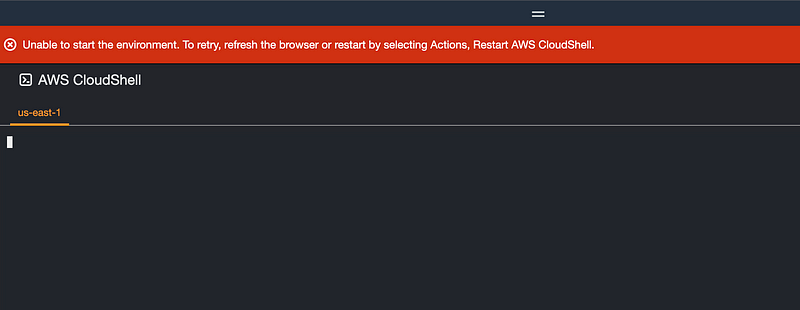
Unable to start the environment. To retry, refresh the browser or restart by selecting Actions, Restart AWS CloudShell
Can’t open CloudShell in AWS Organizations Account
~~~~~~~~~~~~~~~~~~~~~~~~~~~~~~~~~~~~~~~~~~~~~~~~~~~~~~~
⚙️ Check out my series on Automating Cybersecurity Metrics | Code.
🔒 Related Stories: Bugs | AWS Security | Secure Code | CloudFormation
💻 Free Content on Jobs in Cybersecurity | ✉️ Sign up for the Email List
~~~~~~~~~~~~~~~~~~~~~~~~~~~~~~~~~~~~~~~~~~~~~~~~~~~~~~~
I created a new account in my organization named Sandbox.
I created a user named SandBox Admin with full administrative permissions using the AWS administrator managed policy.
I click the CloudShell button and I get this:
Unable to start the environment. To retry, refresh the browser or restart by selecting Actions, Restart AWS CloudShell
I’ve tried:
- Refreshing the page.
- Changing regions.
- Restarting CloudShell.
- Closing my browser and restarting the browser.
- Logging out and logging back in.
- I double checked the permissions exist.
- I currently have no SCPs related to CloudShell.
- Other services seem to be working.
- No errors or information in CloudTrail.
- No issues on the AWS Health dashboard.
Not sure if I am just doing something wrong or this is not supposed to work in an AWS Organizations account.
Follow for updates.
Teri Radichel | © 2nd Sight Lab 2023
About Teri Radichel:
~~~~~~~~~~~~~~~~~~~~
⭐️ Author: Cybersecurity Books
⭐️ Presentations: Presentations by Teri Radichel
⭐️ Recognition: SANS Award, AWS Security Hero, IANS Faculty
⭐️ Certifications: SANS ~ GSE 240
⭐️ Education: BA Business, Master of Software Engineering, Master of Infosec
⭐️ Company: Penetration Tests, Assessments, Phone Consulting ~ 2nd Sight Lab
Need Help With Cybersecurity, Cloud, or Application Security?
~~~~~~~~~~~~~~~~~~~~~~~~~~~~~~~~~~~~~~~~~~~~~~~~~~~~~~~~~~~~~
🔒 Request a penetration test or security assessment
🔒 Schedule a consulting call
🔒 Cybersecurity Speaker for PresentationFollow for more stories like this:
~~~~~~~~~~~~~~~~~~~~~~~~~~~~~~~~~~~~~~~~~~~~~~~~~~~~~~~~~~~~~
❤️ Sign Up my Medium Email List
❤️ Twitter: @teriradichel
❤️ LinkedIn: https://www.linkedin.com/in/teriradichel
❤️ Mastodon: @teriradichel@infosec.exchange
❤️ Facebook: 2nd Sight Lab
❤️ YouTube: @2ndsightlab


