
Can You Draw with the Samsung Galaxy S23 Ultra Smartphone?
Day 1 of Creativity using the Samsung S23 Ultra
Drawing on the S23 is not something that I saw heavily advertised when researching the product. The phone does come with a pen, and so as someone who loves digital drawing, it’s only right that I give drawing a go on the smartphone.
I have recently purchased a new S23 Ultra smartphone. I am going to be giving it a proper test run by using the device for creative purposes during the next week.
Day 1: How does drawing on the S23 Ultra smartphone compare to drawing on a tablet PC?
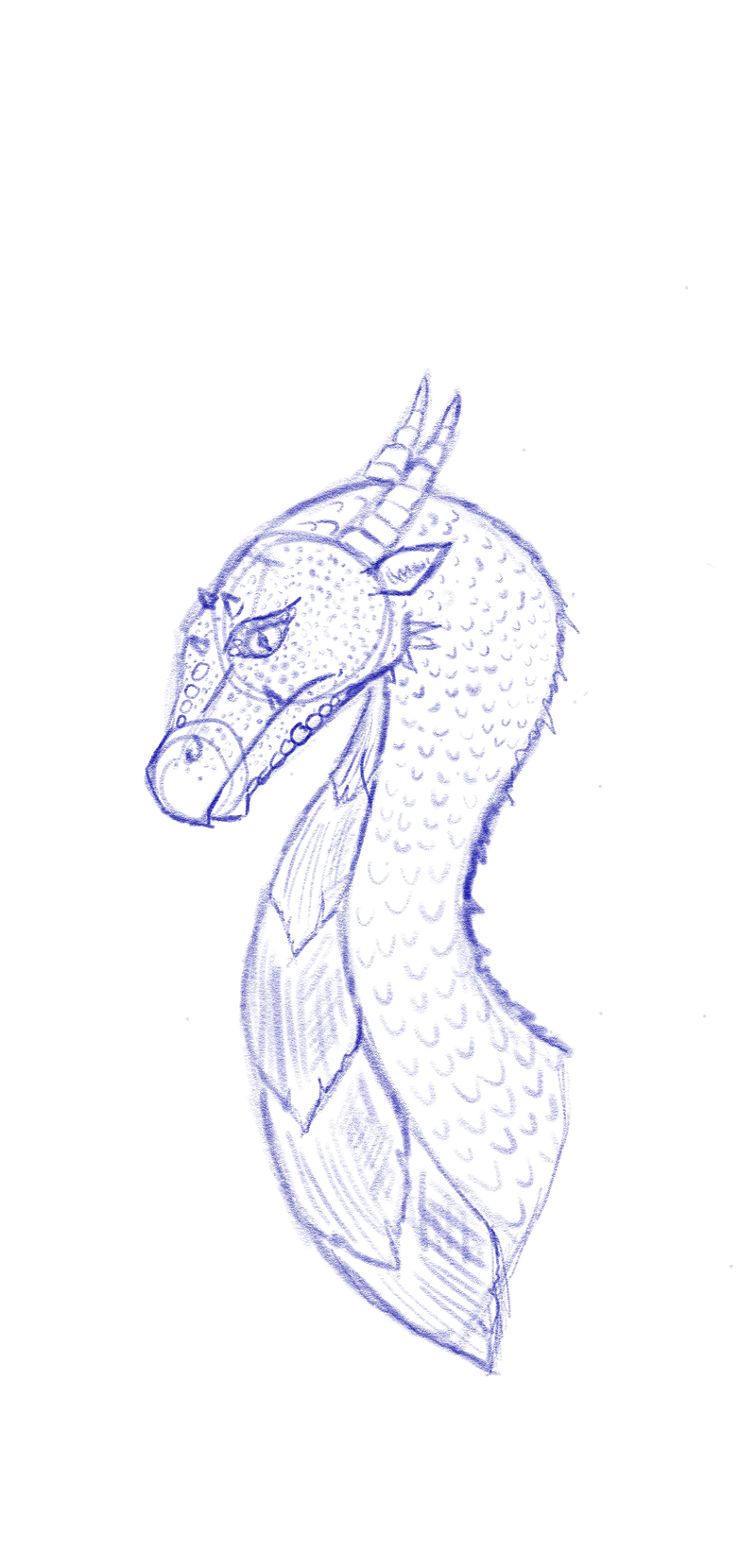
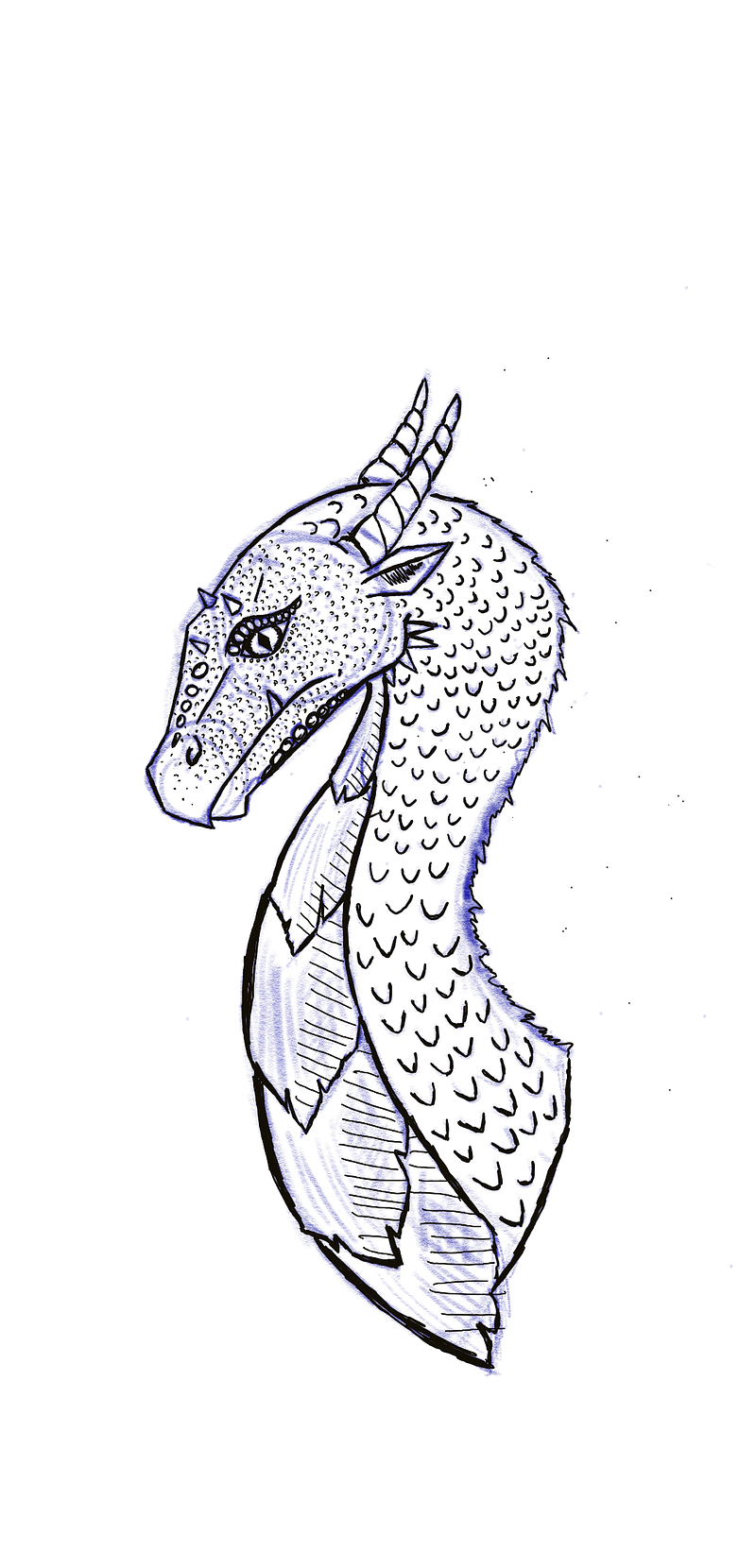
To test the smartphone, I downloaded a software called Sketchbook and did a quick sketch of a dragon. I usually use the sketching tool to create rough outlines of designs when creating digital art. Here is the result of an initial sketch and of going over the sketch using a technical pen on Samsung S23 Ultra…
As a comparison, here is a sketch of a dragon drawn using my iPad Air using the Apple Pencil in Procreate…
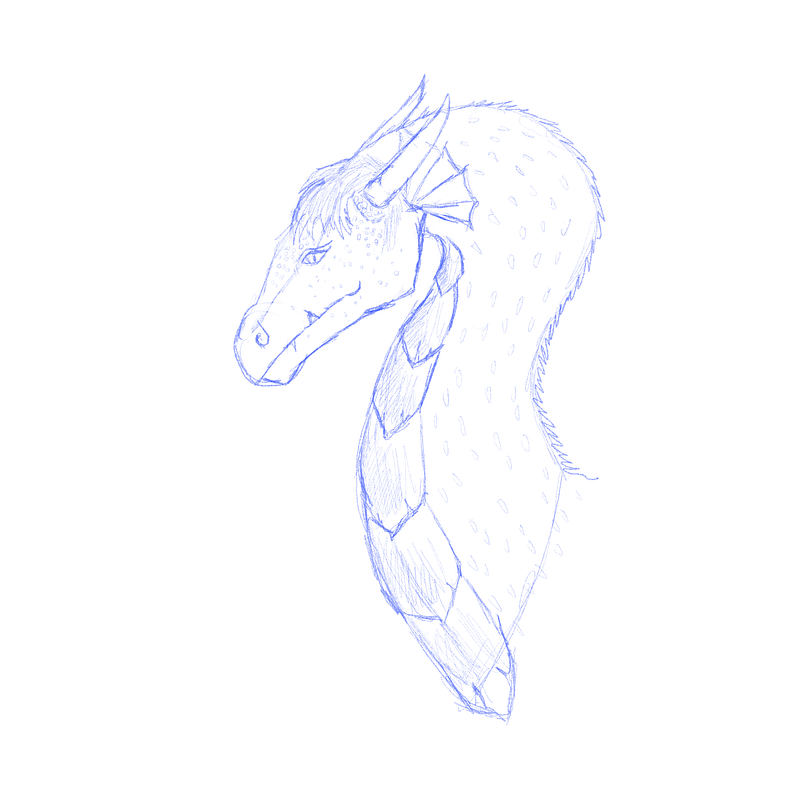
I was very surprised by the quality of the supplied S-Pen on a smartphone. It would be interesting to see what results I would get if I used Samsung’s tablet. According to Samsung, the S-Pen has 4096 levels of pressure sensitivity, which is very useful.
Things to note…
There are a few factors that could be affecting my comparison. I used the default canvas size for both applications, I’m using different art software and I’m more experienced in using the iPad for drawing. This is only my second sketch with the Samsung S23 Ultra. So I may do some more testing of the sketching/drawing capacity in the future.
Conclusions
From what I can see so far… if you want to create high-quality artwork, then you are best off with a device built with artwork in mind. The iPad and Samsung tablets may be devices that you may want to go and view in person to test first.
For price comparison, the Apple iPad Air Gen 5 (the tablet I used for the second sketch) currently costs £660 plus around £120 for the pencil. The Samsung Galaxy Ultra smartphone costs around £1250!I managed to find a zero interest monthly deal but it can still mean a higher phone bill.
Before investigating the tech specs for a tablet designed with drawing in mind. Bear in mind that by drawing on a smartphone you’ve already significantly reduced your work area. The work area is one of the obvious main reasons why you may want to look into tablets rather than phones.
I am impressed with the fact that you can create digital art with a smartphone. I feel that if you just want to be able to create some sketches and images that don’t need to be of professional quality, then you can easily do this on the S23 Ultra smartphone. At the same time, the pressure sensitivity did allow for some impressive building of dimension to my drawing. I would like to do a few more tests to see what the phone is capable of.
Perhaps you want to sketch diagrams for notes, or you want to create quick sketches for your medium articles. This might be all you need to use when you don’t need to have super high-quality sketches. It is especially good if you just want a pocket-sized device for doodling on with other functionalities such as using a phone with very good quality camera technology (for a smartphone).
I will be testing this smartphone further in the coming week. Subscribe for updates. I also used the Samsung Galaxy S23 Ultra to write this article.