
Can I Restrict an AWS SSO user to Console Only?
ACM.128 Investigating possible means to prevent AWS SSO users from taking programmatic actions on AWS via the CLI or otherwise
~~~~~~~~~~~~~~~~~~~~~~~~~~~~~~~~~~~~~~~~~~~~~~~~~~~~~~~~~
⚙️ Check out my series on Automating Cybersecurity Metrics. The Code.
🔒 Related Stories: AWS Security | Cloud Security Architecture | IAM
💻 Free Content on Jobs in Cybersecurity | ✉️ Sign up for the Email List
~~~~~~~~~~~~~~~~~~~~~~~~~~~~~~~~~~~~~~~~~~~~~~~~~~~~~~~~~
In the last post I covered some of my concerns about the ability for an AWS SSO user to leverage the AWS CLI. To understand why I am doing what I’m doing in this post please read the last post first:
I want to restrict AWS SSO users from using anything but the AWS Console. In other words, I want to disallow all programmatic actions using AWS SSO user credentials by using a code to link an AWS SSO session with AWS SSO user credentials.
As noted, there’s no option currently to restrict AWS SSO (IAM Identity Center) users to only use the console from within the console.
Can we create a policy to restrict a user from using the AWS CLI?
My next approach is to try to create a policy to restrict a user from using a code to link their AWS SSO session with a programmatic session in some other way.
In the last post we learned that we can’t use an SCP for the CreateToken command. If we want to restrict these three actions, we can try to create a policy that denies these actions and apply it to our AWS SSO users through permission sets instead.
Allow Cloud Shell to test CLI commands
I want to run this test using CloudShell but I haven’t given this user access to CloudShell.
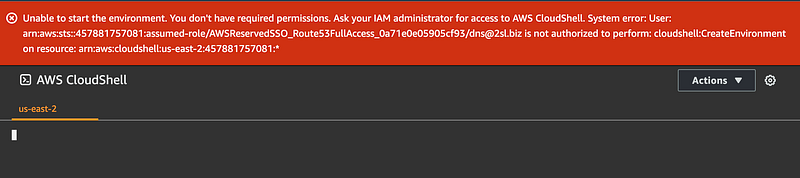
Let’s add CloudShell to the DNS administrator policies.
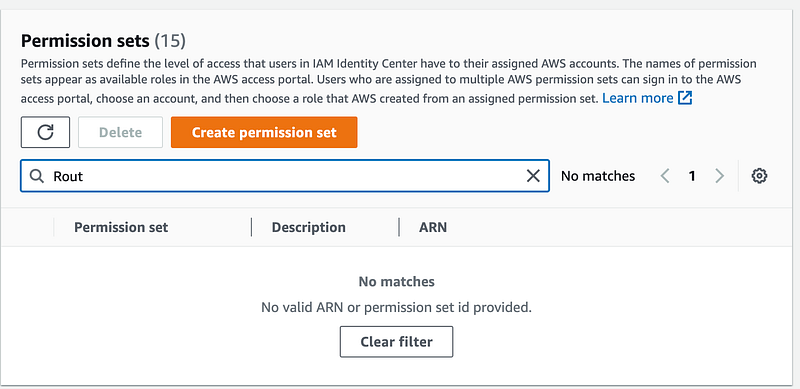
I wrote about this bug yesterday. When I search for my Route 53 permission set, search doesn’t seem to be working. Today I noticed you have to search by ID or ARN. That’s not very user-friendly. I hope that gets addressed soon.
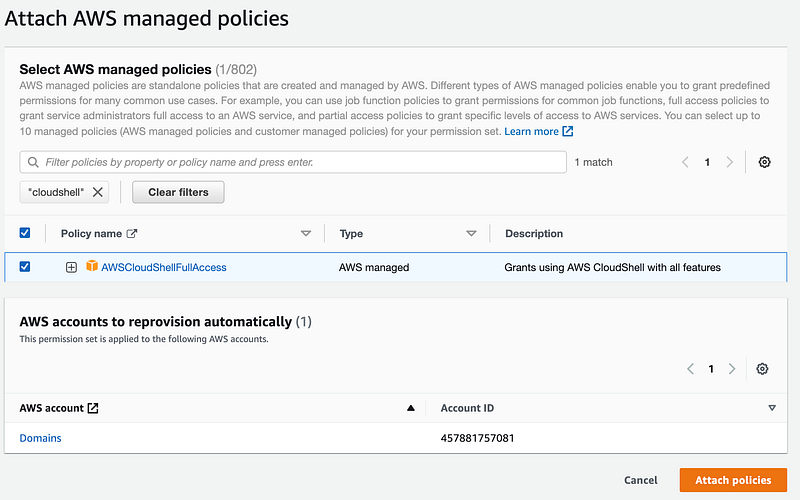
Just for this test, I’m going to attach the CloudShell full access to this permission set.
Side note: Logout bug
Here’s what seems like another bug. When on the AWS IAM Identity Center dashboard, choose logout from the top right menu under the user name. It appears to log the user out but it really does not. When I return to the AWS SSO start page I get the full list of accounts to which my user has access. If I click Sign out on that page, I do get logged out.
Test running Route53 command in CloudShell
Next I’m going to login as the DNS administrator and verify I can run a DNS command from the command line using AWS CloudShell. I ran this command and it works:
aws route53domains list-domains --region us-east-1The interesting thing is that I never had to run the aws sso login command or configure the CLI. That’s because CloudShell automatically passes credentials from the console using this action:

Although I’m not a fan of the device code flow mentioned in the last post, I’m not sure if this particular use of credentials is quite as dangerous. Although we do have the browser as an attack surface, at least the user had to login with MFA before being able to access CloudShell.
That said, I haven’t pentested this aspects of AWS (remember AWS does not have a bug bounty and certain aspects of the platform are excluded from penetration tests). If you don’t want users using this functionality remove the policy I added above and deny access to CloudShell.
For the most part I perform programmatic actions using an EC2 instance as a bastion host of sorts rather than use CloudShell.
One other thing I noticed is that this user could take programmatic actions even though their email address was not verified.

Testing the aws sso login command in the AWS CLI
Alright, let’s go to an AWS EC2 instance and try to login using the AWS CLI.
I first tried to manually edit the config file as described in the last post, but got errors about an invalid file.
For some reasons elinks popped up?
Then I tried to run the aws configure sso command. I got some odd looking screen like this with errors.
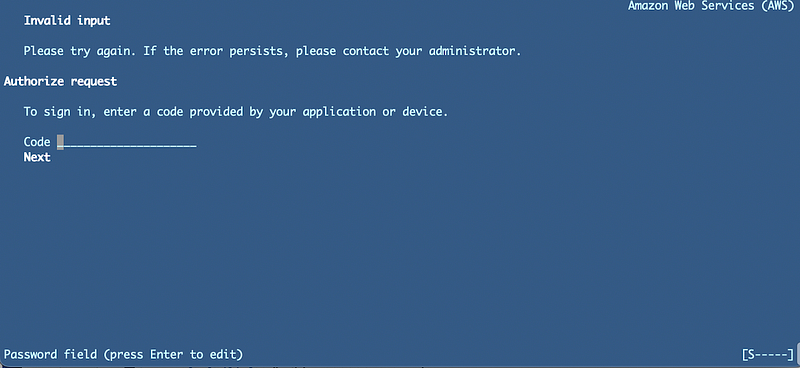
It looks like maybe the AWS Linux VM is trying to display a text browser but the code required to link the CLI session with the SSO session isn’t getting passed through correctly. Or something like that.
Well, if elinks was used as a browser, perhaps that would be less risky than going to a browser on the machine where you browse the web and read email. If it worked…I’m not sure an not going to spend much time thinking about it.
My plan was to try to login and see what actions show up for this user in CloudTrail when logging in, but I can’t seem to even configure AWS SSO for the CLI. I don’t know if this is because I have already configured other non-sso profiles on this machine or something else. In any case I don’t want to spend a lot of time troubleshooting this.
Hunting for errors and actions in logs
Where would the logs related to this error even exist? It could be this error is due to functioning of the AWS CLI itself, or the error could be related to reaching out to some AWS service that isn’t working correctly. Perhaps my network rules are blocking access to the service required for this to work properly.
When you think about it, the AWS CLI sso login command goes to the start URL without any account number, so where would CloudTrail log these actions? The only possible account would be the one where I am configuring SSO since that’s the one I presume associated with the start URL?
Logging into the SSO account and checking the logs doesn’t yield any error messages. However, I do see that logs exist for my DNS admin user in addition to the domains account. The interesting thing is that even though I only gave that user permission for Route 53 and CloudShell via the policies assigned to the permission set, I see that actions are allowed for the sso, signin, and sts services.
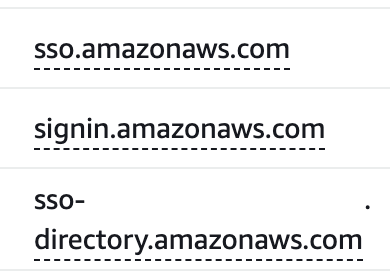
Given that these are allowed even though I did not include them in any policies in the permission set I assigned to this user, I suspect that there is not going to be a way to easily block the programmatic functionality we want to disallow. Will a deny action actually work?
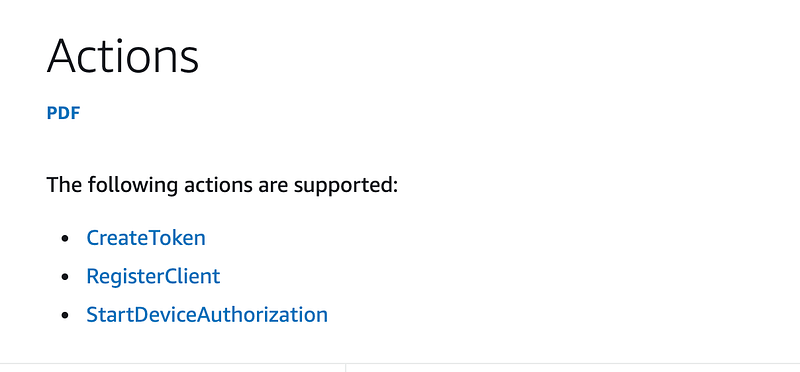
There seems to be this link between providing that code and logging in where the linkage between the AWS CLI and the AWS SSO session occurs and those commands referenced in the blog post I linked to in my last post do not appear to be options in IAM policies at all.
When I look up the actions I find this list:
Update: I had to review the Roku flow as I wasn’t quite sure the following was correct.
It seems to me this flow is more like enabling a Roku than enabling management of a cloud platform through programmatic means. The device code flow was intended for devices with no browser or that are constrained from user input. One of the benefits is that you do not enter your user name and password on the device, so I guess that is one of the pros for my last post. I wouldn’t want to store my user name and password on an EC2 instance.
However, that is the purpose of the developer keys which a developer can control and revoke, unlike the start URL for your entire organization, which as mentioned, I would rather not store in configuration files. Yes, developer keys are problematic because they are not handled correctly, but you can combine them with MFA as I have shown through this blog series.
The Device authorization flow looks like this:
RFC:
The Device Authorization should be used with PKCE:
As I explained here:
Do You Know Your OAuth Flows?
Choose the correct flow for the application you’re building
medium.com
When you use this flow to enable your Roku you need to have access to a Roku first of all. The Roku generates a unique code. You go to Then you can go to a website where you plug in the code you got off your Roku and you login there to link the device up to your account, similar to what you’re doing with an AWS SSO session.
So the Roku flow is kind of the same. Anyone could try to trick you to going to a link and registering their Roku to your account so you start paying for their subscriptions. The risk of someone making you pay for their subscriptions is substantially lower than the risk of someone taking over your cloud account.
I feel like enforcing MFA with developer keys is the way to go, even with all the problems they pose. Enforcing MFA on them solves many of the problems. The fact that attackers are getting ahold of user sessions through other means is an even bigger problem that bypasses MFA altogether which neither of these solutions address. My batch job work flow might. Stay tuned.
Can we disable the above in an IAM policy?
I logged into the console to see what actions are available for an IAM Policy. I can’t find anything that exactly matches the above name.
SSO/IIC itself doesn’t seem to have anything that looks related to the above actions:
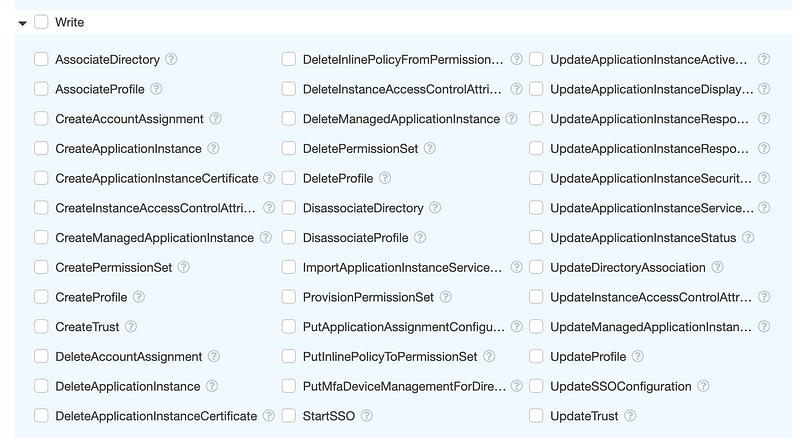
Below I see CreateBearerToken and StartWebAuthnDeviceRegistration. That may have something to do with it but maybe the latter is related to MFA devices. I wanted to find out, so I clicked the (?) below. But when you do that, you don’t get information about those commands, you get a generic help page that tells you how to create custom policies.
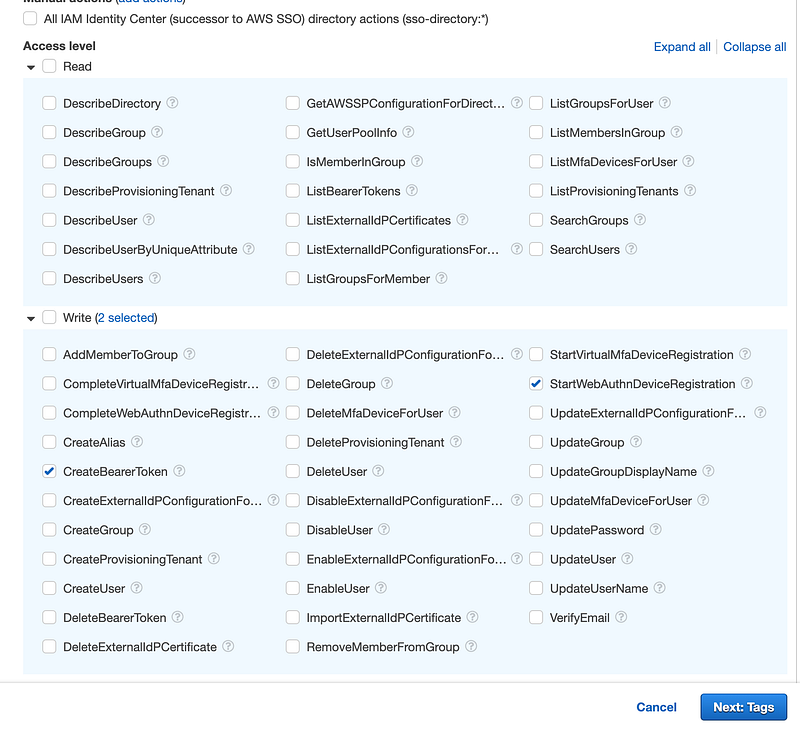
Searching around on the web it does seem that WebAuthn is related to registering MFA devices:
Bearer tokens are used by some services, not others. I don’t think that restricting this will block programmatic access altogether:
So as far as I can tell, I can’t stop AWS SSO users from using the AWS CLI with their AWS SSO credentials and sessions. Perhaps a new method will come to light later.
Side note: There’s a reason why I recommend to companies that they centralize and handle authentication in a standard way. So different teams are not doing it in different ways in different places and potentially making mistakes. Authentication and authorization are tricky to engineer correctly.
Actions linked to a user from an unrelated IP address
I also noticed another interesting thing. Since I could not limit programmatic access maybe I could limit any actions by this user to the user’s IP address alone in a policy. Of course this would have to be another user-specific policy unless I’m using a VPN or some solution like that.
But that also might not work. Why? Because I noticed that the IAM Identity Center administrative user I am logged in with using SSO has actions logged with this source IP address:
3.12.22.118
That is not my IP address. I haven’t used anything other than the AWS console and sso credentials with the user where I noticed this occurring.
If I try to restrict all actions via policies to *my* IP address for the my IAM Identity Center administrator it appears I’m going to end up blocking actions coming from some unidentified address. I suspect things will break, unless the IP condition doesn’t actually work for those actions and then we have yet another problem.
I had a similar issue on Microsoft Azure. I created a network rule and restricted access to my own IP address and got blocked from using a particular service. Microsoft admitted that was a bug and fixed it.
In this case, I haven’t yet tested that creating a condition blocks me if I had had a condition that only allowed actions for my IP address in my policy, or if that condition even works for all actions. But it seems like that IP address needs to change to reflect the correct end user IP address.
Moving on…
At this point, I’ve spent more time than I have on trying to figure out how to restrict an AWS SSO (AWS IAM Identity Center) user to the console only than I would have liked. I’m going to move on and hope that AWS provides a way to do that soon or at least documents how to create a policy that will achieve that objective. #awswishlist
I may update this blog later if a solution presents itself. For now, I will be avoiding using codes or logging in to link SSO and CLI sessions so hopefully I won’t get tricked into entering my credentials into an invalid website with some random code. Wish me luck.
Update:
I wrote about how I wish AWS would fix AWS IAM Identity Center here:
Follow for updates.
Teri Radichel | © 2nd Sight Lab 2023
About Teri Radichel:
~~~~~~~~~~~~~~~~~~~~
⭐️ Author: Cybersecurity Books
⭐️ Presentations: Presentations by Teri Radichel
⭐️ Recognition: SANS Award, AWS Security Hero, IANS Faculty
⭐️ Certifications: SANS ~ GSE 240
⭐️ Education: BA Business, Master of Software Engineering, Master of Infosec
⭐️ Company: Penetration Tests, Assessments, Phone Consulting ~ 2nd Sight Lab
Need Help With Cybersecurity, Cloud, or Application Security?
~~~~~~~~~~~~~~~~~~~~~~~~~~~~~~~~~~~~~~~~~~~~~~~~~~~~~~~~~~~~~
🔒 Request a penetration test or security assessment
🔒 Schedule a consulting call
🔒 Cybersecurity Speaker for PresentationFollow for more stories like this:
~~~~~~~~~~~~~~~~~~~~~~~~~~~~~~~~~~~~~~~~~~~~~~~~~~~~~~~~~~~~~
❤️ Sign Up my Medium Email List
❤️ Twitter: @teriradichel
❤️ LinkedIn: https://www.linkedin.com/in/teriradichel
❤️ Mastodon: @teriradichel@infosec.exchange
❤️ Facebook: 2nd Sight Lab
❤️ YouTube: @2ndsightlab


