

Can I join the Medium Partner Program if my country doesn’t support stripe?
Yes, you can, let me share with you my experience on How I join MPP…
What you’ll learn:
- Short Story On: Why I wrote this tutorial of joining MPP?
- With Proof: Simple 3 steps guide to join MPP if your country doesn’t support stripe
- Bonus info: How to claim tax treaty benefit? That is based on the country you reside in
- If you want a video version of this tutorial blog: That’s also Available at later part of this blog!
Before getting started let me tell you that this tutorial is inspired by 👇 a quote
“ If you have knowledge, let others light their candles in it ” by Margaret Fuller

Now let’s get started!
Short Story On: Why I wrote this tutorial of joining MPP?
Because it took me a long time to figure out 👇
How can I join a medium partner program?
In the last summers of 2019, I joined Medium to share tutorials related to Computer Science Stuff and discovered that I can earn some amount of money by writing on this platform. But it was not so easy as I expected!
The only issue in the process was that you need a stripe account to join MPP and my country is not supported by Stripe. So after doing research all over the internet and reading all sorts of documentation I discovered a blog written by a fellow writer at Medium. That blog really helped me in the process of joining MPP but then I got stuck on filling taxpayer form.
So I decided to read the tax form submission instructions from Medium Help Page and 👇
Finally, I was able to officially enrolled and eligible to be paid through the Medium Partner Program.
My goal 👉 is to share information in such a way that by following this tutorial “You also get enrolled and eligible to be paid through the Medium Partner Program ” and be able to see 👇 the page on your MPP profile
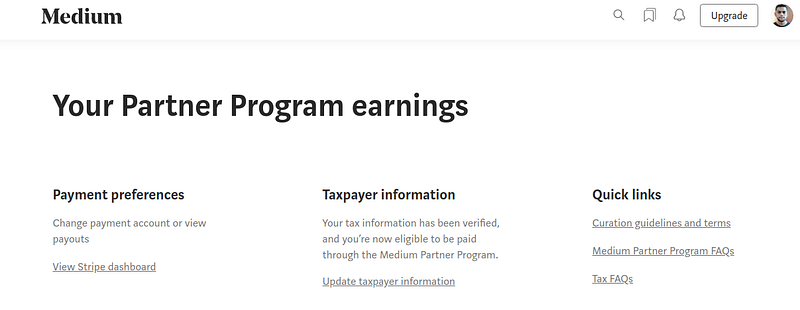
I know that you’re excited to join MPP!
Important Lesson
We don’t need to rush and fill the wrong details by mistake. Just relax we’ll go step by step. Okay
Disclaimer: Medium does not endorse this method.
The only thing that matters is you provide verifiable information and that’s it you are ready to earn from Medium Partner Program.
Before we move on to the process of joining MPP first let me share with you the overall flow of payment from Medium to your local bank account using the 👇 method.
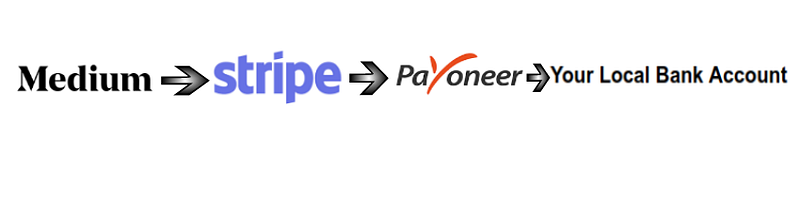
My understanding is that 👇
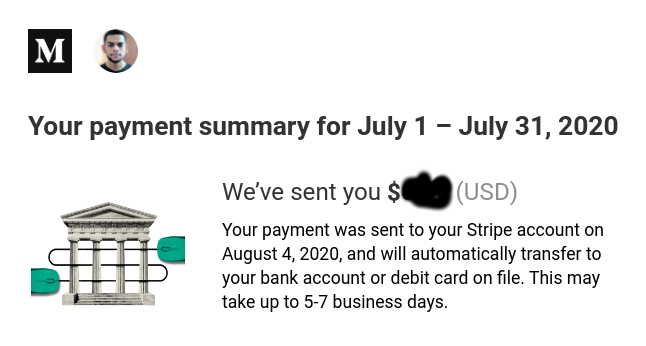
- Medium sends payment to your Stripe account.
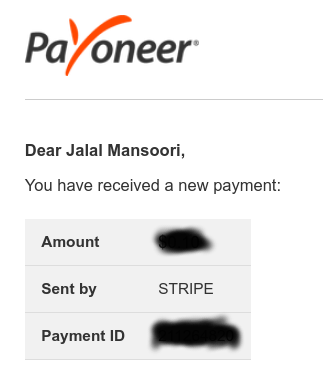
- Then you receive payment from Stripe to Payoneer account.
- At last, you can withdraw payment from Payoneer to your local bank account.
Simple 3 steps guide you need to follow 👇
Following are the tasks we will tackle:
1. Payoneer Account
Payoneer is a financial services company that provides online money transfer services. In our interest, we need to create a Payoneer account because from there we will get details to create an official Stripe account.
You must be wondering why Payoneer and what details it gives? Right?
There are 2 simple reasons 👇
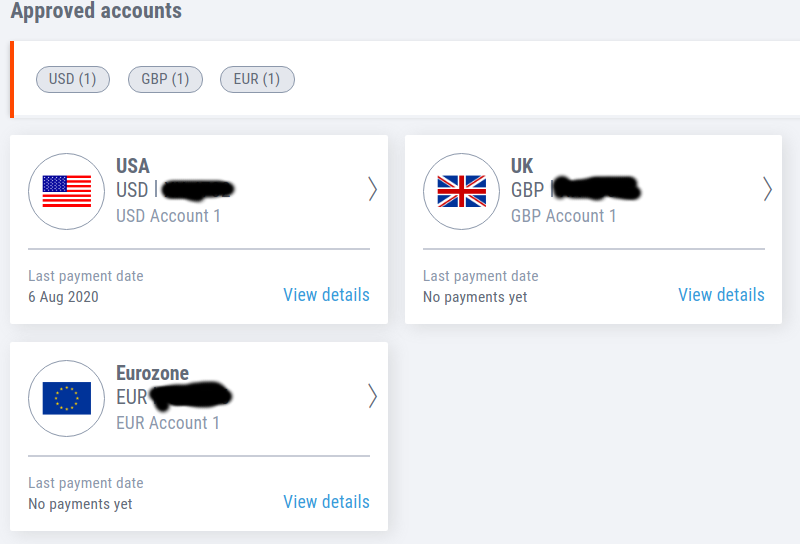
- Payoneer provides you a virtual US bank account.
- From that, we can use necessary details like Account, Routing number to create the stripe account.
How to Create a Payoneer Account?
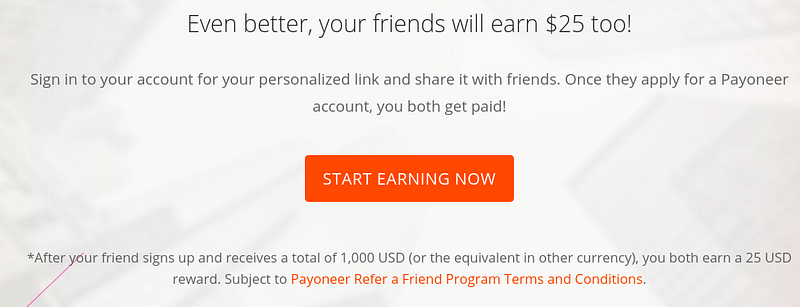
Click here to 👉 Sign Up for Payoneer Account. It will open a new tab in your browser and there you will see Sign Up & Earn $25 button.
Note: Sign Up for Payoneer Account link is a referral share. Once you click that Sign Up & Earn $25 button you and me both will be able to earn $25 after Payoneer referral criteria 👇
If you are interested to register from Payoneer website Click Here
For the sake of simplicity, I thought let’s include the screenshots as well. You can also find the description of every step below the images.
After clicking the Sign Up & Earn $25 button from a referral link or Register button from the Payoneer website:
First, you will need to find the right account 👇
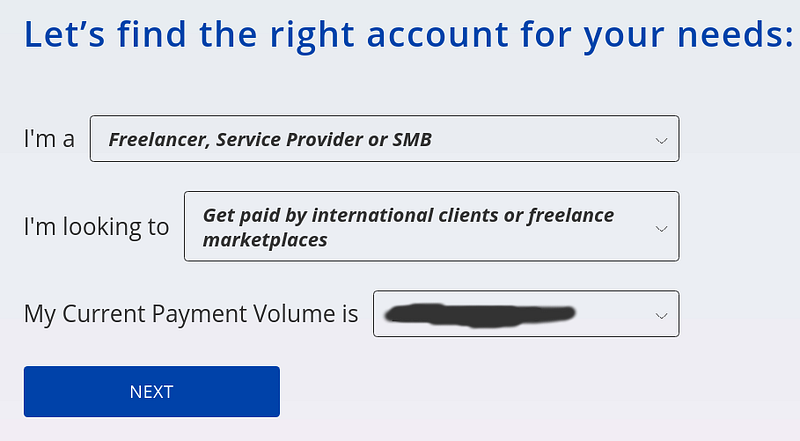
In my case, the above-mentioned account type was perfect.
Clicking the Next Button will lead you towards 👇
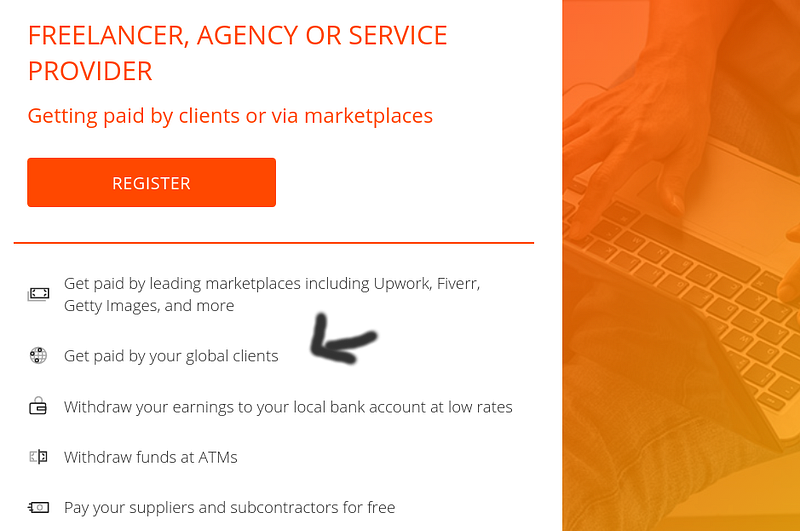
These are some of the benefits you get for creating a Payoneer account. We are interested in getting paid by global clients i.e Stripe.
Why?
Because medium sends payments to your stripe account!
Now you need to click the Register button and that will lead you towards Sign up page.
Here come the important steps to fill the necessary details 👇
Payoneer Sign Up
- Getting Started
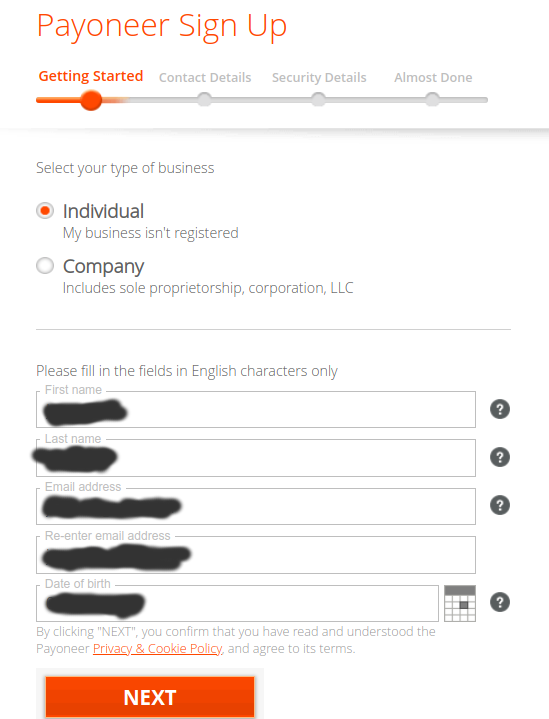
In getting started page, you need to include basic information about yourself.
Note: Make sure you provide information that can be verified from your Nation Identification Card/Passport because in a later step Payoneer will ask you to upload National ID/Passport for verification purposes.
2. Contact Details
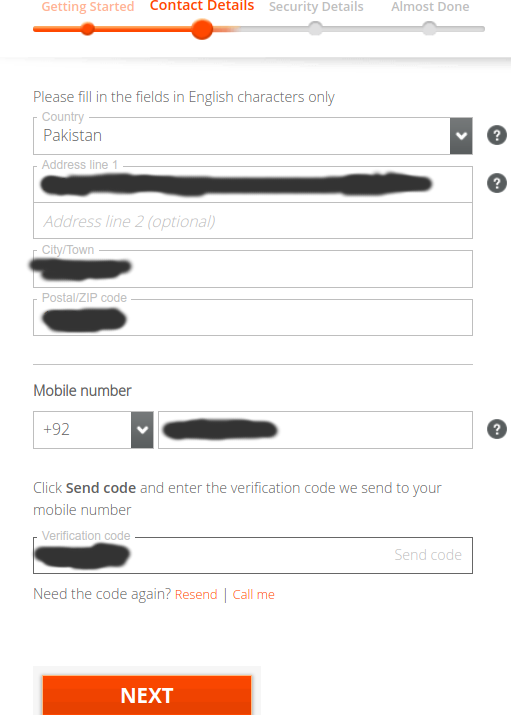
Here you can select your country and provide the mention contact details.
3. Security Details
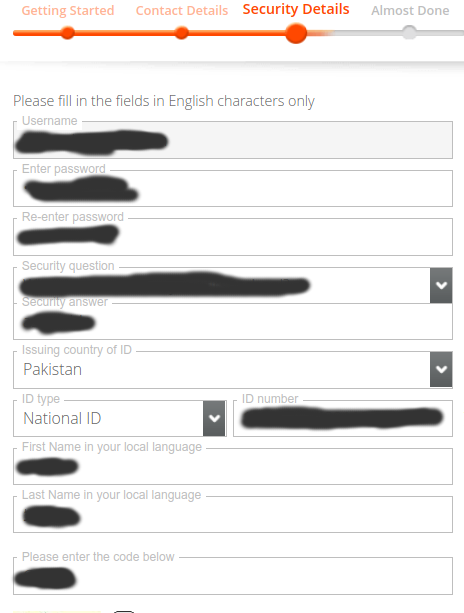
In Security details, if you are facing any issue to include first and last name in your local language. You can use the Google translate option!
(That worked for me)
Yes it’s Almost Done 😃
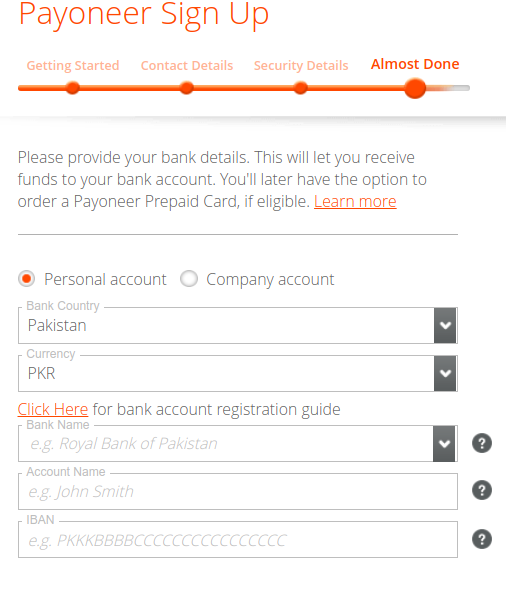
Here you will need to provide local bank information based on the country you reside in.
Now just tick the two checkboxes on the bottom of the form and click the Submit button. That’s it
Congratulations!
At this point, you will receive an email like 👇
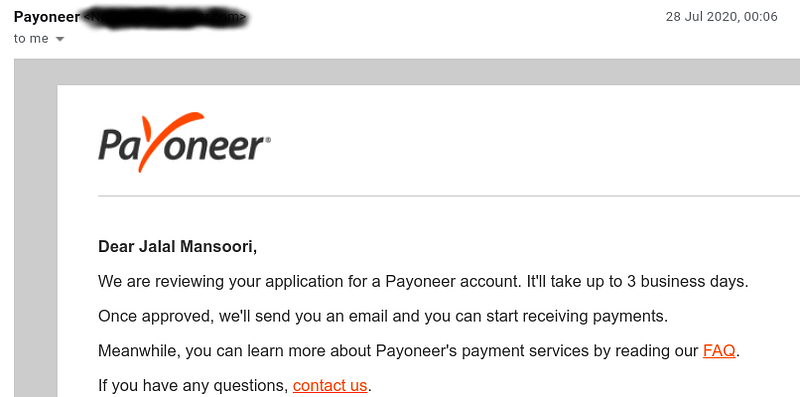
In an email, it says that It’ll take up to 3 business days to get Payoneer account approved but in my case, it just took 31 minutes 👇
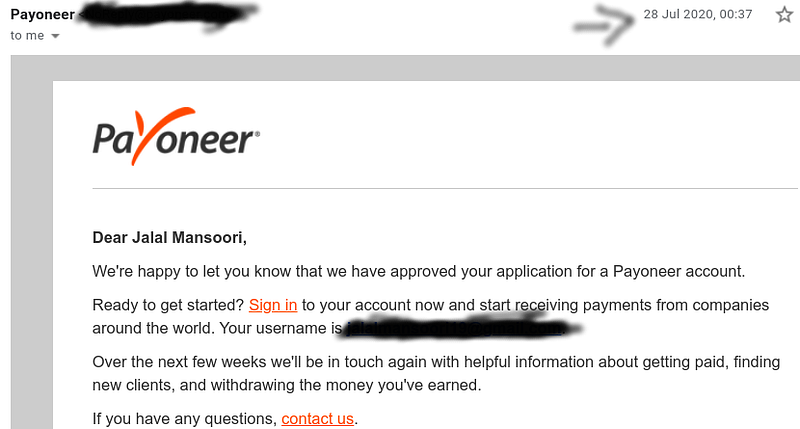
Simple rule: Always provide verifiable information!
Before we get into the 2nd step of joining MPP there are some couple of steps we need to perform:
Log in to your Payoneer account then :
- I would recommend you to register for the two-step verification process.
- You will be notified to provide a copy of a document verifying your Identity. Simply submit the National Identification Card/Passport. I submitted my National ID after scanning and converting it into a pdf file.
Once your account is approved then we are ready to tackle the 2nd step to join Medium Partner Program.
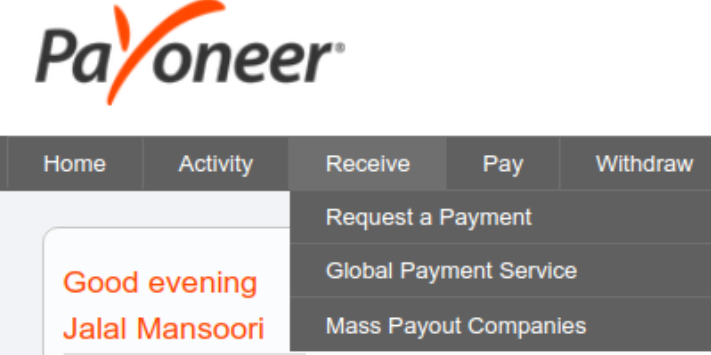
Just to check your Payoneer account is successfully approved. Make sure that you are now able to see the Global Payment Service option under the Receive menu 👇
2. Log in to your Medium account to join MPP
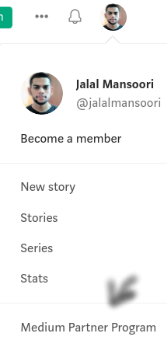
Now just move your mouse cursor towards Top right profile picture and click Medium Partner Program like this 👇
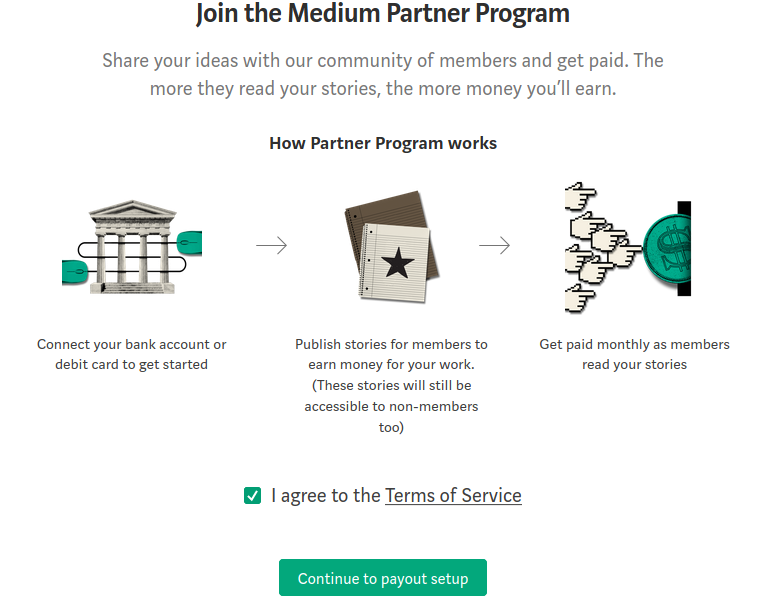
Scroll down the page and click the Join Medium Partner Program button. This will lead you towards the option of Agree to terms and Set up payouts 👇
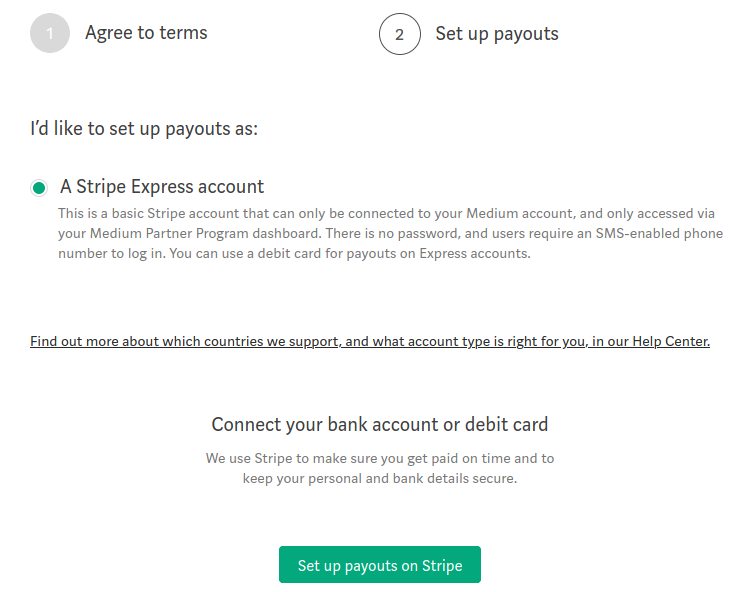
After clicking Set up payouts on Stripe button you will see 👇
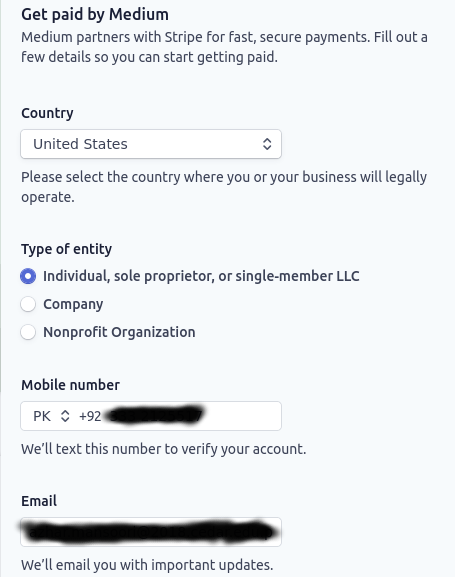
In my case :
- Country 👉 I Selected United States because I will be using US Virtual Bank Account Provided by Payoneer.
- Type of entity 👉 Individual
- Mobile number 👉 Here you can use your country code mobile number.
- Email 👉 Include your email address
Note: It’s better to use the same mobile number and email address for the sake of verification. I also provided the same mobile number and email address just like submitting details to create a Payoneer account.
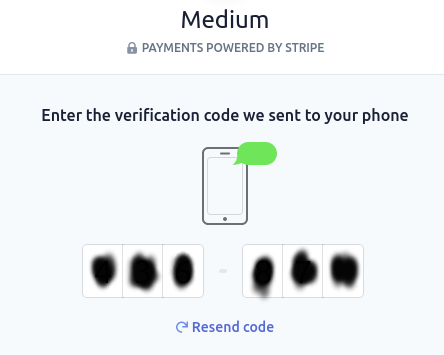
Now Enter the verification code sent to your phone 👇
It’s time to tell stripe about yourself and business. Don’t worry it’s just your:
- Name
- Website
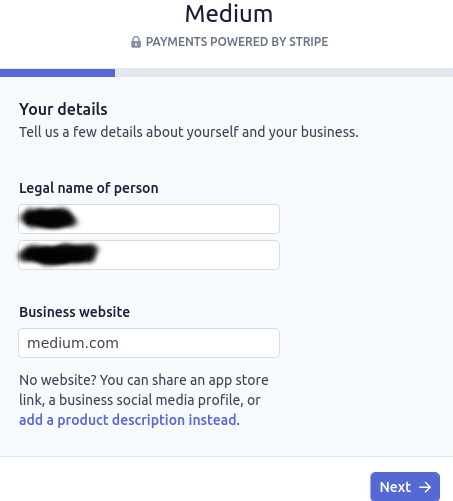
Here comes the important step 👇
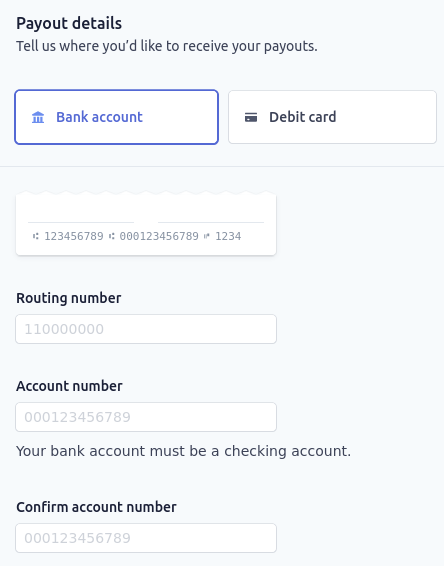
You can easily find the Routing and Account number in your Payoneer Account. Simply Log in to your Payoneer account and navigate to Global Payment Service Under the Receive option.
There under the Approved accounts heading click View details button of USA Account type 👇
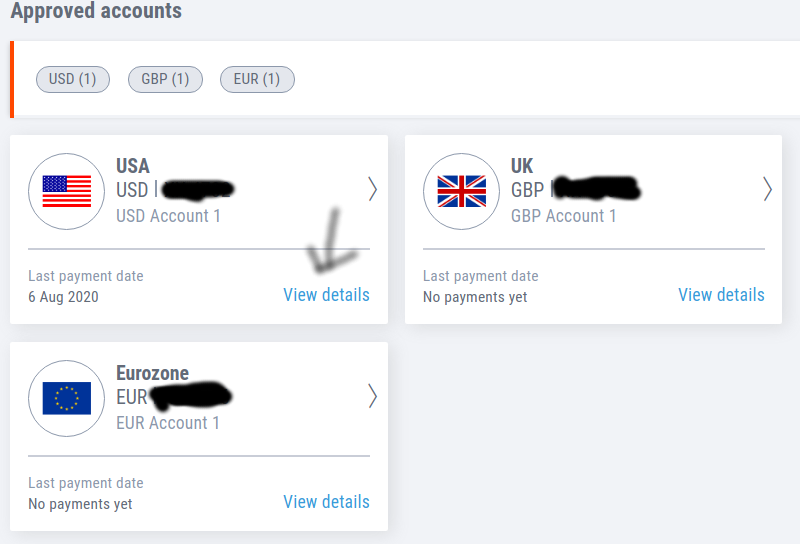
There you can find information related to Routing, Account Number, and Bank name, address.
Now you need to click the Save button at the bottom of the page and at last, you will see 👇
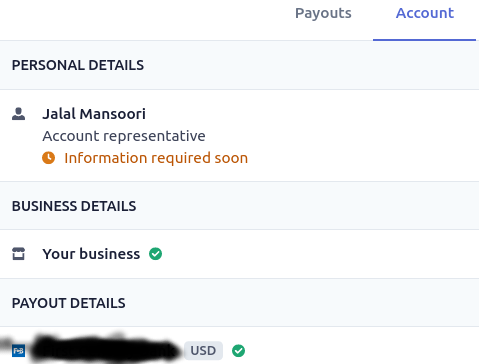
Here it says that Information required soon.
That’s because I skipped providing SSN as I don’t have it. Then I clicked the Done button and saw this 👇
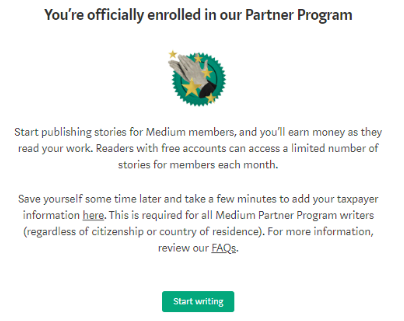
Congratulation! Yes, we did it!
Now at the last step, we need to submit taxpayer form to get eligible to be paid through the Medium Partner Program. I know that process of joining MPP is a bit lengthy but it’s not so difficult. Let’s try to submit taxpayer form and start writing at Medium 😃
Now for some of you submitting taxpayer information might be the first time. So if you have any queries related to it then I would recommend 👇
Note: You should consult with a qualified tax adviser to receive advice for your particular situation
3. How I submitted the Taxpayer form?
Make sure that you are logged in to your Payoneer account and have all the necessary information related to your US virtual bank account like bank name, address, … this will help you in submitting the 1st page of taxpayer form.
Quick advice 👇
Taxpayer information forms have some threshold set of time. So if you don’t fill the information in that limited threshold then your session will be time out. Ultimately you will need to submit the information again. So make sure that details related to your US virtual bank account are open in the next tab!
There are a total of 3 forms to submit 👇
First 👇
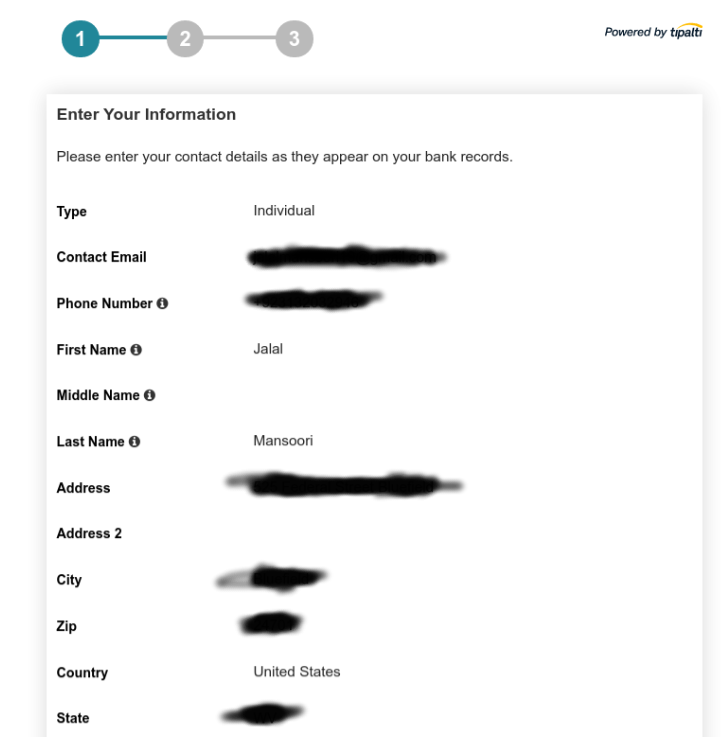
On the first page, you need to enter details as they appear in the Payoneer bank account and that includes Type, Contact Email, Phone number, First/Middle/Last name.
You can get information about Address, City, State from your Payoneer US virtual Bank Account. From here click View details👇
Quick Advice on filling Address info👇
If you are facing issue after clicking Next button like 👇

Following is a sample example to fill Address info:
Bank address: You need to provide this part, this is state-this is a city, this is country
Now after clicking Next Button you will need to Select your Tax form!
Second 👇
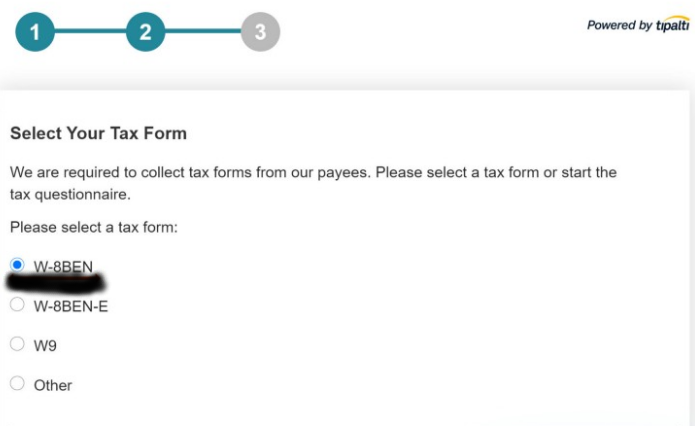
Select your Tax Form
I selected the W-8BEN form 👇
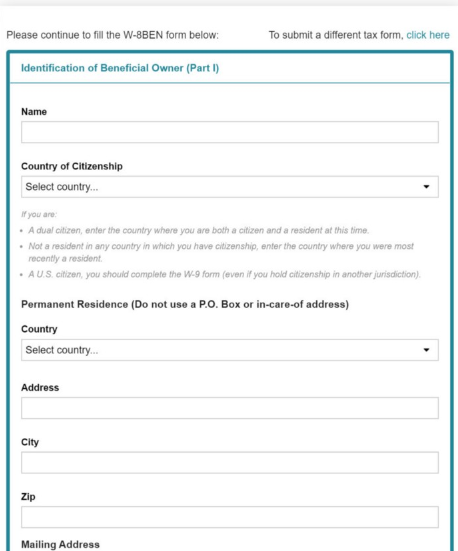
Then in the next page, you need to fill your official details related to your country 👇
Bonus: How to claim tax treaty benefits?
Here it comes, let me share with you a short story of mine 👇
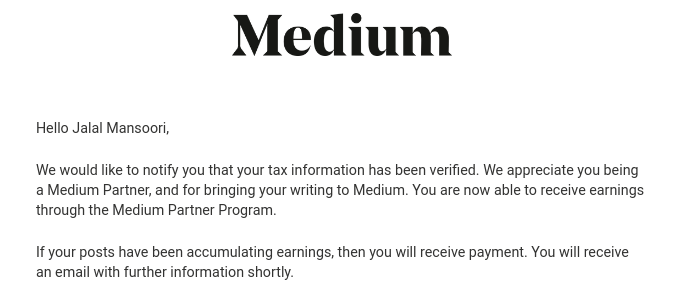
Short Story: Recently at the end of July 2020 when I submitted my taxpayer information. Just within 24 hours, I received an email from Medium that my taxpayer information is Verified and now I am eligible to get paid through the MPP.
The issue was that I received the payment of July after withholding of 30% tax. So I searched on the help page of Medium about this issue and remembered that I forgot to claim the tax treaty benefit option while submitting the form.
Lesson learned: Always read the guidelines and FAQ carefully!
So how can you claim tax treaty benefits?
First, continue submitting the form 👇
Foreign Tax Identifying Number
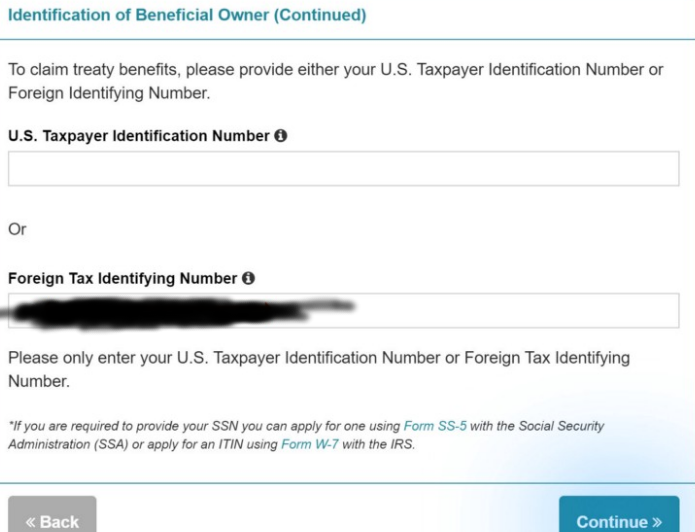
Here you need to provide foreign tax identification number based on the country you reside in.
Next part is to claim treaty benefits 👇
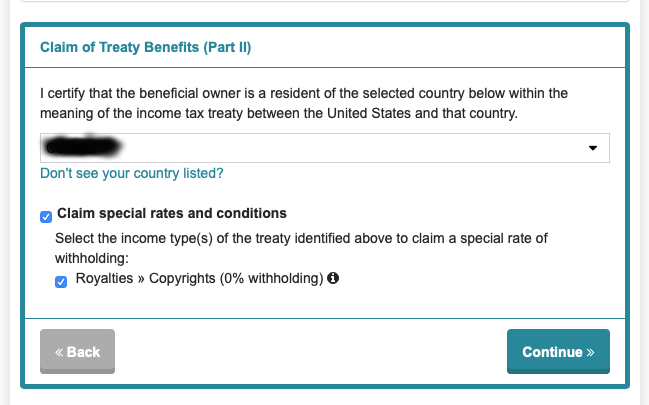
Select your country, check the 2 boxes and you are good to go!
For further information about the Claim of Treaty Benefits (Part II), you can find more information at Medium Help Page
Click the Continue button
This will redirect you to the review page. For the explanation for non-US addresses and Evidence of non-US address I provided 👇
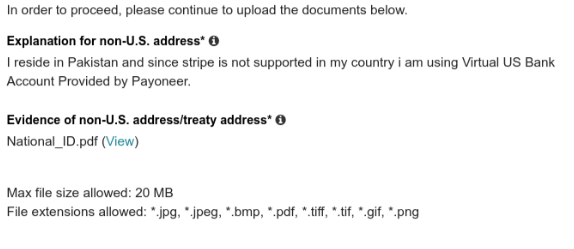
Then you need to certify the information you have provided 👇
Read the points and check all the boxes:
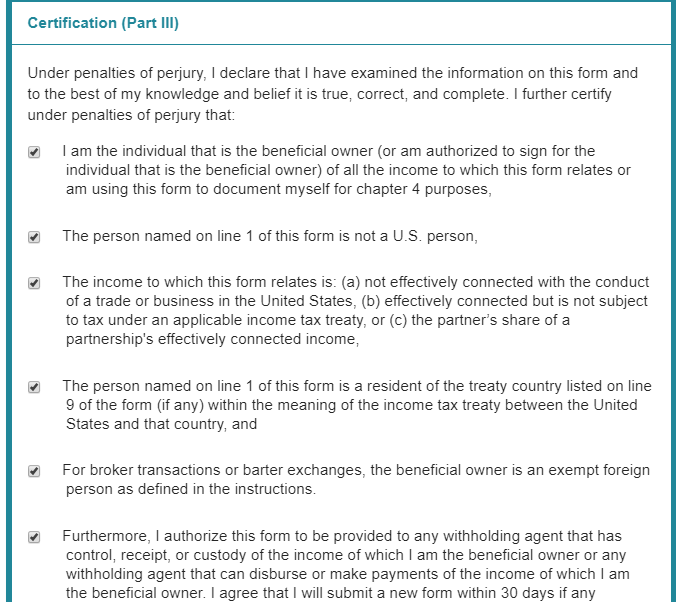
Lastly, you need to Type your Name and Contact Email Address.
All good! Click that last Submit Form Button
At this point, you should be able to see 👇 and receive email from Medium by the subject of Tax information received.
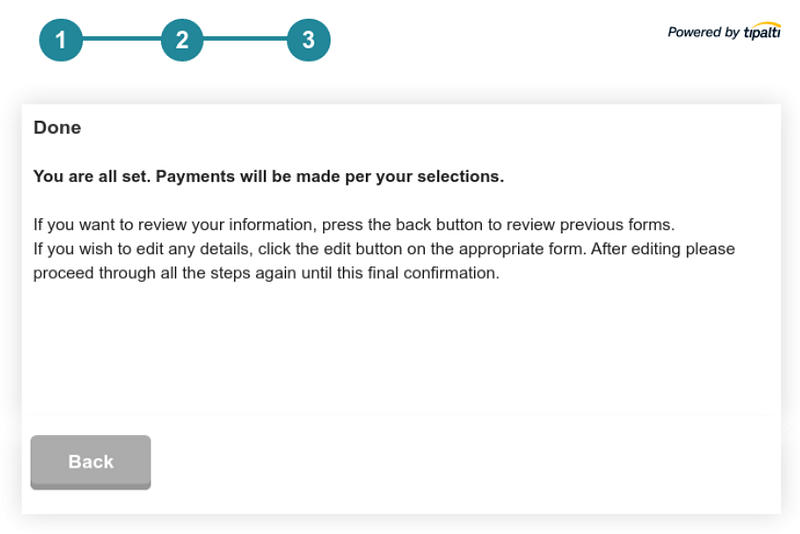
Within 24 hours I received the Tax information Verified email and I am hopeful that you will also receive an email like👇
Congratulations 😃

Video version of this tutorial 👇
Conclusion
I hope you were able to get some benefit out of this tutorial blog!
Now it’s time to write!
Contact
If you have any queries then feel free to comment below or ask via
Gmail 👉 [email protected]


