
Bypass Jailbreak Detection in Flutter apps
If you ever worked on a mobile Flutter application for a big company, or if you ever needed to treat your users’ personal data carefully, you may consider securing your Flutter app in some way. During the last Flutter Forward on Wednesday, January 25, a place in the “on-demand sessions” has been reserved for an interesting video from Majid Hajian about “Securing Flutter Apps | OWASP Top 10 for mobile & RASP explained”. You should check it out as a good introduction to OWASP Foundation and the Runtime Application Self Protection (RASP) solutions. A big point is touched on when it comes to mobile security in general: an app’s ability to understand if the device on which it is running has been rooted or jailbroken. This article will focus on iOS and the so-called jailbreak detection.
Notice that, although in detail, the information that you are going to learn, has an informative purpose only and you should try those technics on apps that you own or on which you have permission to do those kinds of checks.
I will use a simple Flutter project specifically made for this purpose, using two Flutter packages, flutter_jailbreak_detection, and freeRASP.
- Setup
- Different kinds of Jailbreak Detection
- Flutter packages
- Technics
- Conclusion
Setup
In order to start testing, you need:
- an iOS app
- Hopper Disassembler
- a Jailbroken iPhone (not totally true, more on that later)
iOS app
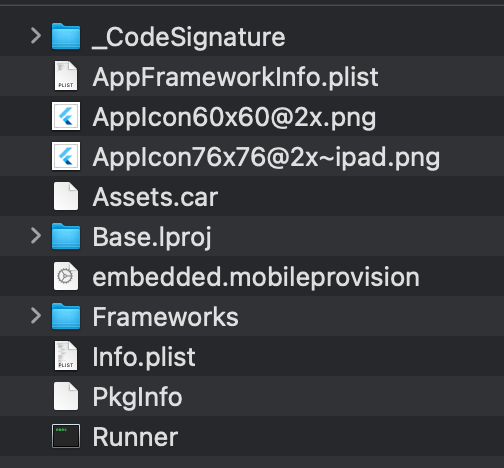
You can build your own .ipa file with flutter build ipa command, you can run flutter build ios — release to make a .app file or you could also grab an application from a Jailbroken iPhone. Whatever method you want to use it’s up to you (and what you can do at the time of testing). If you have a .ipa file, just change the extension to .zip and decompress it. It should reveal a folder named Payload with a Runner.app file inside it. If you already have a .app file, you’re good to go. The app files in iOS (and MacOS, iPadOS, and so on) are just folders, so you can navigate them and you should see something like this:
Hopper Disassembler
Hopper Disassembler, the reverse engineering tool that lets you disassemble, decompile and debug your applications.
You can download a free version from here, it lets you explore the application but you can not repack the executable (so you can’t recreate a .ipa file to be reuploaded in an iPhone to test it out). Prices start at 99$ for a personal license. If you don’t want to buy it, there are some basic operations you can do with vim but none of the top-rated (or suggested) Flutter packages that we will test today are bypassable with that (not that I’m aware of at least).
a Jailbroken iPhone
If you want to grab an application from your device and save it to your computer, you need a jailbroken iPhone. Most important you need one if you want to check that the Flutter package works in the first place and that your bypass is effective. You can avoid having one if you trust your abilities so much that you don’t care to test your changes to the executable on a real device or if you just want to play a little bit with the concept that we’re exploring.
Different kinds of Jailbreak Detection
There are many ways in which frameworks like iOSSecuritySuite or freeRASP itself try to detect if an iPhone has been jailbroken. One of them checks if specific files are present on the device: those files are installed when the jailbreak flow takes place and are files needed for the jailbreak functioning itself; the easiest way is to check for specific “stores” that are usually installed like Cydia.app, Sileo.app, Zebra.app, or Substitute. Another method could be to check the sandbox behavior that apps in an untouched operating system have or to perform a so-called dynamic link inspection. None of those matter in this specific article and you will see why.
Flutter packages
As I wrote before, we will focus on two of the most-rated packages on pub.dev which are the ones mentioned in Majid’s video: flutter_jailbreak_detection, and freeRASP. flutter_jailbreak_detection relies on the iOSSecuritySuite to perform the jailbreak detection, note that this Suite actually implements other checks that let your app be aware of tampering and other kinds of manipulations but none of them are exposed by the flutter package, making the bypass fairly simple. freeRASP is the free suite made by Talsec that also implements various checks, not only on jailbreak detection (this part is really important) accessible via the flutter package. They provide a paid version of their software which is more secure and reliable than the free version (as they told me in this issue) but I didn’t test it.
Technics
Both detections performed by those packages are bypassable using Hopper Disassembler and with the same technic. It’s called NOP instruction (No-OPeration) and it’s an assembly instruction that avoids performing operations (I suggest a quick google search for a more comprehensive explanation). Another basic technic is based on the TBZ and TBNZ instructions to let you change the return type of a code block. Fortunately, this method doesn’t work on either package (at least, I wasn’t able to find a way) as it’s really simple and doesn’t rely on the full Hopper license because you can use vim to make changes and save.
Now to the juicy part: let’s create a Flutter project and import flutter_jailbreak_detection (all the examples are based on this package for the sake of brevity but the technic can be applied to freeRASP too).
My example app is pretty simple, a button with an onPressed callback that recalls the package method:
that produces
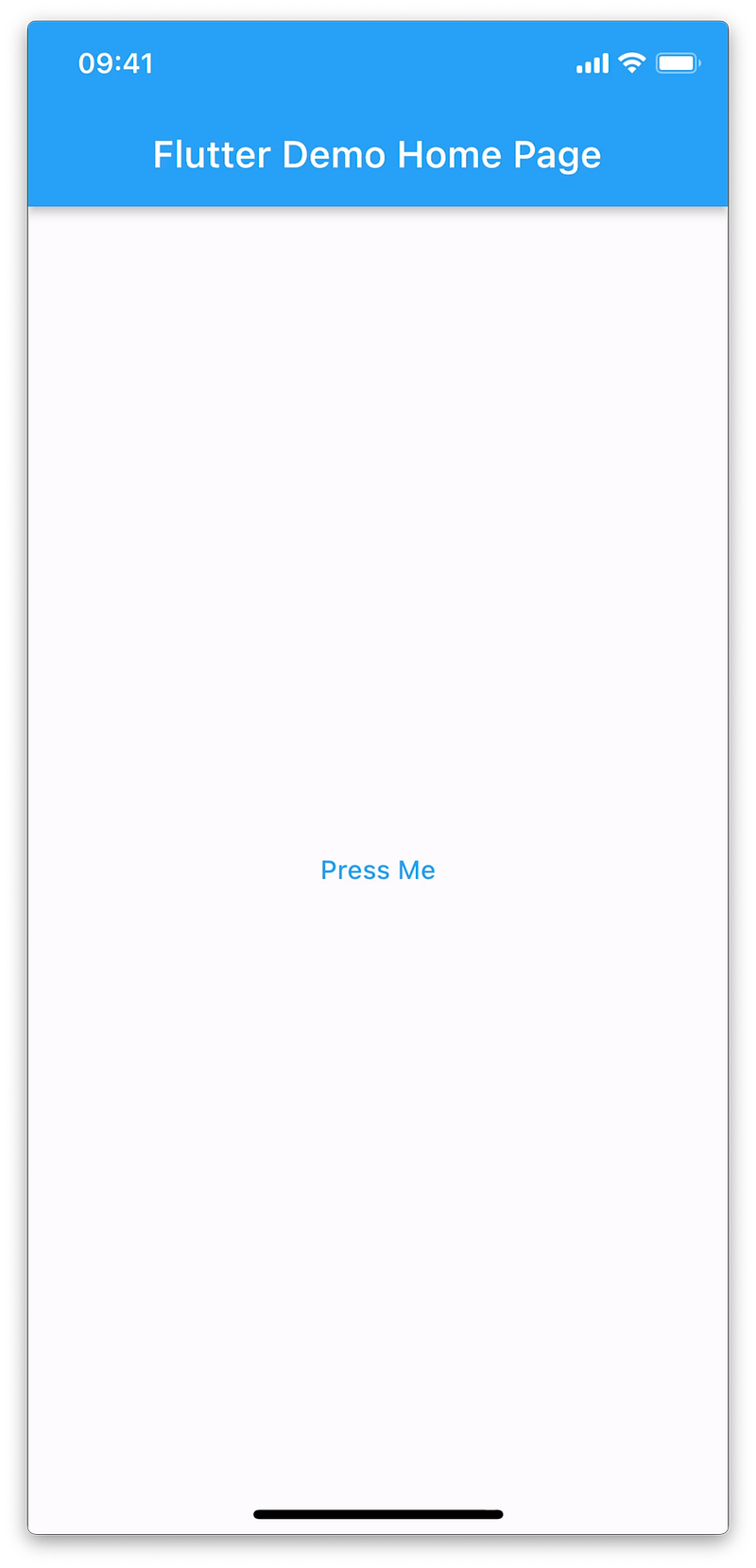
Running this app on a Jailbroken iPhone the resulting popup is
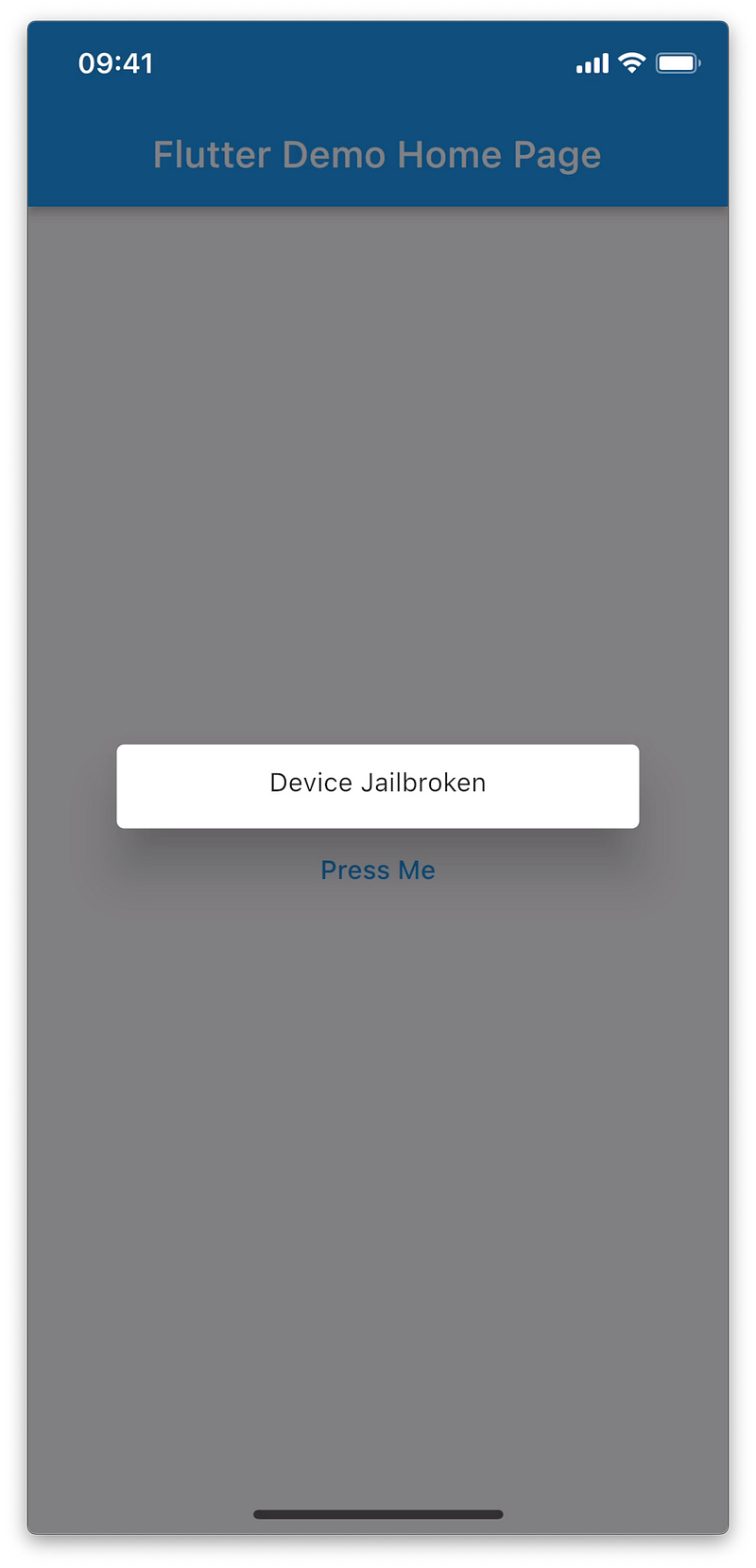
Now, let’s explore the artifacts built by Flutter (see the chapter iOS app). If you remember the folder structure inside Runeer.app you remember that there is a Frameworks folder and inside it a flutter_jailbreak_detection.framework folder. Opening this last one you will see the executable flutter_jailbreak_detection file
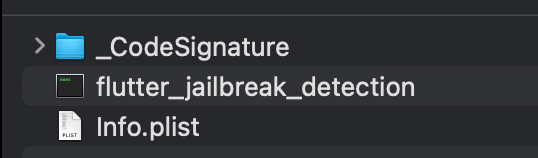
That’s the file we want to open inside Hopper Disassembler. Do that and wait for the background analysis to complete.
You can now tap on str (1), search for amIJailbroken (2), click on the first result (3), and explore the br instruction (4) more on BR here
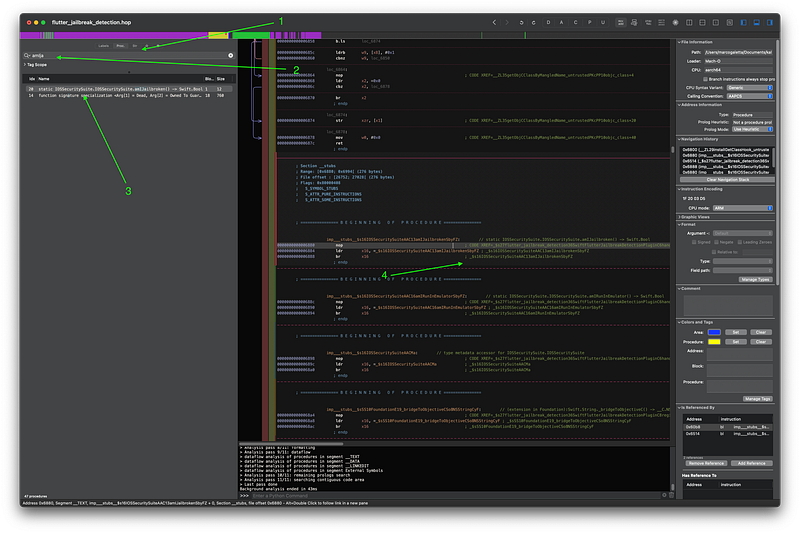
Now you should see something like this and you can double-click on the bl instruction more on BL here
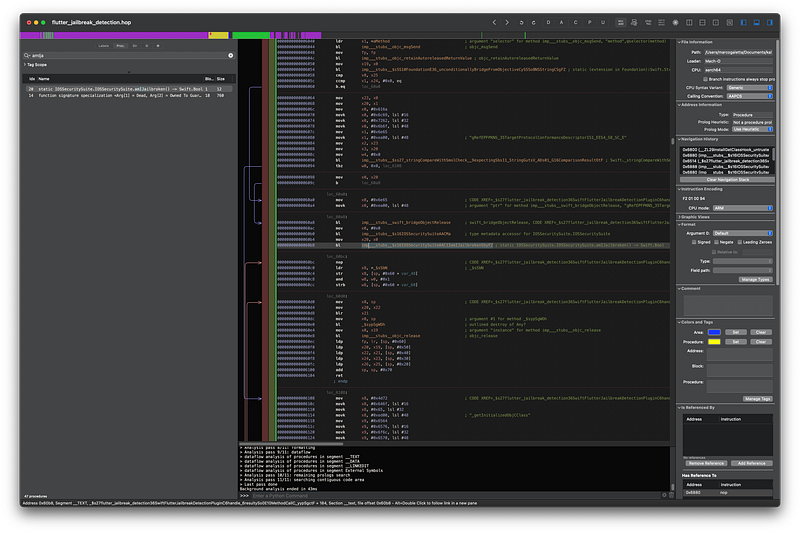
revealing this procedure
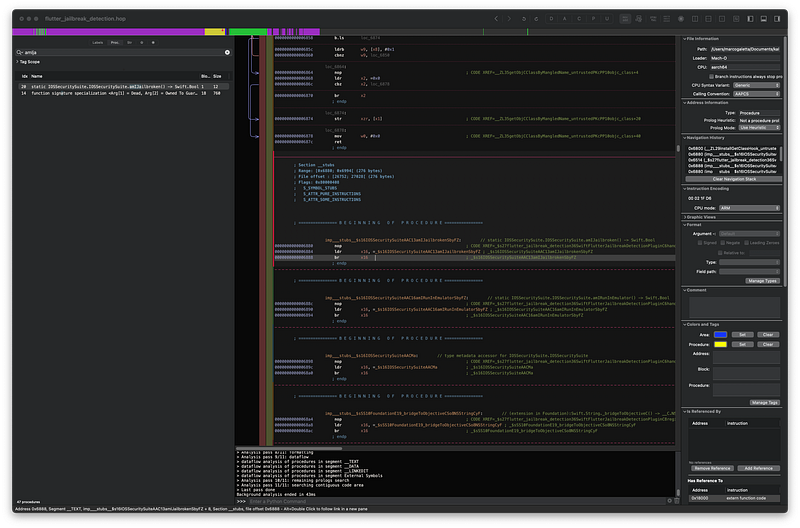
That’s exactly what we are looking for. Now you just need to set it as NOP Region from Hopper’s Modify menu and you can click on Produce New Executable in File.
All that is left to do is to swap the modified executable with the original one inside Runner.app/Frameworks/flutter_jailbreak_detection.framework/, be sure that Runner.app is inside a Payload folder, compress everything as .zip and change the extension to .ipa.
If you deploy the app to your Jailbroken iPhone and press the button again, you should see
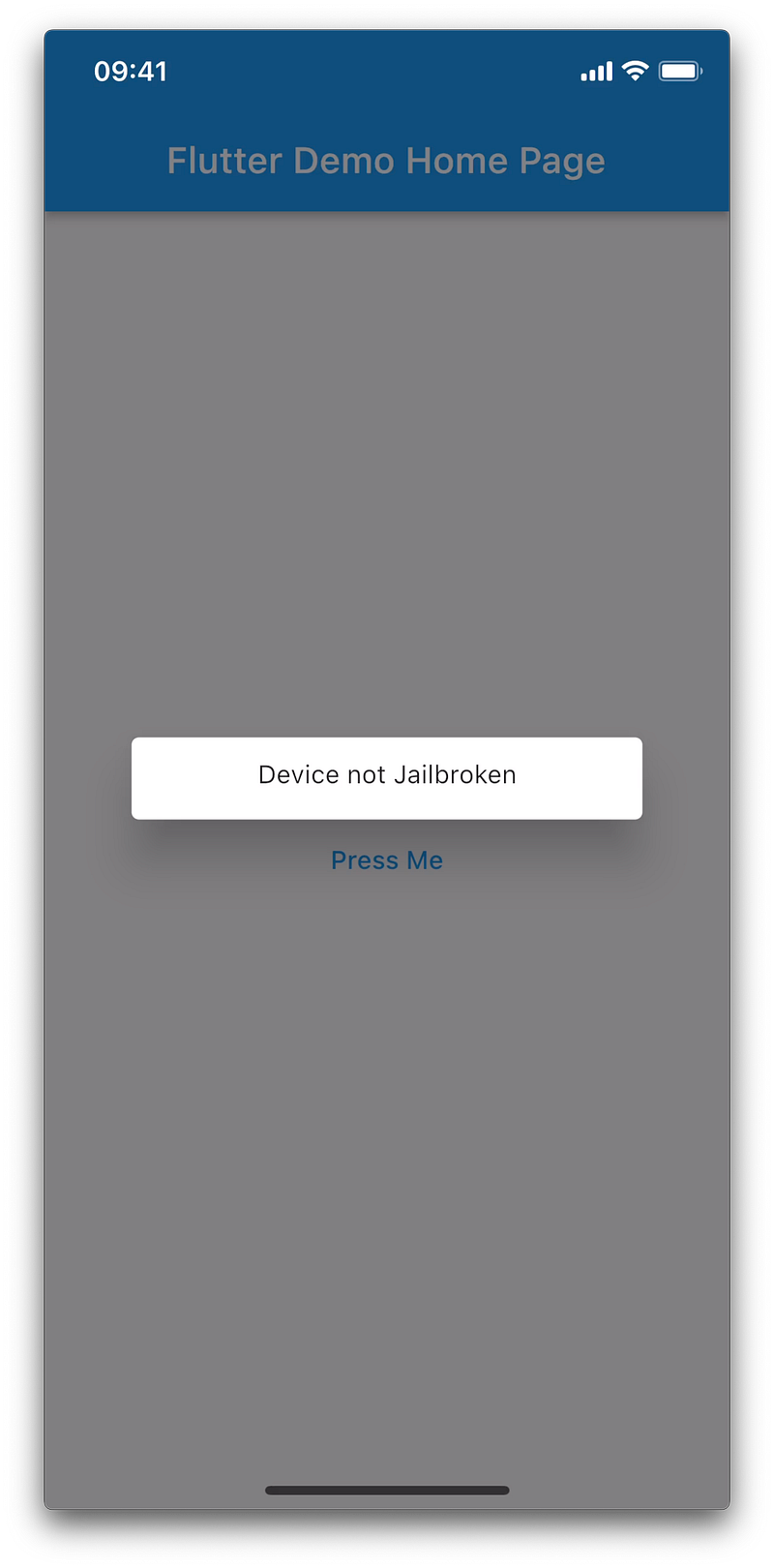
If you want to test the freeRASP package you should search inside Hopper for priviledgedAccess and perform almost the same steps to apply NOP Region. Note that freeRASP instead of returning a boolean value, call a callback.
Conclusion
As you can see there is nothing too complicated in bypassing jailbreak detection on our Flutter apps, and that’s why you should not consider your app safe only because of this check. There are out there many users that want to root or jailbreak their phones for various reasons, so ideally you should not prevent them from running your app if root or jailbreak is detected. You should just warn them that the device on which your app is running is no more in stock condition. To actually prevent attackers to do real damage to your app or to your unconscious users you should pair the jailbreak detection with other anti-tampering methods. This is where freeRASP comes in handy. It’s a free tool, easy to implement that exposes different callbacks based on what you want to check. Does it mean that implementing freeRASP (or even the paid version) in our projects will 100% secure our Flutter apps? No, of course. There will always be someone out there capable to find a way to bypass all of this but you can consider your app safe at least from automatic tools or simple technics like this one that everyone can apply.


