
Bulk file transfers made easy with SSHFS on Ubuntu and OpenBSD
A few days ago, I decided that I would like to transfer a large archive of files from one computer (running OpenBSD 7.0) to another (running Ubuntu 21.04). The main reason for this was simply that I needed to clear some space on the hard drive.
My first course of action was to do the file transfer via removable media, in this case a 32gb usb stick, which didn’t go so well. After issuing cp -R $HOME/archive /mnt/ from the command line, and then finding something else to do while the machine did it’s thing, I came back about 45 minutes later to find that the write process was going at an achingly slow pace. Eventually, the write process failed altogether, with only a fraction of the usb’s capacity having been used.
Digging in with some online searches, I saw that others have had similar complaints, and that historically, OpenBSD has been known for slow usb write speeds. (At the most, I had only ever written a handful of files at a time to usb, so this was news to me despite the fact I’ve been using OpenBSD off and on for almost a decade.) Apparently, the OpenBSD project has been working on this issue since version 6.7, and I’ve also read that there are some workarounds. But while ordinarily I’d be down with exploring said workarounds, at this point I simply wanted to get the files transferred sooner rather than later, and thus my attention span for futzing around under the hood was somewhere between between minimal and non-existent. (To be clear: I do want to explore getting my OpenBSD box to write files to usb faster, but under more patient circumstances.)
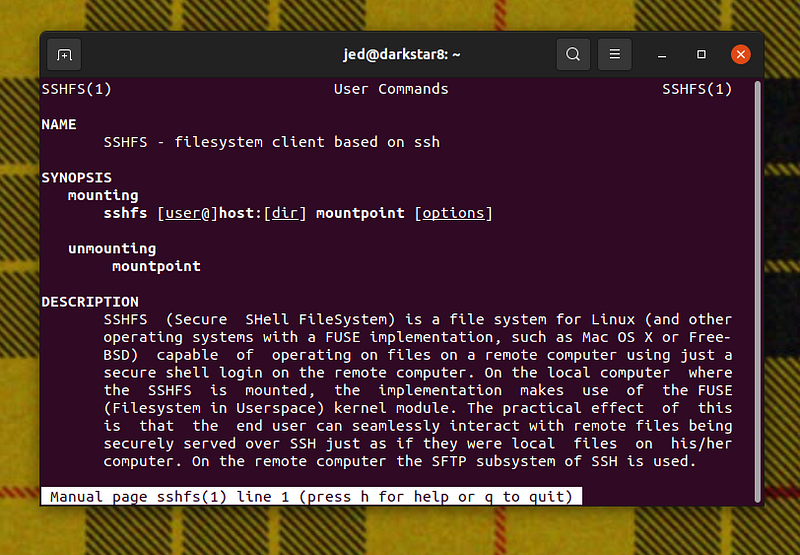
Feeling stymied by the usb issue, I then quickly resolved to somehow transferring the file archive over my local network, rather than via removable media of any kind. The solution I settled on was SSHFS, which allows you to mount a directory on a remote machine via SSH as if it were physically attached to your local machine. In my case, the ‘local’ machine (a laptop) was on my dining room table, and the ‘remote’ machine was just upstairs. In your case, your ‘remote’ machine may also be in another room in the house, or on the other side of the planet.
I don’t know anything about the history or development of SSHFS, but on the face of it I’m guessing that it takes its cues from Plan 9 from Bell Labs, which pioneered that functionality via 9fs. (The Plan 9 version works seamlessly out-of-the-box as part of the base install.) Either way, by following the advice from a Ubuntu forum on the topic, I was able to solve get ‘er done in a few easy steps by:
- installing sshfs (sudo apt-get install sshfs),
- loading it to the kernel (sudo modprobe fuse),
- creating a remote directory (mkdir ~/remoteDir)
- determining the SSH address on my OpenBSD machine by running ifconfig -a,
- mounting the OpenBSD directory on my Ubuntu machine (sshfs [email protected]/home/jed ~/remoteDir), and
- transferring the files as if it were a simple matter of copying them from one directory to another on my Unbuntu hard drive (cp -R ~/remoteDir/home/jed/archive $HOME/OpenBSD_transfer/).
The entire archive, including 389 subdirectories, was transferred to my Ubuntu machine within two hours via the above process.
SSHFS is also available for OpenBSD by issuing pkg_add sshfs-fuse from the command line. Mileage may vary.


