avatarCoded Conversations 🔐💬

Summary

Free AI web copilot to create summaries, insights and extended knowledge, download it at here

7057

Abstract

t gear like routers and switches, and maybe some extra gadgets if you want to get fancy.</p><h2 id="e270">Hardware:</h2><p id="4136">1. <b>Primary Computer</b>: This is your command center. You’ll need a computer with a strong processor and plenty of memory (at least 16GB RAM) to run multiple virtual environments smoothly. Think of it as the heart of your lab, powerful enough to manage all your experiments.</p><p id="7bfb">2. <b>Networking Equipment</b>: To mimic real internet setups, you’ll need some basic network gear:</p><ul><li><b>Router</b>: This acts like a traffic director, sending information to the right place in your mini-network.</li><li><b>Switch</b>: Think of this as a multi-plug extension lead for internet connections, letting multiple devices talk to each other.</li><li><a href="https://medium.com/coded-tech-talk/what-is-a-firewall-in-cybersecurity-%EF%B8%8F-992eaea92c60"><b>Firewall</b></a>: This is your digital bouncer, deciding who gets in and out of your network, helping you practice setting up defenses.</li></ul> <figure id="b332"> <div> <div> <img class="ratio" src="http://placehold.it/16x9"> <iframe class="" src="https://cdn.embedly.com/widgets/media.html?src=https%3A%2F%2Fwww.youtube.com%2Fembed%2FkB92KWYU1Jk%3Ffeature%3Doembed&amp;display_name=YouTube&amp;url=https%3A%2F%2Fwww.youtube.com%2Fwatch%3Fv%3DkB92KWYU1Jk&amp;image=https%3A%2F%2Fi.ytimg.com%2Fvi%2FkB92KWYU1Jk%2Fhqdefault.jpg&amp;key=a19fcc184b9711e1b4764040d3dc5c07&amp;type=text%2Fhtml&amp;schema=youtube" allowfullscreen="" frameborder="0" height="480" width="854"> </div> </div> </figure></iframe></div></div></figure> <figure id="bbbb"> <div> <div> <img class="ratio" src="http://placehold.it/16x9"> <iframe class="" src="https://cdn.embedly.com/widgets/media.html?src=https%3A%2F%2Fwww.youtube.com%2Fembed%2FqQ918kbGKOw%3Ffeature%3Doembed&amp;display_name=YouTube&amp;url=https%3A%2F%2Fwww.youtube.com%2Fwatch%3Fv%3DqQ918kbGKOw&amp;image=https%3A%2F%2Fi.ytimg.com%2Fvi%2FqQ918kbGKOw%2Fhqdefault.jpg&amp;key=a19fcc184b9711e1b4764040d3dc5c07&amp;type=text%2Fhtml&amp;schema=youtube" allowfullscreen="" frameborder="0" height="480" width="854"> </div> </div> </figure></iframe></div></div></figure> <figure id="5a10"> <div> <div> <img class="ratio" src="http://placehold.it/16x9"> <iframe class="" src="https://cdn.embedly.com/widgets/media.html?src=https%3A%2F%2Fwww.youtube.com%2Fembed%2FB1EOR9ElUNs%3Ffeature%3Doembed&amp;display_name=YouTube&amp;url=https%3A%2F%2Fwww.youtube.com%2Fwatch%3Fv%3DB1EOR9ElUNs&amp;image=https%3A%2F%2Fi.ytimg.com%2Fvi%2FB1EOR9ElUNs%2Fhqdefault.jpg&amp;key=a19fcc184b9711e1b4764040d3dc5c07&amp;type=text%2Fhtml&amp;schema=youtube" allowfullscreen="" frameborder="0" height="480" width="854"> </div> </div> </figure></iframe></div></div></figure><p id="f810">3. <b>Secondary Devices (Optional)</b>: If you want to get more advanced, consider adding extra gadgets like old computers, servers, or IoT (Internet of Things) devices. These can help you practice on different types of tech.</p><h1 id="65c9">3. The Brains of the Operation: Software</h1><figure id="22b5"><img src="https://cdn-images-1.readmedium.com/v2/resize:fit:800/1*[email protected]"><figcaption>Illustration of Software</figcaption></figure><p id="73c4">You’ll need special programs that let you create mini-computers inside your main one. This is where you can mess around and learn without risking breaking anything important. You can set up different types of computer systems, like Windows or Linux, and add some cool tools for finding and fixing security problems.</p><h2 id="4d5d">Software and Virtualization:</h2><p id="c7d9">1. <b>Virtualization Software</b>: This is a must-have. Software like VMware Workstation, Oracle VM VirtualBox, or Microsoft Hyper-V lets you create virtual machines (VMs) on your primary computer. It’s like having many computers inside one, each running different operating systems or setups for you to experiment with.</p><p id="3c97">2. <a href="https://readmedium.com/operating-systems-what-they-are-and-why-we-use-them-46ac533b00ee"><b>Operating Systems</b></a>: Install various operating systems on your VMs to get a feel for different environments. Include popular ones like Windows and various <a href="https://medium.com/coded-tech-talk/master-the-command-line-linux-power-use-secrets-%EF%B8%8F-%EF%B8%8F-c0e9d54a9eaa">Linux distributions</a> (Ubuntu, CentOS, etc.), and don’t forget about specialized security ones like Kali Linux, packed with tools for security testing.</p><p id="8060">3. <b>Security Tools</b>: Depending on your focus (network security, ethical hacking, etc.), you’ll choose different tools. Common picks include:</p><ul><li><a href="https://medium.com/coded-tech-talk/outsmart-hackers-top-2024-vulnerability-scanners-revealed-%EF%B8%8F-3ee4248951e3"><b>Network Scanners</b></a> (like <a href="https://medium.com/coded-tech-talk/understanding-nmap-%EF%B8%8F-15d18c808c2f"><b>Nmap</b></a>): For exploring your network and finding devices.</li><li><b>Vulnerability Assessment Tools</b> (like <a href="https://www.tenable.com/products/nessus"><b>Nessus</b></a>): To check for weaknesses in your systems.</li><li><a href="https://medium.com/coded-tech-talk/cybersecurity-sentinels-the-power-of-ids-and-ips-%EF%B8%8F-2f4b0f18fd59"><b>Intrusion Detection Systems</b></a> (like <a href="https://www.snort.org/"><b>Snort</b></a>): To practice spotting and stopping attacks.</li></ul> <figure id="e7c3"> <div> <div> <img class="ratio" src="http://placehold.it/16x9"> <iframe class="" src="https://cdn.embedly.com/widgets/media.html?src=https%3A%2F%2Fwww.youtube.com%2Fembed%2Fkku0fVfksrk%3Ffeature%3Doembed&amp;display_name=YouTube&amp;url=https%3A%2F%2Fwww.youtube.com%2Fwatch%3Fv%3Dkku0fVfksrk&amp;image=https%3A%2F%2Fi.ytimg.com%2Fvi%2Fkku0fVfksrk%2Fhqdefault.jpg&amp;key=a19fcc184b9711e1b4764040d3dc5c07&amp;type=text%2Fhtml&amp;schema=youtube" allowfullscreen="" frameborder="0" height="480" width="854"> </div> </div> </figure></iframe></div></div></figure> <figure id="42ae"> <div> <div> <img class="ratio" src="http://placehold.it/16x9"> <iframe class="" src="https://cdn.embedly.com/widgets/media.html?src=https%3A%2F%2Fwww.youtube.com%2Fembed%2F5iafC6vj7kM%3Ffeature%3Doembed&amp;display_name=YouTube&amp;url=https%3A%2F%2Fwww.youtube.com%2Fwatch%3Fv%3D5iafC6vj7kM&amp;image=https%3A%2F%2Fi.ytimg.com%2Fvi%2F5iafC6vj7kM%2Fhqdefault.jpg&amp;key=a19fcc184b9711e1b4764040d3dc5c07&amp;type=text%2Fhtml&amp;schema=youtube" allowfullscreen="" frameborder="0" height="480" width="854"> </div>

Options

</div> </figure></iframe></div></div></figure> <figure id="3c9b"> <div> <div> <img class="ratio" src="http://placehold.it/16x9"> <iframe class="" src="https://cdn.embedly.com/widgets/media.html?src=https%3A%2F%2Fwww.youtube.com%2Fembed%2F-8X7Ay4YCoA%3Ffeature%3Doembed&amp;display_name=YouTube&amp;url=https%3A%2F%2Fwww.youtube.com%2Fwatch%3Fv%3D-8X7Ay4YCoA&amp;image=https%3A%2F%2Fi.ytimg.com%2Fvi%2F-8X7Ay4YCoA%2Fhqdefault.jpg&amp;key=a19fcc184b9711e1b4764040d3dc5c07&amp;type=text%2Fhtml&amp;schema=youtube" allowfullscreen="" frameborder="0" height="480" width="854"> </div> </div> </figure></iframe></div></div></figure><h1 id="e789">4. Setting Up Your Own Mini-Internet</h1><p id="d96f">Make a little network in your lab that’s all yours to play with. It’s important to keep it separate from your home’s internet so you don’t accidentally cause any trouble. Set up your internet gear to make a network that feels like the real deal but is totally under your control.</p><h2 id="d7ee">Setting Up Your Lab:</h2><p id="9b9f">1. <b>Isolated Network</b>: Use your networking equipment to create a network separate from your home internet. This keeps your experiments contained and safe.</p><p id="5313">2. <b>Realistic Configurations</b>: Set up your virtual machines and network equipment to mimic real-world setups. This gives you practical experience in a safe environment.</p><div id="e2af" class="link-block"> <a href="https://medium.com/coded-tech-talk/linux-networking-tools-protocols-and-concepts-%EF%B8%8F-b39e92b3be97"> <div> <div> <h2>Linux Networking: Tools, Protocols, and Concepts🐧🕸️🧰</h2> <div><h3>Linux Networking Fundamentals</h3></div> <div><p>medium.com</p></div> </div> <div> <div style="background-image: url(https://miro.readmedium.com/v2/resize:fit:320/1*[email protected])"></div> </div> </div> </a> </div><h1 id="b377">5. Practice Makes Perfect</h1><p id="17f5">Now, the fun part! Try out real-life security challenges, like testing for weaknesses (<b>with permission</b>) or protecting your network from attacks. It’s like being a digital detective or guardian.</p> <figure id="4bca"> <div> <div> <img class="ratio" src="http://placehold.it/16x9"> <iframe class="" src="https://cdn.embedly.com/widgets/media.html?src=http%3A%2F%2Fwww.youtube.com%2Fembed%2Fvideoseries%3Flist%3DPLjjkJroii8DDb0QZpWLo978VXcLp8-xW3&amp;display_name=YouTube&amp;url=https%3A%2F%2Fwww.youtube.com%2Fplaylist%3Flist%3DPLjjkJroii8DDb0QZpWLo978VXcLp8-xW3%26si%3DrrU4Fl1pRPscycNY&amp;image=https%3A%2F%2Fi.ytimg.com%2Fvi%2FS3CZyu6WD7I%2Fhqdefault.jpg%3Fsqp%3D-oaymwEWCKgBEF5IWvKriqkDCQgBFQAAiEIYAQ%3D%3D%26rs%3DAOn4CLBHupf0rLBgnQQic2e52vjIttNzTg%26days_since_epoch%3D19791&amp;key=a19fcc184b9711e1b4764040d3dc5c07&amp;type=text%2Fhtml&amp;schema=youtube" allowfullscreen="" frameborder="0" height="480" width="853"> </div> </div> </figure></iframe></div></div></figure> <figure id="fd4f"> <div> <div> <img class="ratio" src="http://placehold.it/16x9"> <iframe class="" src="https://cdn.embedly.com/widgets/media.html?src=https%3A%2F%2Fwww.youtube.com%2Fembed%2F0BVtSRhjViQ%3Ffeature%3Doembed&amp;display_name=YouTube&amp;url=https%3A%2F%2Fwww.youtube.com%2Fwatch%3Fv%3D0BVtSRhjViQ&amp;image=https%3A%2F%2Fi.ytimg.com%2Fvi%2F0BVtSRhjViQ%2Fhqdefault.jpg&amp;key=a19fcc184b9711e1b4764040d3dc5c07&amp;type=text%2Fhtml&amp;schema=youtube" allowfullscreen="" frameborder="0" height="480" width="854"> </div> </div> </figure></iframe></div></div></figure><h1 id="3150">6. Keep Learning and Exploring</h1><p id="c14f">Tech stuff changes all the time, so there’s always something new to learn. Keep up with the latest in computer security, join online groups, and try out new projects to keep your skills sharp.</p><div id="abe0" class="link-block"> <a href="https://medium.com/coded-tech-talk/understanding-cybersecurity-frameworks-%EF%B8%8F-b3d872e55473"> <div> <div> <h2>Understanding Cybersecurity Frameworks 🛡️💡🔒</h2> <div><h3>Cybersecurity Digital Defense</h3></div> <div><p>medium.com</p></div> </div> <div> <div style="background-image: url(https://miro.readmedium.com/v2/resize:fit:320/1*[email protected])"></div> </div> </div> </a> </div><h1 id="d20c">7. Play It Safe and Respectful</h1><p id="2b91">Remember, with great power comes great responsibility. Make sure everything you do in your lab is legal and ethical. Stick to experimenting within your own lab and don’t mess with other people’s stuff without their okay.</p><p id="320d">By following these steps, you’ll have a blast learning about cybersecurity and become a pro at keeping digital spaces safe, all from the comfort of your home!</p><h1 id="7e48">References:</h1><div id="9c32" class="link-block"> <a href="https://readmedium.com/navigating-the-cybersecurity-maze-understanding-cves-in-the-modern-digital-world-fa62b6fc7170"> <div> <div> <h2>Navigating the Cybersecurity CVEs: Understanding CVEs in the Modern Digital World 🌐🔒💻</h2> <div><h3>Mystery of CVEs: A Deep Dive into Their Importance, Structure, and Impact</h3></div> <div><p>medium.com</p></div> </div> <div> <div style="background-image: url(https://miro.readmedium.com/v2/resize:fit:320/1*[email protected])"></div> </div> </div> </a> </div><div id="3d70" class="link-block"> <a href="https://medium.com/coded-tech-talk/cyber-defense-playbook-red-vs-blue-team-strategies-%EF%B8%8F-93e601f9d4ad"> <div> <div> <h2>Cybersecurity Defense Playbook: Red vs. Blue Team Strategies 🥷🛡️👨‍💻</h2> <div><h3>Tactics: A comparative analysis of offensive and defensive cybersecurity approaches, highlighting real-world applications.</h3></div> <div><p>medium.com</p></div> </div> <div> <div style="background-image: url(https://miro.readmedium.com/v2/resize:fit:320/1*[email protected])"></div> </div> </div> </a> </div><blockquote id="df67"><p><b><i>If you enjoyed this don’t forget to <a href="http://buymeacoffee.com/codedconversations">buy me a coffee</a>, give a clap, share with your peers, and leave your thoughts in the comments.</i></b></p></blockquote></article></body>
Illustration of A Cybersecurity Laboratory

Building a Home Cybersecurity Lab 👨‍💻🖥️🏠

Empower Yourself Through Hands-On Learning and Ethical Exploration

🔽Purchase the Full Guide Here🔽

Building a home cybersecurity lab is like setting up a personal playground for learning about computer safety. It’s a cool project where you can play around with computer networks and learn how to protect them from bad guys, all without messing up real computers or the internet.

Let’s break down the steps to make your own cybersecurity lab, but we’ll keep it simple, like explaining it to a new schooler.

1. Figuring Out What You Want to Learn

Deciding on the focus area for your home cybersecurity lab is crucial, as it will guide your learning journey and dictate the setup and resources you’ll need. First off, think about what you’re really into. Do you want to learn how to keep computers safe, find weaknesses in computer programs, or learn how to hack for good reasons? Whether your interest lies in keeping computers safe, finding software vulnerabilities, or ethical hacking, each path requires a slightly different approach and set of tools. Knowing what excites you will help you decide what kind of stuff you’ll need for your lab.

For those drawn to network security, a lab might include a variety of routers, switches, and firewalls to practice setting up and securing networks. You would explore concepts like firewalls, intrusion detection systems, and network segmentation.

If application security sparks your interest, you might focus more on setting up environments that allow you to test web applications for vulnerabilities. This would involve understanding and setting up databases, web servers, and learning about common web vulnerabilities.

For enthusiasts of ethical hacking, creating a lab that mimics real-world networks is essential. This includes a mixture of operating systems, network configurations, and intentionally vulnerable machines where you can practice penetration testing skills safely.

The benefits of building such a lab include learning about cybersecurity concepts and tools, practicing skills in a safe environment, staying updated on the latest threats, and even contributing to the cybersecurity community by sharing knowledge or developing new tools.

When it comes to the technical setup, consider whether you prefer a physical setup with actual hardware or a virtualized environment, possibly augmented by cloud resources. Virtualization offers a cost-effective and customizable option allowing for a wide range of scenarios with varying complexity. Cloud-based solutions offer convenience and scalability but may come at a higher cost and with less control.

Depending on your focus, your lab might simulate different environments, such as a corporate network for penetration testing, a forensics lab for investigating cyber incidents, a SOC (Security Operations Center) for practicing defense and response, or a more general setup for research and development of new security tools.

For a structured learning path and guidance on setting up your cybersecurity lab, you might consider resources like Pluralsight’s course on Building a Cybersecurity Home Lab Environment. This course offers insights on creating a lab that suits your needs, including setting up various target systems and an “Attack Workstation” utilizing tools like Kali Linux. It’s aimed at giving you the practical experience needed to hone your cybersecurity skills safely.

This requires careful planning, but the outcome is a personalized learning environment where you can safely experiment, learn, and grow your cybersecurity expertise.

2. Picking a Spot and Gathering Your Gear
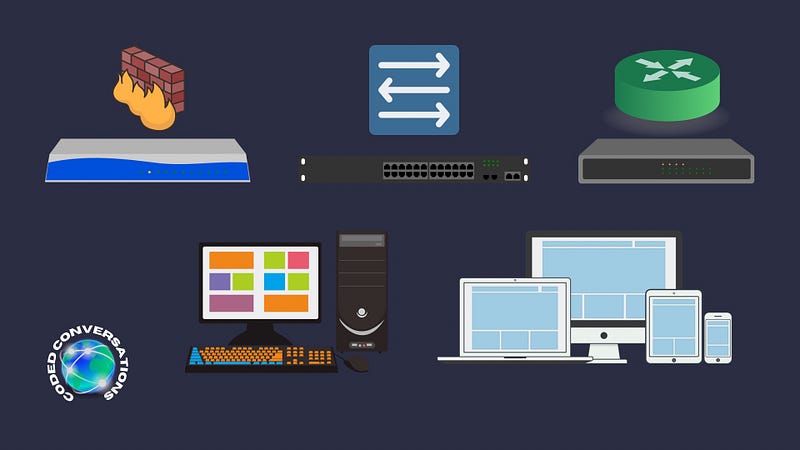
Illustration of Network Gear

Find a little corner in your house where you can set up your lab. It doesn’t need to be big, just somewhere you can work without mixing up with the family’s internet. You’ll need a good computer that can handle a lot of tasks at once, some internet gear like routers and switches, and maybe some extra gadgets if you want to get fancy.

Hardware:

1. Primary Computer: This is your command center. You’ll need a computer with a strong processor and plenty of memory (at least 16GB RAM) to run multiple virtual environments smoothly. Think of it as the heart of your lab, powerful enough to manage all your experiments.

2. Networking Equipment: To mimic real internet setups, you’ll need some basic network gear:

  • Router: This acts like a traffic director, sending information to the right place in your mini-network.
  • Switch: Think of this as a multi-plug extension lead for internet connections, letting multiple devices talk to each other.
  • Firewall: This is your digital bouncer, deciding who gets in and out of your network, helping you practice setting up defenses.

3. Secondary Devices (Optional): If you want to get more advanced, consider adding extra gadgets like old computers, servers, or IoT (Internet of Things) devices. These can help you practice on different types of tech.

3. The Brains of the Operation: Software
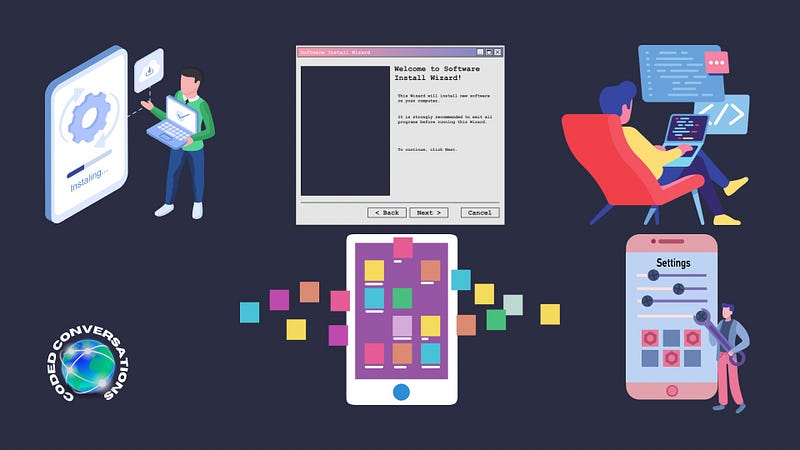
Illustration of Software

You’ll need special programs that let you create mini-computers inside your main one. This is where you can mess around and learn without risking breaking anything important. You can set up different types of computer systems, like Windows or Linux, and add some cool tools for finding and fixing security problems.

Software and Virtualization:

1. Virtualization Software: This is a must-have. Software like VMware Workstation, Oracle VM VirtualBox, or Microsoft Hyper-V lets you create virtual machines (VMs) on your primary computer. It’s like having many computers inside one, each running different operating systems or setups for you to experiment with.

2. Operating Systems: Install various operating systems on your VMs to get a feel for different environments. Include popular ones like Windows and various Linux distributions (Ubuntu, CentOS, etc.), and don’t forget about specialized security ones like Kali Linux, packed with tools for security testing.

3. Security Tools: Depending on your focus (network security, ethical hacking, etc.), you’ll choose different tools. Common picks include:

4. Setting Up Your Own Mini-Internet

Make a little network in your lab that’s all yours to play with. It’s important to keep it separate from your home’s internet so you don’t accidentally cause any trouble. Set up your internet gear to make a network that feels like the real deal but is totally under your control.

Setting Up Your Lab:

1. Isolated Network: Use your networking equipment to create a network separate from your home internet. This keeps your experiments contained and safe.

2. Realistic Configurations: Set up your virtual machines and network equipment to mimic real-world setups. This gives you practical experience in a safe environment.

5. Practice Makes Perfect

Now, the fun part! Try out real-life security challenges, like testing for weaknesses (with permission) or protecting your network from attacks. It’s like being a digital detective or guardian.

6. Keep Learning and Exploring

Tech stuff changes all the time, so there’s always something new to learn. Keep up with the latest in computer security, join online groups, and try out new projects to keep your skills sharp.

7. Play It Safe and Respectful

Remember, with great power comes great responsibility. Make sure everything you do in your lab is legal and ethical. Stick to experimenting within your own lab and don’t mess with other people’s stuff without their okay.

By following these steps, you’ll have a blast learning about cybersecurity and become a pro at keeping digital spaces safe, all from the comfort of your home!

References:

If you enjoyed this don’t forget to buy me a coffee, give a clap, share with your peers, and leave your thoughts in the comments.

Computer Networking
Cybersecurity
Cyber Security Awareness
Work From Home
Make Money From Home
Recommended from ReadMedium