
Building a ChatGPT-Powered Slack Bot
The integration of AI-powered chatbots into communication platforms like Slack has revolutionized the way organizations interact with their teams and customers. Chatbots can automate routine tasks, provide instant responses, and enhance user experiences. In this tutorial, you are guided through the process of building a Slack bot powered by ChatGPT, OpenAI’s advanced language model.

Prerequisites
Before you begin, you must have the following:
- A Slack account and access to a Slack workspace where you can install apps.
- An OpenAI API key. You can obtain one by signing up for OpenAI and subscribing to the GPT-3 model.
Setting up a Slack account
- Visit the Slack API website.
- Initiate the creation of a new Slack app.
- Give your app a name and select the slack workspace where you want to install it.
- In the app settings, navigate to the “Bot Users” section.
- To create a bot user for your app, click “Add a Bot User”.
- Give your bot a display name and a unique username.
- In the app settings, go to the “Install App” section.
- To add the app to your Slack workspace, click the “Install App to Workspace” button. This process is pivotal for ensuring that your bot has access to the desired channels and can function within your workspace.
- After successfully installing your app, you will receive a Bot User OAuth Access Token. This token serves as the key to authenticate your bot with the Slack API. Note your bot token. Keep the token securely as it grants access to your workspace.
Within the app settings, you can further customize your app’s functionality. This includes specifying app permissions, enabling interactive components, and defining event subscriptions. Event subscriptions allow your app to listen for specific events, such as messages and reactions, and respond accordingly.
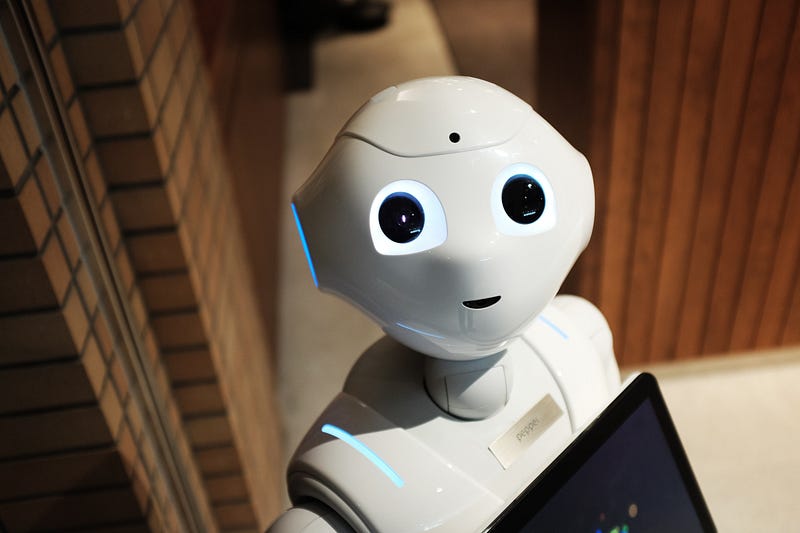
The “Bot Users” section in your app settings is where you configure the behavior of your bot within Slack. You can set its profile picture, display name, and default responses. For example, you can define a welcome message that the bot sends when it’s added to a channel or when someone starts a conversation with it.
You can choose if your bot user must always be present in specific channels, or if it should only join channels when invited. This level of customization allows you to tailor your bot’s presence to your workspace’s needs.
Setting Up an OpenAI account
- If you don’t already have one, sign up for an OpenAI account and subscribe to the GPT-3 model.
- Obtain your OpenAI API key
In your OpenAI account settings, you’ll find your API key. Copy this key, as you’ll need it to interact with the ChatGPT model. This key is a crucial element in the integration process, as it allows your bot to interact with the ChatGPT model. Be sure to securely store this key for future use.
Integrating Slack with the ChatGPT Model
Below is a Python code snippet to connect Slack with the ChatGPT model:
import os
import slack
import openai

# Set your Slack Bot Token
SLACK_BOT_TOKEN = "slack_bot_token"

# Set your OpenAI API Key
OPENAI_API_KEY = "openai_api_key"

# Initialize the Slack client
client = slack.WebClient(token=SLACK_BOT_TOKEN)

# Initialize the OpenAI API client
openai.api_key = OPENAI_API_KEY

# Define a function to handle incoming messages
def handle_message(event_data):
    user_message = event_data["event"]["text"]
    # Use the ChatGPT model to generate a response
    response = openai.Completion.create(
        engine="text-davinci-002",
        prompt=user_message,
        max_tokens=50  # Adjust as needed
    )
    bot_response = response.choices[0].text
    # Send the response back to the Slack channel
    client.chat_postMessage(channel=event_data["event"]["channel"], text=bot_response)

# Start a Slack RTM (Real-Time Messaging) session
if __name__ == "__main__":
    rtm_client = slack.RTMClient(token=SLACK_BOT_TOKEN)
    rtm_client.start()
You can expand this code further to create a robust and responsive bot. You can code in other languages as well.
Deploy your code to a server or cloud service to ensure it runs continuously and handles incoming messages from Slack. Consider deploying it to a cloud-based server or containerized environment. This ensures that your bot can operate even if your local development environment is offline. In your Slack app settings, configure event subscriptions to listen for messages in specific channels or direct messages (DMs). Point to your server’s endpoint for handling incoming messages. If you start a conversation with your bot in Slack, it must respond using the ChatGPT model. Fine-tune your bot’s responses and behavior based on real-world usage.
You can integrate your bot with external APIs and services to expand its capabilities. For example, you can connect it to a weather API to provide real-time weather updates or to a database for retrieving specific information. Slack provides a wide range of events that your bot can subscribe to, including message events, reactions, and user presence changes.
Training the Slack Bot on Custom Data
Training the slack bot on custom data allows it to provide more relevant and context-aware responses to specific queries within your Slack workspace. This involves enhancing its knowledge and understanding of topics relevant to your workspace.
This can be achieved through the following:
- Data collection: Gathering data involves, collecting data specific to the workspace where you intend to add the bot. For example, suppose you want your bot to be knowledgeable about your company’s software products, coding standards, and best practices, you can gather information such as code snippets, documentation, and FAQs related to your software products.
- Data preprocessing: Preprocessing involves cleaning, organizing, and structuring the gathered data so that it can be used for training. Your custom data may include code snippets, documentation in various formats, and textual information. For example, you might extract code comments, format documentation, and remove irrelevant content.
- Fine-tuning the language model: Fine-tuning is an advanced step that may not be available for all ChatGPT models. It involves training the base model on your custom data to make it more contextually relevant to your specific domain or use case. During this process, you feed your dataset into the model and adjust its internal parameters to minimize the difference between the model’s predictions and the actual target outputs. Experiment with hyperparameters like learning rate, batch size, and the number of training steps to find the best settings for your requirement. After fine-tuning, evaluate the model’s performance on a validation dataset that it hasn’t seen during the training.
After preprocessing and fine-tuning, you can integrate your custom data into the slack bot’s responses. This results in the bot providing knowledgeable and context-aware answers to users’ questions related to the custom data.
Here’s an example of how this can be achieved using a simple Python code:
# A dictionary mapping user queries to custom responses
custom_responses = {
    "Devops pipeline debugging is achieved by navigating to the pipeline run summary and selecting the job and task."
    # Add more custom responses here
}

# Function to provide responses based on custom data
def get_custom_response(user_query):
    # Convert the user query to lowercase for case-insensitive matching
    user_query = user_query.lower()

    if user_query in custom_responses:
        return custom_responses[user_query]
    else:
        return "I'm sorry, I don't have information on that topic."

# Example usage within your slack bot's response handler
user_query = "How to debug devops pipeline error?"
response = get_custom_response(user_query)
print(response)
Here, a dictionary is used to map user queries to custom responses. When a user asks a question related to your custom data, the bot checks if there’s a predefined response and provides it. If no custom response matches, the bot gracefully informs the user.
Customizing your slack bot with domain-specific knowledge and training it on custom data can significantly enhance its utility and effectiveness within your Slack workspace, making it a valuable resource for your team.
Conclusion
In a world where technology continues to redefine the way we work and communicate, your ChatGPT-powered Slack bot is a testament to your ability to harness the power of AI for practical applications. The success of your bot lies not only in its technical functionality, but also in its ability to enhance the daily experiences of those who interact with it.


