

Security | YETI | Threat Intel
Your Everyday Threat Intel: Build A Threat Hunting Platform at Home!
Learn how to Collect Open Source Threat Intelligence
What is YETI?
Yeti (Your Everyday Threat Intelligence) is an open source threat intelligence platform which allows you to store and manage Forensics Intelligence such as DFIQ objects, forensic artifact definitions, Sigma and Yara rules, reusable queries and more!
It will allow threat intel analysts to centralise the threat intel data in one place, enabling the entire security team to have a single search interface for all the intelligence they’ve collected. There are dozens of preconfigured feeds in the platform, although some of them require an API key to be configured. For more information visit the link here. Find the GitHub link below:
How to Install YETI
Pre-requisites
- Linux server (Ubuntu/Rocky)
- Docker Installed
- Git installed
Step-by-Step Guide
Connect to your Linux server and clone the GitHub repository
git clone https://github.com/yeti-platform/yeti-dockerChange directory to the YETI prod directory.
cd yeti-docker/prodYou should see the following files
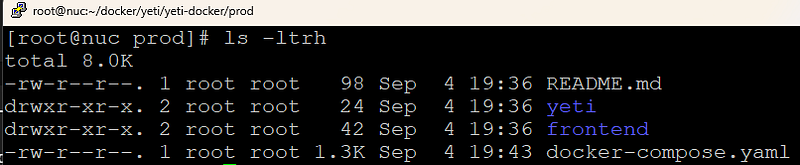
Here is the Docker Compose file which we will be executing. Note, if you are running Portainer, you will need to change the port for the api container or it will clash e.g. 8001:8000
version: '3.3'
services:

  frontend:
    container_name: yeti-frontend
    build:
      dockerfile: ./frontend/Dockerfile
    image: yetiplatform/yeti-frontend:latest
    ports:
      - 80:80
    volumes:
      - ./frontend/nginx.conf:/etc/nginx/conf.d/default.conf
    depends_on:
      - api

  api:
    container_name: yeti-api
    image: yetiplatform/yeti:latest
    build:
      dockerfile: ./yeti/Dockerfile
    env_file:
      - ${YETI_DOCKER_ENVFILE}
    entrypoint:
      - /docker-entrypoint.sh
    command: ["webserver"]
    ports:
      - 8000:8000
    depends_on:
      - redis
      - arangodb
    volumes:
      - yeti-exports:/opt/yeti/exports

  tasks:
    container_name: yeti-tasks
    image: yetiplatform/yeti:latest
    build:
      dockerfile: ./yeti/Dockerfile
    env_file:
      - ${YETI_DOCKER_ENVFILE}
    command: ['tasks']
    depends_on:
      - redis
      - arangodb
      - api
    volumes:
      - yeti-exports:/opt/yeti/exports

  redis:
    container_name: yeti-redis
    image: redis:latest

  arangodb:
    container_name: yeti-arangodb
    image: arangodb:3.11.8
    environment:
      - ARANGO_ROOT_PASSWORD=
    volumes:
      - yeti-db:/var/lib/arangodb3

networks:
  default:
    name: yeti_network

volumes:
  yeti-exports:
    driver: local
  yeti-db:
    driver: local
.env
YETI_DOCKER_ENVFILE=.env

# Yeti database / internals
YETI_REDIS_HOST=yeti-redis
YETI_REDIS_PORT=6379
YETI_REDIS_DATABASE=0
YETI_ARANGODB_HOST=yeti-arangodb
YETI_ARANGODB_PORT=8529
YETI_ARANGODB_DATABASE=yeti
YETI_ARANGODB_USERNAME=root
YETI_ARANGODB_PASSWORD=
YETI_AUTH_SECRET_KEY=SECRET
YETI_AUTH_ALGORITHM=HS256
YETI_AUTH_ACCESS_TOKEN_EXPIRE_MINUTES=30
YETI_AUTH_ENABLED=True
YETI_SYSTEM_PLUGINS_PATH=./plugins

# Timesketch configuration
YETI_TIMESKETCH_ENDPOINT=http://timesketch-dev:5000
YETI_TIMESKETCH_USERNAME=dev
YETI_TIMESKETCH_PASSWORD=dev
Run the following command to bring up the platform. It will take a bit of time to pull the images and set things up, once complete it should look like the screenshot below.
docker compose up

You’ll need to create an admin user to be able to log into the Yeti web interface. Replace username and password with more secure values!
docker compose run --rm api create-user USERNAME PASSWORD --adminLogin to the Web UI using your credentials. If you are running this locally it will simply be http://localhost. If you’re running on a remote server then it will be http://server-ip. The service is listening on port 80.
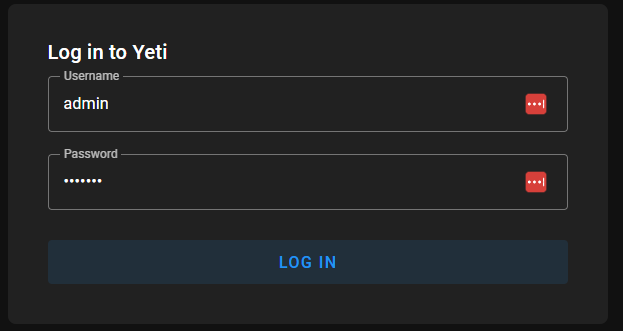
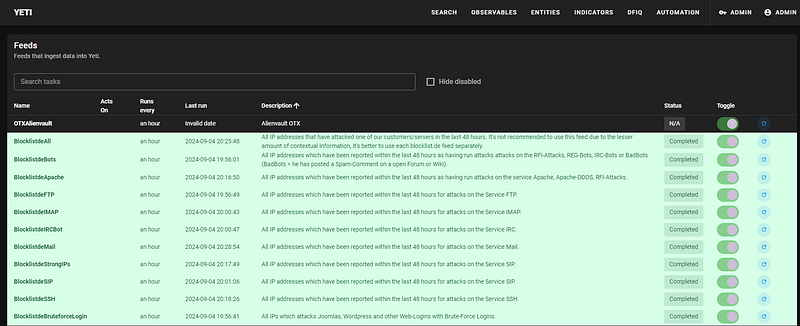
When you login, head over to the feeds page. You will need to toggle the feeds to be enabled and then kick off the task but clicking the blue refresh icon to the right hand side. These will then begin downloading the threat intel feeds.
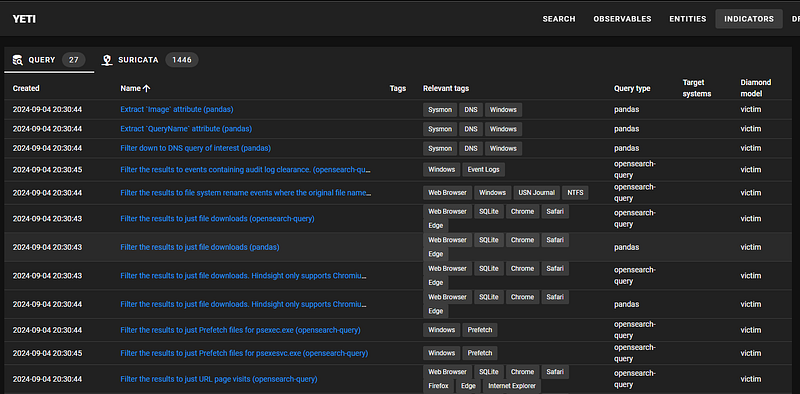
The data will populate across the observables, indictors and entities.
API Tokens
Note, that some of the feeds require an API token from the website you’re requesting from. In most cases of OSINT, they are free to request; all you have to do is setup an account. Note, that these API tokens should only be used for personal use; check the usage policy before deploying to an organization.
To input your API key, connect to the container called yeti-api.
docker exec -it yeti-api /bin/bash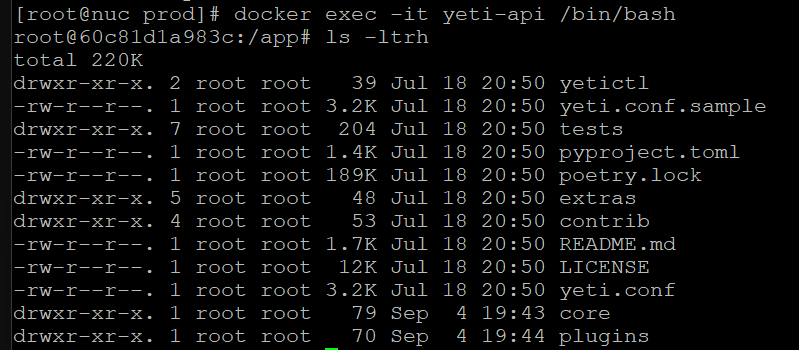
Update apt and install vim
apt-get update
apt-get install vim
You can now open up the yeti.conf file with vim
vim yeti.confInput your API keys as required by the various feeds.
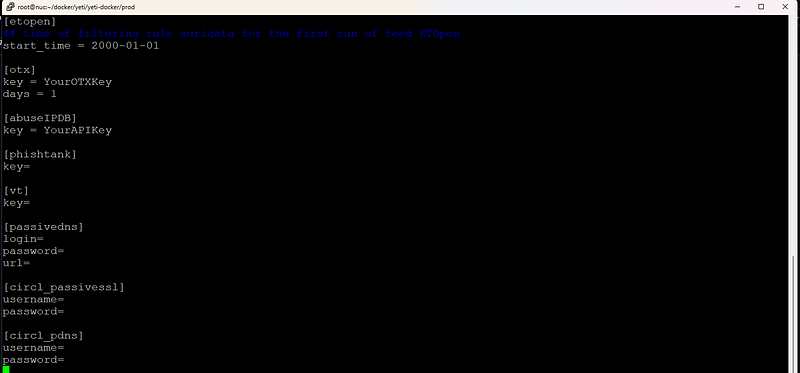
As you start to add more and more feeds, the UI for Yeti will fill out, see below.
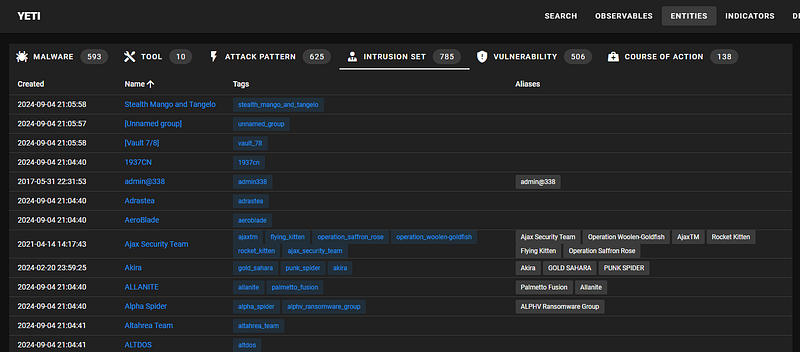
Within minutes you have a vast array of information downloaded to your own threat intel platform!
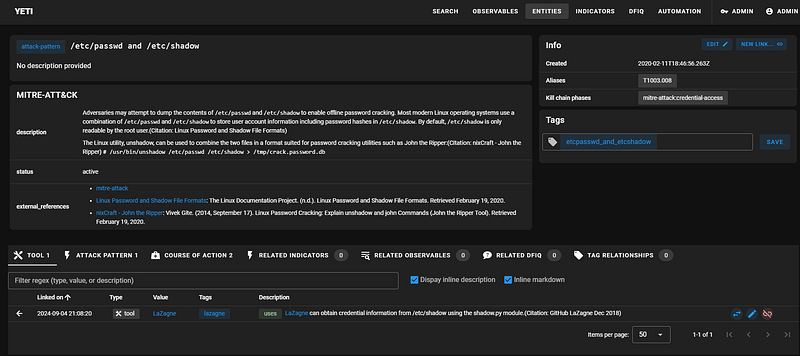
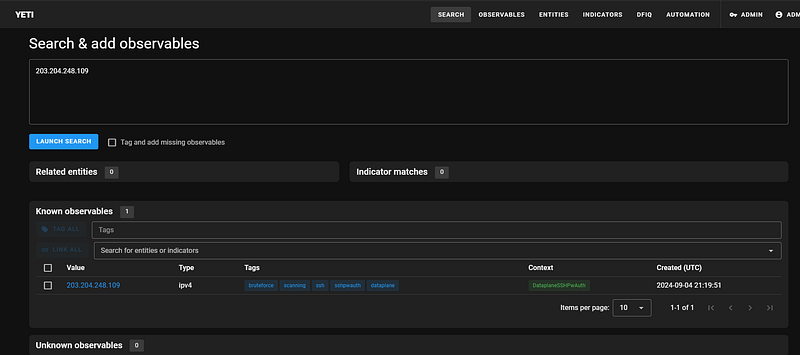
There are also search functions if you want to lookup a specific observable, entity or indicator. This could be integrated with a SOAR platform, so that any SIEM alert can have a threat intel query run against YETI to determine if it is benign or malicious.
I also want to highlight one of the newest additions to an Open Source Threat Intel Provider, in Wiz. Wiz created their own Threat Landscape, which has a STIX feed that anyone can consume, for free!
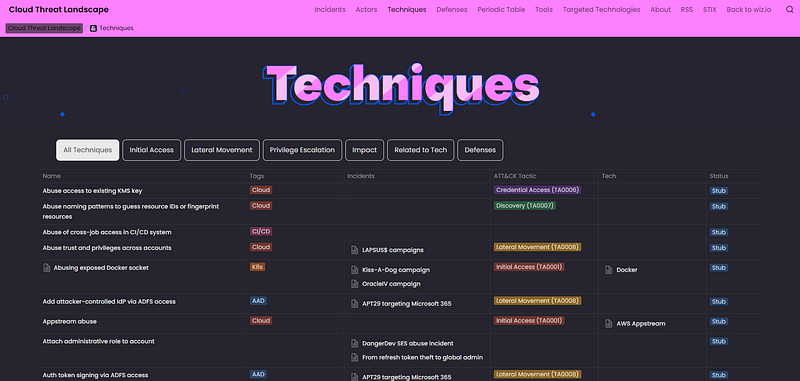
Below is the link to the Wiz Threat Landscape, styled with a retro themed user interface, giving Wiz a very different look and feel to other security vendors.
Final Thoughts
YETI is an excellent platform for levelling up your experience with threat intelligence. It combines numerous different types of threat intel data to give you a powerful arsenal, to aid in your threat hunting and detection methods.
YETI is a “competitor” to MISP and OpenCTI, in that they have similar capabilities, however, it depends on the requirements for your home lab, or indeed if you deploy this to your organization. I suggest you try all three platforms and decide which one fits your SOC team the best.
Open Source threat intelligence is not a replacement for proprietary threat intel from vendors like Recorded Future, but it can certainly augment existing solutions and help identify threats sooner, rather than later!


