Free AI web copilot to create summaries, insights and extended knowledge, download it at here
4170
Abstract
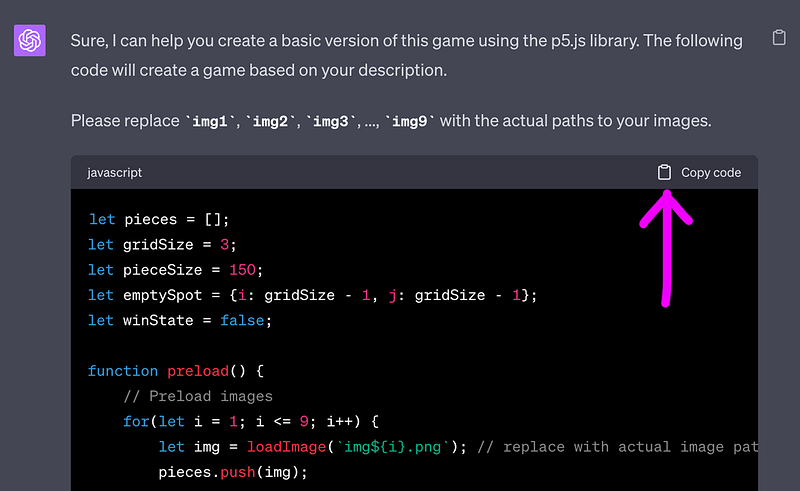
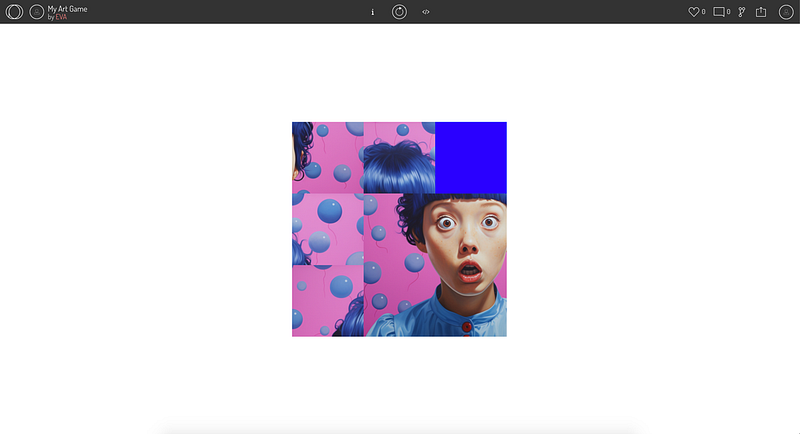
="hljs-literal">right</span> corner, <span class="hljs-keyword">then</span> <span class="hljs-keyword">the</span> player wins, <span class="hljs-keyword">the</span> texture You win appears,
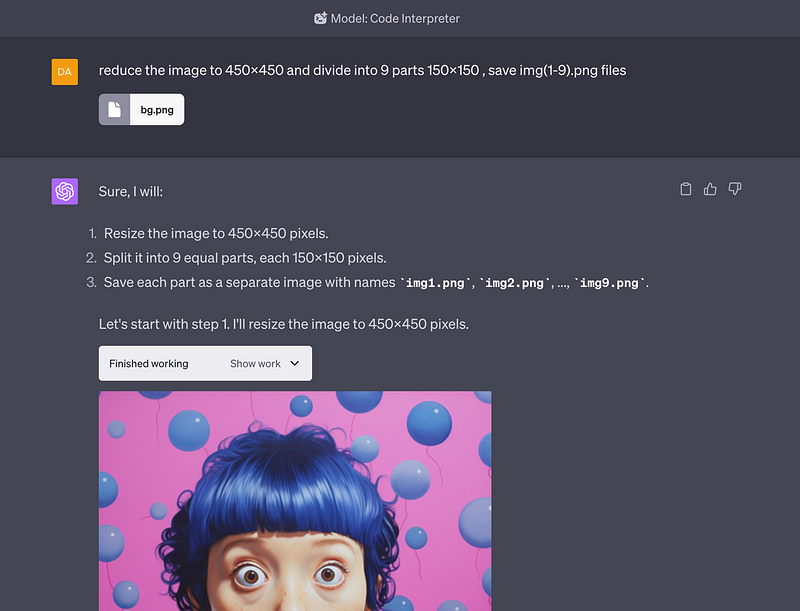
I will provide <span class="hljs-keyword">the</span> texture is <span class="hljs-number">9</span> images <span class="hljs-built_in">from</span> <span class="hljs-number">1</span> <span class="hljs-built_in">to</span> <span class="hljs-number">9</span>, <span class="hljs-number">150</span>x150 pixels,
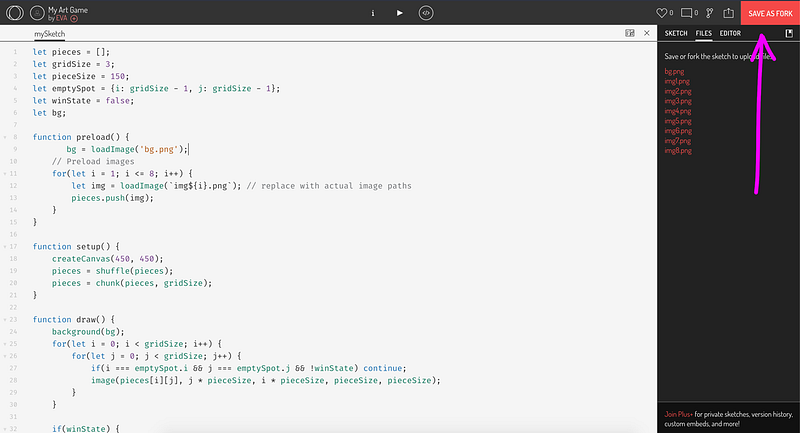
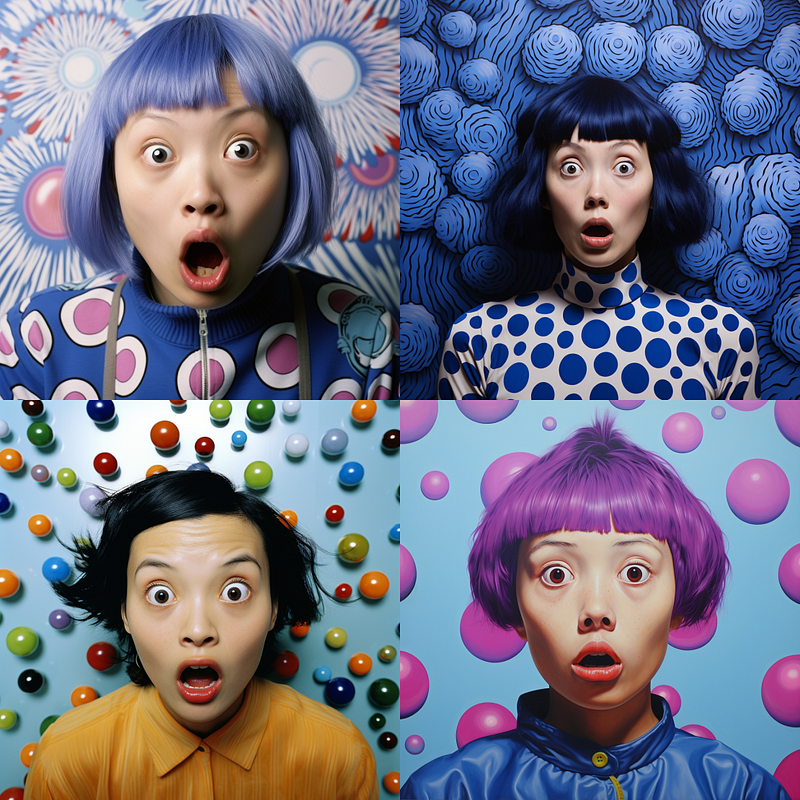
<span class="hljs-keyword">the</span> beginning <span class="hljs-keyword">of</span> <span class="hljs-keyword">the</span> game <span class="hljs-keyword">the</span> puzzles are randomly arranged.</pre></div><figure id="91f6"><img src="https://cdn-images-1.readmedium.com/v2/resize:fit:800/1*w33eR_HJ81jeaUTKH3vB0g.png"><figcaption></figcaption></figure><h2 id="db75">2. Step: GPT-generated code copy and paste into https://openprocessing.org/ (sketch) , and click save</h2><figure id="6fa3"><img src="https://cdn-images-1.readmedium.com/v2/resize:fit:800/1*hKDXG04pWo1VQaF5SAc1OQ.png"><figcaption><a href="https://mlearning.substack.com/">MLearning.ai Art</a></figcaption></figure><h2 id="fc47">3. Step: generate an image — square format</h2><figure id="acdd"><img src="https://cdn-images-1.readmedium.com/v2/resize:fit:800/1*Qn_1AjdDZqH2iAqMuRXUAw.png"><figcaption><a href="https://mlearning.substack.com/">MLearning.ai Art</a></figcaption></figure><h2 id="db6c">4. Step We must divide the image into 9 parts, we do it in code interpreter, you don’t need Photoshop ; )</h2><figure id="5a7e"><img src="https://cdn-images-1.readmedium.com/v2/resize:fit:800/1*f5jVcUGepKHEy9M_ntc8ng.png"><figcaption><a href="https://open.substack.com/pub/mlearning/p/the-best-88-ways-to-use-chatgpt-code-interpreter?r=z7zu8&utm_campaign=post&utm_medium=web">The Code Interpreter is More Than Just Code</a></figcaption></figure><h2 id="8bdb">5. Step: upload all files to openprocessing.org (sketch) and THE GAME is ready to play!</h2><figure id="4e7c"><img src="https://cdn-images-1.readmedium.com/v2/resize:fit:800/1*1BAmEd5WVuPQb_6EuMK5uA.png"><figcaption><a href="https://open.substack.com/pub/mlearning/p/the-best-88-ways-to-use-chatgpt-code-interpreter?r=z7zu8&utm_campaign=post&utm_medium=web">It’s Your Powerhouse of Possibility!</a></figcaption></figure><p id="7fbd">Get ready for an incredible journey with OpenAI’s Code Interpreter! Within the pages of ‘<a href="https://open.substack.com/pub/mlearning/p/the-best-88-ways-to-use-chatgpt-code-interpreter?r=z7zu8&utm_campaign=post&utm_medium=web">The Best 88 Ways to Use Code Interpreter</a>’, a whole universe of development possibilities awaits you.</p><p id="cf59">Exciting, simple, and engaging, this tool brings your ideas to life like never before. Don’t miss out on this game-changing adventure.</p><p id="7723">Dive into the guide now and discover the power of creation. Unleash your imagination and let’s build something extraordinary together!</p><h2 id="20f6">The Best 88 Ways to Use ChatGPT Code Interpreter</h2><div id="628d" class="link-block">
<a href="https://open.substack.com/pub/mlearning/p/the-best-88-ways-to-use-chatgpt-code-interpreter?r=z7zu8&utm_campaign=post&utm_medium=web">
<div>
<div>
<h2>The Best 88 Ways to Use ChatGPT Code Interpreter</h2>
<div><h3>The Chat GPT Code Interpreter is More Than Just Code. Discover the immense potential of your ChatGPT Code Interpreter…</h3></div>
<div><p>open.substack.com</p></div>
</div>
<div>
<div style="background-image: url(https://miro.readmedium.com/v2/resize:fit:320/0*VC2LNfApVmrAM4b6)"></div>
</div>
</div>
</a>
</div><p id="e88a">I invite you to explore the concept of <a href="https://open.substack.com/pub/mlearning/p/how-can-you-hide-from-ai-person-recognition?r=z7zu8&utm_campaign=post&utm_medium=web"><b>Creative Machine Learning</b></a> tools by reading and learning from the many articles found on 🔵 <a href="https://mlearning.substack.c
Options
om/">MLearning.ai</a> 🟠</p><div id="64f5" class="link-block">
<a href="https://evartology.medium.com/membership">
<div>
<div>
<h2>Join Medium with my referral link — Eva Rtology</h2>
<div><h3>Data is everywhere 🟣 But the question is, how much do you love it? You’ll get FULL access to every story on Medium…</h3></div>
<div><p>evartology.medium.com</p></div>
</div>
<div>
<div style="background-image: url(https://miro.readmedium.com/v2/resize:fit:320/0*pOr_QFzFw7avyHb7)"></div>
</div>
</div>
</a>
</div><ul><li><i>Check out my <a href="https://www.instagram.com/evartology/">instagram</a> with new material every week</i></li><li><i>If you enjoyed this, <a href="https://evartology.medium.com/membership">follow me on Medium</a> for more</i></li><li><i>Want to collaborate? Let’s connect on <a href="https://www.linkedin.com/in/evartology/">LinkedIn</a></i></li><li><a href="https://linktr.ee/evartology">https://linktr.ee/evartology</a></li></ul><blockquote id="bc1c"><p><i>Data Scientists must think like an artist when finding a solution when creating a piece of code. <a href="https://medium.com/mlearning-ai/tagged/art">Artists</a> enjoy working on interesting problems, even if there is no obvious answer.</i></p></blockquote><p id="88d1">All our writers (<a href="https://www.getrevue.co/profile/mlearning_ai/members">members</a>) receive the opportunity to be promoted on our social media, which increases the popularity of articles published on MLearning.ai</p><ol><li><a href="https://www.linkedin.com/company/mlearning-ai/">Linkedin</a> (<b>58</b>K+ ML-professionals)</li><li><a href="https://twitter.com/Mlearning_ai">Twitter</a> (5.7K+ followers)</li><li><a href="https://www.instagram.com/mlearning.ai/">Instagram</a> (2.4K + followers )</li><li><a href="https://readmedium.com/take-vr-tour-of-these-ml-stories-a7550340a6a2">Sketchfab</a> * — individual v<a href="https://readmedium.com/zahra-ahmads-vroom-1510367d679d">Roo</a>ML!</li><li><a href="https://www.facebook.com/Art.Machine.Learning">Facebook</a></li><li><a href="https://www.youtube.com/watch?v=-AXMoEiGdaI">Youtube</a></li><li><a href="https://podcasts.apple.com/pl/podcast/learning-better-and-faster/id1580007913">Apple Podcasts</a></li><li><a href="https://mlearning.substack.com/"><b>Substack</b></a><b> 8K+ Subscribers</b></li></ol><p id="e0ed">🔵 <a href="https://readmedium.com/mlearning-ai-submission-suggestions-b51e2b130bfb">Submission Suggestions</a></p><div id="0590" class="link-block">
<a href="https://readmedium.com/announce-microsoft-365-new-30-ai-subscription-service-6d898af3cfd0">
<div>
<div>
<h2>Announce: Microsoft 365 New 30 AI Subscription Service</h2>
<div><h3>“Microsoft adds 154 Billion in Market Value”</h3></div>
<div><p>medium.com</p></div>
</div>
<div>
<div style="background-image: url(https://miro.readmedium.com/v2/resize:fit:320/1*UpvsDrweX5oZVH8LMw8rpQ.png)"></div>
</div>
</div>
</a>
</div><h2 id="e622">Keywords: computer vision, Artificial Intelligence, Machine Learning, AI art, art, wombo dream, digital art, Dalle 2, Imagen, wombo ai, Parti, text-to-image, diffusion models, generative art, wombo art, photographic quality, 3D, Neuralangelo</h2><div id="619d" class="link-block">
<a href="https://mlearning.substack.com">
<div>
<div>
<h2>MLearning.ai Art | Datasculptor | Substack</h2>
<div><h3>AI art solutions for the creative economy 🟠 State-Of-The-Art machine learning demos that are quick and easy to use 🔵…</h3></div>
<div><p>mlearning.substack.com</p></div>
</div>
<div>
<div style="background-image: url(https://miro.readmedium.com/v2/resize:fit:320/0*Te3bM4FdF4Za1LWe)"></div>
</div>
</div>
</a>
</div></article></body>