
Build a Shopify App with Remix Template Walkthrough
Shopify has recently released the remix template, marking a significant breakthrough for Shopify app developers. This innovation will unlock a new era of simplified Shopify app development. This tutorial will walk you through creating a Shopify app with Remix Template.
Pre Requirements
- You’ve created a Partner account and a development store.
- You’ve installed Node.js 18 or higher.
- You’ve installed a Node.js package manager: Here we are going to use npm
- You’ve installed Git 2.28.0 or higher.
- You’re using the latest version of Chrome or Firefox.
Let’s create a Shopify app.
npm init @shopify/app@latestWhen you run the above command you will be prompted several questions. Then a basic Shopify app will be created. Following is the screenshot of questions and answers I gave.
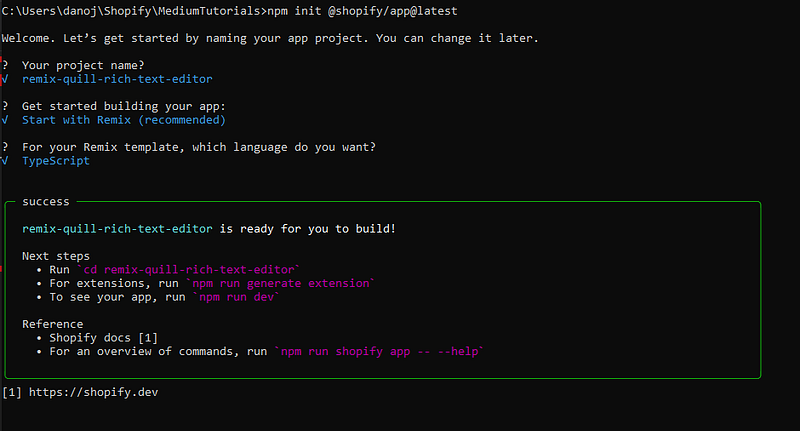
Then go to the directory with your project name you gave above. In my case, It is remix-quill-rich-text-editor.
Then run
cd remix-quill-rich-text-editor
npm run dev
It will again asks you few questions. Remember to create this as a new app and also choose to automatically update the app’s URL. Following is the answers I gave while running the above command.
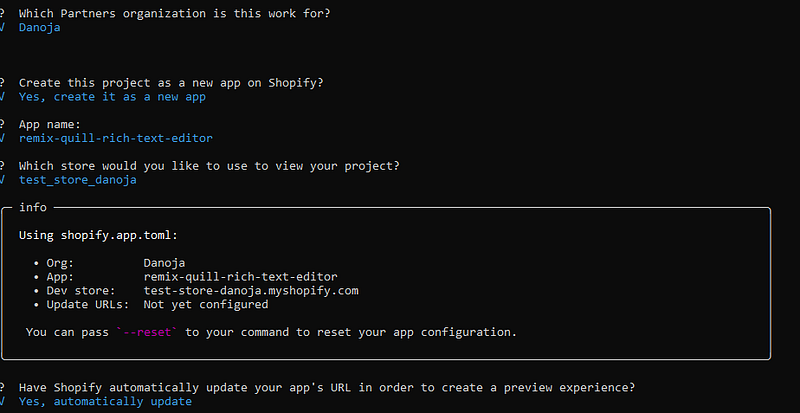
You will be prompted a Preview URL. Press p to follow that URL.
The You will be asked to install the app. Click on Install app.
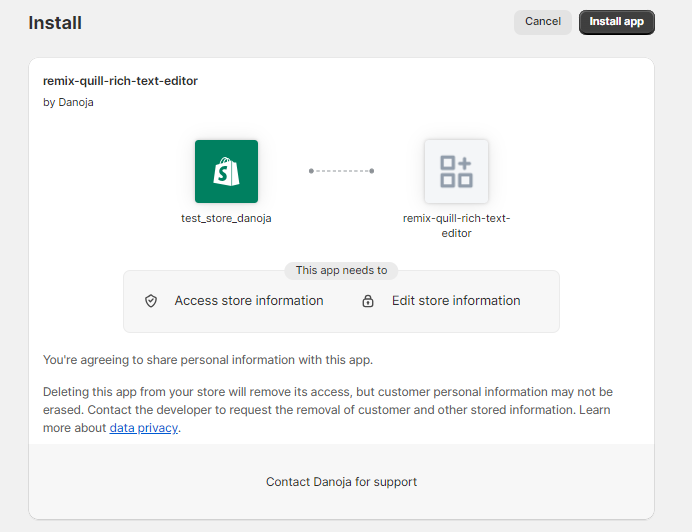
After installing you will be prompted to this screen.
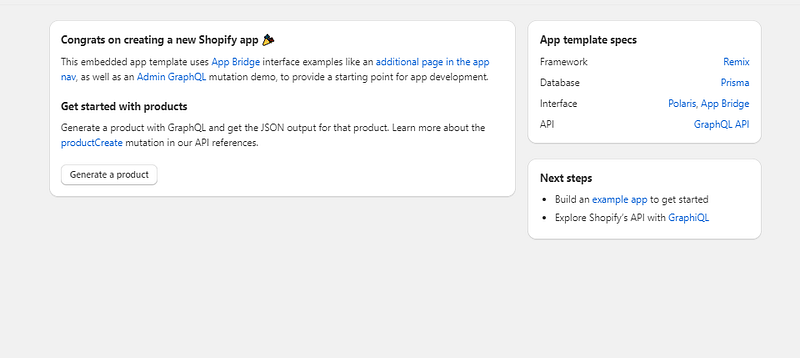
Hurrayy… You have created a new Shopify app.


