
Build A Virtual Assistant Using Python
In this article I will show you how to build your own virtual assistant using the Python Programming Language ! A virtual assistant is an application that can understand voice commands and complete tasks for a user. Google’s assistant and Amazon’s Alexa are good examples of virtual assistants.
If you prefer not to read this article and would like a video representation of it, you can check out the YouTube Video below. It goes through everything in this article with a little more detail, and will help make it easy for you to start developing your own program. Or you can use both as supplementary materials for learning !
Start Programming:
I will start by stating what I want this program to do. This program will run specific commands once a wake word is given by the users voice. This program will then execute those commands audibly back to the user.
The commands to be executed are as follows:
- Say a random greeting back to the user, if the user used a greeting word.
- Get the date for the user
- Get the time for the user
- Get information about a person to the user (NOTE: We can use Wikipedia for this)
For example, the user may say ‘hey computer, what time is it?’ or ‘okay computer, what is today’s date ?’ and the virtual assistant will respond accordingly.
Now, let’s write a short description of what this program is going to do in comments.
# Description: This is a virtual assistant program that will greet
#              you with a random greeting, get the date, time, and
#              information on a person.
We need to install a few packages pyadio SpeechRecognition gTTSand wikipedia .
pip install pyaudio
pip install SpeechRecognition
pip install gTTS
pip install wikipedia
Import The Libraries & Packages
Next import some of the libraries that will be used within this program. We will use the warnings library to ignore the warnings we get with this program. The library speech_recognition will be used to recognize speech :).
The os library will allow us to interact with the Operating System. The gtts library will help us convert text to speech. The wikipedia library will allow us to get information about a person from Wikipedia. The datetime library will allow us to get the current date and time. The calendar library will allow us to get the day of the week, and the random library will be used for randomization.
# Import the libraries
import speech_recognition as sr
import os
from gtts import gTTS
import datetime
import warnings
import calendar
import random
import wikipedia
We will ignore any warning messages that may be given during the execution of this program.
# Ignore any warning messages
warnings.filterwarnings('ignore')
Create Helpful Functions
We will start creating helpful functions that will make the code look clean and execute certain commands.
First we need a function that can take in audio (a voice command) and recognize the speech, then return that speech as a string (text). Let’s call this function recordAudio().
# Record audio and return it as a string
def recordAudio():
    # Record the audio
    r = sr.Recognizer()
    with sr.Microphone() as source:
       print('Say something!')
       audio = r.listen(source)

    # Speech recognition using Google's Speech Recognition
    data = ''
    try:
        data = r.recognize_google(audio)
        print('You said: ' + data)
    except sr.UnknownValueError:
        print('Google Speech Recognition could not understand')
    except sr.RequestError as e:
        print('Request error from Google Speech Recognition')
return dataPerfect ! We now have a function to record the audio. Let’s create a function for the program to respond back to the user audibly and call it assistantResponse(). The function will take in a string (text) and convert it to audio. I will also have this function print the text to the screen for testing purposes.
# Function to get the virtual assistant response
def assistantResponse(text):
    print(text)
# Convert the text to speech
myobj = gTTS(text=text, lang='en', slow=False)
# Save the converted audio to a file
myobj.save('assistant_response.mp3') # Play the converted file
os.system('start assistant_response.mp3')Next, we will create a function to take in some text and check if the wake word was given in that text. For this program I created two wake words “okay computer” and “hey computer”, similar to the Google assistant wake word “hey Google” and “okay Google”. If the wake word was detected from the text then the function will return True otherwise it will return False.
# A function to check for wake word(s)
def wakeWord(text):
    WAKE_WORDS = ['hey computer', 'okay computer']
    text = text.lower()  # Convert the text to all lower case words
# Check to see if the users command/text contains a wake word
for phrase in WAKE_WORDS:
if phrase in text:
return True # If the wake word was not found return false
return FalseNow, I will create a function to return today's date as a string. For example it will return “Today is Monday October the 21st” if today was indeed Monday October 21st . Let’s call this function getDate().
def getDate():

    now = datetime.datetime.now()
    my_date = datetime.datetime.today()
    weekday = calendar.day_name[my_date.weekday()]# e.g. Monday
    monthNum = now.month
    dayNum = now.day
    month_names = ['January', 'February', 'March', 'April', 'May',
       'June', 'July', 'August', 'September', 'October', 'November',
       'December']
    ordinalNumbers = ['1st', '2nd', '3rd', '4th', '5th', '6th',
                      '7th', '8th', '9th', '10th', '11th', '12th',
                      '13th', '14th', '15th', '16th', '17th',
                      '18th', '19th', '20th', '21st', '22nd',
                      '23rd', '24th', '25th', '26th', '27th',
                      '28th', '29th', '30th', '31st']

return 'Today is ' + weekday + ' ' + month_names[monthNum - 1] + ' the ' + ordinalNumbers[dayNum - 1] + '.'
Next, we will create a function that takes in text and returns a random greeting response as text to the user, if the user said a greeting input like ‘hello’ or ‘hi’ for example the function will return some random greeting like ‘howdy’. This function will be called greeting().
# Function to return a random greeting response
def greeting(text):
    # Greeting Inputs
    GREETING_INPUTS = ['hi', 'hey', 'hola', 'greetings', 'wassup', 'hello']
# Greeting Response back to the user
GREETING_RESPONSES = ['howdy', 'whats good', 'hello', 'hey there'] # If the users input is a greeting, then return random response
for word in text.split():
if word.lower() in GREETING_INPUTS:
return random.choice(GREETING_RESPONSES) + '.' # If no greeting was detected then return an empty string
return ''Last but not least we will create a function to get a person’s first and last name from text after detecting the key command, ‘who is’. Once we detect the word ‘who’ followed by the word ‘is’ then we will return the next two words as a single string (the next two words should be the person’s first name followed by that person’s last name).
For example if the user says ‘Who is LeBron James ?’ , then the function will take in that text and simply return ‘LeBron James’ . We will use this function later on to get a two sentence summary about the person from Wikipedia. This function will be called getPerson().
# Function to get a person first and last name
def getPerson(text):
 wordList = text.split()# Split the text into a list of words
for i in range(0, len(wordList)):
if i + 3 <= len(wordList) - 1 and wordList[i].lower() == 'who' and wordList[i + 1].lower() == 'is':
return wordList[i + 2] + ' ' + wordList[i + 3]Create the Main Program
All of the most popular virtual assistants (Google Assistant, Amazon Alexa, & Apples Siri) continuously listen to your conversation and waits to execute commands only after hearing the wake word like ‘Okay Google’, ‘Alexa’ , or ‘Hey Siri’.
This means we will need to have the program consistently listening for the wake word, so we will need a continuous loop that runs forever recording the audio.
Once the wake word is said, then we will check to see if the user said a greeting, ‘date’, ‘time’, or ‘who is’ , and have the computer respond accordingly by audio.
while True:
    # Record the audio
    text = recordAudio()
    response = '' #Empty response string

    # Checking for the wake word/phrase
    if (wakeWord(text) == True):
         # Check for greetings by the user
         response = response + greeting(text)
# Check to see if the user said date
if ('date' in text):
get_date = getDate()
response = response + ' ' + get_date # Check to see if the user said time
if('time' in text):
now = datetime.datetime.now()
meridiem = ''
if now.hour >= 12:
meridiem = 'p.m' #Post Meridiem (PM)
hour = now.hour - 12
else:
meridiem = 'a.m'#Ante Meridiem (AM)
hour = now.hour # Convert minute into a proper string
if now.minute < 10:
minute = '0'+str(now.minute)
else:
minute = str(now.minute) response = response + ' '+ 'It is '+ str(hour)+ ':'+minute+' '+meridiem+' .'
# Check to see if the user said 'who is'
if ('who is' in text):
person = getPerson(text)
wiki = wikipedia.summary(person, sentences=2)
response = response + ' ' + wiki
# Assistant Audio Response
assistantResponse(response)That’s it, we are done creating this program !
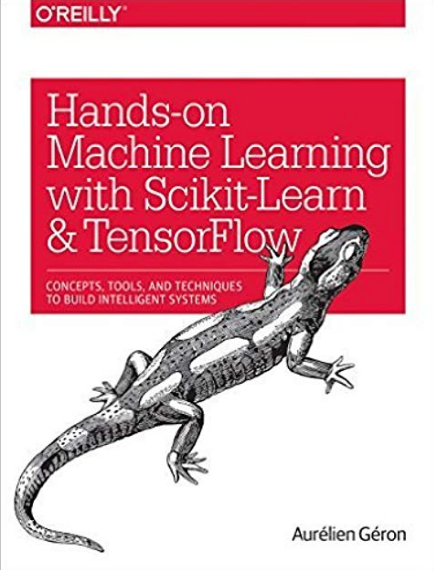
If you are also interested in reading more on machine learning to immediately get started with problems and examples then I strongly recommend you check out Hands-On Machine Learning with Scikit-Learn and TensorFlow: Concepts, Tools, and Techniques to Build Intelligent Systems. It is a great book for helping beginners learn how to write machine learning programs, and understanding machine learning concepts.
Thanks for reading this article I hope it’s helpful to you all! If you enjoyed this article and found it helpful please leave some claps to show your appreciation. Keep up the learning, and if you like machine learning, mathematics, computer science, programming or algorithm analysis, please visit and subscribe to my YouTube channels (randerson112358 & compsci112358 ).
Sources:
[1]Getting Started with Pythons Wikipedia API [2]Build Your First Voice Assistant [3]Python Speech Recognition [4]Speech Recognition [5]Personal Assistant Jarvis in Python


