avatarCreative Ai Studio

Free AI web copilot to create summaries, insights and extended knowledge, download it at here

3482

Abstract

ad the image, click on the download icon in the upper right corner of the image. This will save the image to your device.</p><p id="b101">To verify the prompt sent to ChatGPT, click the info button in the top right corner. This lets you double-check that the prompt matches your intended question, in case the text you submitted wasn't exactly right.</p><p id="0670"><b>3</b>. You can access this conversation again later by looking at your chat history in the left sidebar.</p><h1 id="a56c">Step 4. EXPLORING ADVANCED FEATURES</h1><p id="4b34">Here's a handful of friendly tips and creative ideas to guide you in making truly outstanding visuals.</p><h1 id="32ca">Image Sizes</h1><p id="93ef">DALL·E 3 can generate images in different sizes: standard square (1024x1024), wide (1792x1024), or full-body portraits (1024x1792). If you want a different size than the standard square, type the one of the other sizes in the prompt.</p><h1 id="b12e">Start Simple and Specific</h1><p id="a052">Begin with a straightforward template that captures the essence of what you want.</p><blockquote id="2016"><p>Create an action-packed high-speed motorcycle chase through the city at night as the moonlight shine upon it.</p></blockquote><figure id="cc54"><img src="https://cdn-images-1.readmedium.com/v2/resize:fit:800/1*smNWGheDhkJZtSXg0SHulQ.png"><figcaption>DALL·E 3 photo created by Ai Pixel Designs</figcaption></figure><h1 id="0e4e">Identity the Scene Type</h1><p id="9001">Explicitly state the type of scene, such as a cinematic portrait or black and white photograph.</p><blockquote id="98d4"><p>Create a Blacklight portrait of a woman</p></blockquote><figure id="3c76"><img src="https://cdn-images-1.readmedium.com/v2/resize:fit:800/1*71sUelUZPOtFA1ciX8CGUA.png"><figcaption>DALL·E 3 photo created by Ai Pixel Designs</figcaption></figure><h1 id="9b3c">Invoke Emotions or Moods</h1><p id="92c8">Use descriptive words to evoke specific feelings.</p><blockquote id="0470"><p>cinematic lightning photography of a sad man in a suit crying on the new york subway, depression, crying, close-up, angry, dark</p></blockquote><figure id="deff"><img src="https://cdn-images-1.readmedium.com/v2/resize:fit:800/1*PKqIkGEnpha1AKROlnF4HA.png"><figcaption>DALL·E 3 photo created by Ai Pixel Designs</figcaption></figure><h1 id="8cf4">Narrative Prompts</h1><p id="aeb1">Set the scene for a story:</p><blockquote id="045e"><p>Capture sun beam in the background while a group hiking in the forest. Foggy morning.</p></blockquote><figure id="0e69"><img src="https://cdn-images-1.readmedium.com/v2/resize:fit:800/1*PNDsM3N9ulk2fUelgwCHzA.png"><figcaption>DALL·E 3 photo created by Ai Pixel Designs</figcaption></figure><h1 id="303f">Play with Styles</h1><p id="e2f7">Specify the artistic style you desire.</p><p id="424e">Surreal photography merges elements of fantasy and dreams, offering the viewer an escape from the ordinary.</p><blockquote id="cebd"><p>Fusion of fashion and surreal photography — an exotic model floats wearing a flowing gown that morphs into clouds</p></blockquote><figure id="d12d"><img src="https://cdn-images-1.readmedium.com/v2/resize:fit:800/1*V1uVEVG6qedqYw4jfD5jJg.png"><figcaption>DALL·E 3 photo created by Ai Pixel Designs</figcaption></figure><p id="53b3">Please use this <a href="https://airtable.com/appGc7YdwCFVYwTK8/shrRpzNcKPmZl4vUL/tbldCHol3ABwHG9ex"><b>Style Guide</b></a> created by <a href="undefined">Joe Amditis</a> as a reference.</p><figure id="6931"><img src=

Options

"https://cdn-images-1.readmedium.com/v2/resize:fit:800/1*2X0p53Kv-qwBk2M1sZjfzw.png"><figcaption></figcaption></figure><h2 id="d6aa">Key Limits and Guidelines</h2><p id="c32b">According to DALL·E 3, these are the key limits and guidelines:</p><ol><li><b>Image Generation Policy</b>: When creating images, DALL·E 3 adhere to a specific set of policies. These include avoiding the creation of images of real people, celebrities, or copyrighted characters, and not replicating the styles of artists whose latest work was created after 1912.</li><li><b>Content Limitations</b>: DALL·E 3 won’t create images that are offensive, promote hate, or are explicit in nature.</li><li><b>No Real-Time Interaction or Live Updates</b>: DALL·E 3 doesn’t have the capability for real-time interaction or live updates. The responses and image creations are based on the information available up to the last training data in April 2023.</li><li><b>No External Data Access</b>: DALL·E 3 doesn’t have access to the internet or the ability to pull in current, real-world data.</li></ol><h1 id="1ee9">Step 5. MONETIZING YOUR AI ART</h1><figure id="fafd"><img src="https://cdn-images-1.readmedium.com/v2/resize:fit:800/1*bo0K0IejEI-tSYNJfP7vng.png"><figcaption>Ai Images Selling On Etsy</figcaption></figure><ol><li>Research platforms where you can sell digital art (like <a href="https://etsy.me/47vbjXh">Etsy</a>, <a href="https://www.redbubble.com/">Redbubble</a>, or <a href="https://www.shopify.com/">Shopify</a>).</li><li>Learn about digital rights and how to price your artwork.</li><li>Create a portfolio of your best AI-generated images like on <a href="https://wirestock.io?ref=new.corporate.xpress">Wirestock.io</a> and make even more money.</li><li>Promote your art on social media and art forums.</li></ol><h1 id="d536">Step 6. BUILDING A PASSIVE INCOME STREAM</h1><figure id="d058"><img src="https://cdn-images-1.readmedium.com/v2/resize:fit:800/1*lEMQfZtK5FZV_VI1YsZEbQ.png"><figcaption>Amazon Ai Coloring Book</figcaption></figure><ol><li>Consistently create and upload new artworks.</li><li>Engage with your audience on social media for better visibility.</li><li>Explore different art niches and trends.</li><li>Consider print-on-demand services for additional revenue, such as <a href="https://shopify.pxf.io/c/4987626/1295429/13624"><b>Shopify</b></a>, <a href="https://printify.com/"><b>Printify</b></a>, <a href="https://www.printful.com/a/9674609:f5cad27d4119b00c44e1c0cac97fa79b"><b>Printful</b></a>, and <a href="https://kdp.amazon.com/en_US/"><b>Amazon Direct Kindle Publishing</b></a>.</li></ol><p id="2918">Embarking on your DALL-E 3 journey is just the beginning! With practice and creativity, you can transform your AI art into a lucrative passive income stream. Remember, the key is to experiment, learn, and most importantly, have fun with your creations.</p><blockquote id="ca04"><p>Please follow me for Dall-e 3, Midjourney, and more - I share advanced techniques, free prompts, and step-by-step ideas to make money with AI art across different platforms. 📧 <a href="https://medium.com/@aipixeldesigngallery/subscribe"><b>Stay tuned for future notifications</b></a> for new post to help your Ai journey</p></blockquote><p id="96d8"><i>Affiliate Disclaimer Please note that certain links above are affiliate links, and I will receive a commission if you subscribe through them. Feel free to ask if you have any questions about the items mentioned.</i></p></article></body>

Breaking into AI Art: Generate Stunning Visuals and Earn Cash Using DALL·E 3

DALL·E 3 photo created by Ai Pixel Designs

Get ready to explore AI-generated art and make money from your creative ideas. This guide will show you how to use DALL·E 3, an AI tool for creating art. Whether you’re an experienced artist or new to this, we’ll take you through the process from signing up to making AI images. Let’s start this artistic adventure together! 🎯First… Tap the "Follow" button above to get notifications whenever I share new AI tips and tricks. It's the best way to stay in the know!

QUICK STEP-BY-STEP GUIDE TO GET STARTED

Step 1. SIGNING UP FOR DALL·E 3

DALL·E 3 is currently exclusively available to ChatGPT Plus customers.

  1. Visit the ChatGPT website
  2. Click the Sign Up button for a ChatGPT account
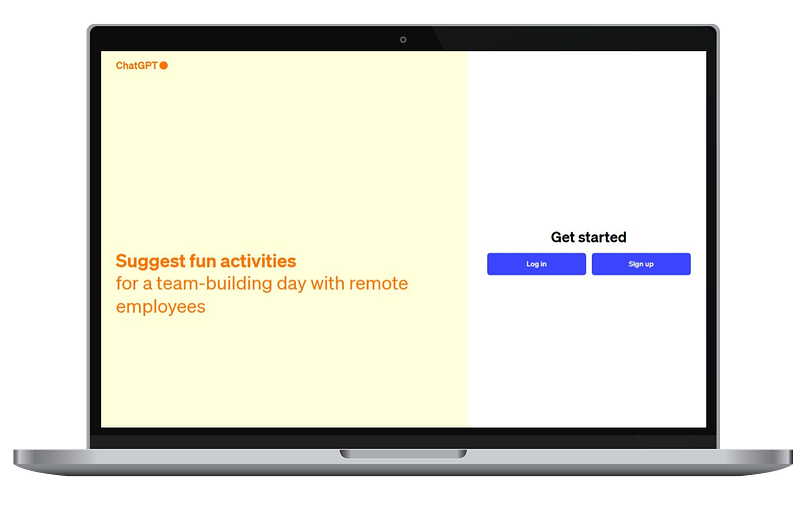
ChatGPT website

3. Fill in your details or sign up using a social media account. 4. Verify your email address to activate your account. 5. Click “Upgrade to Plus” at the bottom of the left sidebar to gain access to it. 6. Select the $20/month ChatGPT Plus subscription, enter your payment details, and you’re good to go.

Step 2. NAVIGATING THROUGH THE DASHBOARD

  1. Click on the “Explore” link on the left sidebar.

ChatGPT New Explore Link

2. Choose DALL·E — Let me turn your imagination into imagery -By ChatGPT

ChatGPT New Explore Page

Step 3. CREATING YOUR FIRST IMAGE

You will starting a new chat in DALL·E 3.

  1. In the image generation box, type in a detailed description of what you want to create. You can create images based on the descriptions provided in text form. This includes generating new images or modifying existing ones as per your instructions. For this example, let’s start with this prompt:

Create a white background with gold accessories, gold Christmas trees, gold Christmas garland, white curtains
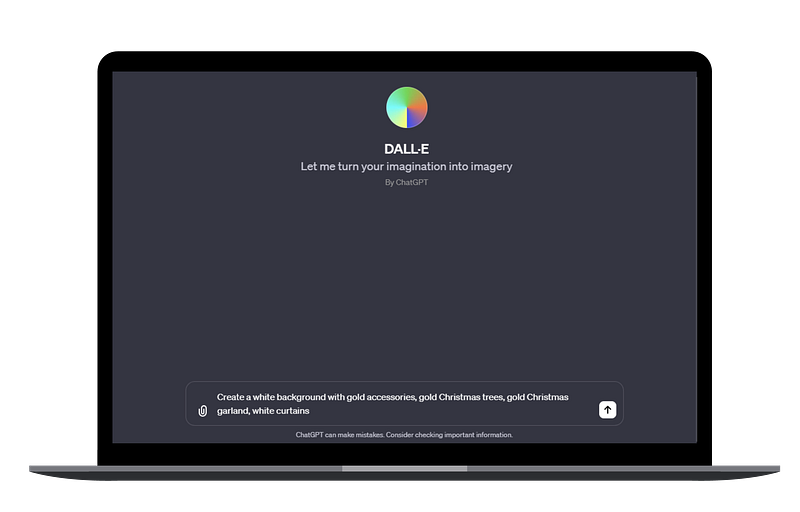
ChatGPT DALL·E 3

2. Click the “up arrow” button and wait for the magic to happen.
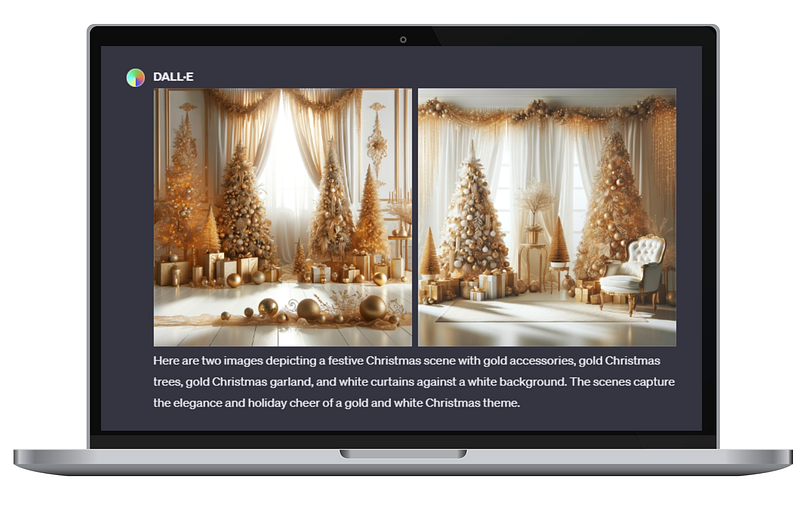
ChatGPT DALL·E 3

Typically it will generate two images for each request. If you don’t specify the number of images you want, it will default to creating two.
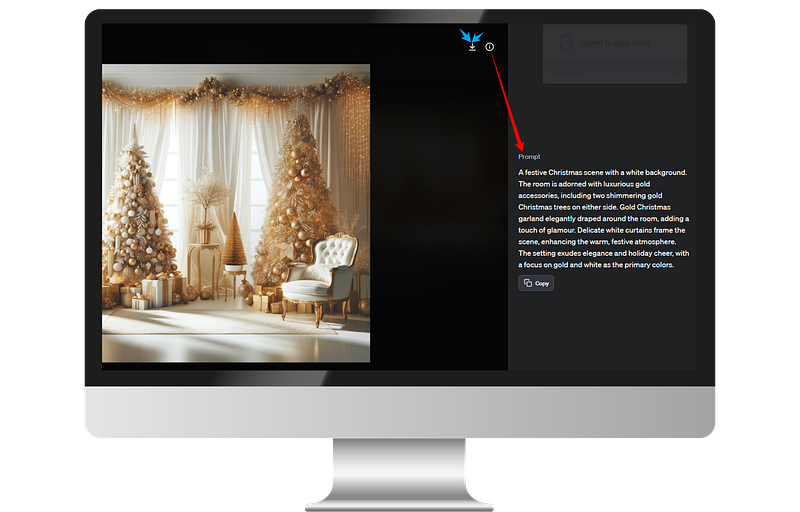
ChatGPT DALL·E 3

To download the image, click on the download icon in the upper right corner of the image. This will save the image to your device.

To verify the prompt sent to ChatGPT, click the info button in the top right corner. This lets you double-check that the prompt matches your intended question, in case the text you submitted wasn't exactly right.

3. You can access this conversation again later by looking at your chat history in the left sidebar.

Step 4. EXPLORING ADVANCED FEATURES

Here's a handful of friendly tips and creative ideas to guide you in making truly outstanding visuals.

Image Sizes

DALL·E 3 can generate images in different sizes: standard square (1024x1024), wide (1792x1024), or full-body portraits (1024x1792). If you want a different size than the standard square, type the one of the other sizes in the prompt.

Start Simple and Specific

Begin with a straightforward template that captures the essence of what you want.

Create an action-packed high-speed motorcycle chase through the city at night as the moonlight shine upon it.
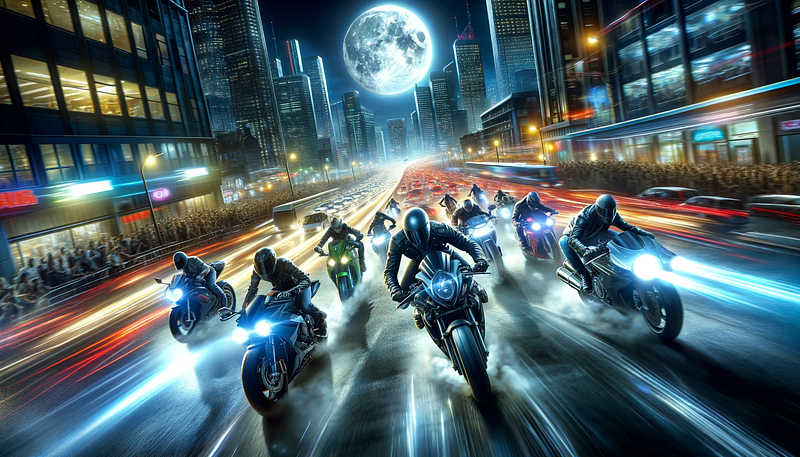
DALL·E 3 photo created by Ai Pixel Designs

Identity the Scene Type

Explicitly state the type of scene, such as a cinematic portrait or black and white photograph.

Create a Blacklight portrait of a woman
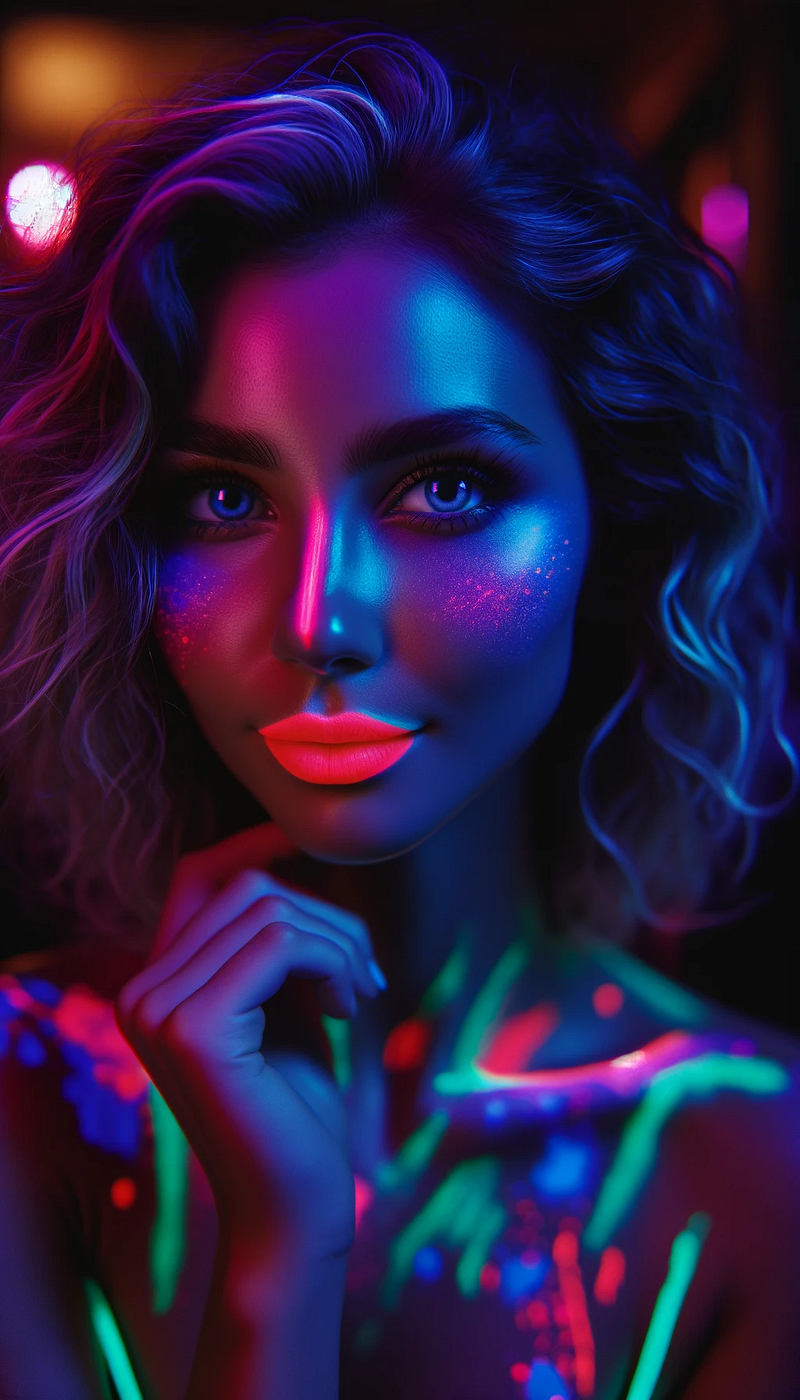
DALL·E 3 photo created by Ai Pixel Designs

Invoke Emotions or Moods

Use descriptive words to evoke specific feelings.

cinematic lightning photography of a sad man in a suit crying on the new york subway, depression, crying, close-up, angry, dark
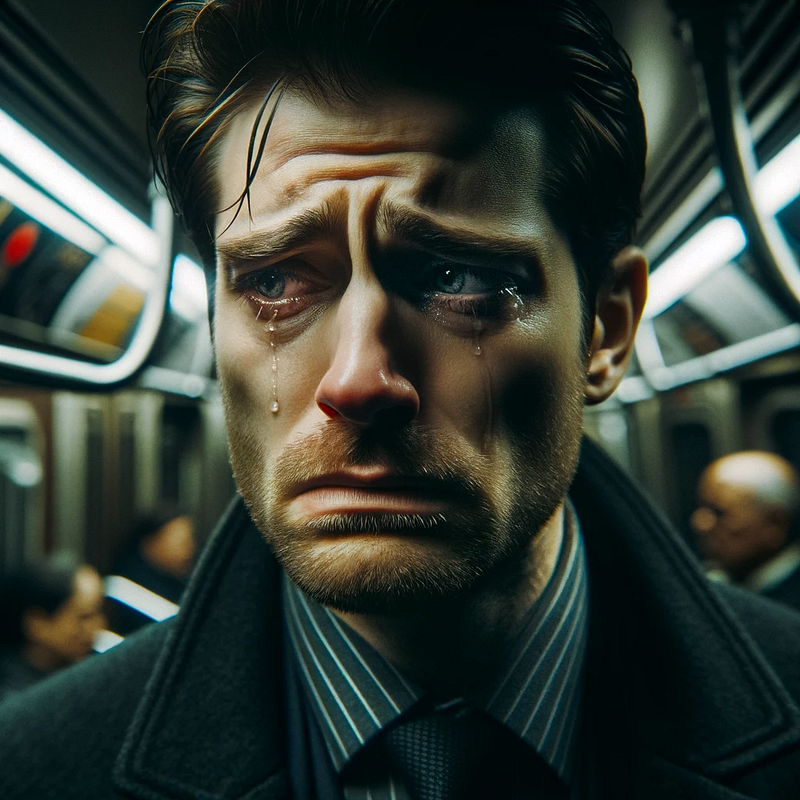
DALL·E 3 photo created by Ai Pixel Designs

Narrative Prompts

Set the scene for a story:

Capture sun beam in the background while a group hiking in the forest. Foggy morning.
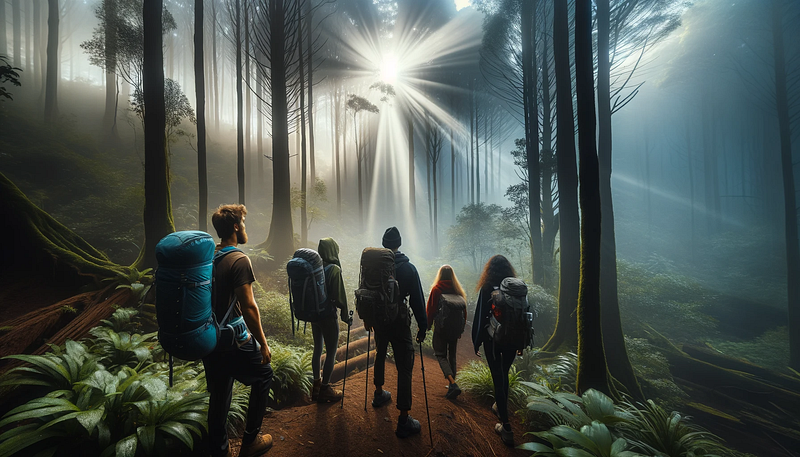
DALL·E 3 photo created by Ai Pixel Designs

Play with Styles

Specify the artistic style you desire.

Surreal photography merges elements of fantasy and dreams, offering the viewer an escape from the ordinary.

Fusion of fashion and surreal photography — an exotic model floats wearing a flowing gown that morphs into clouds
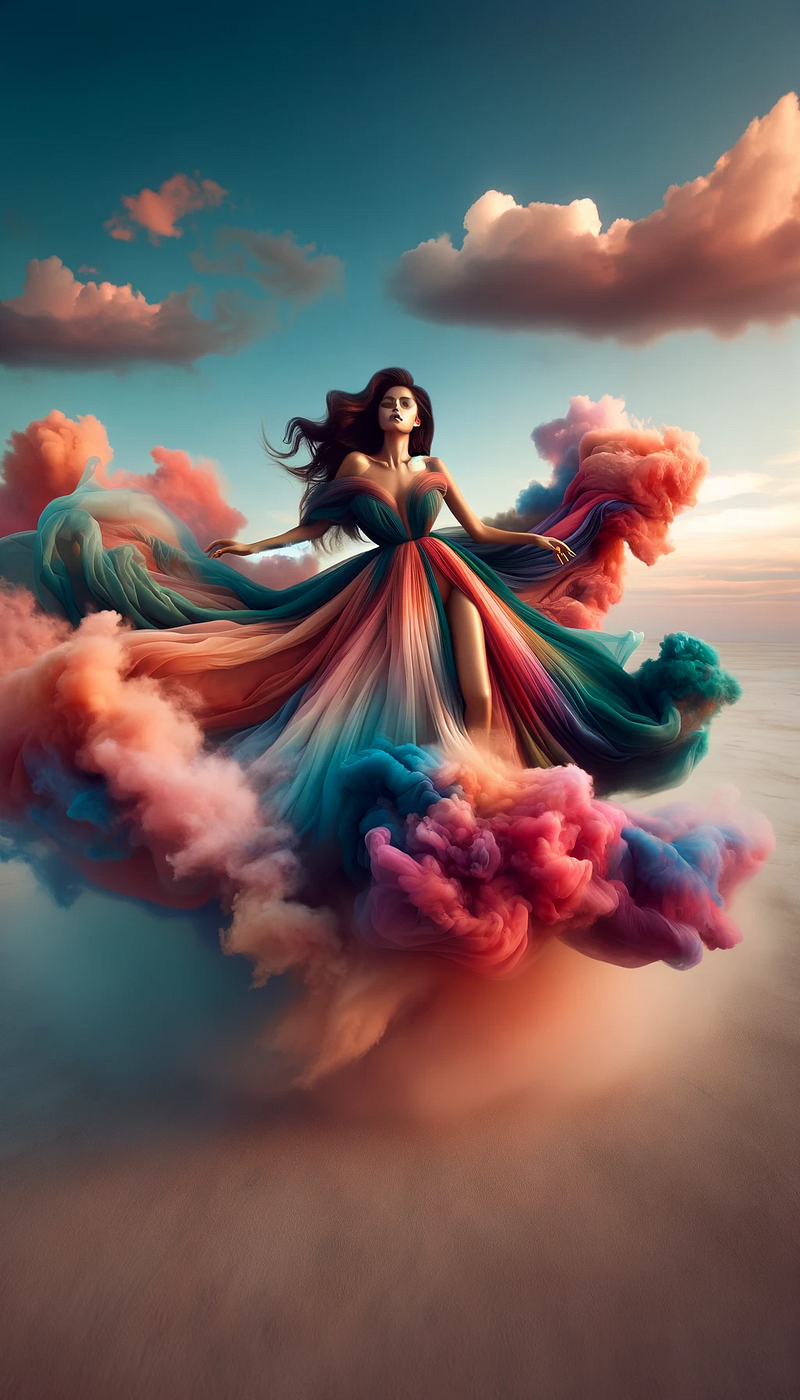
DALL·E 3 photo created by Ai Pixel Designs

Please use this Style Guide created by Joe Amditis as a reference.
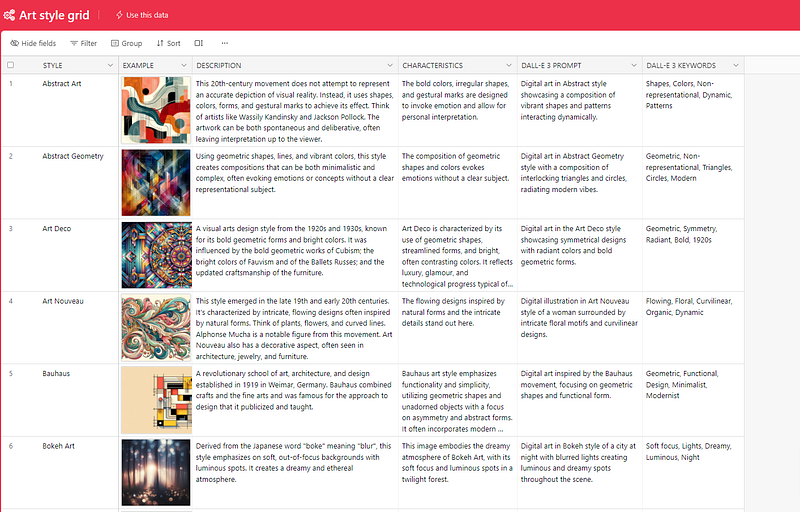
Key Limits and Guidelines

According to DALL·E 3, these are the key limits and guidelines:

  1. Image Generation Policy: When creating images, DALL·E 3 adhere to a specific set of policies. These include avoiding the creation of images of real people, celebrities, or copyrighted characters, and not replicating the styles of artists whose latest work was created after 1912.
  2. Content Limitations: DALL·E 3 won’t create images that are offensive, promote hate, or are explicit in nature.
  3. No Real-Time Interaction or Live Updates: DALL·E 3 doesn’t have the capability for real-time interaction or live updates. The responses and image creations are based on the information available up to the last training data in April 2023.
  4. No External Data Access: DALL·E 3 doesn’t have access to the internet or the ability to pull in current, real-world data.

Step 5. MONETIZING YOUR AI ART
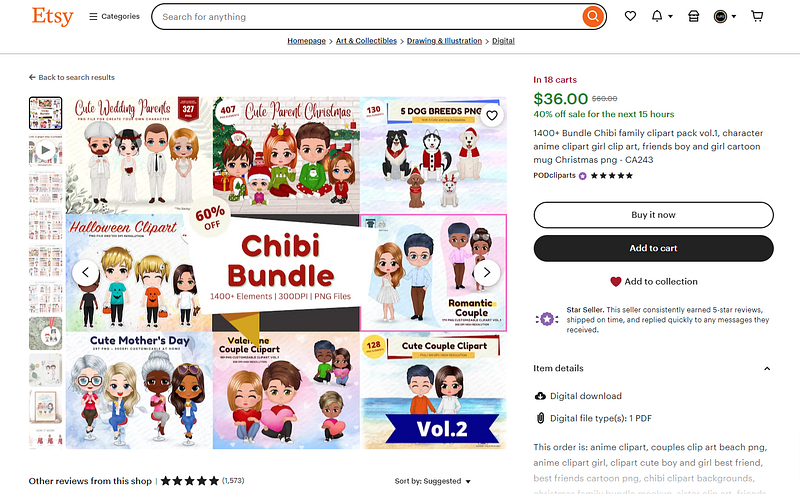
Ai Images Selling On Etsy
  1. Research platforms where you can sell digital art (like Etsy, Redbubble, or Shopify).
  2. Learn about digital rights and how to price your artwork.
  3. Create a portfolio of your best AI-generated images like on Wirestock.io and make even more money.
  4. Promote your art on social media and art forums.

Step 6. BUILDING A PASSIVE INCOME STREAM
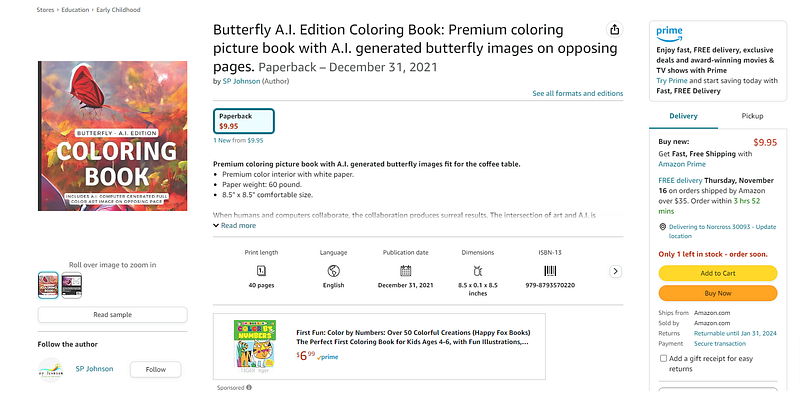
Amazon Ai Coloring Book
  1. Consistently create and upload new artworks.
  2. Engage with your audience on social media for better visibility.
  3. Explore different art niches and trends.
  4. Consider print-on-demand services for additional revenue, such as Shopify, Printify, Printful, and Amazon Direct Kindle Publishing.

Embarking on your DALL-E 3 journey is just the beginning! With practice and creativity, you can transform your AI art into a lucrative passive income stream. Remember, the key is to experiment, learn, and most importantly, have fun with your creations.

Please follow me for Dall-e 3, Midjourney, and more - I share advanced techniques, free prompts, and step-by-step ideas to make money with AI art across different platforms. 📧 Stay tuned for future notifications for new post to help your Ai journey

Affiliate Disclaimer Please note that certain links above are affiliate links, and I will receive a commission if you subscribe through them. Feel free to ask if you have any questions about the items mentioned.

Ai Images
Dalle 3
Ai Prompts
Earn Money Online
Recommended from ReadMedium