avatarElye - A One Eye Developer

Summary

The web content discusses advanced techniques for enhancing user interaction with ViewPager 2 in Android development, including scrolling multiple pages at once and previewing additional pages.

Abstract

The article "Breaking barriers of ViewPager 2" on the undefined website delves into the limitations of ViewPager 2 and provides solutions to overcome them. The author explains that ViewPager 2, unlike RecyclerView, is limited to scrolling one page at a time and displaying only one page in full. However, the article offers workarounds, such as using fakeDrag to enable multiple page scrolling by amplifying the scroll movement, and modifying padding and clipToPadding settings to allow a sneak peek of the next page. These techniques are demonstrated with code snippets and animated examples, aiming to improve the user experience when dealing with multiple pages in an Android application. The author also provides a link to a sample app for practical reference and updates readers on a related blog post about achieving bi-directional infinite scrolling with ViewPager 2.

Opinions

  • The author, Elye, believes that the default behavior of ViewPager 2 can be restrictive for certain use cases, particularly when dealing with a large number of pages.
  • It is implied that the ability to scroll multiple pages and preview adjacent pages can significantly enhance the user experience by making navigation more intuitive and efficient.
  • The use of fakeDrag and padding adjustments is presented as a clever way to extend the capabilities of ViewPager 2 beyond its standard functionality.
  • The author seems to value the sharing of practical solutions, as evidenced by the inclusion of code examples, animated GIFs demonstrating the effects, and a link to a sample application on GitHub.
  • By providing an update on related topics, such as bi-directional infinite scrolling, the author shows a commitment to keeping the Android development community informed about the latest techniques and improvements.

Learning Android Development

Breaking barriers of ViewPager 2

Scroll multiple pages, and show more than one items per page

Picture by 272447 on Pixabay

As explains in my previous blog, ViewPager 2 can’t do all that RecyclerView can do. Below are some of it’s limitations

  • It can only scroll one page at a time. Can’t scroll multiple pages at a time.
  • It can only show a full page of content. Can’t preview the next page content.

However, below are some ways which we could use to break the barrier.

Scrolling multiple pages at a time.

Imagine if you have many pages, scrolling a page at a time is really daunting. Hence would be handy if we can scroll multiple pages at a time.

We could use the fakeDrag to do that, as shown below.
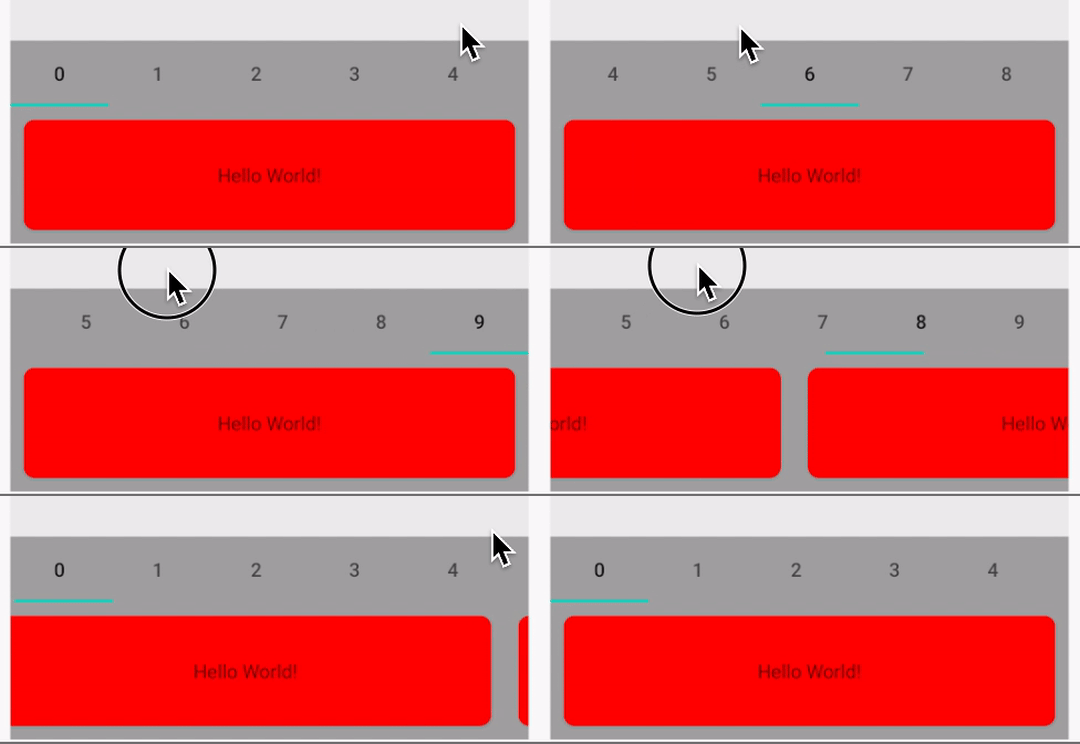
This can be achieved by multiplying the rate of movement as shown below.

private fun handleOnTouchEvent(event: MotionEvent): Boolean {
    when (event.action) {
        MotionEvent.ACTION_DOWN -> {
            lastValue = event.x
            view_pager_quick_scroll.beginFakeDrag()
        }
        MotionEvent.ACTION_MOVE -> {
            val value = event.x
            val delta = value - lastValue
            view_pager_quick_scroll.fakeDragBy(delta * MULTIPLIER)
            lastValue = value
        }
        MotionEvent.ACTION_CANCEL, MotionEvent.ACTION_UP -> {
            view_pager_quick_scroll.endFakeDrag()
        }
    }
    return true
}

Previewing the next page

Even though ViewPager 2 is supposed to show one page at a time, it still would be nice if we can preview the next page (a way to let the user know there’s something to scroll and look at).

This can be achieved by adding additional padding to the RecyclerView within and have clipToPadding = false

view_pager_preview.apply {
    offscreenPageLimit = 1
    val recyclerView = getChildAt(0) as RecyclerView
    recyclerView.apply {
        val padding = card_margin + peek_offset_margin
        setPadding(padding, 0, padding, 0)
        clipToPadding = false
    }
    adapter = MyAdapterFullLength()
}
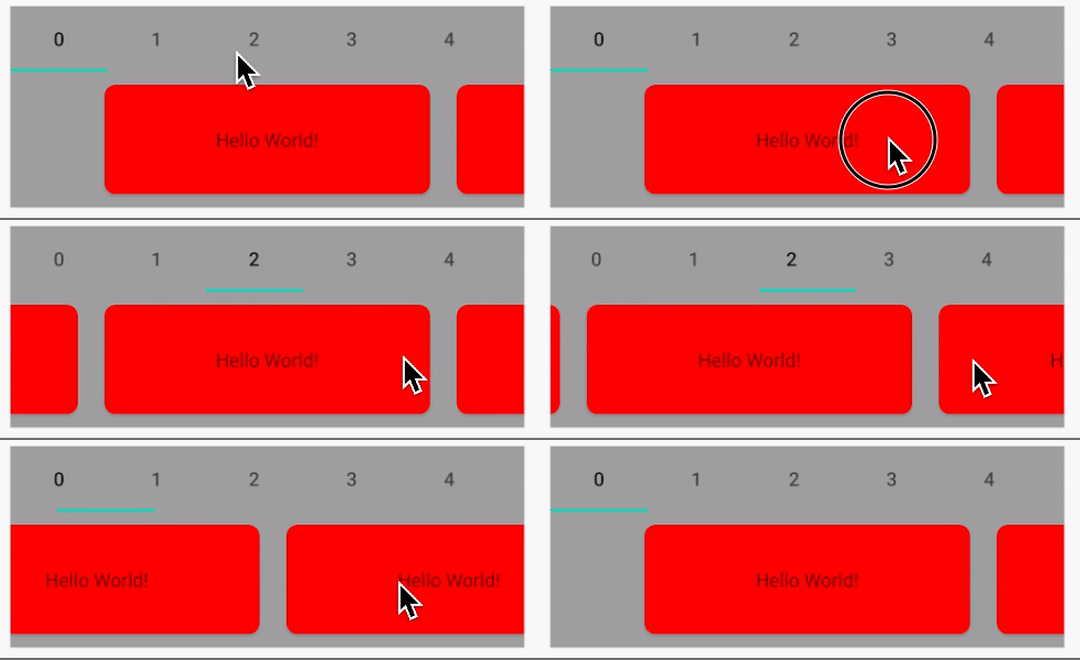
The card_margin is the standard margin of the cell, while the peek_offset_margin is how much we like to preview the next page.

Hopes this provide some workaround fitting your need. You can get the sample app here

Updated: To get Bi-directional Infinite Scrolling ViewPager2, checkout the blog below

Android App Development
AndroidDev
Mobile App Development
App Development
Programming
Recommended from ReadMedium