
Better Array check with Array.isArray
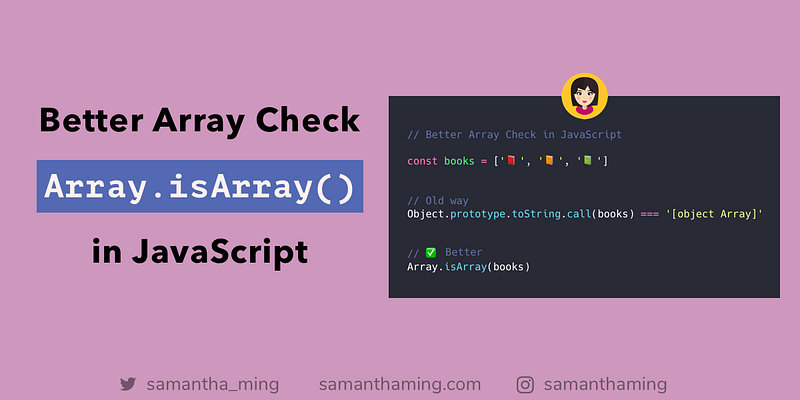
In JavaScript, arrays are not true arrays. They are actually objects. So you can’t simply do a typeof check. Because it will return object 😱
But not a problem! Use Array.isArray() -- finally, there is an easier way to check if a value is an actual array 🎉
const books = ['📕', '📙', '📗'];// Old way
Object.prototype.toString.call(books) === '[object Array]';// ✅ Better
Array.isArray(books);Array is not a true array
Let’s see what I mean by this, array is not a true array.
const array = [];typeof array; // 'object'☝️That’s why you can’t use your typical typeof. Because array is an object type 😕
Array.isArray Demo
Alright, let’s try this method on other values and see what we get 👩🔬
These are all arrays, and will return true
// Empty Array
Array.isArray([]); // true
// Array
Array.isArray(['📓']); // true// Array Constructor
Array.isArray(new Array('📓')); // trueThese are NOT arrays, and will return false
// Object
Array.isArray({}); // false
// Object
Array.isArray({book: '📓'}); // false// Number
Array.isArray(123); // false// Boolean
Array.isArray(true); // false// Boolean
Array.isArray(false); // false// String
Array.isArray('hello'); // false// Null
Array.isArray(null); // false// Undefined
Array.isArray(undefined); // false// NaN
Array.isArray(NaN); // falseinstanceof vs Array.isArray
Another popular choice you might is using instanceof
const books = ['📕', '📙', '📗'];books instanceof Array; // trueBut…
The problem is it doesn’t work with multiple contexts (e.g. frames or windows). Because each frame has different scopes with its own execution environment. Thus, it has a different global object and different constructors. So if you try to test an array against that frame’s context, it will NOT return true, it will return incorrectly as false.
🤯 What are you talking about??? 👈 If this is floating in your mind. Don’t worry, I was too. To understand this, you need to understand JavaScript’s execution context. Here’s a great video explaining it, An Introduction to Functions, Execution Context and the Call Stack. This is a bit more of an advanced topic, so if you’re just a beginner, feel free to skip through it. And when you get a bit more comfortable with JavaScript, then definitely return to this topic. In the meantime, let me try to explain this “multiple context” in non-dev terms.
Explanation in non-dev terms
You can think of frames like different planets. Every planet has its own system, with different gravity pull and composition. So instanceof only works on our planet, Earth. If you bring it to Mars, it won't work. However, with Array.isArray() it will work on any planet. It's universal. That's why you should use Array.isArray().
// Creating our new "planet" called mars
const mars = document.createElement('iframe');
document.body.appendChild(iframe);
xArray = window.frames[window.frames.length-1].Array;
// Let's make an array in our new "planet", mars
var marsArray = new xArray('👩', '👨');// Using the instanceof tool to test the marsArray
marsArray instanceof Array;
// false --> ❌ doesn't work// Now, let's try using our universal tool
Array.isArray(marsArray)
// true --> ✅ great, it works!Community Input
- Code Sample by @_botol
https://jsfiddle.net/botol/ryu324gw
- Cale Shapera: I like to use isArray along with array.length to error check whether I should process a variable.
if (!Array.isArray(array) || !array.length) {
  // array does not exist, is not an array, or is empty
  // ⇒ do not attempt to process array
} else {
  // ⇒ process array
}
Resources
- MDN Web Docs: Array.isArray()
- w3schools: Array.isArray()
- MDN Web Docs: instanceof and multiple context
- MDN Web Docs: instanceof vs isArray
- 2ality: instanceof
- StackOverflow: How do you check if a variable is an array in JavaScript?
- StackOverflow: How to check if an object is an array?
- StackOverflow: Difference between using Array.isArray and instanceof Array
- StackOverflow: Is instanceof Array better than isArray in JavaScript?
- GitHub Issue Discussion: instanceof with multiple windows/iframes
- instanceof considered harmful
- How to better check data types in javascript
Share
- Like this on Twitter
- Like this on Instagram
- Originally published at www.samanthaming.com
Thanks for reading ❤
Say Hello! Instagram | Facebook | Twitter | SamanthaMing.com | Blog


