
Azure Data Factory: Why You Need Reusable Datasets & How to Create Them?
This article describes the importance of reusable/generic datasets in ADF and how to create them.
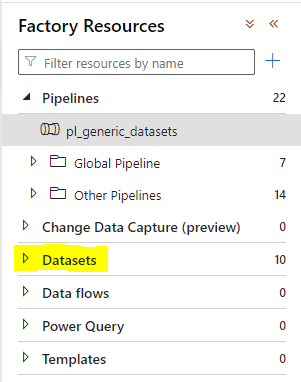
Datasets in Azure Data Factory (ADF) represent a logical reference to the data that you want to ingest, transform, or output in your data pipelines.
They usually include information such as the following:
- data structure of the source and destination (also called sink in ADF).
- connection details to the data in source and sink.
- filepath, schema and file format that ADF needs to work with.
A Scenario
You have a team of 3 data engineers. Let’s call them John, David and Sara. All 3 design ADF pipelines as part of their daily job and thus create datasets.
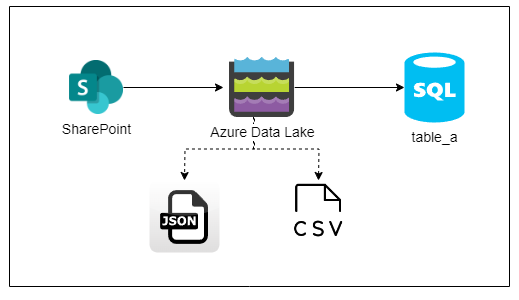
John’s project reads a combination of json and csv files from a SharePoint to load those into a Synapse dedicated SQL pool table called table_a.
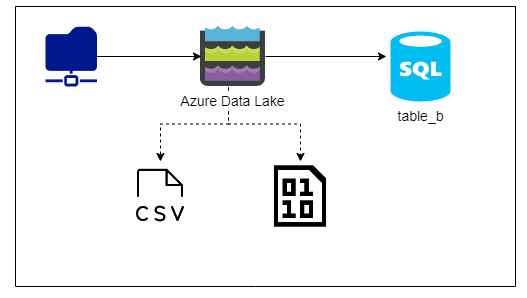
David’s project reads csv files and binary files from a network drive into another Synapse dedicated SQL pool table called table_b.
Sara’s project reads API data through a JSON and loads it into a third table called table_c.
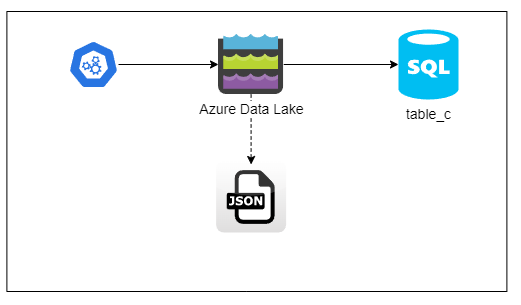
All of them store their incoming data into an Azure data lake storage gen2 container.
Without Generic Datasets
Without creating generic datasets for their needs, John, David and Sara create datasets that cater to their specific use cases.
✓ John creates 3 datasets — csv file, json file and sql dataset for table_a. ✓ David creates 3 datasets — csv file, binary file and sql dataset for table_b. ✓ Sara creates 2datasets — json file and sql dataset for table_c.
Following is how their datasets look in ADF —
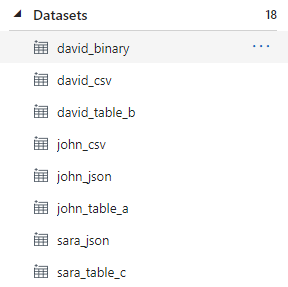
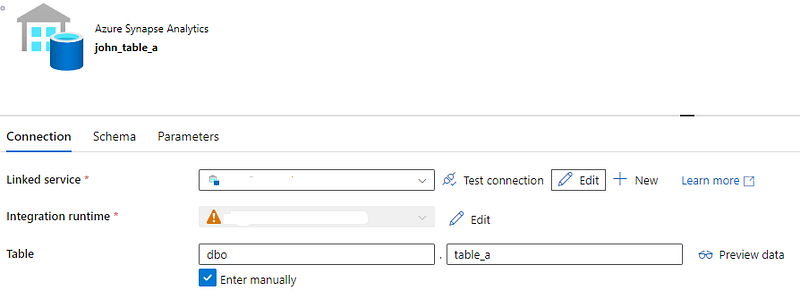
To provide further context, when John, David and Sara created their datasets, they linked those datasets to their data stores only. To put this into perspective, below are the datasets configured for the different tables —
John’s sink dataset —
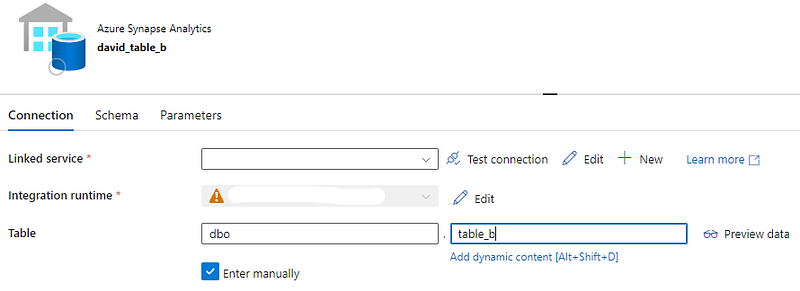
David’s sink dataset —
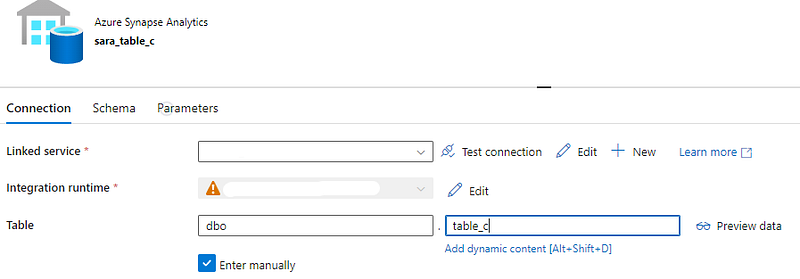
Sara’s sink dataset —
The Problem
Can their data pipelines function like this? Absolutely. Assuming no other error occurs, all the 3 data pipelines will function and load data into their respective tables.
So what’s the problem?
The question to ask is if this approach is optimized and can this be sustained? We can see our ADF already contains-
- 3 datasets for the 3 different tables
- 2 datasets for the 2 csv files
- 2 datasets for the 2 json files
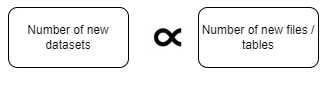
What happens six months or a year from now? As the influx of projects increases, new csv/excel/json files are discovered and new tables get created, our original strategy will balloon the resources used in ADF since the number of new datasets created appears to be directly proportional to the number of new files/tables.
There are additional challenges to be mindful about as well such as-
- Higher maintenance overhead because the team has to maintain the connection settings of data sources/sink and debug multiple datasets should there be an issue with the network configuration.
- ADF’s storage consumption increases with the addition of each duplicated dataset.
The Recommended Solution
To avoid problems like above, consider an approach where you create generic datasets. In simple terms, design a dataset such as a csv or sql table dataset that can be reused for different projects. To apply this approach, let’s analyze how many generic datasets we need to create-
- As we know, John and David’s project uses csv files and thus I will create 1 generic csv dataset instead of John and David needing to create 2 datasets which is a redundant approach.
- John and Sara’s project uses a JSON file each to load data into a SQL table. I will also create a generic dataset for a JSON.
- Finally, all 3 projects feed into different tables which, even thought are different tables, use the same data warehouse/server. So I can create 1 generic dataset that caters to all 3 tables.
Let’s design the generic dataset
Generic CSV Dataset
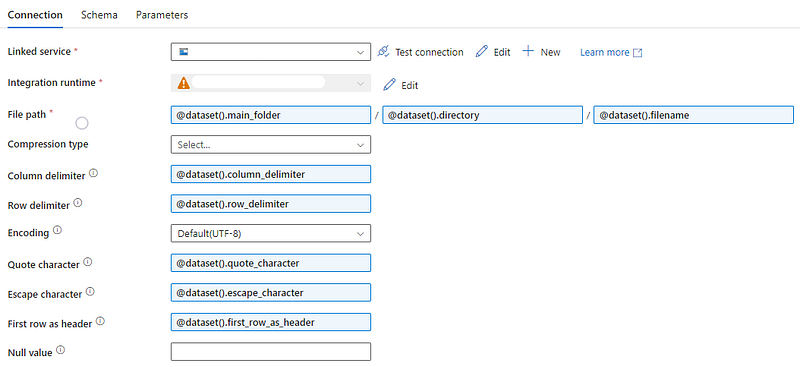
Starting with generic csv dataset, go to parameters, click + New and add 3 different parameters. Since the datasets reside in a folder structure on Azure’s data lake, I will provide the following names —
- main_folder
- directory
- filename
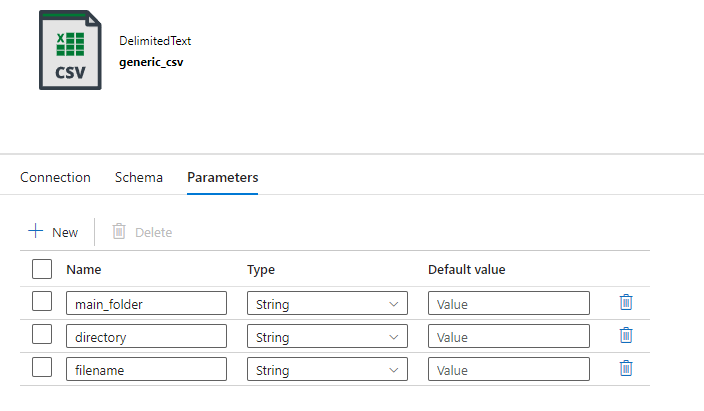
Return to the Connection tab and configure the parameters as shown-
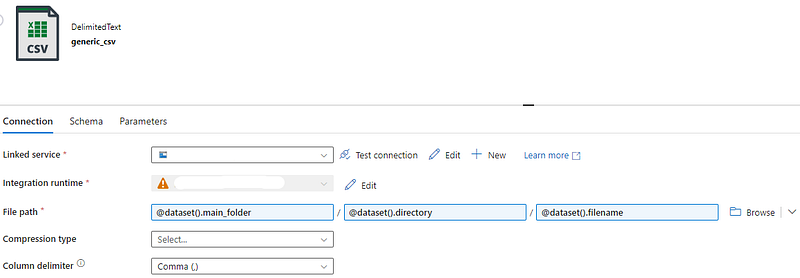
Click Save.
Generic SQL Dataset
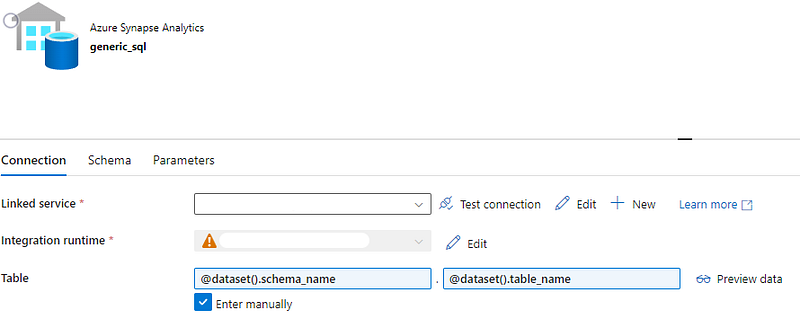
Navigate to any SQL dataset and click Parameters. Add 2 parameters-
- schema_name
- table_name
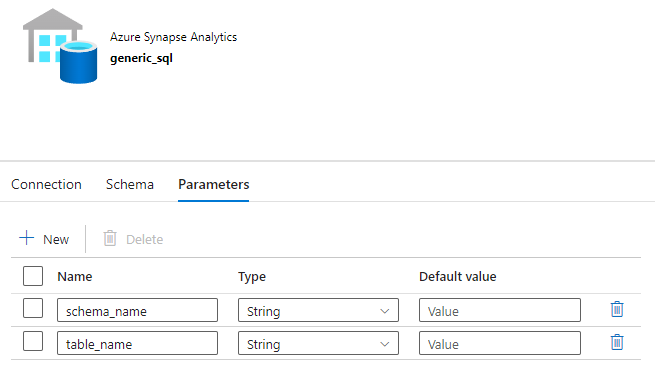
Return to the Connection tab and check Enter manually checkbox. Next, click Add dynamic content.
But, what if in another project, a CSV file uses a different column delimiter?
Often, there will be scenarios where despite your generic dataset’s availability, it may not be of use in a project. As an example, the default value of column delimiter property for a csv is comma. If a project you are working on uses a different delimiter, you will have to either modify the existing generic csv dataset or create a new csv dataset.
Here, I advise to have a forethought and parameterize as many fields as you can. This enables users to provide their custom values while still reusing the same dataset.
How to use a generic dataset?
Going back to the John’s project, he now has 2 generic datasets to work with — one for csv and one for sql. Create a copy activity and from the source, select the generic csv dataset.
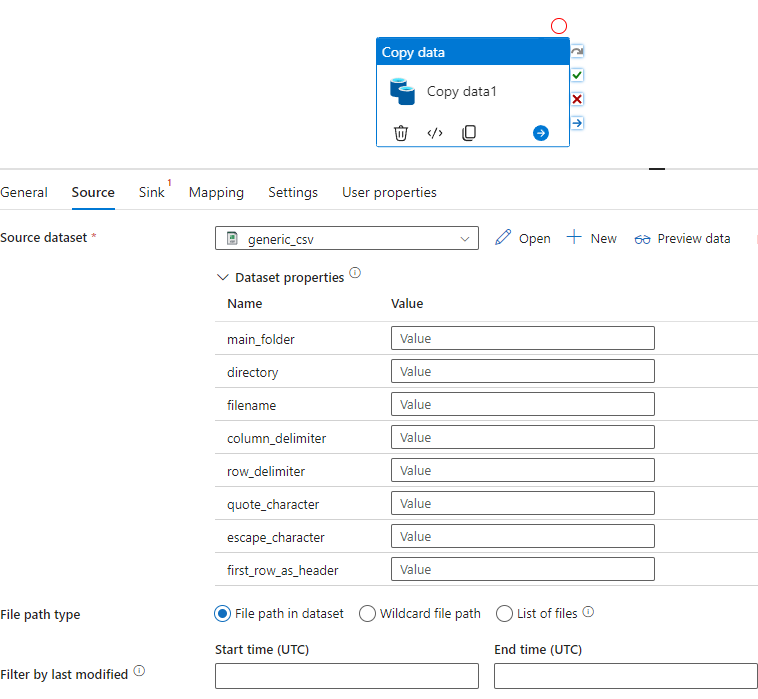
John can now provide the values for all the parameters as shown above. The same dataset can now be used by David to load his csv file in the table_b.
On the sink side, select the generic sql dataset.
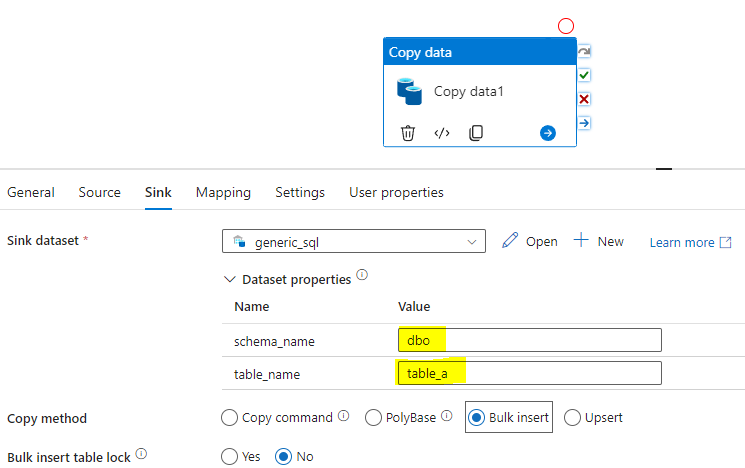
Because the schema and table name properties were parameterized, John is able to provide the schema and table name for his project. The same dataset can be used by David and Sara as well by simply providing the names of their schema and table to the parameters.
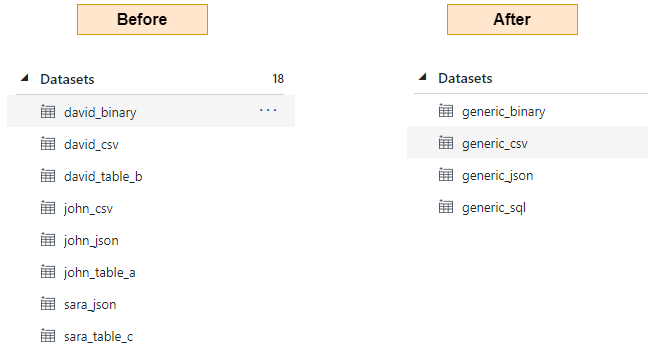
Before and After
Shown below is how the datasets look in ADF before creating generic datasets and after creating generic datasets —
Summary
To summarize, creating generic datasets not only optimizes a data team’s organization but also saves time by reducing the maintenance overhead needed to create/troubleshoot existing datasets. They are particularly useful for working with schema-less data sources like NoSQL databases or data lakes. Of course, I’d urge you to evaluate your use case and assess if creating a generic dataset provides any advantages or not.


