
Automatically Download E-mail Attachments | Python in Finance #3
Automate the extraction of attachments in e-mails using python
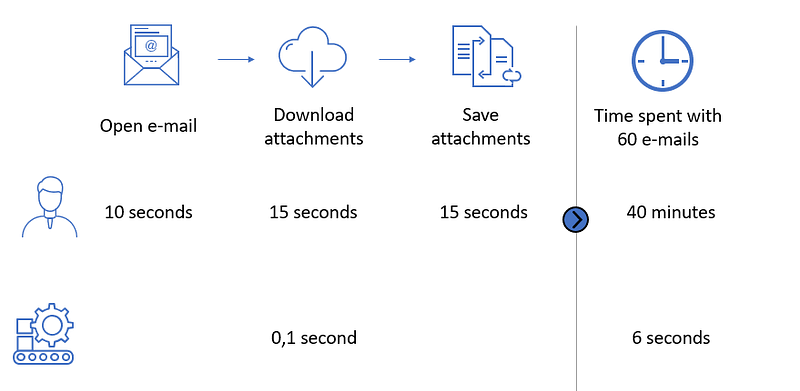
Situation to be automated
The client sends you 60 e-mails that include an excel attachment which needs to be verified.
Normally, you spend 40 minutes opening each e-mail, opening the attachment and then saving it somewhere.
Using this script, you will be able to automate this process.
Process
First, you specify the respective locations of the files:
- source location: the location of where you store all your received e-mails
- output location: the location of where you want to output all the excel attachments
Also, you change the working directory to be the source location.
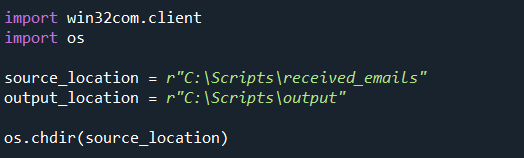
Next, You define the list of files that we want to iterate over.

Finally, You will have to create a loop with the following logic:
For each e-mail in the source location:
- Open the e-mail
- Downloads the attachments
- For each attachment, save the attachment on the output location with the filename specified in the attachment

There you go, this scripts now automatically downloads all attachments of your received e-mails which should save you some time doing this manually.
Happy programming!
Cheers,
Ewoud


