
Automate linting & formatting in PyCharm with your favourite tools
Run black, flake8 & other tools automatically with every file change

If you’ve ever worked in a team, you know that to achieve code and style consistency, you need to agree on a formatter and linter. It will help you with onboarding new members to the codebase, create fewer merge conflicts and generally save time because developers don’t have to care about formatting and style while coding.
Before we dive into how to make your PyCharm run your favourite tools with every file change automatically, let’s cover a few basics.
Formatters
Formatters are tools that reformat some basic things in your code like quotes, commas, and line length. They make sure your codebase stays in a consistent style without any manual work on your end.
Popular Formatters: black, autopep8, yapf
Linters
These tools perform static analysis of source code, checking for semantic discrepancies. So “Linting” means running a tool against your code that identifies violations of style guides. The tool will check your code syntax and provide message that tell you what’s wrong with it.
Popular linters: flake8, pylint
In this blog article I will focus on black, isort and flake8. However, other tools such as mypy (static type checker) can be used in the exact same way. So here’s a short introduction into these tools:
Black
A popular auto formatter is black, “the uncompromising code formatter”. The great part about this tool is:
Blackened code looks the same regardless of the project you’re reading.
It is very opinionated but that’s actually good thing. Because not having many options makes you not discuss the options at all. It’s the basis of many projects (pytest, django etc.) and formats the code to look nicely without being too strict. You can compare its mindset to the formatter prettier for JavaScript.
Here’s an example:
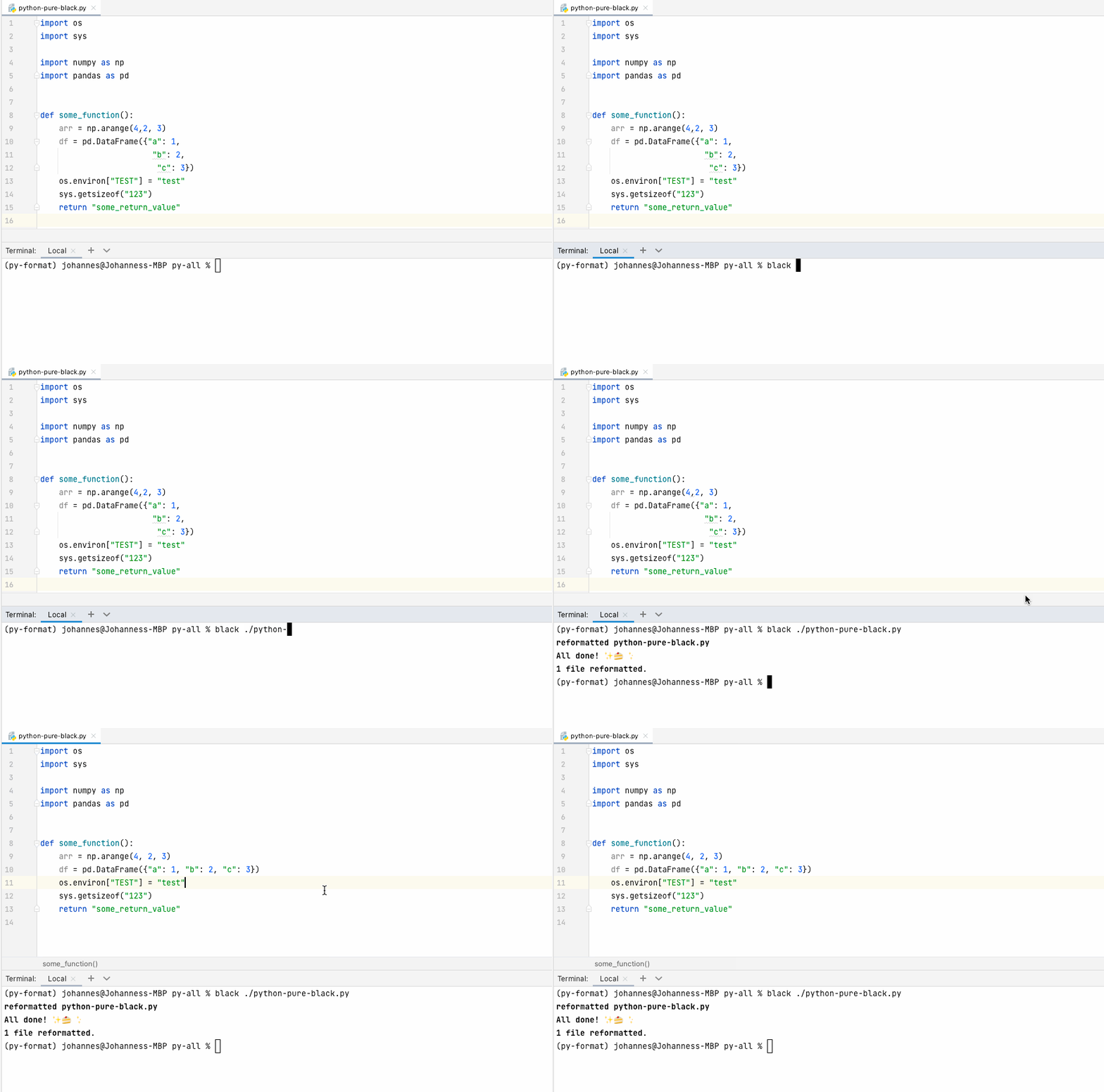
Black is a great formatter but it does not everything what you’d expect. While black also formats your imports, it does not automate sorting them for you. Here is an example of imports that violates the style guide for Python code PEP8:

isort
Here comes isort to the rescue. It “helps to sort and format imports in your Python code.” While Black also formats imports, isort takes care of sorting them correctly, pep8-compliant:

Because there could be conflicts between these two tools, it is advised to use the black profile in isort. Just add .isort.cfg with this content in your projects root:
Ok, so code formatting is covered with e.g. black and imports can be sorted with isort. What about stylistic issues? PyCharm does already a good job finding these through its built in plugins but to be able to enforce specific style-guides for CI, we need a tool that finds stylistic errors for us. Here comes flake8, a popular code linter:
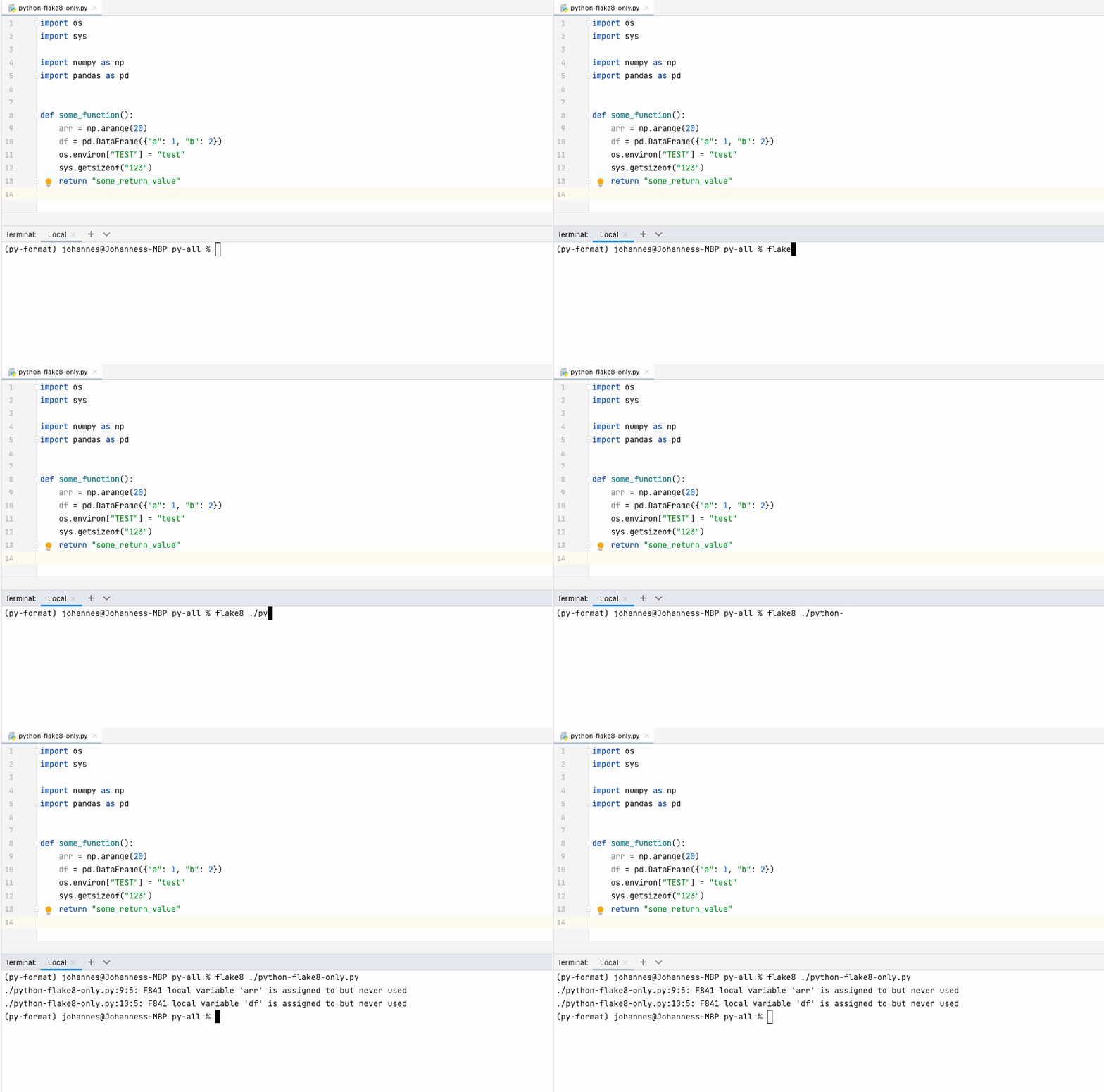
It can detect violations of style rules in source code. It is easy to configure and extensible though plugins. There is a great curated list for flake8 plugins; include flake8-markdown and flake8-pytest.
flake8 itself is a wrapper which verifies pep8, pyflakes and circular complexity. It’s also a command line utility for enforcing style consistency across Python projects.
To avoid incompatibilities with black, here are the recommended settings in a .flake8 config file:
PyCharm integration
You might be thinking: Ok that’s all cool but how do I integrate these tools in PyCharm to run automatically?
I assume that you have formatted your code with PyCharm’s Reformat Code command and imports have been optimised with Optimize Imports so far, either through a shortcut or with a suggested action:

If a project uses an auto-formatter, e.g. black, and you reformat code in this way (default PyCharm project settings), chances are high that the code review will be unnecessarily long and harder to read for your colleagues. Even though PyCharm adheres to PEP8 rules and requirements for arranging and formatting Python code, you often get a slightly different result depending on the formatter used. To mitigate this issue, we can change the code style scheme or the change the .editorconfig file in our project. If anything is not defined in .editorconfig, it's taken from the project settings. And we can even have automatic reformatting on file save.
But there is another option that allows us to run formatters on file change. Introducing the file watchers plugin.
File Watcher is a PyCharm tool that allows you to automatically run a command-line tool like compilers, formatters, or linters when you change or save a file in the IDE.
So first, we need to download and enable this plugin:
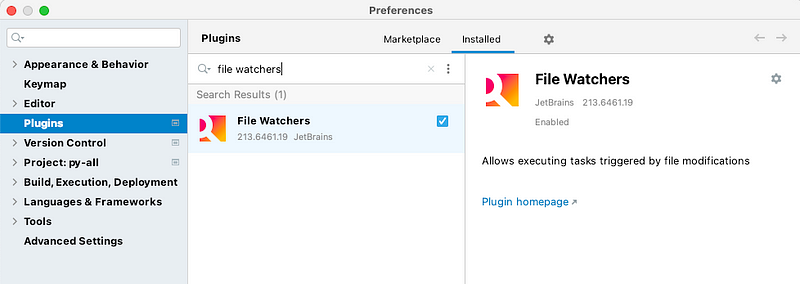
We can then find the plugin under the Tools section in Preferences . Here we can create a file watcher for each of our two formatters black and isort:

Black settings:

isort settings:

Please note: For isort I specify the .isort.cfg that can be found in the project’s root directory. But as pointed out in the comments, we don’t necessarily require this config file that just tells us to use the black profile. Instead we can have it like this: $FilePath$ — profile black
Here is the result for our formatters (black & isort):
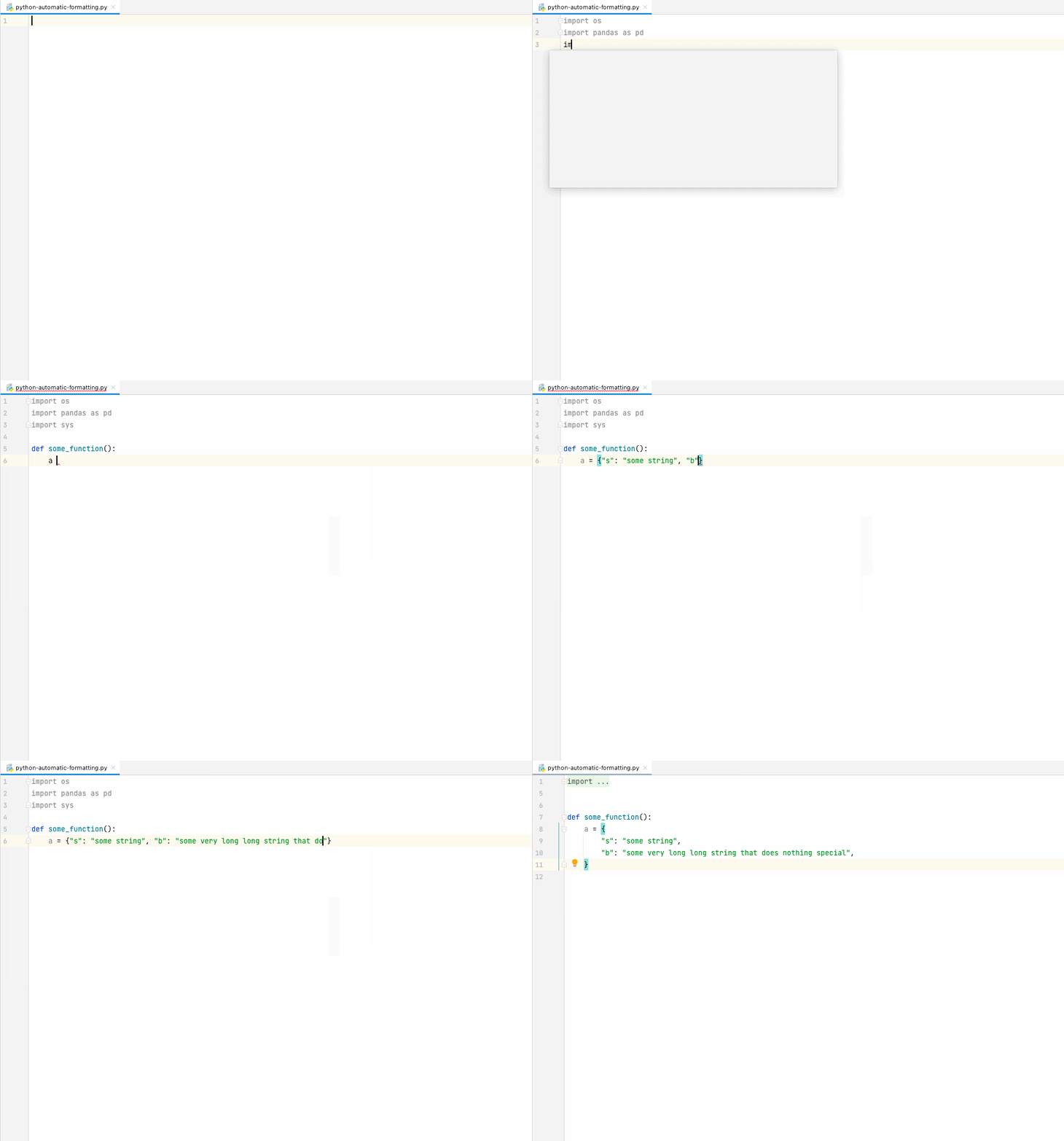
Note: In this example, formatting is invoked with every file save. If you want instant changes while coding, consider checking the Auto-save edited files to trigger the watcher checkbox for your formatters.
Now let’s add flake8 to our automatic stack.
flake8 settings:

Which we also only want to run when the file is saved. Adding to that, we want inspection hints that tell us what’s wrong with the code we are writing. For this, we need to make the modifications in the inspections section under the Editor settings:

Here I want pink borders around code that violates the flake8 style guides. The result looks like this:

Voilà! We integrated our tools into the PyCharm IDE. Feel free to try it out!
If you enjoyed this article, please leave a clap. If you disagree with any of the content, leave a comment.


