avatarLinda Ng

Summary

Medium has introduced a new tipping feature allowing readers to financially support writers directly through the platform.

Abstract

Medium has launched a new feature that enables readers to tip writers as a form of appreciation and support for their content. This feature is currently in beta and can be set up by navigating through the 'Settings → Audience development → Tipping (Beta)' path. Writers can link their preferred third-party payment platforms such as Ko-Fi, Patreon, or Paypal to receive tips. The feature has been well-received by users like Linda Ng, who find it a positive step towards supporting writers on the platform. The tipping option appears at the bottom of stories, and writers are unable to tip their own work. The feature is being rolled out in phases, so it may not be immediately available to all users, but those who have access are encouraged to try it out and provide feedback.

Opinions

  • The author, Linda Ng, is enthusiastic about the new tipping feature, describing it as "too cool" and indicating that it was likely a common request among writers.
  • Linda Ng suspects that the feature was rolled out quickly due to its potential popularity and usefulness to the Medium community.
  • The author appreciates the addition of the tipping feature and expresses excitement about its potential impact on writers' earnings and reader engagement.
  • Linda Ng encourages other writers to update their Medium app and check for the new feature, suggesting a positive outlook on its future development and use.

MEDIUM

Attention! There’s A New Tipping Feature on Medium!

We finally have a built-in option to tip writers.

Yay! A tip feature is on Medium! Photo by Miguel Á. Padriñán

There’s a new tipping feature in Medium! I was fooling around in the Settings this afternoon and noticed a new option for tipping. Intrigued? Keep reading!

How to Set Up Tipping

Follow this path:

Settings → Audience development → Tipping (Beta)
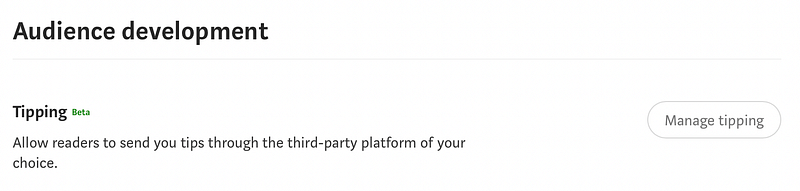
You can allow readers to send tips through a third-party platform now! (screenshot by Linda Ng)

Click “Manage Tipping” and you’ll see the pop-up window below. Add your link by pasting it in the blank space.
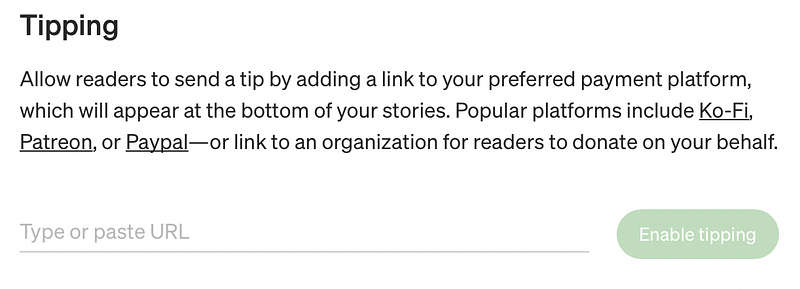
You can use Ko-Fi, Patreon, or Paypal. (screenshot by Linda Ng)

Click “Enable tipping” once you paste the url. You’ll see the confirmation window below.
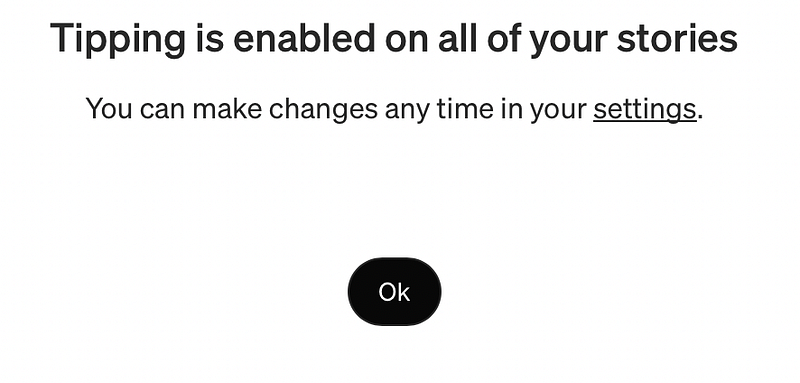
Here’s the confirmation window. (screenshot by Linda Ng)

To check this, I’ve gone to one of my stories to find a new call to action section enabled at the bottom! It says I cannot tip my own story. I imagine that if I see this on another writer’s story, the green button will be enabled.
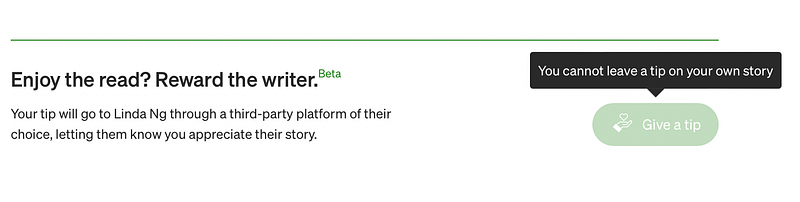
Give the writer a tip by clicking the “Give a tip” button. You cannot leave a tip on your own story. (screenshot by Linda Ng)

Wow, this is too cool! I suspect this was a common request among writers, so it’s being rolled out quickly. It does say “Beta”, so this feature might still be in the testing phase. So far, it’s working really well. I love it!

Let me know what you think about this new feature in the comments below.

If you don’t see this setting, try updating the app first. If it still doesn’t show up, it might be because this feature is being rolled out in phases to writers.

You may need to wait before you see this feature available to you.

Happy Tipping!

📕 Join Medium to read all of Linda’s stories (I get a commission!)
💻 Contribute to Linda’s Macbook fund on Kofi (so I can write more!)
🐤 Connect with Linda on Twitter (tweet! tweet!)
👱🏻‍♀️ Learn 10 things about Linda
New Writers Welcome
Medium
Writing
Ideas
Inspiration
Recommended from ReadMedium