
ASP.NET Core REST API Template Starter Kit

OnionAPI template — a recipe for building advanced REST API. The template can save at least 40 hours of coding time in comparision to starting the REST API project from scratch.
Introduction
In Visual Studio, Microsoft provides ASP.Net Core Web API template to create a simple (“hello world” like) REST API project. In a real-world application, developers typically code advanced features such as pagination, filter, sorting, shaping JSON output, CRUD, and policy-based oAuth2/JWT end-point security. In this story, I am super excited to introduce you to a custom Visual Studio REST API template called OnionAPI. The template is available for free download from the Visual Studio Marketplace. As of 8/31/2021, the template has been downloaded 459 times.
Template Features and Benefits
- Ease-to-use within Visual Studio 2019
- Scaffolding .NET CORE 5 Clean Architecture project structure with boilerplate code for pagination, filter, sorting, and CRUD
- Advanced data shaping to minimize data transfer between API and SPA and API and backend DB
- Integration with IdentityServer4 to use JWT Access Token/claim-based policy for REST API security
- Pre-wired with good practices such as SOLID, Repository, and CQRS patterns
- Integration with Bogus library to support rapid Web API prototype without the database
- API versioning semantics to new and existing REST services
- Swagger JSON to build a rich, customizable experience for describing the web API functionality
Disclaimer: I am the author of the OnionAPI template. When I first started working on ASP.NET WebAPI, I used to clone a working REST API project to start a new project. I often searched and replaced namespace and deleted unused folders/files. After doing repetitive “clone”, I decided to create the Visual Studio template as a starter kit to launch new REST API projects. You can find the template source code at https://github.com/workcontrolgit/TemplateOnionAPI.
The template is designed specifically for API Resources (middleware) development. The generated source code is in pure C#. It does NOT mix frontend technology such as TypeScript, CSS, or HTML, Angular, React in the codebase. It is a great fit for microservice REST API! For more information about API Resources’ role in clean architecture, see CAT architecture pattern for modern app SPA/Mobile.
Prerequisites
- Latest Net Core 5 SDK
- Visual Studio 2019 Community — free code editor for C#
Get Started
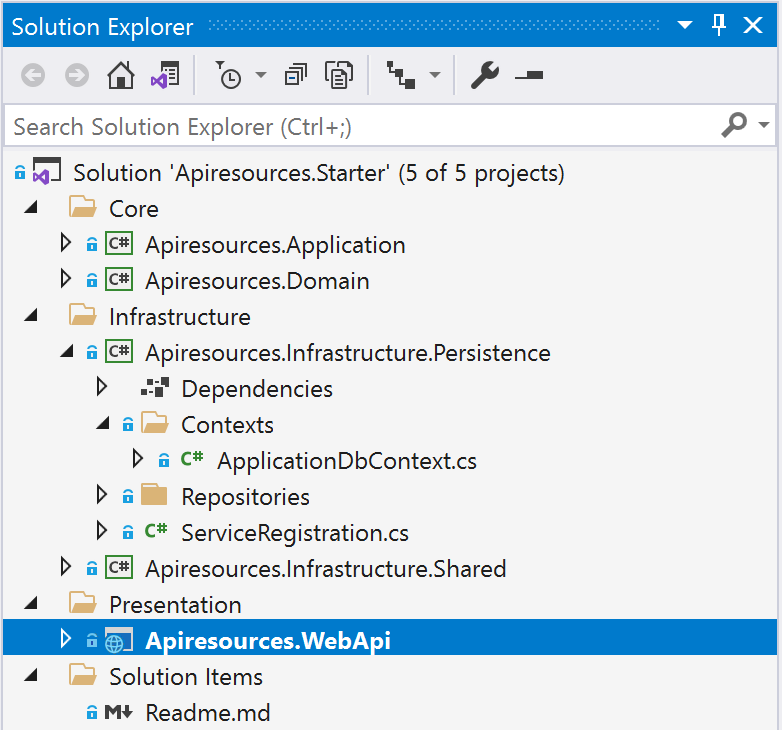
Developers can use the Visual Studio template OnionAPI to scaffold a clean architecture REST API solution. You provide the project name and the template will create five (5) projects inside the solution. Each project is prefixed with the project name and has proper project namespaces in the source code.
- Domain — for entities and the common models
- Application — for Interfaces, CQRS Features, Exceptions, Behaviors
- Infrastructure.Persistence — for application-specific database access
- Infrastructure.Shared — for common services such as Mail Service, Date Time Service, Mock, and so on
- WebApi — for controllers to expose REST API resources and endpoints
The project structure follows the Onion layer architecture as shown in Figure 1.
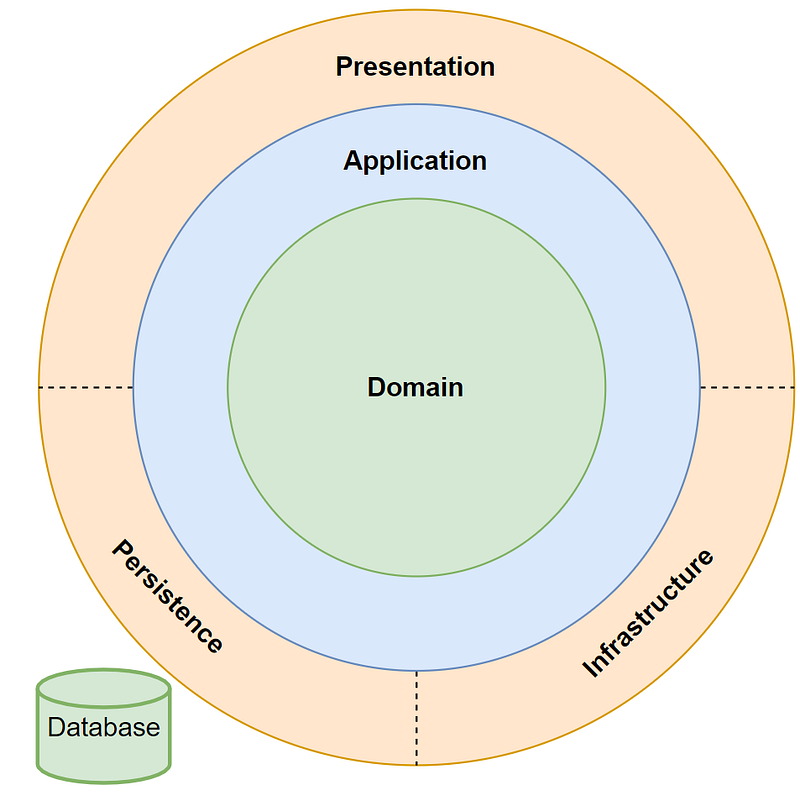
Figure 2 depicts the organization of 5 projects in the Visual Studio Solution Explorer after using the template to generate sample project source code.
The underline tech stack provides loosely coupled and inverted-dependency architecture with good design patterns and practices.
- ASP.NET CORE 5 — a framework for creating RESTful services, also known as web APIs, using C#
- Repository Pattern — abstraction layer between the data access layer and the controller
- CQRS (Command and Query Responsibility Segregation) Pattern — separating read and update operations for a data store to maximize performance, scalability, and security based on MediatR and AutoMapper
- Entity Framework Core — a lightweight, extensible, open-source, and cross-platform version of the popular Entity Framework data access technology
- Swashbuckle — the industry standard for REST API documentation and testing
- Bogus — a realistic, easy to use mock data .NET library for rapid REST API design and testing
Download OnionAPI Template
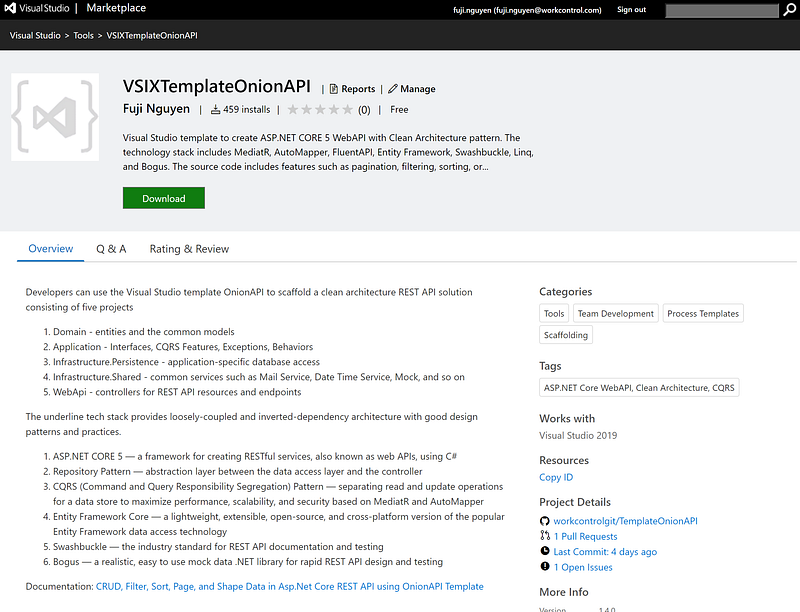
You can download the OnionAPI template from the Visual Studio Marketplace (see Figure 3). After download, click on the VSIXTemplateOnionAPI.vsix to install the extension. If you are new to Visual Studio Extension, visit Manage extensions for Visual Studio for installation instructions.
Generate a New REST API Project with OnionAPI Template
The easiest way to create a new project is to start from a project template for a particular type of application or website. A project template consists of a basic set of pre-generated code files, config files, assets, and settings.
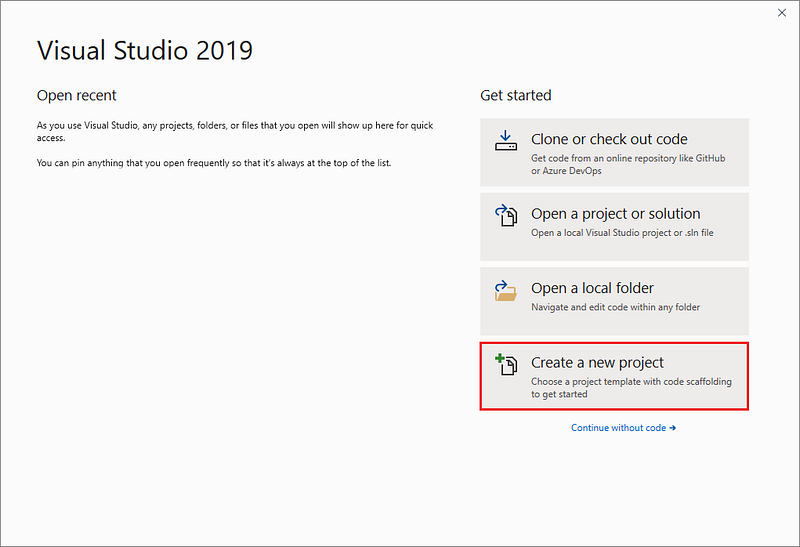
When you first open Visual Studio, the start window appears, and from there, you can choose to create a new project.
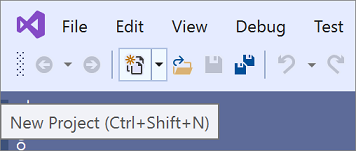
If the Visual Studio development environment is already open, you can create a new project by choosing File > New > Project on the menu bar or by clicking the New Project button on the toolbar (see Figure 5).
Select a Template Type
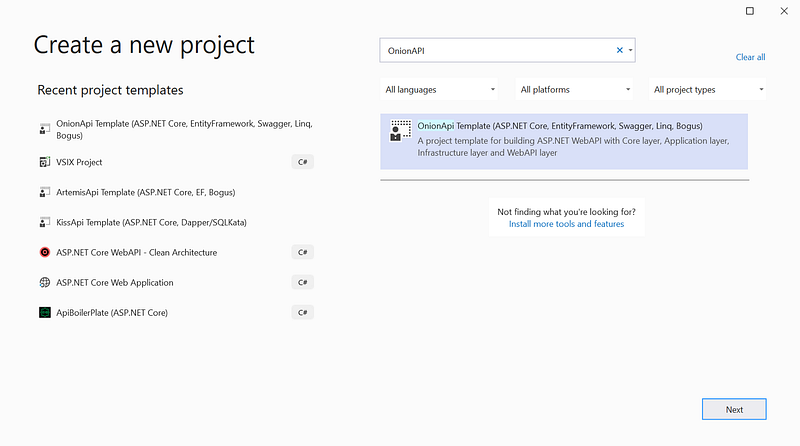
On the Create a new project page, a list of your recently selected templates appears on the left. The templates are sorted by most recently used.
Create a Solution
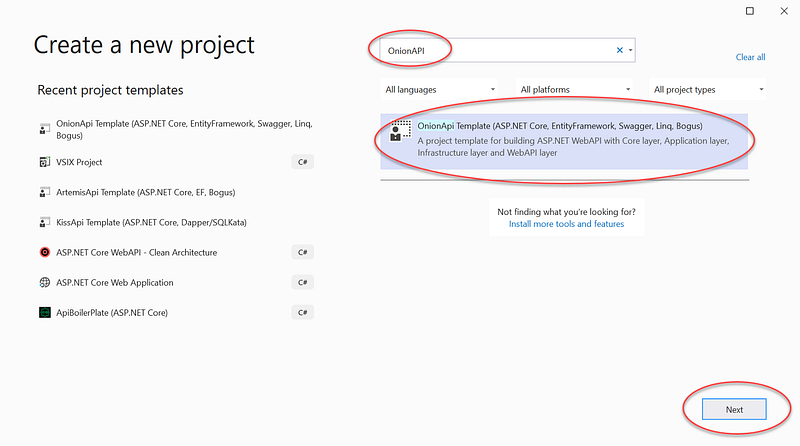
On the Create a new project screen, search for OnionAPI and select the OnionAPI template and click on the Next button (see Figure 7)
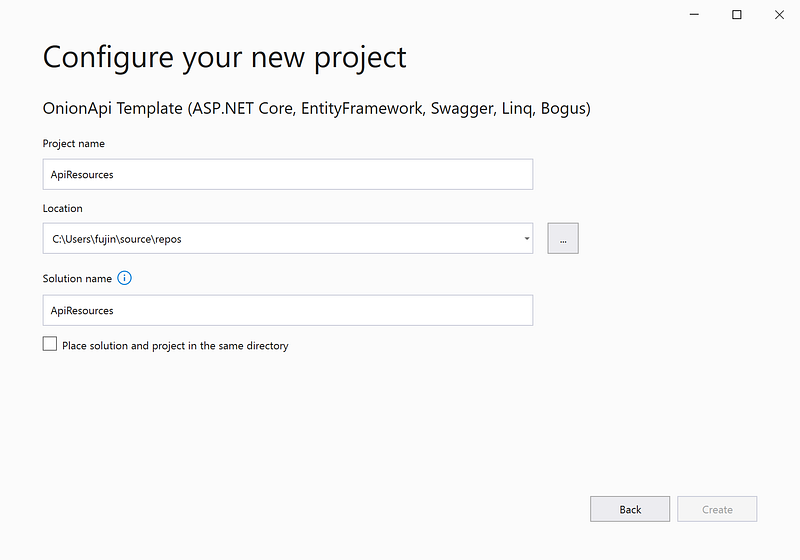
Enter the project name (ex. ApiResources) and click on the Create button (see Figure 8)
Hit F5 to run. The swagger should show in the browser (see Figure 9)
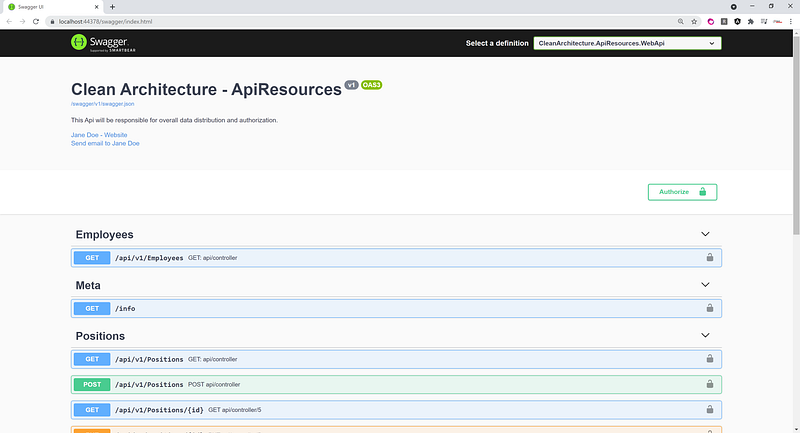
Try Out Filtering, Sorting, Shaping, and Paging Features
The OnionAPI template creates two REST resources
- Employees — This is a mock REST API resource where the data is dynamically generated by Bogus library at run time. To learn more about Bogus, check the link in the Related Stories section later on.
- Positions — This REST API resource gets its data from the actual database table Positions. This table is automatically seeded with 1,000 rows of fake data when the project first runs.
To try out REST API in Swagger
- Click on Employees > GET to expand the screen
- Click on Try it out
- Enter parameters (can leave blank to use default values)
- Click on the Execute button
- Review of the JSON output
Screencast
The YouTube video (see link below) is a record of the steps that I went over in this tutorial.
Source Code
For reference purposes, you can find the scaffolded ApiResources project at https://github.com/workcontrolgit/ApiResources. You can fork and run it with Visual Studio 2019 without any modification.
Tutorial Demo
Developers love to see working source code. We all like to experiment with how something works, and then decide whether we want to spend our valuable time learning it. Check out the live demo. The demo is from the tutorial NetCore 5 Pagination 100,000+ Rows in which I went over the Angular calling REST API that was scaffolded from the OnionAPI template.
Summary
When managing the development, many organizations are struggling with governance and look for value-added process improvement tools. The OnionAPI template increases consistency while decreases delivery times.
The OnionAPI provides boilerplate code to create advanced REST API features such as data filtering, sorting, shaping, paging, CRUD, and data validation. These features are written as the base classes, so you can inherit and extend them to meet your project-specific requirements.
Let’s peel the onion (: