
Asana: Is It the Right Project Management Tool for Writers?
A complete review of the popular project management tool

The buzz among writers and content marketers is that Asana’s features and service surpass that of other project management tools. Whether you’re a freelance blogger, journalist, team of creatives, or big enterprise, Asana has something for everyone.
As a content creator, its versatile management and dependency features give you more control of your editorial strategy. It also makes it easier to form a daily writing habit. After all, you already have a list of tasks assigned for each day so why not get some help from a powerful tool like Asana? All these benefits make it a great asset in your writing toolkit. Speaking with over seven years of experience as an Asana user, my team and I can vouch for its effectiveness for both our marketing agency and publications.
With that said, selecting a project management platform is easier said than done. That’s why I wrote this detailed Asana review to highlight its best features, pricing, and competitors. That way, you’ll know what you’re getting into when you start using it.
Let’s go. Here’s everything you need to know about Asana.
The Basics: What Is Asana?
Asana is a popular project management tool that helps teams organize, track, and collaborate efficiently. It comes with multiple organization and task management features, along with app integrations, to maximize performance.
Even though it was launched way back in 2008, it still holds a coveted position amongst productivity tools. Perhaps that is because it was founded by Dustin Moskovitz (co-founder of Facebook) and Justin Rosenstein. The duo’s prior experiences came in handy to create an intuitive app for project management.
Asana’s primary function is to build a space for multiple team members (including writers and creatives) to interact while they work on projects. Its aesthetically pleasing user-interface helps writers record article ideas and track the progress of ongoing projects.
The benefits of using Asana as a writer are:
- Streamlines workflow and task management.
- Optimizes daily operations by reducing redundant tasks via automation.
- Provides a detailed overview of project status and sub-tasks.
- Includes note-taking and brainstorming options for individual bloggers and content teams.
- Handles 15-plus users from a single administrator control panel.
- Offers multiple ready-to-use templates and custom templates for editorial calendars.
- It makes collaboration easier with its interactive features.
- Integrates with other SaaS tools (i.e. Google Drive, Slack, Zapier, Harvest, etc.).
- It is compatible with Android, iOS, and desktop versions.
As a whole, it is an excellent platform for writers and teams who would like to organize their work schedules. Asana also helps teams work more efficiently, productively, and quickly. As a result, you get to plan ahead and stay on top of your publishing deadlines.
The Overview: The Best Asana Features
There are many new project management tools available in the market these days. Yet, only a few can compete with the assorted range of features that Asana offers.
My Asana review gives you a rundown of its best specs and features below.
1. Timeline
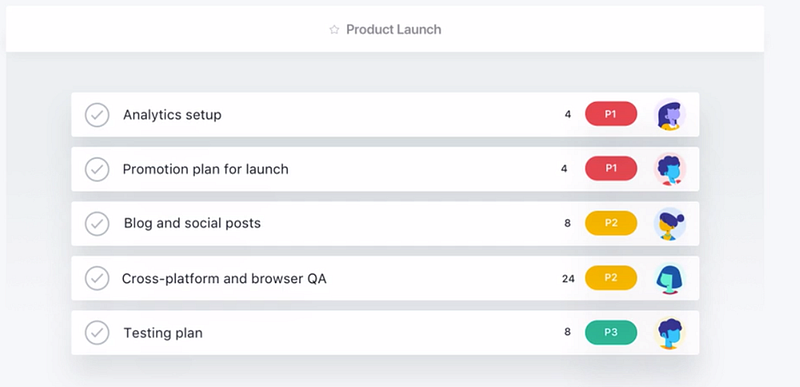
Asana Timeline allows you to create project plans that cover each production phase in a single frame. By designing a Gantt chart in minutes, you get to view tasks, dependencies, team members, and due dates in one glance.
You can also convert this overview into a calendar form or to-do list interface. The flexible viewing modes make delegating tasks relatively easy. Also, the clean divisions and custom fields make it possible to navigate through each panel without any trouble. It’s pretty neat!
2. Tasks
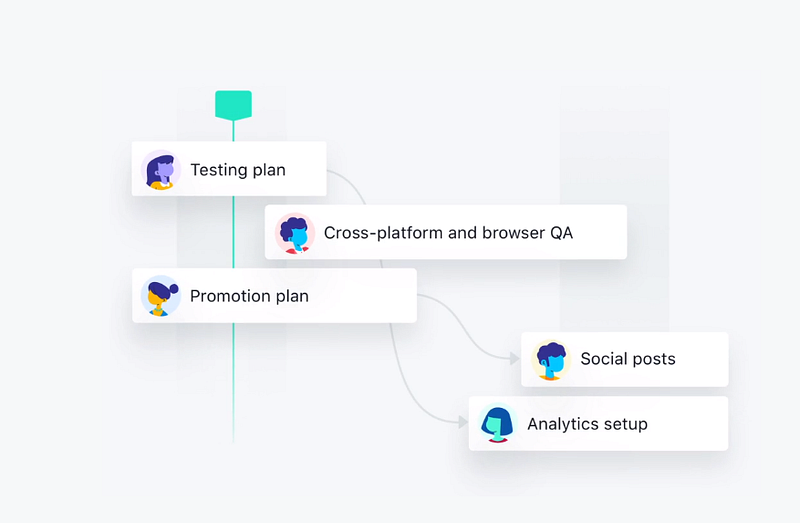
Once you select a custom Gantt chart template, you can move onto tasks. Asana is more than an online to-do list. It allows you to separate tasks into different subtasks with just a few clicks.
After that, you can appoint individual writers or team members to work on each task. Then, give them due dates for finishing those assignments. Additionally, by opting for task dependencies, you can ensure that task B begins only if task A is completed.
Bonus: Team leaders can also view workloads to keep track of how the tasks are divided and the contribution of each team member.
3. Portfolios
Of course, if your writing business grows into a full-fledged firm, then you’ll have more work on your hands. In these cases, you can upgrade your Asana package to become a Business/Enterprise user.
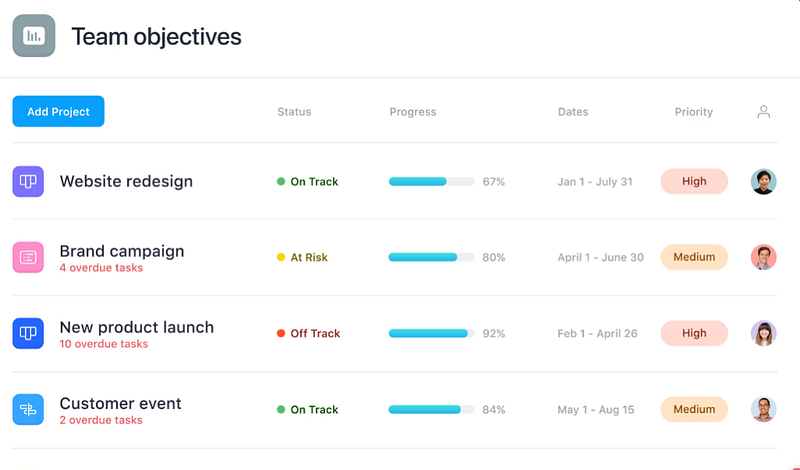
As a Business/Enterprise user, you get to use project portfolios to prioritize your work. The sweet feature gives you the bird’s eye view of project status and updates in real-time. You also get to see how much work is left for one project, and which ones are currently ‘at risk.’
Clicking on the specific project tab takes you to an individual panel. From that window, you can learn more information about the project. The portfolio offers a chat section to interact with team members and discuss ongoing revisions whenever required.
4. App Integrations
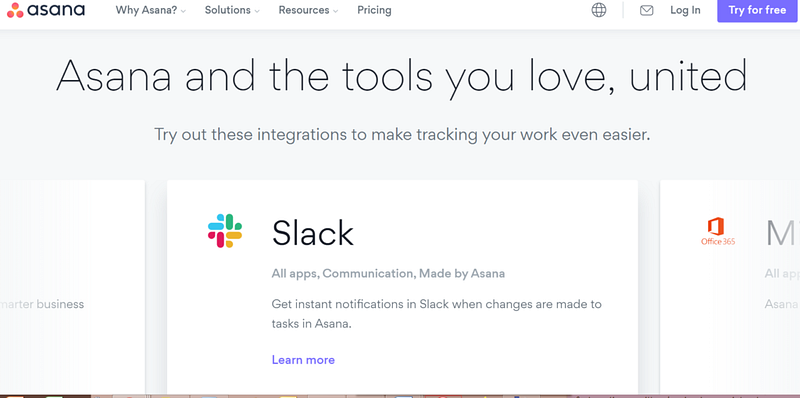
Asana gets another user experience win with its app integrations. You can enjoy a range of third-party services on a single platform.
For instance, you can integrate Slack to get chat notifications and send updates to team members in real-time. Or you may maximize storage space by integrating Dropbox or Google Drive.
Other app integrations include:
- Google Sheets
- Gmail
- Office 365
- Zapier
- Jot Form
- Git Lab
- GitHub, etc.
Want to know more? Look at the complete list here.
The Price: How Much Does Asana Cost?
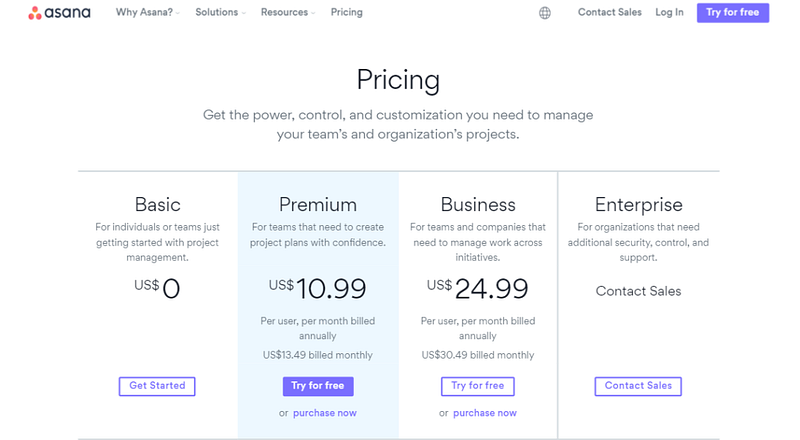
Asana offers flexible pricing plans. The features included in each plan vary according to the price.
Asana is available for free for small teams (15 users max). The basic package offers everything from editorial calendars, unlimited file attachments to task lists. It, however, doesn’t display the timeline view or custom dashboards. Also, the app integration is limited.
So if you’re interested in customization, then you should opt for a premium package. Currently, Asana pricing comprises of three premium-tier offerings.
The different plans are:
1. Premium ($10.99/month — billed annually)
The first paid plan costs $10.99 per user per month (and is billed annually — $13.49 billed monthly). The premium package makes it easier to track and manage teams through its customizable features. These include custom fields for task delegation, task dependencies, advanced search, and team training resources. Most of these features are only available on the admin control panel made for project managers.
2. Business ($24.99/month — billed annually)
With the Business plan, you can upgrade the project management panel. The price is $24.99 per month for each user and is billed annually. The cost is $30.49 per month for each user billed monthly.
The Business plan includes portfolio features, proofing, an approval feature, onboarding, and secure custom fields for managers. You also get a set of new integrations such as Adobe Creative Cloud.
All these features make it easier for content teams to keep track of their assignments and collaborate with other creatives (i.e. designers and video makers)
3. Enterprise (custom pricing)
Asana is often dubbed as the project management starter pack for freelance content creators and marketers. Yet, the company does serve clients that run bigger businesses. For enterprise clients, they have created an exclusive package that accommodates their individual needs.
Besides the project management features from the previous models, it offers data exporting, custom branding, and use provisioning features. In addition to this, they offer a priority support system that keeps confidential files and data safe from security breaches.
The cost of this package is kept under wraps. You’ll have to contact a sales rep to get a quote. You can reportedly negotiate the price according to your particular project requirements.
Overall, compared to other project management tools, Asana is cheaper and more scalable. It’s convenient for content teams who plan to expand in the future.
Pro tip: Asana offers a 30-day free trial for the Premium and Business packages. The only catch is that you have to apply for the service via credit card. Your account will be billed automatically once your trial expires.
Battle Royale: How Does Asana Compare to Other Project Management Tools?
Of course, the main question is if Asana is better than competing project management tools for writers. It’s important to research other options available in the market before making a final decision. I researched the product landscape to help you make an informed decision.
Here’s a rundown of my comparative analysis:
1. Asana vs. Trello
Trello functions and looks like a digitized version of a pinning board. With a card-oriented task management interface, you get to choose and shift tasks according to their work statuses. For instance, you can transfer blogs from “drafting” to “publish” once you complete the task.
When you compare Trello with Asana, the project management system is user-friendly and easy to navigate. The premium options come within the same price range too, but the learning curve is lower for Trello. It also offers an unlimited task list and Google integration.
However, as your work portfolio increases, so do the cards on the Trello board. Eventually, things can get messy and overwhelming.
Therefore, Asana wins the Asana vs. Trello debate when you consider the scope of project management. Not only does Asana streamline workflow, but it also accommodates subtasks too. You also get a clearer picture of how each task connects to the other. This makes collaborations between teams more efficient and productive.
2. Basecamp vs. Asana
Basecamp is a user-friendly project management tool that features multiple task-oriented options. This includes lists, calendars, message boards, and custom templates. It is compatible with Android, iOS, and Windows.
Perhaps the best thing about Basecamp is the 500 GB of storage, which allows you to share 2 GB files with ease. This is something Asana lacks, since it maxes out with the transfer of 100 MB files. If you’re looking for a larger capacity, then you will need to integrate third-party cloud services for data transfer. File storage capacity and bandwidth typically isn’t a problem for writers since documents are usually small files.
With that said, Asana provides more coverage and features than Basecamp. The most prominent of which is the subtask structure and dependency management. It also offers more visual tracking aids (i.e. charts, Kanban boards, and timelines) and ready-to-use templates.
In the competition between Basecamp vs. Asana, the latter wins in several categories. Not only is Asana more user-friendly, but it is more flexible too. You would, however, need cloud storage if you wish to transfer large media files.
3. Wrike vs. Asana
Wrike is similar to Asana as far as functionality and variety. They’ve got subtasks, dependency management, and interactive features. Wrike also offers a report generator and an additional workload overview.
Additionally, the Wrike subscription includes a budget tracking system for premium enterprise users. Something like this is currently unavailable in Asana.
With that said, project management on Asana is comparatively easier. You can learn the features right off the bat with the help of its engaging welcome tour.
Asana wins the storage space battle, as Wrike has limitations on every plan (maxing out at 50 GB for the Professional plan).
In the end, the two project management platforms are close to neck and neck in terms of their offerings. Your best bet is to try their free trials before making your final decision.
4. ClickUp vs. Asana
Last but not least, we’ve got ClickUp vs. Asana. Comparing these two platforms was more challenging because of their similarities. They both offer a to-do list with subtasks and interactive features. They both offer color-coded and customized workspaces according to the user’s needs. Plus, arranging the project plan is fairly easy for both tools.
One thing that sets Asana apart is its third-party integrations. As I mentioned earlier, Asana integrates with Slack, Google Drive, Zapier, Mailchimp, and more. ClickUp has a smaller pool of integrations — most of which are already available in Asana.
Also, Asana has a simpler user interface. With ClickUp, you have to go through a bigger learning curve that might be too time-consuming when you’re on a tight writing schedule.
But one thing’s for sure: It’s hard to say no to ClickUp’s $5 per month per user (paid annually) for unlimited storage and projects. Wow, that’s affordable!
Though I’m leaning toward Asana in the comparison with ClickUp, you should weigh the pros and cons of both project management tools for yourself. Think of the features that align with your content goals, then select the project management platform that fulfills those requirements.
The Verdict
In conclusion, Asana is an excellent project management platform for writers. It works as an editorial planner, collaboration tool, and project management app all in one.
With Asana you can track your projects, performance, and so much more.
Moreover, its real-time interface and simplicity give it an edge over other project management tools.


