
Are You Using the Right Audio and Video Equipment for the Next Online Meeting?
Zoom fatigue is real, and the cause is usually inadequate sound and video equipment
Why are meetings in person more fun?
Because everyone sounds and looks super-ultra HD.
To bridge the gap between meeting in person and meeting online, great audio and video quality becomes the key to make an online meeting and online learning experience better for everyone.
The COVID-19 pandemic forced the rapid transition to work from home for everyone. By now, we all have had an opportunity to experience endless frustration in many online meetings, regardless of whether we were on Zoom, Microsofts Team, GoTo, Webex, or a Google Hangouts platform.
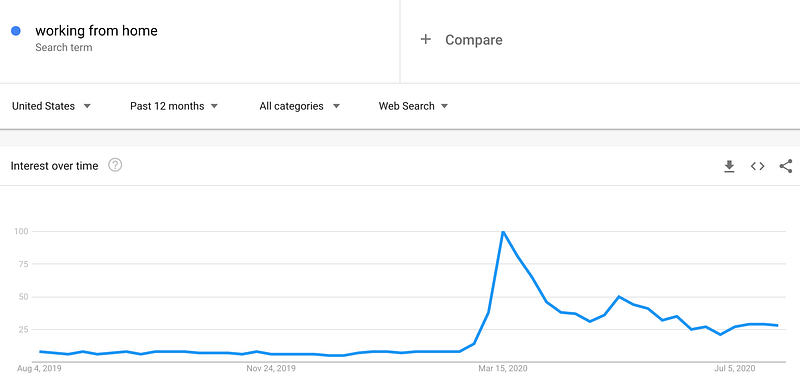
The majority of our bad online meeting experiences are not platform related. Our fatigue and frustration stem more from the fact that one person is very hard to hear, and another's comments and sentences are impossible to understand, and yet another’s video tile shows just their silhouette so no one can see whether they are frowning or smiling when presenting quarterly results.
It is more often inadequate sound and/or video quality that quickly deteriorates our online communication and makes it frustrating, unproductive, and tiring.
Can We Make Online Meetings Good?
Is the future of online meetings doomed, and are we now to suffer increasingly dreadful Zoom-GoTo-Webex-Hangout fatigue-spreading online gatherings while working from home?
I believe that the future of online meetings and online learning is actually pretty bright. I’m an optimist, of course, but there are also several facts supporting my belief.
The first one is the huge progress the world has made in all key technologies needed to make remote work and online meetings productive. The second one is human historically-proven adaptability to new more effective ways of conducting business or learning.
So let’s first find out which online meeting persona we all aspire to be, and then we can explore the most suitable home office equipment we may want to consider to use when working and meeting online from home.
And when we all sound and look great in online meetings, I guarantee the world of working from home will be a much better place for everyone!
What Is Your Online Meeting Persona Aspiration?
Have you watched or listened to great podcasts?
All great online performers having something in common that you can learn from and apply to your zoom meetings. Besides entertaining and insightful content, of course, they all also sound and look great, making them more engaging on our screens and in our ears.
Sure, these are professionally produced, but the microphones, the lighting, and the cameras these online star-presenters are using are not out of reach for all us the humble remote office workers. The right equipment for you depends on your budget and what you aspire to; the larger your audience and the bigger the budget, the more complex and expensive it gets.
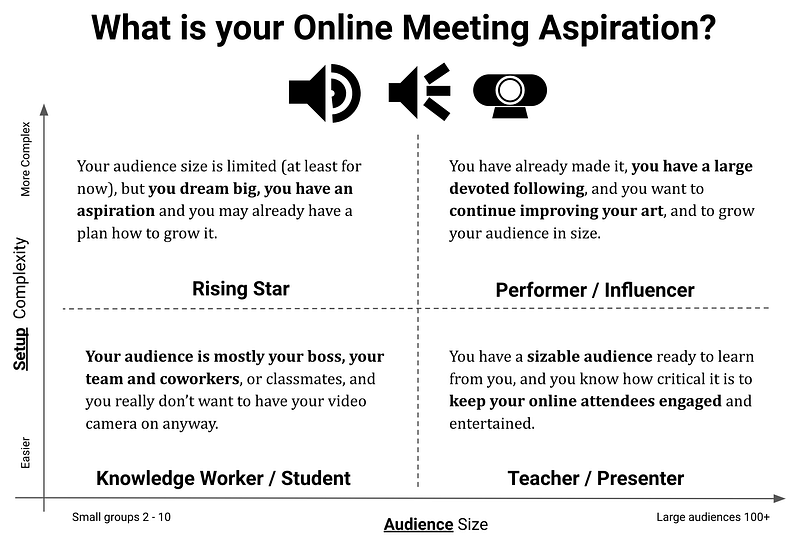
To help to make your selection of the right home office audio and video equipment easier, we need to first self-identify your online meeting personality and aspiration.
Using the guide above, consider your typical meeting audience size and your preference or tolerance for audio and video equipment setup complexity. The crossing of those two values should represent your current online persona aspiration, right now. And as we know, our aspirations tend to evolve:
Now that you have determined your online meeting persona, whether it is a great Knowledge Worker, a new Rising Star, a dedicated Teacher/Presenter, or a well-known Performer/Influencer, we can proceed to review the Home Office Equipment Guide.
The guide consists of the four separate sections, listing highly-rated audio and video products suited for each online persona type. Its objective is to offer help and streamline a potentially cumbersome selection process.
Home Office Equipment Guide — Getting Started
The following curated Home Office Equipment Guide lists the highly-rated and competitively priced microphones, headphones, lighting, webcams, and accessories and groups them into four distinct categories to best fit the needs of unique online meeting personalities.
Most of the listed equipment is linked to Amazon.com. In some instances, mainly when the item is higher-priced, I recommend that you also check the price for that item on B & H Photo Video, which frequently offers great deals and additional savings on the sales tax through its credit card program. (These are all non-affiliate links.)
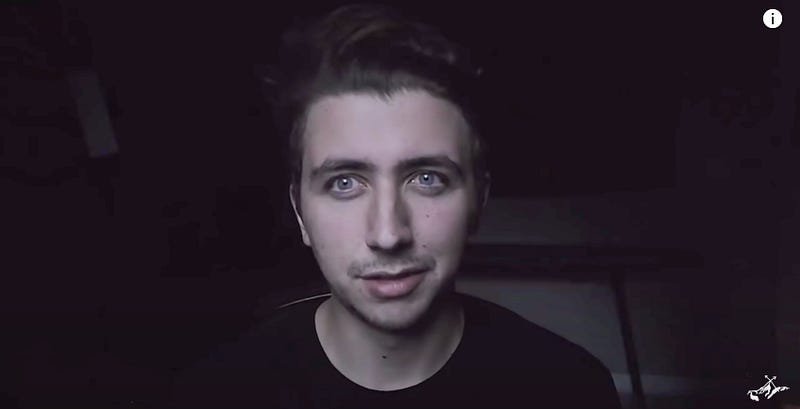
I highly suggest you watch Nigel Barros’ helpful video, How to Make a $300 Camera Look Pro! — I’ve included screenshots of it below to illustrate the big difference lighting changes can make. Once you choose the equipment using the information below, you can use the setup information and tips in his video to really dial in the right setup for you.
Knowledge Worker/Student — Home Office Equipment Guide
Having the webcam on when joining the online meeting is not that critical for you, so the key to your success online is the great sound.
While there are several, good-quality wireless headphones like Bose QuietComfort 35 II Wireless Bluetooth Headphones, Apple AirPods, or Apple AirPods Pro that could do the meeting audio job well, I only recommend wired headphones, so no one will ever run out of batteries in the middle of the next important online meeting.
#1: Audio — Microphone and headphone options for the Knowledge Worker and Student
If you happen to be an online gamer, there is good news for you. Check if your gaming headset works also with your PC. If you know how to turn off your effect lighting, you could be all set and good to go!
In case there is a technical reason why your headset doesn’t connect well to your PC, there are several great and reasonably priced headsets with a mic available:
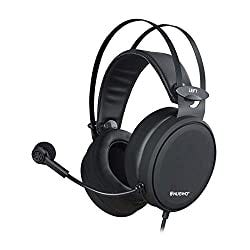
Gaming headsets N7, Stereo Wired, PC with Noise Canceling Mic, priced below $40.00.
4.2-star rating and 4,490 reviews at the time of writing.
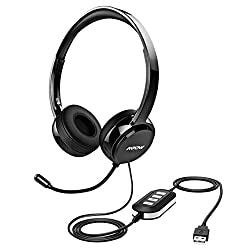
Mpow 071 USB Headset t with Microphone Noise Cancelling, priced below $35.00.
4.2-star rating and 8,040 reviews at the time of writing.
#2: Lighting — Light options for the Knowledge Worker and Student
Even though using a webcam and video may not be that important for knowledge workers, I would still suggest investing in a simple dimmable LED office lamp with adjustable light colors.
A nice office lamp enhances any home office design, and besides lighting the workspace area for you, it will help you to look much better in those moments when someone asks you to turn on your webcam.
Here are two nice dimmable and color adjustable office desk lamps to consider:
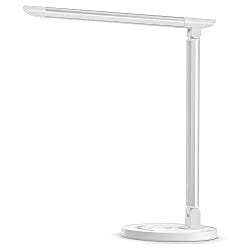
TaoTronics LED Desk Lamp, Dimmable with USB Charging Port, priced below $45.00.
4.8-star rating and 14,380 reviews at the time of writing.
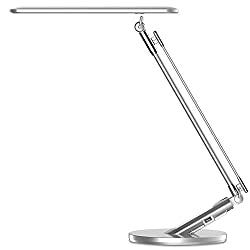
LED Desk Lamp, 7 Dimming Levels, 4 Lighting Modes, USB Charging Port, priced below $30.00.
4.8-star rating and 2,340 reviews at the time of writing.
Rising Star — Home Office Equipment Guide
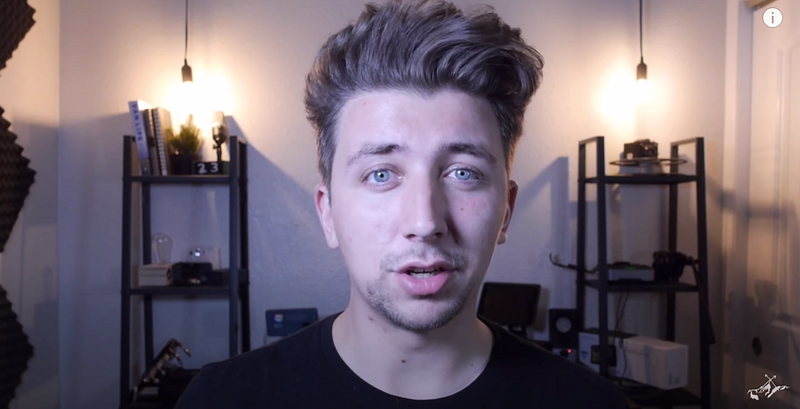
Your audience size is limited (at least for now), but you dream big, you have audience aspiration, and you may already have a plan on how to grow it.
You are helping to drive the online meeting and online learning revolution. You are changing the world of working-from-home and making it better and fun for everyone. Thank you!
#1: Audio — Microphone and headphone options for the Rising Star
To meet the audio needs and ambitions of the new Rising Star home office/studio, there are several great mics available below a hundred dollars. Your key selection criteria are your design style preference and space availability on your home office desk.
If you like simple design, don’t take many notes during your meetings and don’t tend to move away from the screen and desk during your meetings, a nice desktop microphone with a stand or mini-tripod is a great solution for you:
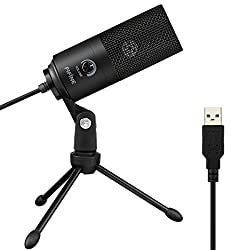
USB Microphone, Fifine Metal Condenser for Laptop MAC or Windows, priced below $50.00
4.4-star rating and 4,400 reviews at the time of writing.
However, if you don’t mind a little setup and want to save some workspace on your home office desk, you should consider a more sophisticated microphone set up with an adjustable scissor arm clamped to your office desk.
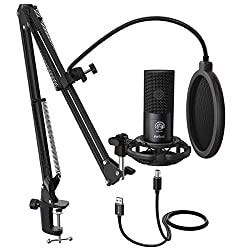
FIFINE Studio Condenser USB Microphone Computer PC Kit with Adjustable Scissor Arm Stand Shock Mount, priced below $80.00
4.5-star rating and 1,200 reviews at the time of writing.
And for those long online meetings when you are listening and not presenting, and when you don’t want to disturb your entire family, I’d recommend considering a comfortable studio headphone:
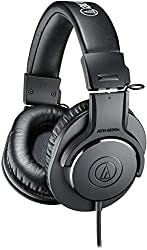
Audio-Technica ATH-M20x Professional Studio Monitor Headphones, priced below $50.00
4.5-star rating and 5,760 reviews at the time of writing.
#2: Lighting — Light options for Rising Star
For you, the new Rising Stars, good lighting, and good video camera are super important. How you look on the screen, your skin tone, your softly sculpted shadows, and overall bright and optimistic appearance will help you to stand out and propel you up to achieve your ambitions goals.
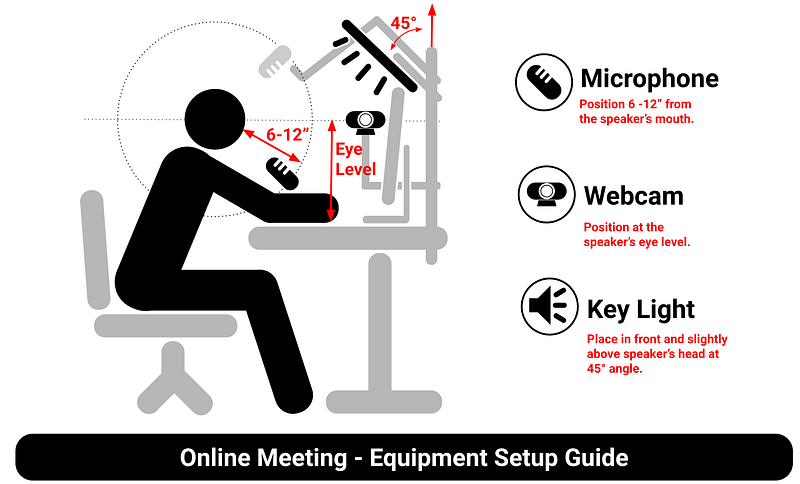
I recommend you start simple, with a single light ring. The larger the ring size the better, and it’s only a bit more expensive. The key to good lighting is to have the light source positioned in front of you, slightly elevated above your head.
Soft, key lighting from the front and above projects complementary shadows on our necks which makes us look a bit slimmer and better looking.
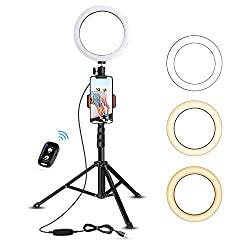
8" Selfie Ring Light with Tripod Stand & Cell Phone Holder, priced below $40.00
4.4-star rating and 17,380 reviews at the time of writing.
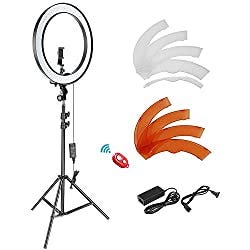
Neewer Ring Light Kit:18"/48cm Outer 55W 5500K Dimmable LED Ring Light, Light Stand, priced below $95.00/
4.4-star rating and 3,130 reviews at the time of writing.
#3: Video — Webcam options for Rising Star
You are a new Rising Star, and you need a better camera than what your laptop has to offer. There are a few options to consider. The key selection criteria are an acceptable level of complexity and the price, or, you could also use your DSLR or mirrorless digital camera with a good lens if you already own one.
If you don’t want any extra setup hassle then go ahead and get an HD webcam. You can either clip it onto your laptop screen, or better, place on a dedicated stand or tripod and you’ll be all set.
Having a dedicated stand or arms allows you to position your webcam at your eye level. This is always a preferred way, as it makes your presence on the screen look more natural and professional.
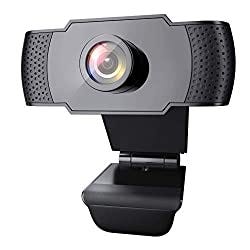
1080P Webcam with Microphone, Wansview USB 2.0 Desktop Laptop Computer with Auto Light Correction, priced below $45.00
4.2-star rating and 660 reviews at the time of writing.
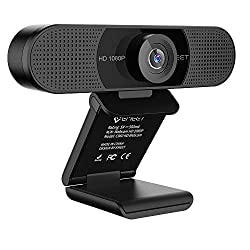
Webcam 1080p — eMeet C960 Full HD Webcam with Microphone, Built-in 2 Mics, priced below $70.00.
4.3-star rating and 470 reviews at the time of writing.
The more expensive the webcam models, the better the electronics, the optics, and more reliable frame rates (fps). However, if you don’t tend to move much during your meeting and don’t show samples or physical objects, the less expensive model should work fine.
If you want to look more sophisticated and have an existing DSLR or mirrorless digital camera available to use, see the next section of the guide for Teachers / Presenters.
Teacher/Presenter — Home Office Equipment Guide
As a teacher or presenter, you already have a sizable audience ready to learn from you, and you know how critical it is to keep your online attendees engaged and entertained.
You may be facing challenges with moving your craft online. Remote teaching and presenting will not exactly replace the experience of being in the same room with your audience and students. However, as professor Galloway recommends, few calibrated adjustments can get you close:
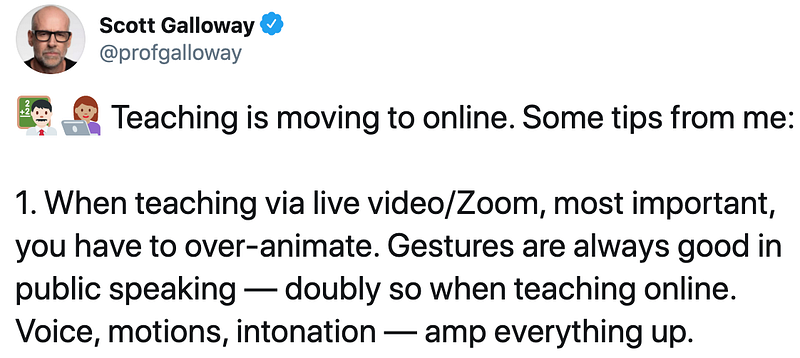
With your already amazing content and attention-grabbing performance, your online presence just needs to be enhanced by great audio and sharp, well-lit video, and your screen-separated-crowd will be engaged and wowed.
#1: Audio — Microphone and headphone options for teacher/presenter
The right choice of the microphone for the presenter/teacher from the home office will be driven by your presentation content and style.
If you are only presenting slides and commenting on what is on your computer screen in front of you, then a good quality microphone on a stand or tripod is a good and easy to set up choice for you.
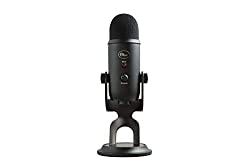
Blue Yeti USB Mic for Recording & Streaming on PC and Mac, priced below $225.00.
4.5-star rating and 16,740 reviews at the time of writing.
If however, you move around when presenting, to show physical items or samples, or write on a whiteboard, you’ll need a good lavalier microphone. Lavalier mic gets clipped to your shirt and it will pick up great audio no matter which way you move or turn vis-à-vis the camera.
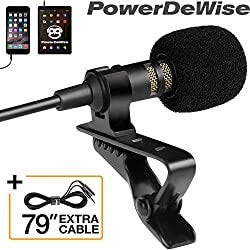
Professional Grade Lavalier Lapel Omnidir Microphone, priced below $50.00.
4.3-star rating and 5,540 reviews at the time of writing.
#2: Lighting — Light options for teacher/presenter
Good and bright lighting helps to keep your audience engaged and focused on you as a presenter.
In case your budget is limited, and you prefer to keep the setup simple, I recommend getting at least one 18” ring light as your key light on a stand or dedicated arm. Recommendations listed in the Rising Star section will work fine.
Position the light in front of you slightly above your head, so your audience can clearly see you and enjoy your articulation and all subtle facial expressions.
However, If you are willing to invest a little bit more and don’t mind some setup hassle, please consider buying a set of two or three LED panel lights. Multiple light sources give you more flexibility for setting up different scenes by moving around your fill light and backlight sources. Your audience will definitely notice and appreciate the difference.
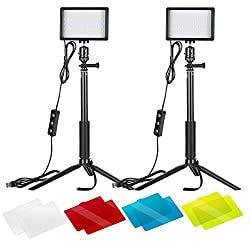
Neewer 2 Packs Dimmable 5600K USB LED Video Light with Adjustable Tripod Stand/Color Filters for Tabletop, priced below $60.00
4.1-star rating and 1,395 reviews at the time of writing.
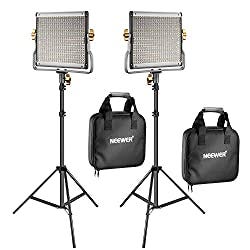
Neewer 2 Packs Dimmable Bi-Color 480 LED Video Light and Stand Lighting Kit 3200–5600K, priced below $180.00.
4.6-star rating and 530 reviews at the time of writing.
You can learn more about good lighting setup in this great three-point video lighting setup guide.
#3: Video — Webcam options for Teacher/Presenter
The scene and you, the presenter, are both nicely lit. Now you need to add the last piece to look sharp, literally.
We already know that webcams that come built-in with our laptop computers have low-resolution sensors and lack good optics. To keep your audience entertained and involved using gestures and facial expressions, you must be seen, and so you need a high-definition HD external camera.
The selection criteria for your HD webcam are budget and design. The performance options to consider are the sensor resolution, 4K super high/1080p/720p, supported framerates 30 fps/60 fps in case you do live demonstrations, and the viewing angle 78/90/110 to either show more or less of your home office scene.
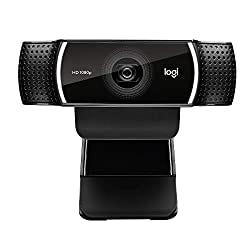
Logitech C922x Pro Stream Webcam — Full 1080p HD, priced below $150.00.
4.5-star rating and 3,050 reviews at the time of writing.
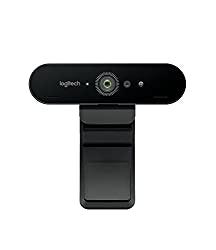
Logitech BRIO 4K Ultra HD Webcam for Video Conferencing, priced below $270.00
4.3-star rating and 1,330 reviews at the time of writing.
If you want to push the video quality a bit further and get that nice soft blurred background look (called bokeh), Neigel has on the cover photo of this section, you need to invest in a digital camera with a fast lens (low f-stop below 4.0; ideally 1.8) and with HDMI output.
Using a digital camera as your webcam will require a little more setup, but the final result is worth it, especially if you want your audience to focus only on you, the presenter, and not an otherwise busy background.
There is a wide range of great digital cameras to choose from, and you may already have one in your photo bag.
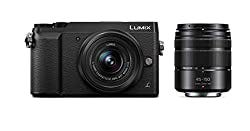
Panasonic LUMIX GX85 4K Digital Camera, 12–32mm, and 45–150mm Lens Bundle, priced below $500.00
4.6-star rating and 318 reviews at the time of writing.
You will also need a USB capture card to make the camera recognizable by Zoom or other online meetings tools.
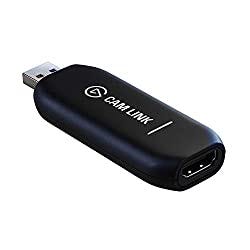
Elgato Cam Link 4K — Broadcast Live, Record via DSLR, or Action Cam, 1080p60, or 4K at 30 Fps, priced below $130.00
4.3-star rating and 1,100 reviews at the time of writing.
And you will need a tripod or a stand to hold the camera around your eye level.
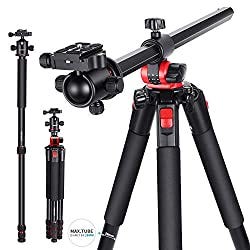
Neewer 2-in-1 Camera Tripod Monopod with 360 Degree Rotatable Center Column and Ball Head QR Plate, priced below $120.00.
4.5-star rating and 365 reviews at the time of writing.
The success of presenting, teaching, and learning from home depends greatly on the ability and willingness of teachers and presenters like yourself.
Leveraging unique features like meeting recording, participants chatting, live polling, Q&A, screen sharing, rich multimedia, combined with your great audio, and sharp and inviting video is an opportunity to stand out.
Performer/Influencer — Home Office Equipment Guide
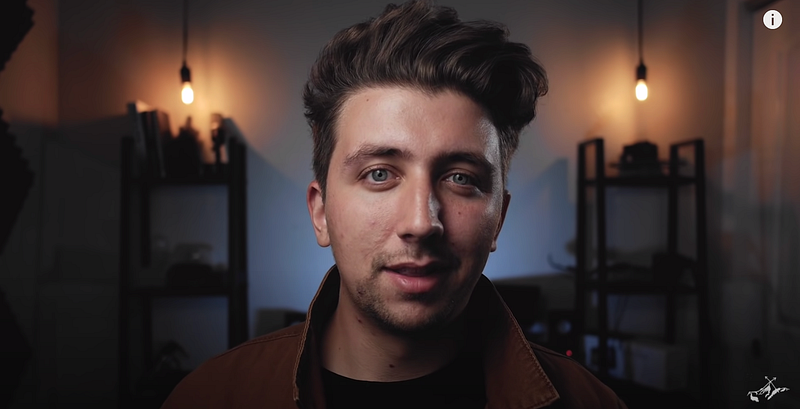
You have already made it, you have a large devoted following, and you want to continue improving your art, and to grow your audience in size.
Your tribe of fans adores you and loves your lectures, presentations, or online shows. You are on the right path, you have learned what works and what doesn’t.
Now, your next challenge is to continue to evolve and improve. Watching new trends and learning what works for other performers is a great way how to keep moving forward.
#1: Audio — Microphone and headphone options for the Performer/Influencer
For the best, there is no compromise. The highest quality microphones which can deliver rich audio with deep bass and minimal interference make a big difference.
When presenting online, especially when sharing slides or showing the screen, great audio helps to make an emotional connection with your audience.
The following are a few high-end microphones used by renowned online performers. When selecting the mic that is best suited for you, consider available connector type, USB or XLR. The USB connector is simple to use but it doesn’t offer all flexibilities for different channel recordings as XLR does. This can be important if you plan to do more than one-person shows in the future.
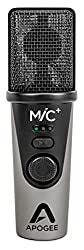
Apogee MiC Plus — Studio Quality USB Microphone with Cardioid Condenser Mic Capsule, Built-In Mic Pre-Amp, priced below $270.00. Currently used by Pro-G Scott Galloway.
4.0-star rating and 54 reviews at the time of writing.
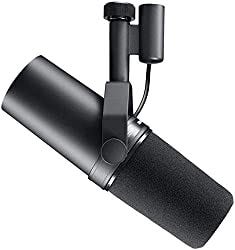
Shure SM7B Cardioid Dynamic Microphone, priced below $400.00.
4.8-star rating and 585 reviews at the time of writing.
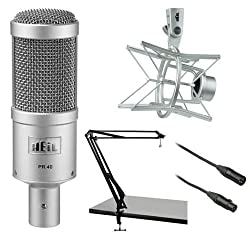
Heil Sound PR 40 Dynamic Cardioid Studio Microphone. Priced below $400.00. Currently used by Leo Laporte on Twit.tv.
4.5-star rating and 28 reviews at the time of writing.
#2: Lighting — Light options for the Performer/Influencer.
Nicely balanced three-point lighting is an obvious must for every ambitious performer. Multiple light sources help eliminate unwanted shadows, sculpt the right expressions, and separate you, the presenter from the unimportant background.
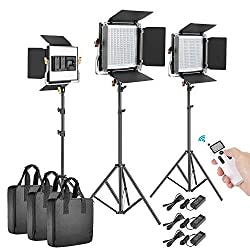
Neewer 3 Packs Advanced 2.4G 480 LED Video Light Kit, Dimmable Bi-Color LED Panels, priced below $290.00.
4.6-star rating and 245 reviews at the time of writing.
Ultimate visual uniqueness of the presenter’s brand can be achieved by the use of accent lighting to make the home office look truly unique and stand out.
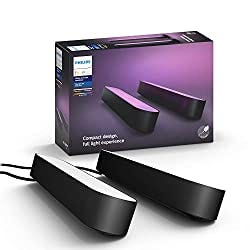
Philips Hue Play White & Color Smart Light, 2 Pack Base kit, priced below $150.00.
4.6-star rating and 1,400 reviews at the time of writing.
#3: Video — Webcam options for the Performer/Influencer
Your sound is great and the lighting is perfect, and we know that only a high-quality webcam will make the online experience truly shine.
The higher quality HD webcams with 30 fps rate shown in the Teacher/Presenter section or a dedicated digital camera will work fine if you use a simple background or green backdrop.
Logitech BRIO 4K Ultra HD Webcam for Video Conferencing, priced below $270.00, is a good option if you plan to use capture a wider scene.
4.3-star rating and 1,330 reviews at the time of writing.
If your background is an important part of your scene, a digital camera with a fast lens that produces soft bokeh is a better option for you.
And to stand out even more in your online meeting and shows you may want to consider adding a few more bells and whistles.
The first bell could be to use two webcams instead of just one. The Zoom meeting interface allows you to set up and easily switch between two webcams. Switching between the two different camera angles will keep your performance more fun and visually engaging.
The second bell could be using a green screen backdrop, which will allow you to integrate interesting backgrounds themed with your presentation.
With proper fill lighting, the green screen makes a major difference in how clear and sharp you’ll appear in front of your background image or video.
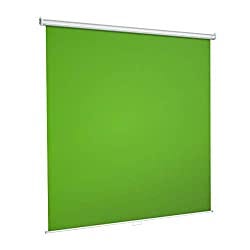
Green Screen Backdrop, Wall-Mounted Pull-Down Retractable Style, Wrinkle-Resistant Fabric, priced below $150.00.
4.4-star rating and 27 reviews at the time of writing.
The third whistle could be a stream deck switcher, which allows you with one tap of a button switch between different screens, camera views, launch media, and more.
Operating a switcher deck definitely requires more technical skills and setup time, but if used properly it can make the show and presentation look like a real Live News broadcast.
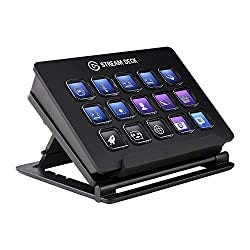
Elgato Stream Deck — Live Content Creation Controller with 15 Customizable LCD Keys, priced below $150.00.
4.8-star rating and 2,160 reviews at the time of writing.
Now You’re More Prepared to Make Your Online Meetings Better!
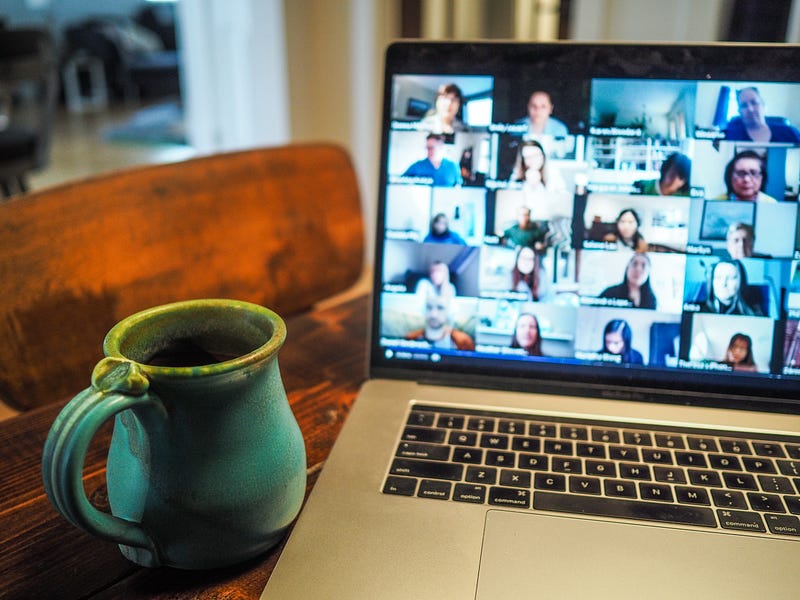
Whether you are a great Knowledge Worker, new Rising Star, dedicated Teacher/Presenter, or a famous Performer/Influencer the audio, lighting, and video equipment options referenced in this guide are all good and tested choices and can set you on the right path in your search.
The final choices are yours, and I’m confident they will all contribute positively to our shared working-from-home online meeting experience.
Let’s all do our part to beat the Zoom fatigue and have better online meetings.