
Are Topics Also Communities of Words?
Leveraging Community Detection in Graph Analytics for Topic Analysis

[Spoiler Alert] When Daenerys Targaryen died, murdered by her nephew and lover Jon Snow, the Game of Thrones community went ape.
“So upset right now that I’m literally crying. Ugh. F#%k (sic)” — Angry GOT Twitter Fan
“…she had felt betrayed all season and she died betrayed…” — Another Angry GOT Twitter Fan
Okay, full stop. I have never actually watched the GOT HBO series.
*pause for collective gasp*
Yeah, I only know the gravity of the sentences I wrote at the top because I have a brother who was an avid watcher and would always qualify his explanations with:
“You just gotta watch the series bro. Like, give it time and get through the first season and then you’ll be hooked.”
But just because I never watched the show doesn’t mean it didn’t have an impact on me. I first learned about the cult following of the show when I watched a talk by a young grad student, Milan Janosov, who created a network graph out of the relationships among GOT characters and used it to predict who was most likely to die in the next episode. What caught my attention was the accuracy of the model and the novel application of graph theory.
It goes without saying that words help to form relationships. And not just human relationships but they also form relationships with each other in a sentence, a paragraph, and on a page.
What better way to represent those relationships than in a network graph? Janosov helped to convey that message to a large popular fan base and inspired others since to build networks from stories as diverse as Harry Potter and the Goblet of Fire, to Lord of the Rings, and even the Marvel universe.
A great deal of the existing projects linking words and relationships has focused on the people in those words and their relationships with other people. What about words themselves? Do they have relationships that can be usefully understood from a graphical perspective? Herein I look at an application of a graph algorithm for finding topics in documents. Let’s get started.
Topic Analysis, The Words-as-Data Version of Clustering
In data science, we use unsupervised algorithms to help us find natural (data-drive) groupings of data. Probably the most applied clustering algorithm is K-Means. When those data are words however, other algorithms like Latent Dirichlet Allocation (LDA) are more popular. LDA is more popular than K-Means because LDA will assign multiple topics to a single document whereas K-Means optimizes for mutually exclusive groups (aka, hard clustering).
The drawback with both approaches is that each require the user to input a specific number of clusters/topics for the model to then attempt to “find” in the data. Having to input the number of topics a-priori can be a challenge because we often don’t know what the optimal number of groupings should be.
*feeling like we’ve been a bit robbed of the “unsupervised” part of the description? Me too 😊*
Anyway, graph algorithms may provide one possible answer to a more truly unsupervised approach to topic modeling. In the remaining sections, I demonstrate how we can create a topic model using the Louvain community detection algorithm, visualize the network, and provide a few hints for future directions.
Building a Network Graph of Words
Network graphs are simply a series of nodes that are connected via edges. In the context of words on a page, we may connect two words based on their shared mentions in a sentence or paragraph. For example, if both the words “apple” and “eat” show up in the same paragraph we could graph the relationship like this:
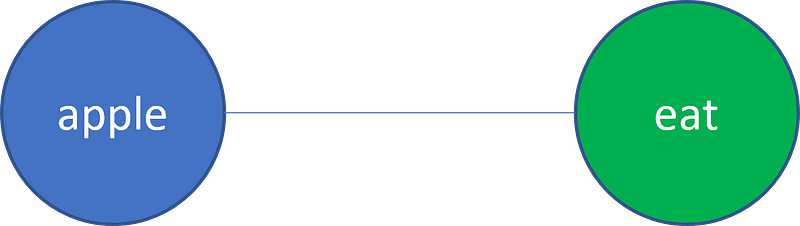
In this simple example, we may conclude that the given text passage has a topic about eating apples.
Let’s examine how to create a word network using Python.
To achieve this first goal, we need to identify a source of data. For this example, I use a handful of Word documents from students in a social psychology course. Hopefully our topic model will help us to learn what they were writing about. Here are the environments I am working in for this example:
Windows 10 OS
Python 3.6
The packages we will need are:
networkx==2.5nltk==3.5python_louvain==0.14pandas==0.25.0community==1.0.0b1scikit_learn==0.24.2To build our word network, I assume that each paragraph may represent a separate topic and so word relationships are built at the paragraph level. Let’s load the data, subset to just the top 6 paragraphs, and clean the data:
Notice that in the above code I import get_docx_text. This is a custom program that can be found here.
Once the data are prepared in a list of cleaned text, I perform one last quick clean of the data to only focus on the nouns. Most topics are likely about nouns however it may also be useful to look at verbs and nouns and/or verb_noun bigrams.
Building the Edge List
When engineering data into a format recognized by graph tools and technology, we either need an edge list or an adjacency matrix. In this example, I build an edge list from a term-frequency-inverse-document-frequency matrix. The resulting edge list contains a ‘target’ column of the top 100 words, a ‘source’ column that represents each paragraph, and a ‘counts’ column that provides the TFIDF value of the word for that document (e.g. paragraph).
Building the Graph
Once we have our edge list created, we can now build a graph object in Python. In the next two functions we pass a data frame with ‘target’,’source’, and ‘weight’ (we called our weights ‘counts’) columns in order to build the graph.
The df_to_graph function will return one of two graph types, a unipartite graph or a bipartite graph. Without getting too technical, our graph in this example is bipartite. It is bipartite because words relate to paragraphs, we have not related those words directly to one another (though we could). But we ultimately do want to relate words to one another and so we take the bipartite nature of our graph and create a unipartite projection of word relationships.
The concept is as follows; if a word shows up on the same paragraph as another word then we connect them. The resulting weights connecting the two words are the sum of their tfidf values (the my_weight function).
The final line of code generates the community solution in Python.
Visualizing the Graph
Generating the community detection solution in Python is not nearly as fun as visualizing and navigating the network. So, I now turn to Gephi. To save the Networkx graph object in a format that is readable by Gephi use the following code:
nx.write_gexf(G, “path/to/save/your/graph.gexf”)After some very quick formatting, here is our graph:
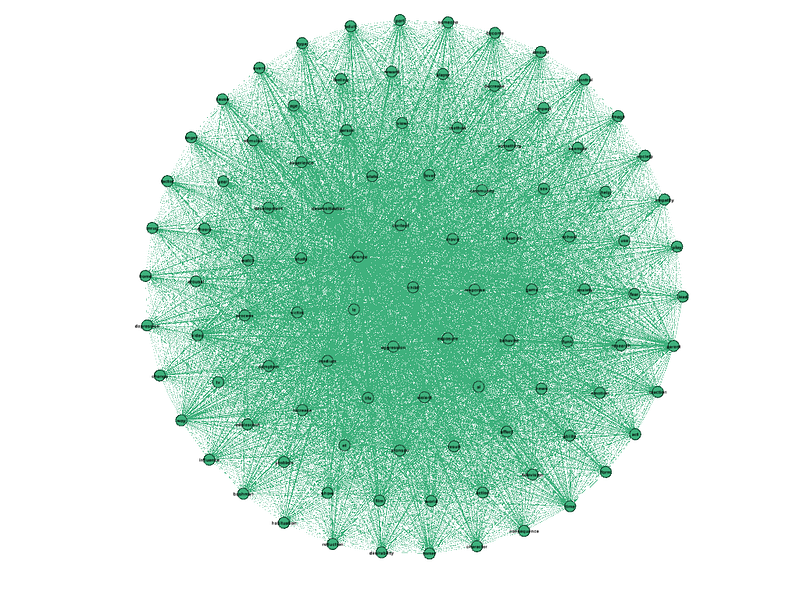
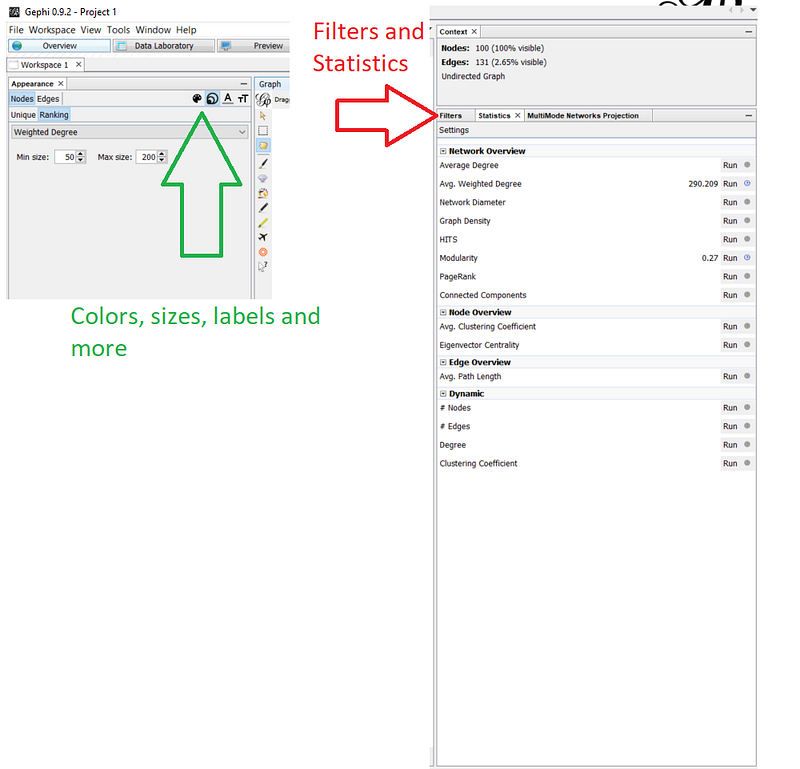
Kind of a mess huh? In order to add some more interpretability, I filter out some edges based on weight and run some statistics on the graph including a Louvain community detection on the filtered graph. Once complete, these additional statistics become available as selections for adding color, sizing nodes, and sizing labels on those nodes.
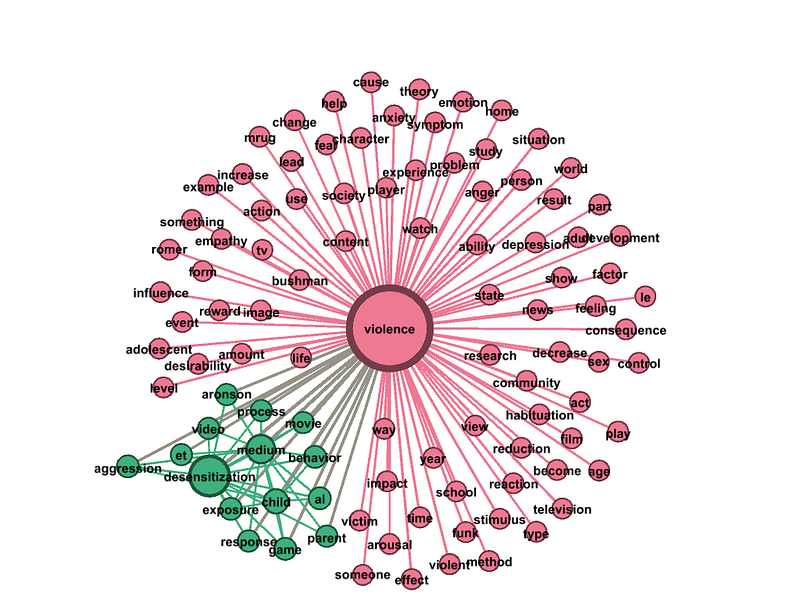
And here is the resulting, two community solution:
What Did We Learn?
Based on the two topics found by the community detection model, we learn that the students were writing about violence and desensitization.
Cool, right? But where can we go from here?
Looking Into the Future
In this article we demonstrate a simple implementation of using graph algorithms to identify topics based on word relationships in paragraphs. Although it is cool, there are still some notable limitations. One limitation is that the result is sort of like a K-Means result in that the words are “hard-clustered” into one and only one cluster. That said, we can clearly see that words in one topic still have edges (relationships) with words assigned to other topics.
Another limitation is that it is difficult to assign a paragraph to a topic. One way around this is to build a classification model from the words and their weights in order to predict which paragraphs cover which topic. Clearly this is not as simple as sci-kit’s “.predict” interface however it is one possible solution.
Despite the limitations, graphs represent a useful approach to modeling data. In addition to relationships among nodes, graphs also allow us to assign attributes to both nodes and edges that can lend themselves to more sophisticated graph approaches that may have implications for understanding word relationships. Indeed, here is a paper that uses word embeddings as node attributes to inform a more sophisticated topic modeling approach with graphs.
My hope is that this article inspires you to think more about graph analytics and their potential value for data science problems. Onward!
Like connecting to learn more about data science? Join me.


