Free AI web copilot to create summaries, insights and extended knowledge, download it at here
5147
Abstract
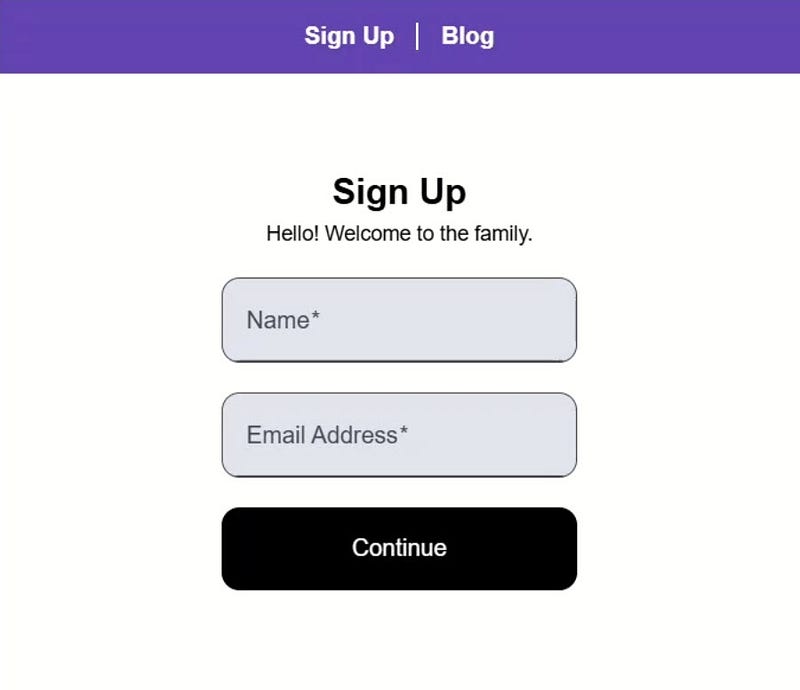
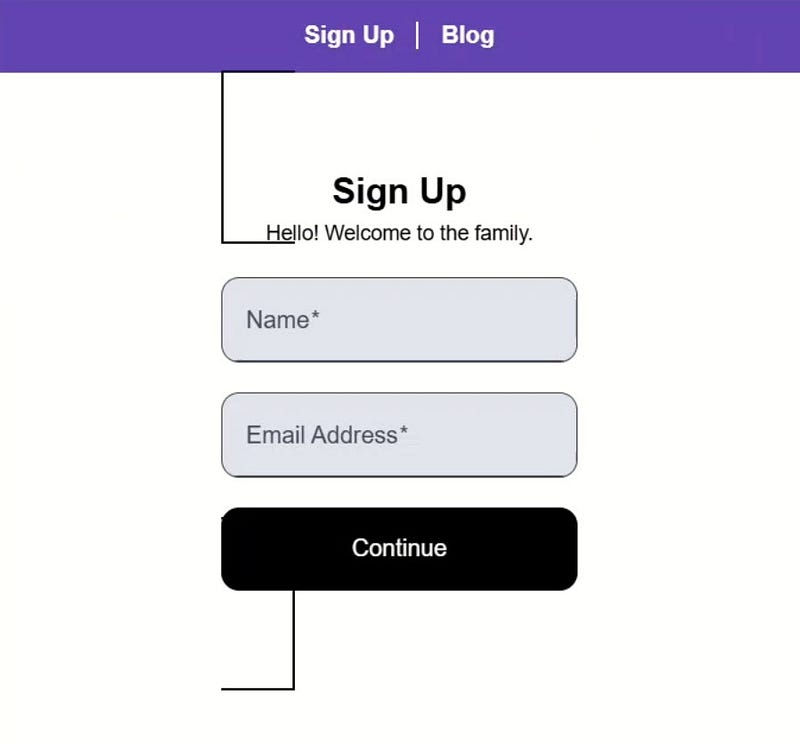
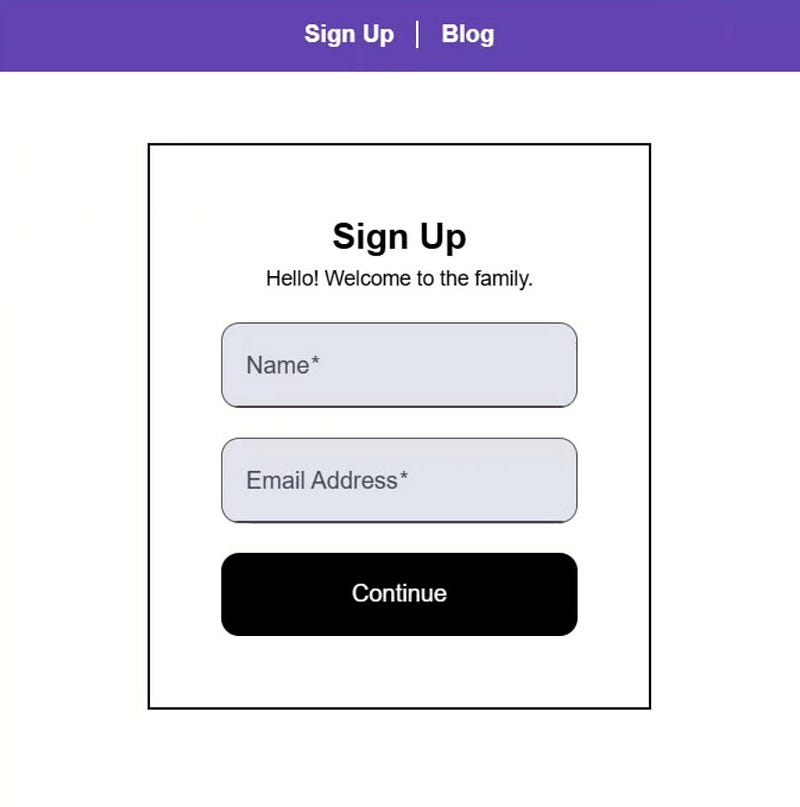
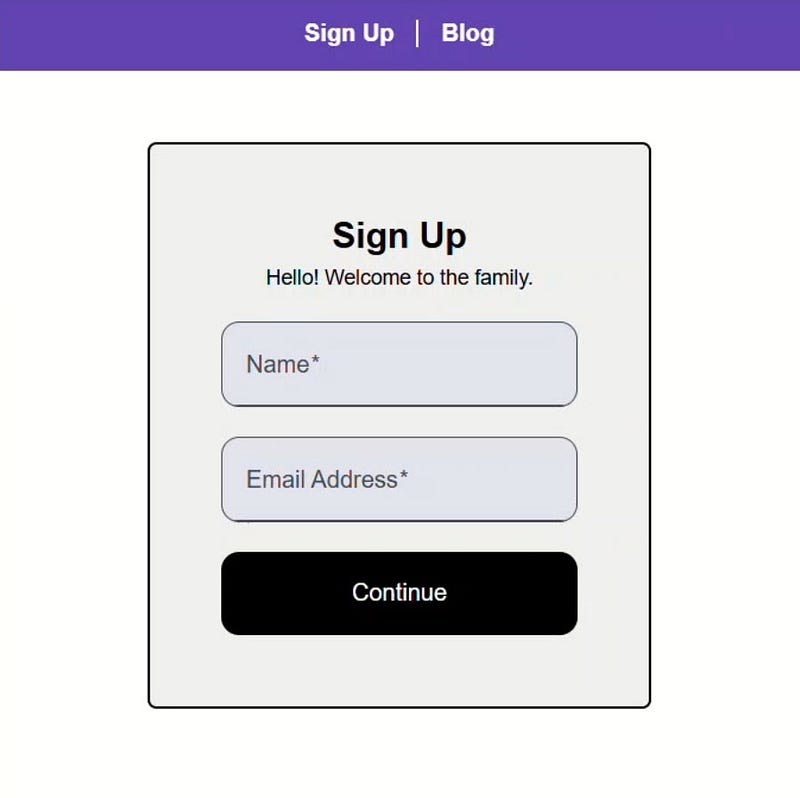
id="58f3">Let’s save and check it out now:</p><figure id="3555"><img src="https://cdn-images-1.readmedium.com/v2/resize:fit:800/0*5V2Xebj-SfWiXWvG.jpg"><figcaption></figcaption></figure><p id="c184">Nice, now that’s looking more like we’d expect right?</p><p id="3a35">Ok, now let’s round the corners a little and give it a background color too:</p><div id="210e"><pre><span class="hljs-selector-pseudo">:host</span> {
<span class="hljs-attribute">display</span>: block;
<span class="hljs-attribute">border-radius</span>: <span class="hljs-number">0.375em</span>;
<span class="hljs-attribute">background-color</span>: <span class="hljs-number">#eee</span>;
}</pre></div><p id="1662">Ok, let’s see how it looks now:</p><figure id="1b8e"><img src="https://cdn-images-1.readmedium.com/v2/resize:fit:800/0*VcCqYO7ZQrnqnqHU.jpg"><figcaption></figcaption></figure><p id="b4a4">Well, that’s definitely looking better now right?</p><p id="9871">So we can use this <a href="https://developer.mozilla.org/en-US/docs/Web/CSS/:host">:host</a> pseudo class to style the root element of our component, but this also means that these styles will always apply when this component is used.</p><p id="b1b4">This may not be exactly what we want.</p><p id="7dbc">Like here in our blog where the form opens within a modal:</p><figure id="bb8d"><img src="https://cdn-images-1.readmedium.com/v2/resize:fit:800/0*-nnsyFrRI_jQ5EfU.jpg"><figcaption></figcaption></figure><p id="1f28">We don’t want the border or the background color here.</p><p id="b9a3">So how can we handle this?</p><h1 id="0876">Enhancing Flexibility: Conditional Styling with :host</h1><p id="8b1c">Well, we can actually use a class in conjunction with the <a href="https://developer.mozilla.org/en-US/docs/Web/CSS/:host">:host</a> pseudo class.</p><p id="f56d">To do this, let’s first add a class to the sign-up form element in the <a href="https://stackblitz.com/edit/stackblitz-starters-dzh2vp5r?file=src%2Fhome%2Fhome.component.html">home.component.html</a> file, let’s call it “contained”:</p><div id="3859"><pre><span class="hljs-tag"><<span class="hljs-name">app-sign-up-form</span> <span class="hljs-attr">class</span>=<span class="hljs-string">"contained"</span>></span><span class="hljs-tag"></<span class="hljs-name">app-sign-up-form</span>></span></pre></div><p id="f34f">Ok, now back in our <a href="https://stackblitz.com/edit/stackblitz-starters-dzh2vp5r?file=src%2Fsign-up-form%2Fsign-up-form.component.scss">stylesheet</a>, we just need to add this class selector within parens:</p><div id="76a6"><pre><span class="hljs-selector-pseudo">:host</span>(<span class="hljs-selector-class">.contained</span>) {
<span class="hljs-attribute">border</span>: solid <span class="hljs-number">2px</span>;
<span class="hljs-attribute">display</span>: block;
<span class="hljs-attribute">border-radius</span>: <span class="hljs-number">0.375em</span>;
<span class="hljs-attribute">background-color</span>: <span class="hljs-number">#eee</span>;
}</pre></div><p id="aae1">So now these styles will only apply when this class has been added to the host element.</p><p id="68e1">Let’s save and check it out:</p><figure id="6cd0"><img src="https://cdn-images-1.readmedium.com/v2/resize:fit:800/0*UVpnG6yheUxErgOs.gif"><figcaption></figcaption></figure><p id="1e02">Nice, there’s no longer a container in the modal since this instance doesn’t have our new “contained” class, and for the usage in the “Sign-up” page, we still have the container styles since we added the class.</p><p id="00d7">So, this concept definitely comes in handy in certain situations, but what if we decide that we want every single instance of this form to get the container styles except when placed within a modal?</p><p id="852d">Do we always have to add this “contained” class?</p><p id="9b3d">Nope, we have a better way.</p><p id="8ab9">We can use the <a href="https://developer.mozilla.org/en-US/docs/Web/CSS/:host-context">:host-context</a> pseudo class instead.</p><div id="c263" class="link-block">
<a href="https://medium.com/@mrbriantreese/list/578777c015c0">
<div>
<div>
<h2>Styles in Angular</h2>
<div><h3>Learn how to effectively use CSS, SCSS, ViewEncapsulation, CSS Variables, theming, dynamic styles, and more! Whether…</h3></div>
<div><p>medium.com</p></div>
</div>
<div>
<div style="background-image: url(https://miro.readmedium.com/v2/resize:fit:320/0*14ea091656644632b164a7eba4a591d94b61c897.jpeg)"></div>
</div>
</div>
</a>
</div><h1 id="bde6">Context-Aware: Dynamically Adjusting Styles with :host-context</h1><p id="bf60">To start we can remove the “contained” class concept that we just added.</p><div id="7834"><pre><span class="hljs-selector-pseudo">:host</span> {
<span class="hljs-attribute">border</span>: solid <span class="hljs-number">2px</span>;
<span class="hljs-attribute">display</span>: block;
<span class="hljs-attribute">border-radius</span>: <span class="hljs-numb
Options
er">0.375em</span>;
<span class="hljs-attribute">background-color</span>: <span class="hljs-number">#eee</span>;
}</pre></div><p id="12d2">Now these styles will apply to all instances of this component again.</p><p id="1045">Now let’s remove the styles that we don’t want in modals.</p><p id="b7b8">We’ll use the <a href="https://developer.mozilla.org/en-US/docs/Web/CSS/:host-context">:host-context</a> pseudo class for this.</p><p id="168e">We’ll need to provide a selector to use for context.</p><p id="352a">In this case, we’ll use the <code>app-modal</code> element selector:</p><div id="9e0c"><pre><span class="hljs-selector-pseudo">:host</span>-context(app-modal) {
}</pre></div><p id="c1ac">So, any time the <code>app-sign-up-form</code> element finds itself nested within the <code>app-modal</code> element, this selector will match.</p><p id="ac6a">Now, let’s remove the background color, and let’s also remove the border in this scenario:</p><div id="0aaa"><pre><span class="hljs-selector-pseudo">:host</span>-context(app-modal) {
<span class="hljs-attribute">background-color</span>: unset;
<span class="hljs-attribute">border</span>: none;
}</pre></div><p id="00be">Ok, that should do it, let’s save and take a look:</p><figure id="a577"><img src="https://cdn-images-1.readmedium.com/v2/resize:fit:800/0*3g7HegfAnzapnNhO.gif"><figcaption></figcaption></figure><p id="cef1">Ok, the sign-up page form looks good with the container, and when we switch over to the modal, we see that the container is no longer there.</p><p id="6935">So now, any time the component is added outside of a modal, it will get the container styles.</p><p id="abad">But, any time it is added within the modal, these container styles will be removed automatically without any extra effort.</p><div id="79a1" class="link-block">
<a href="https://devdrip-shop.fourthwall.com/products/i-see-dead-components">
<div>
<div>
<h2>I see dead components</h2>
<div><h3>I see dead components funny T-shirt. Let everyone know how much you love Angular with this Tee.</h3></div>
<div><p>devdrip-shop.fourthwall.com</p></div>
</div>
<div>
<div style="background-image: url(https://miro.readmedium.com/v2/resize:fit:320/0*ICcMJ0CsYNzFDJHx)"></div>
</div>
</div>
</a>
</div><h1 id="5268">Conclusion: Smart, Adaptive Component Styling</h1><p id="26c6">So now we’ve seen how <a href="https://developer.mozilla.org/en-US/docs/Web/CSS/:host">:host</a> helps us style a component’s root element and how <a href="https://developer.mozilla.org/en-US/docs/Web/CSS/:host-context">:host-context</a> allows us to apply styles based on where a component is used.</p><p id="eb11">Understanding and using these techniques will make your Angular components more flexible, maintainable, and visually consistent across your app.</p><p id="4438">If you found this helpful you may also want to check out <a href="https://app.pluralsight.com/library/courses/angular-styling-applications/table-of-contents">my course all about styles in Angular</a>.</p><p id="bf33">Also, don’t forget to check out <a href="https://www.youtube.com/@briantreese">my other Angular tutorials</a> for more tips and tricks!</p><h1 id="9c11">Additional Resources</h1><ul><li><a href="https://app.pluralsight.com/library/courses/angular-styling-applications/table-of-contents">My course: “Styling Angular Applications”</a></li><li><a href="https://angular.dev/guide/components/styling">Angular styling components documentation</a></li><li><a href="https://developer.mozilla.org/en-US/docs/Web/CSS/:host">The :host pseudo class</a></li><li><a href="https://developer.mozilla.org/en-US/docs/Web/CSS/:host-context">The :host-context pseudo class</a></li></ul><h1 id="f82c">Want to See It in Action?</h1><p id="537e">Check out the demo code and examples of these techniques in the in the Stackblitz example below. If you have any questions or thoughts, don’t hesitate to leave a comment.</p>
<figure id="88d8">
<div>
<div>
<img class="ratio" src="http://placehold.it/16x9">
<iframe class="" src="https://cdn.embedly.com/widgets/media.html?src=https%3A%2F%2Fstackblitz.com%2Fedit%2Fstackblitz-starters-rjqxksgc%3Fctl%3D1%26embed%3D1%26file%3Dsrc%252Fsign-up-form%252Fsign-up-form.component.scss&display_name=StackBlitz&url=https%3A%2F%2Fstackblitz.com%2Fedit%2Fstackblitz-starters-rjqxksgc%3Fctl%3D1%26embed%3D1%26file%3Dsrc%252Fsign-up-form%252Fsign-up-form.component.scss&image=https%3A%2F%2Fsocial-img.staticblitz.com%2Fprojects%2Fstackblitz-starters-rjqxksgc%2Fd6e918d8d41cf997589be9bef4bc60d6&type=text%2Fhtml&schema=stackblitz" allowfullscreen="" frameborder="0" height="400" width="745">
</div>
</div>
</figure></iframe></div></div></figure><p id="7a90"><i>Originally published at <a href="https://briantree.se/angular-css-host-and-host-context/">https://briantree.se</a> on January 23, 2025.</i></p></article></body>
Angular Styling Secrets: How to Use :host and :host-context Like a Pro
Styling Angular components can be tricky, especially with encapsulated styles. But :host and :host-context let you target a component’s root element and adapt styles based on its context-without global CSS hacks. In this guide, you’ll learn how to apply, modify, and control styles using these selectors, making your components smarter and more flexible. Let’s dive in!
Understanding :host and :host-context
These selectors originate from Web Components, where encapsulated styling is essential.
Angular’s ViewEncapsulation mechanism uses the Shadow DOM, or at least emulates it, to scope component styles.
So we can use this :host pseudo class to style the root element of our component, but this also means that these styles will always apply when this component is used.
This may not be exactly what we want.
Like here in our blog where the form opens within a modal:
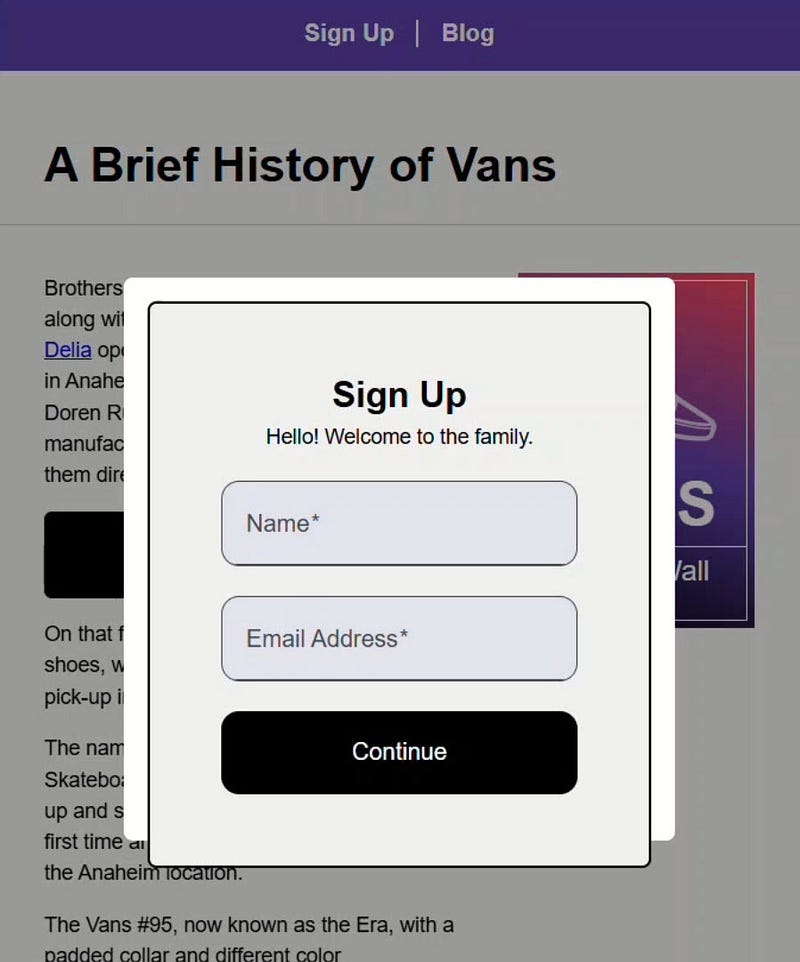
We don’t want the border or the background color here.
So how can we handle this?
Enhancing Flexibility: Conditional Styling with :host
Well, we can actually use a class in conjunction with the :host pseudo class.
To do this, let’s first add a class to the sign-up form element in the home.component.html file, let’s call it “contained”:
So now these styles will only apply when this class has been added to the host element.
Let’s save and check it out:

Nice, there’s no longer a container in the modal since this instance doesn’t have our new “contained” class, and for the usage in the “Sign-up” page, we still have the container styles since we added the class.
So, this concept definitely comes in handy in certain situations, but what if we decide that we want every single instance of this form to get the container styles except when placed within a modal?
So now we’ve seen how :host helps us style a component’s root element and how :host-context allows us to apply styles based on where a component is used.
Understanding and using these techniques will make your Angular components more flexible, maintainable, and visually consistent across your app.
Check out the demo code and examples of these techniques in the in the Stackblitz example below. If you have any questions or thoughts, don’t hesitate to leave a comment.