
Android ExoPlayer: Play Videos in Your App Like YouTube
A beginner’s guide to ExoPlayer integration in Android

The Importance of Video Apps
There’s a constant need for video-playing apps for entertainment, educational, and many other purposes. You can see it clearly if we look at Youtube usage over the past five to ten years. Even in most remote areas of the globe, mobile entertainment increased a lot. Even illiterate people in remote villages are using video apps for entertainment purposes. On the other hand, thanks to the pandemic caused by COVID-19, most schools across the world are turning to E-Learning. For these reasons, there’s a lot that can be done by one good application, built to serve the hunger of the current world. Enough talk, let’s dive into our concept: Exoplayer.
Introduction
Before the ExoPlayer Android’s MediaPlayer API is the main solution for playing audio and video both locally and over the Internet across Android devices. At the start, playing a simple video using MediaPlayer was easy but if you wanted to build a player like Youtube it would take a great deal of time, effort, and pain. My rule is to not reinvent the wheel — instead, use the perfect solution that’s already available.
ExoPlayer is the video player running in the Android YouTube app. It’s not part of the Android framework — it’s an open-source project maintained by Google. ExoPlayer is a library provided by Google that handles audio and video-related things on our behalf and we can call few methods to play with it. We can also make our own customization to the player UI (User Interface).
ExoPlayer was built on the top of Android’s MediaCodec API, which was out in Android 4.1 (API level 16). So, if we want to integrate Exoplayer the minimum API version needs to be set to API 16 for your apps.
Why use ExoPlayer?
- ExoPlayer supports features like DASH (Dynamic Adaptive Streaming over HTTP), HLS(HTTP Live Streaming), SmoothStreaming, and Common Encryption, which are not supported by
MediaPlayer. - ExoPlayer has a modular design so it’s easily extended and customized.
- The major Video Streaming giants on Android mostly depend on Exoplayer because of its features and flexibility. ExoPlayer is the video player running in Android YouTube, Netflix, Amazon media player for Prime, HotStar, and many other popular and robust apps.
- Good documentation and tutorials.
- It’s free!
Enough talk, let’s get coding.
Basic Android ExoPlayer App
Let’s check the integration by creating a sample app and checking the step-by-step procedure for gain a better understanding. Create a new project from your studio and follow steps below.
If you don’t have enough time to go step-by-step, or you intend to dive in to the code directly, check out the repo link of the sample integration:
Step 1: Add ExoPlayer dependency in the app-level build.gradle file
implementation 'com.google.android.exoplayer:exoplayer:2.11.8'This can be of any version you choose — I just added the latest version available at that moment. By the way, we also have the flexibility of adding only the library modules that we actually need, rather than the complete pack mentioned above.
The available library modules are :
exoplayer-core: Core functionality (mandatory).exoplayer-dash: Support for DASH content.exoplayer-hls: Support for HLS content.exoplayer-smoothstreaming: Support for SmoothStreaming content.exoplayer-ui: UI components and resources for use with ExoPlayer.
In this example, let’s follow by adding a complete pack because adding individual modules has different requirements and can sometimes cause errors.
Also, make sure you’ve added JCenter and Google in the repositories section of your project level build.gradle file, although they’re added by default in the newer version.
repositories {
    google()
    jcenter()
}
Step 2: Enable Java8 support in the app level build.gradle
compileOptions {
    targetCompatibility JavaVersion.VERSION_1_8
}
Step 3: Create an XML and add ExPlayer View to it
To customize the UI to look like Youtube or something else we need to add some layouts, drawables, etc, which we will see in my upcoming articles. Here, let’s inflate the basic PlayerView:
Step 4: Initialize the Player by Creating an Instance of ExoPlayer and Assigning a Source to Play
As we are done with the UI, let’s create the instance of ExoPlayer to start playing the media. We can use the available builder pattern to create the instance. In most cases using SimpleExoPlayer would be a convenient way to do it — the implementation of the ExoPlayer interface.
val videoPlayer = SimpleExoPlayer.Builder(this).build()As we’ve created the instance of ExoPlayer, we now need to assign it to the view created in XML:
video_player_view?.player = videoPlayerNext, we need to build the source to play. There are many types of MediaSource’s available — let's start with ProgressiveMediaSource. Here let's take a URL and play it by building ProgressiveMediaSource.
This is generally done in two steps. In the first step we create the instance of DefaultDataSourceFactory and then pass this instance to the ProgressiveMediaSource.Factory, as below:
sampleUrl is a string variable that contains the streaming URL.
By now the initialize player method will look like this:
Step 5: Add Basic Pause and Play Functionality Relating to the Activities Lifecycle
When we’re done, don’t forget to release the player:
Step 6: Add the Internet Permission to the Manifest File and Run the App
<uses-permission android:name="android.permission.INTERNET" />You should see the video playing below with all the player functionalities: Pause, play, rewind, and seek options, etc.
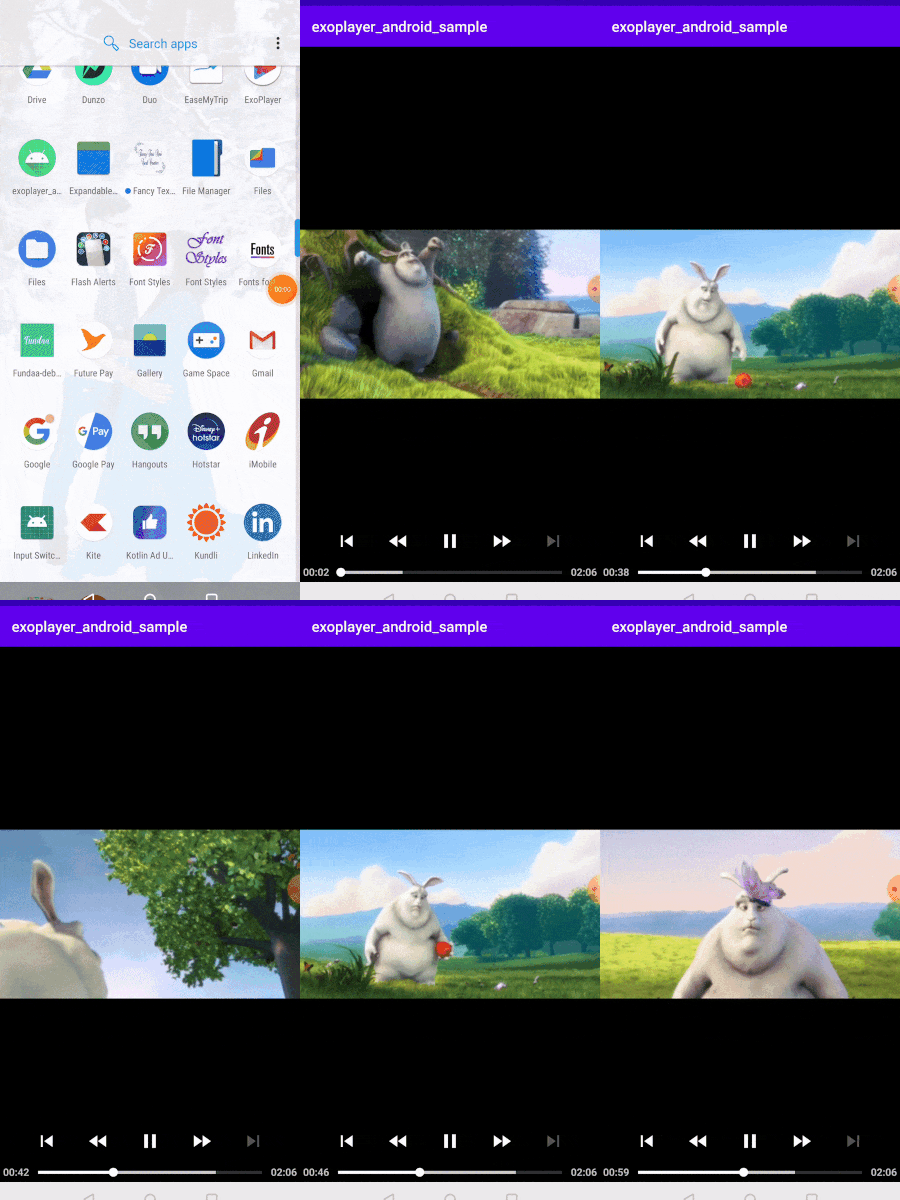
The whole activity will look something like this:
This player would work with functionality similar to YouTube. When the app goes to the background the player pauses playing, when the user comes back it plays from where it had stopped.
But in real-world scenarios, we need to handle many more things for a better user experience, like state handling of the player or holding the seek position to resume.
Here’s the repo link of GitHub for the sample used in this article:
Summary
That’s all, for now. I hope you learned something new. Let’s check the advanced state handling, Live stream handling, beautification of UI similar to Youtube, etc in my upcoming articles. Stay tuned!
References
Please leave me your suggestions and comments.
Thanks for reading.


