
Gradle Managed Devices: The Future of Android Testing [Part 1]
Android Automation Testing with Gradle Managed Devices using Android Studio
The new Android Gradle plugin helps developers run test on virtual/real devices. Testing Android applications as part of the CI process can get complicated, sometimes it’s hard to have a stable environment to run Android test automation. Google is helping developers with creating virtual Android devices to run your tests. With the new Gradle plugin you will write your test, then configure inside your file “build.gradle” which device you want your tests to run on. More details here Scale your tests with Gradle Managed Devices | Android Developers.
Goal
Run Android tests on cloud devices using Gradle managed devices
Prerequisites
- Use the latest Android Studio
- Use the latest Gradle managed devices is table in AGP (Android Gradle Plugin) 7.3.+
Steps
Below are the instructions to configure your Android project to use GMD (Gradle managed devices).
1. Add below code snippet inside file build.gradle(app) example
android{
  ...testOptions {
    managedDevices {
        devices {
            pixel2api30 (com.android.build.api.dsl.ManagedVirtualDevice) {
            // Use device profiles you typically see in Android Studio.
                device = "Pixel 2"
                // Use only API levels 30 and higher.
                apiLevel = 30
                // To include Google services, use "google".
                systemImageSource = "aosp"
            }
        }
    }
}
}
2. Sync Android studio. Find the Gradle tasks available with the command:
./gradlew tasks | grep DebugAndroidTest
//outputs the available devices to run your automation tests
3. Run the Gradle manged device task:
./gradlew pixel2api30DebugAndroidTest

4. The Gradle task runs the tests and generates a report file.
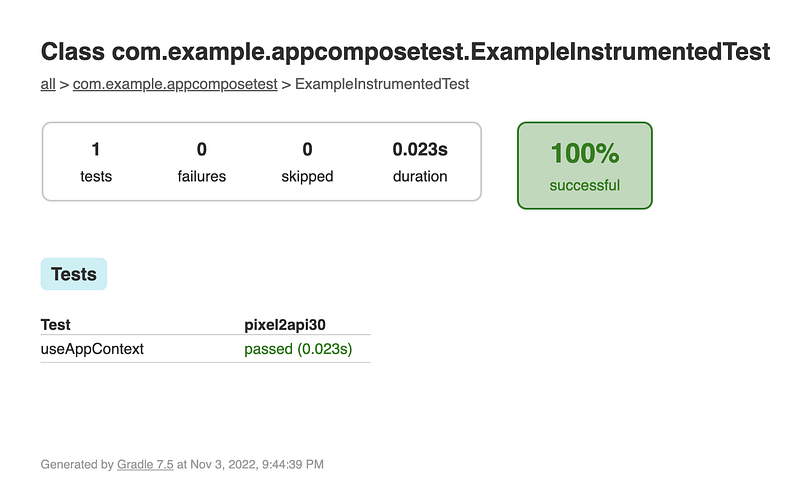
../app/build/reports/androidTests/managedDevice/allDevices/index.html
Example code: The Android project uses Android Compose and has one test to find and click a button. Test code: click a button. https://github.com/AndreSand/hello-world-Gradle-managed-device
Conclusion
TL;DR: GMD runs your tests on virtual Android devices and generates a test results report. Using the Android Gradle managed device plugin makes UI testing faster and easier.
With the new Gradle plugin now you will have your test devices configuration and tests all in the same Android project. With this you don’t have to create and maintain Android emulators, they are created by AGP.
Thanks for spending your time reading it and let me know if I’m wrong somewhere or if there’s something that could do differently or better. I’m open to your feedback 🙌🏻
-Andres
Related Articles
Part 1: This blog post.
Part 2: Run GMD using FTL devices locally from Android Studio
Part 3: Run GMD FTL devices from CI [Github Action and Bitrise]
Part 4: Run test on FTL using GCloud command (coming soon)
Notes
Read more about Gradle managed devices
- Gradle Managed Devices improve consistency, performance, and reliability for your automated instrumented tests.
- What’s New in Scalable Automated Testing
- developer.android.com
- Demo basic Android Compose test to click a button.
- Introduce Gradle Managed Devices + Automated Test Device · android/nowinandroid


