
Learning Android Development
Android Activity LaunchMode Made Simple
Understand when to use which activity launch mode.

When we declare our Activity in AndroidManifest.xml, there’s a little attribute we can set, which is launchMode. It has 4 possible settings i.e. standard, singleTop, singleTask and singleInstance.
E.g.
<activity android:name=".MyActivity"
    android:launchMode="standard" />
If you are using a single Activity App, these don’t matter. But if you have multiple activities in your app, you might want to know what.
A great illustration is provided at https://iammert.medium.com/android-launchmode-visualized-8843fc833dbe. But I still have questions about some other combinations of launch, hence I make an App that I can just demo any combination.
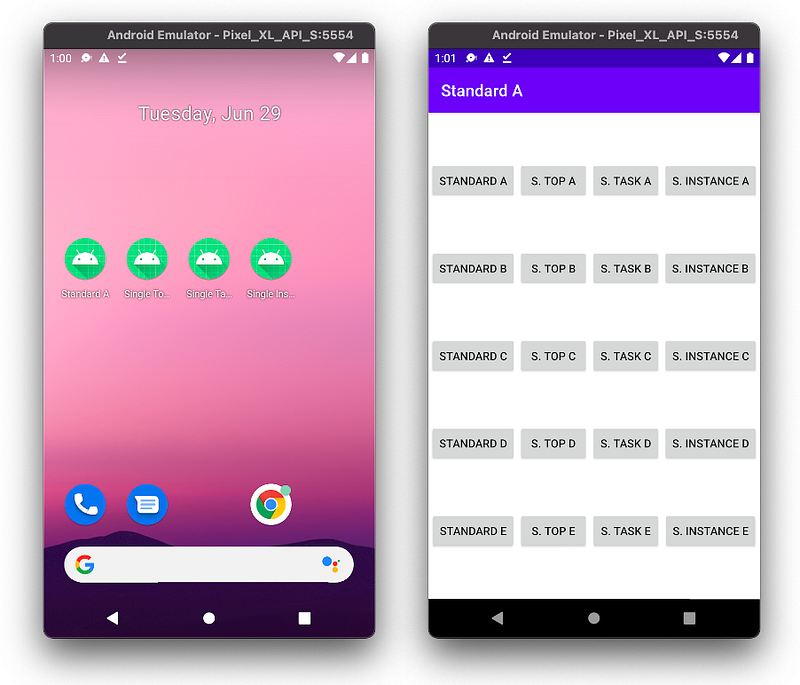
With a clear understanding of how each works, let me describe and make it simple for all.
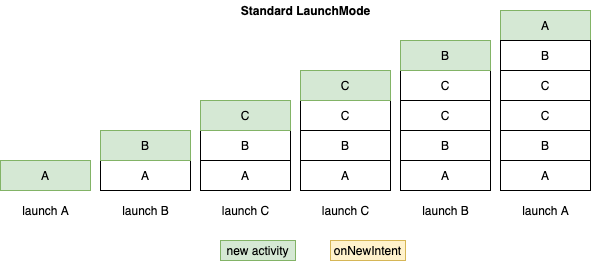
Standard launch mode
This is the default when no launchMode is set. Its behavior is simply just launched a new activity every time it is launch, even for the same activity already previously launched or the activity on the top.
Duplicated instances of the activity always happen when a launched activity gets relaunch again.
SingleTop launch mode
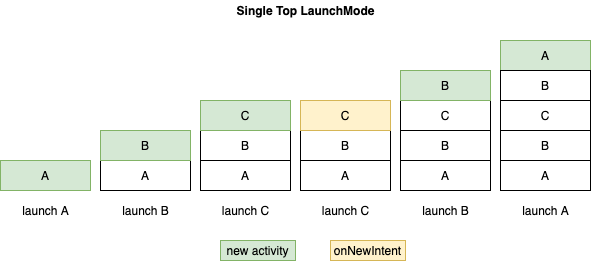
This is similar to standard with the exception, if the activity already at the top, it will not get relaunched. Instead onNewIntent will happen instead on the existing activity.
But if the activity is not at the top, a duplicate new activity can be launched.
SingleTask launch mode
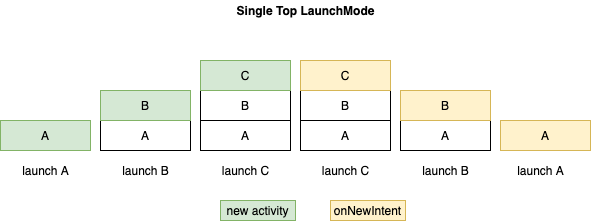
This launch mode
- always ensures that there is only a single copy of the activity exist
- retract back to where the activity is if it is relaunched i.e. pop away all other activities on top of it
SingleInstance launch mode
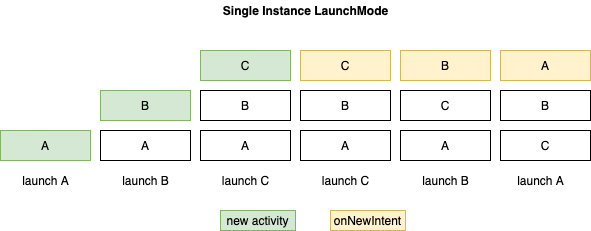
This is a special launch mode, making each activity independent from others, as they are not in the same task.
Each activity
- can only be launched once
- relaunch of it will bring it to the top again without popping others
The mixture of SingleInstance and others
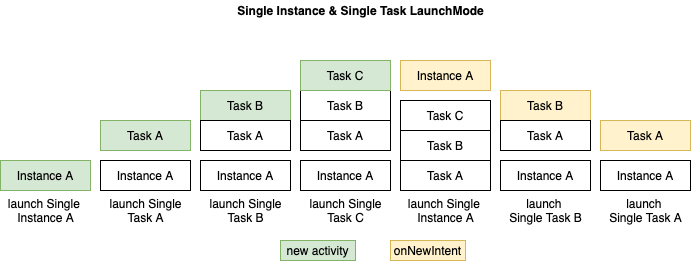
If we mixed up standard, singleTop and singleTask, the behavior is still the same as they are by themselves. They are treated as a group of activities together within a task.
When they are mingled with singleInstance, the entire group will be treated as a single instance itself, e.g. they get reordered accordingly.
Summary
On the above, I just provide a few samples of the launch order combination. If you have wonder how other combination is behaving, feel free to get the I code, compile and experiment it.
To sum up, I made a simple table below.
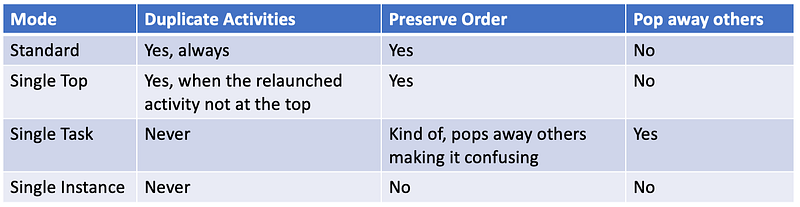
As you can see, only standard and singleTop really preserve the order, hence it will less likely confuse users when using it. Therefore it is the recommended launchMode by Google.
Nonetheless, having a solid understanding of the launch mode will make one design better navigation of activities.


