
An Introduction To 3D Art With Blender
It can be a fun hobby and a lucrative business — And it doesn’t cost a thing to get started
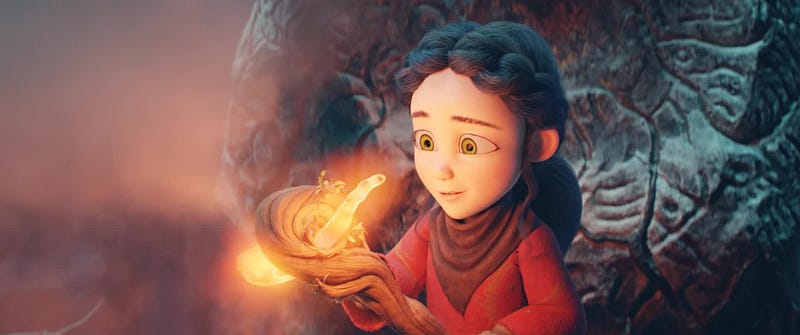
My community here on Medium knows that I’ve been absent over the past 2 to 3 weeks. Most of this is due to the big writing projects I got issued by my clients. But another reason for me not writing much, or anything at all, on Medium, has to do with 3D digital art.
I got back into it and started doing more and more there, using my spare time to create different things and exploring the possibilities.
3D digital art is a huge industry. Animation movies from Disney and Pixar, every single 3D game out there since the dawn of the first Playstation, modern architecture and planning, fashion designers, and many more rely heavily on the use of 3D art.
Did you know that the furniture and room mock-ups in IKEA catalogs are entirely made up of digital 3D graphics? It’s just much cheaper to design these shots digitally and mix, move and replace furniture on the fly than to have a real set with real photographers and all that.
If you ever wanted to create something impressive, 3D art can be a great skill to develop.
And here’s the good news: If you can’t draw or sketch anything worth showing, that’s okay! You don’t need to be good at drawing to be good at modeling.
I want to write this article as an introduction to a great piece of free software that can quickly get you started to become a 3D artist. For me, 3D art has become as much of a hobby as writing. And who knows? Maybe I’ll dive even deeper into it.
Creating Art With Blender
There is expensive software on the market to create 3D art. Maya and Cinema4D to name a few. ZBrush is a popular software for digital sculpting. For companies, they can be great. But individuals who just want to dip their feet into this world may feel unready to commit to the price tag.
Blender is a free and community-driven alternative to 3D modeling and sculpting. And it has developed incredibly since its initial release in 1998. By now, it supports everything other software can do too. It offers both physically-based rendering (creating an image or animation by realistically calculating light rays) and realtime rendering (creating an image or animation without calculating the light physically, like graphics in a PC game).
Do you want to try professional MoCap (Motion Capture)? Blender has a built-in function for that. Some people on the Reddit keep posting videos they made with DIY motion capture and it looks stunning. It’s not far from Hollywood’s green screen VFX.
Overall, Blender has developed into something that is on par with paid software used by big studios.
This video here is a good showcase of what quality is possible with Blender:
It has the capacity to create animation movies similar to movies like Disney’s Frozen or Moana. Of course, creating a movie like that takes a lot of effort and a big staff still. But the software is powerful.
I’m more of a hobbyist and have recently rediscovered my affection for Blender. As such, the things I’ll show you are far from being perfect, or even good. But they will serve as a personal benchmark further down the road and remind me how I started.
Blender is currently available in Version 2.83 and an early Alpha version of 2.90 which comes with new toys but less stability.
Sculpting, Modeling, Animating
Blender is a program that allows you to do a lot of things. You can use traditional sculpting, as if working with clay, to create 3D sculptures. It’s most often used to create organic shapes like characters and lifeforms.
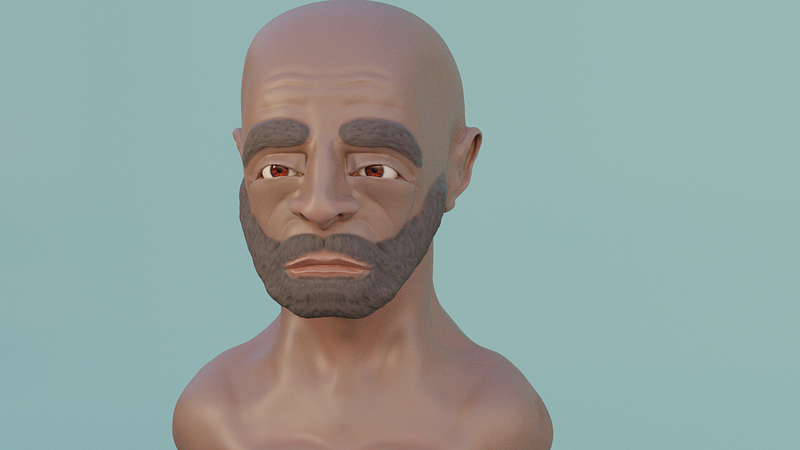
You have a multitude of brushes with which you can create your sculpt. A crease brush helps you in creating crevices and folds. You can drag, inflate, scrape, flatten, and do much more.
Note that my character above has his beard and eyebrows attached directly to the sculpture by “brushing it in”. Alternatively, you can add realistic-looking hair to your characters by using a hair-particle-system, which is also available in Blender.
With this system, you can create photorealistic looks, like you may have seen in some of the animations in the Netflix series “Love, Death & Robots”
I’m by no means an artist and can hardly draw a human-looking shape onto a piece of paper if you held me at gunpoint. In fact, I often hated myself for seemingly being unable to manage something as simple as drawing a face. But now that I committed to 3D art and keep improving upon the things I learn here, I do make some progress.
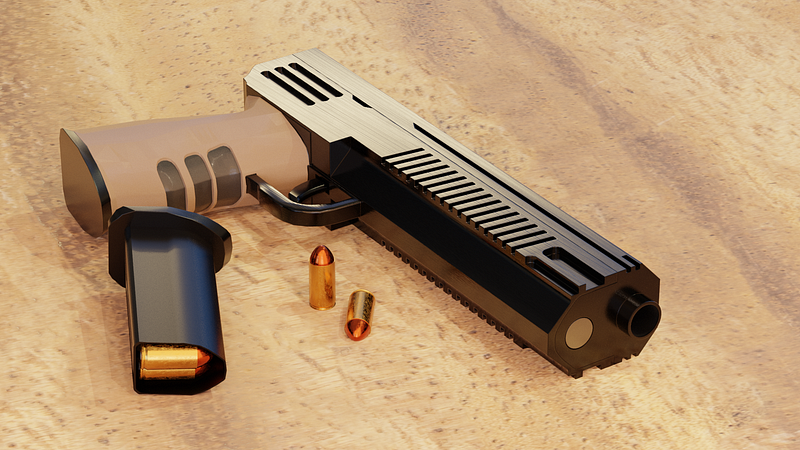
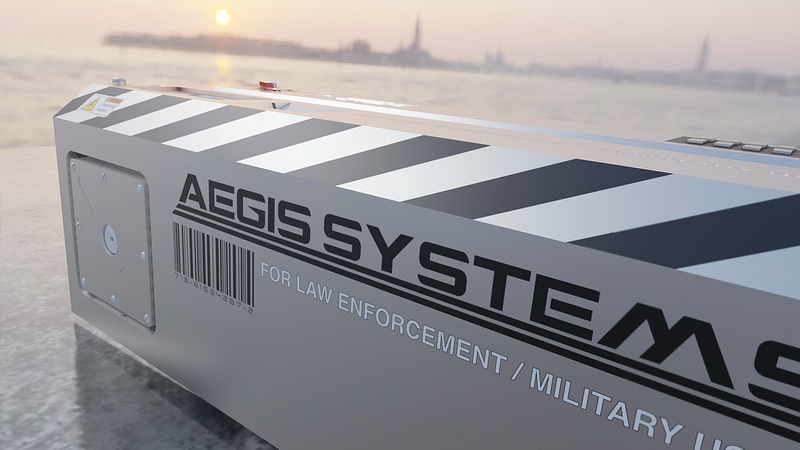
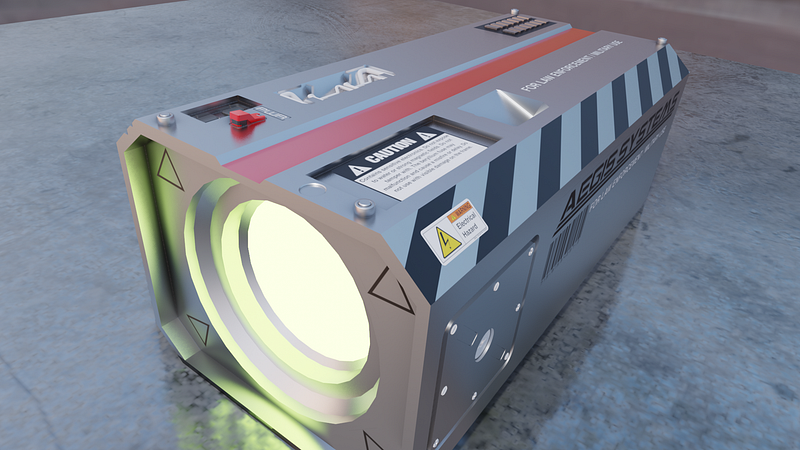
Another approach, which is often used for furniture, cars, and other non-organic surfaces is called hard surface modeling. Starting with primitive shapes, such as cubes, cylinders, and spheres, you first block out the shape you are going for. Or alternatively, you create a custom shape from a simple plane by extruding and shaping the surfaces and edges.
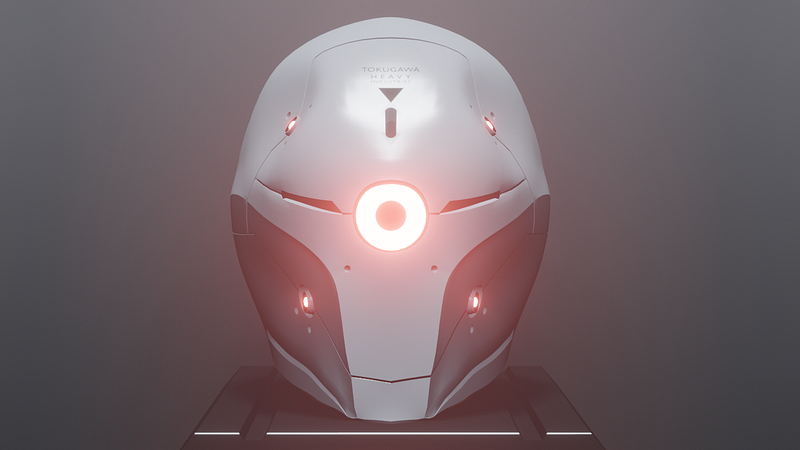
With these two approaches, you can basically create anything and everything. Then you just need to create a scene to put your stuff into, place some compelling lighting and cameras, and you got your own digital movie set.
Learning all these things can be a bit intimidating at first, but it is really rewarding to see your concepts come to life.
And if you want to dive into Blender and learn how the software works, how to create human characters or realistic-looking art, then there is a huge amount of lessons and courses online, from free videos on Youtube to top-notch courses on Udemy and Artstation, provided by people who worked in the professional industry for years.
Notable tutorials to get you started in Blender
Learning Blender on your own can be pretty tough. When I first started out, I didn’t even know how to create a light or a simple shape in my scene.
So I want to share as many helpful tutorials for a wide range of goals as possible.
Getting Started:
Andrew Price, better known as Blender Guru, is probably the most important first stop on your Blender journey. With over a million subscribers on Youtube, he really is a Blender guru.
He has created tons of videos on Youtube for every aspect of Blender. He offers follow-along-tutorials in which you will start with simple things, creating a donut, a chair, a glass cup, and your first scene. His videos will teach you all the basics and explain to you how and why things work in Blender.
Here is the link to his first video: https://www.youtube.com/watch?v=TPrnSACiTJ4
Ian Hubert is a professional VFX-artist who has put up many “1-minute videos” in which he shows how to create incredible scenes with simple approaches, like a dystopian city or an otherworldly place.
Here he shows how to create a cityscape in 1 minute: https://www.youtube.com/watch?v=JjnyapZ_P-g
Grant Abbitt is another name you should follow if you want to dive into the world of Blender and 3D digital art. He has tutorials for the basics of Blender as well as more advanced tutorials on sculpting and texturing (putting color on your object)
Here’s his complete beginner’s guide on Blender: https://www.youtube.com/watch?v=7MRonzqYJgw
Sculpting:
If you want to sculpt characters, you can learn a lot by following people who already create stunning sculpts. By learning their techniques and tricks, you can quickly grow your own repertoire of skills.
YanSculpts is a 3D character artist who consistently creates incredibly designed characters that you could just take and put into movies and games.
Here is his “Sculpting In Blender For Beginners” course on Youtube: https://www.youtube.com/watch?v=IG1IEpU5VAw
SpeedChar works with ZBrush rather than Blender, but once you’re familiar with all the Blender tools, his videos are very helpful in learning more about head proportions, what to watch out for, common mistakes when sculpting realistic human characters and so on.
Here is his video on how to model a male head, which helped me a lot: https://youtu.be/sx848Dl_P7o
Grant Abbitt, as mentioned above, is also a great sculptor with impressive works under his hood. He has created a free Blender tutorial to get started with sculpting.
Here is the link to his introduction, explaining the brushes, workflow, etc.: https://youtu.be/L3XtAFUWNuk
Hard surface modeling:
Hard surface modeling has its own approaches and workflow, like Booleans for example. The following people can teach you all about how hard surface modeling works. You will soon know all about normals, bevels, shading, topology, edge flow, n-gons, tris, quads, poles, and many more terms.
Gleb Alexandrov, without trying to sound like a complete fanboy, Gleb is one of the most talented hard surface modelers out there and has a complete course for mastering hard surface modeling with Blender on the Blendermarket and Gumroad websites.
Here’s his introduction to this course on Youtube: https://youtu.be/gtZ_qpmIf84
Josh Gambrell is another address to dive into hard surface modeling with an easy follow-along-tutorial. He has different videos to explore different aspects and workflows, so be sure to check him out.
Here’s his hard surface modeling tutorial: https://www.youtube.com/watch?v=TJAmOGymyHU
Arrimus 3D is another artist who mainly helps to understand what a Boolean is, how you use it, and when to avoid it while hard surface modeling. Understanding the tools, their advantages and drawbacks can help you immensely in using them right.
Here’s his tutorial: https://www.youtube.com/watch?v=8DVB1uGItrk
MasterXeon1001 is mainly known as the creator of two paid addons for Blender called HardOps and Boxcutter, both designed to ease and speed up the general hard surface modeling workflow.
But just watching him create things has shown me a lot of approaches and tricks when it comes to certain situations, like a rounded edge meeting a sharp cut.
Here’s an almost 3-hour long recording of him creating one of his robots called “Threadox”: https://www.youtube.com/watch?v=lp9JO7qpIO4
These links should provide you with tons of knowledge to jumpstart your Blender journey.
Let’s Meet On Artstation
For me, it is a hobby right now. I don’t expect to create anything worth selling too soon. But I created an account on Artstation to showcase my work among the countless high-quality uploads of the professionals in the scene. Of course I look out of place, but that hopefully changes if I keep going.
Artstation is a hub for 2D and 3D artists. You can also find many professional artists on the platform, the likes who work for internationally acclaimed game developers like Naughty Dogs (The Last Of Us) and TreyArch (Call Of Duty) for example.
Companies in need of 2D or 3D artists often recruit their employees directly from Artstation, so if you are interested in becoming a professional digital artist, creating a portfolio on Artstation might be your best bet, regardless of whether you create your stuff with Blender or any other software.
You can find my profile here: https://www.artstation.com/okinawagaijin
So now I’ve written something on Medium again to please the gods. I’m in between projects and have a sculpt waiting to get worked on.
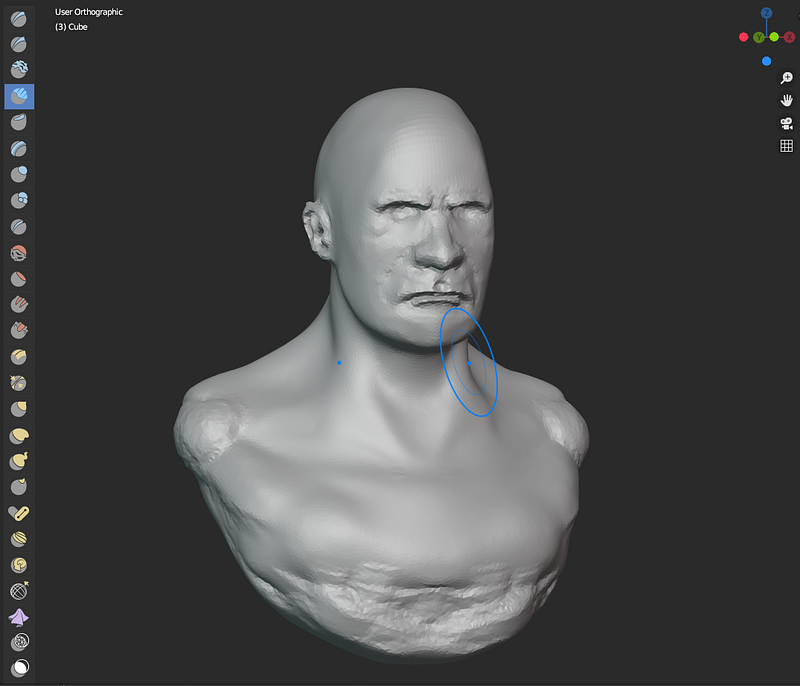
While my last character was highly stylized, I’m currently trying to work on a more realistic look.
I hope this article gave you a brief introduction into 3D Art with Blender and may have incited you to download Blender as well. It’s free after all!
I thoroughly enjoy playing with it, be it sculpting characters, clothing, or hard surface things like that helmet or the weird box that looks like a projector or something (I honestly don’t know what it is or what happens when you push that button!)
Let me know what you think in the comments and thank you for reading!


