avatarDr. Monica

Summary

Google Colab is presented as a cloud-based Jupyter notebook environment offering free GPU usage and collaborative features similar to Google Docs, tailored for Python programming and machine learning tasks.

Abstract

The undefined website article discusses Google Colab, a free and cloud-based environment for running Jupyter notebooks, which is particularly beneficial for Python programmers and those working with machine learning. It emphasizes the ease of use and the significant advantage of access to free GPU resources for handling large datasets. The platform is designed to facilitate collaboration among team members, allowing for simultaneous editing of notebooks akin to Google Docs. It supports a wide range of machine learning libraries and provides features such as integration with Google Drive and GitHub, as well as the ability to import external datasets. The article also outlines the steps to set up a GPU in Colab, which involves a simple process of selecting the GPU option under the runtime settings after logging in with a Gmail ID.

Opinions

  • The author expresses that Google Colab is a superior tool for programmers seeking to execute code at high speeds, particularly due to its integration with free GPU resources.
  • The platform is highly regarded for its user-friendly interface and seamless collaboration capabilities, which are likened to those of Google Docs.
  • There is a clear endorsement of Colab's versatility, as it supports popular machine learning libraries and allows for the integration of various tools and datasets, enhancing the productivity of data scientists and developers.
  • The article conveys enthusiasm about Colab's accessibility, requiring no setup and offering straightforward steps to activate GPU support, making advanced computing resources readily available to users.

An innovative way of Programming in cloud

google colab

Friends, we as a programmer love to run our program at super fast speed and this becomes true with GOOGLE COLAB.

If you are a programmer working in python have used Jupyter notebook previously, you would quickly learn to use Google Colab. To be specific, Colab is a free Jupyter notebook environment that runs entirely in the cloud. The most important advantage is it does not require setup and the notebooks that you create can be simultaneously edited by your team members in similar ways like you edit documents in Google Docs. Colab supports many popular machine learning libraries which can be easily loaded in your notebook.

This is very simple to use. And most importantly, we can use the free GPU for running our large datasets.

Advantages of COLAB:

The following points are the keenest features

1. Write and execute code in Python programming

2 Can easily Create/Upload/Share notebooks

3.Document code that supports mathematical equations

4. Can Import/Save notebooks from/to Google Drive

5. Can Import/Publish notebooks from GitHub

6.Import external datasets e.g. from Kaggle etc

7.Integrate PyTorch, TensorFlow, Keras, OpenCV

8.Free Cloud service with free GPU

Steps to set up the GPU in COLAB

  1. Open the COLAB and login with your Gmail ID.
  2. It will pop up the following window after successful login.
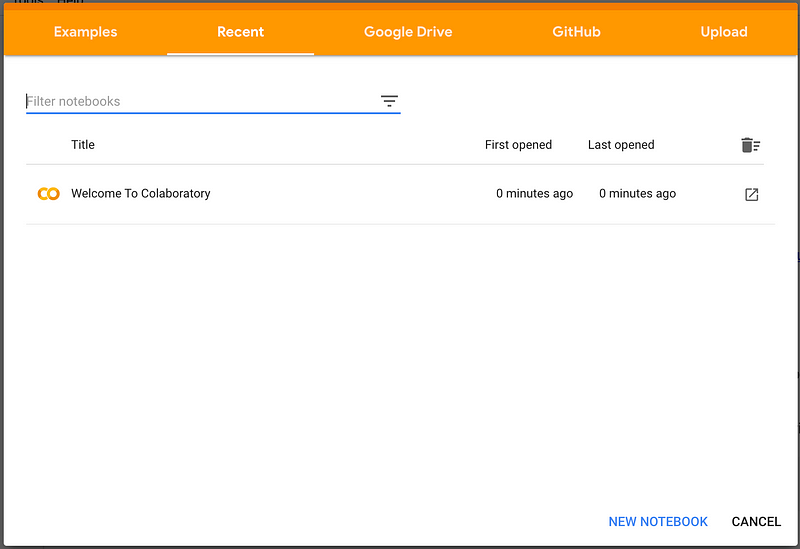
3. Once you click on NEW NOTEBOOK, the new juypter notebook will be created.
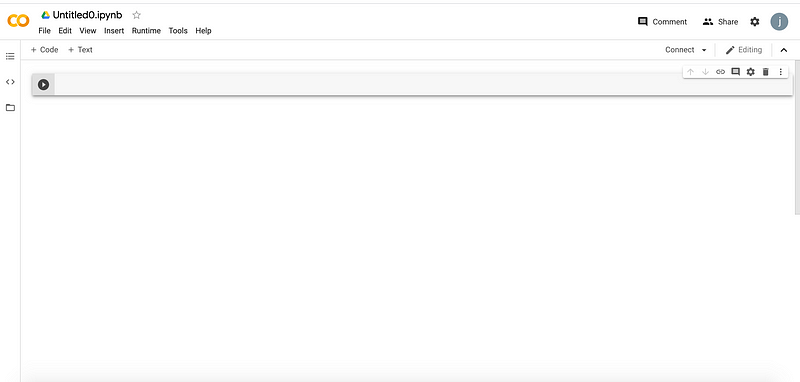
New juypter notebook

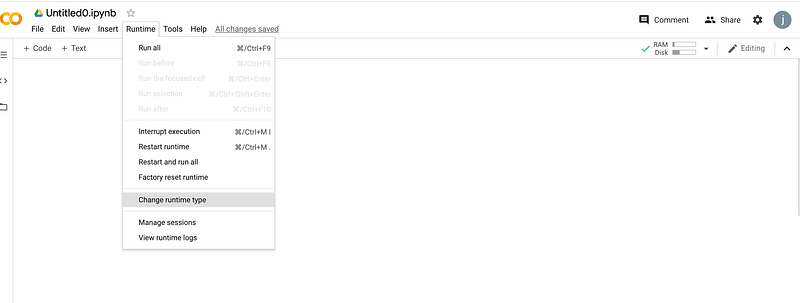
4. To opt for GPU, click on Runtime and select Change Runtime type. You must get the following window:
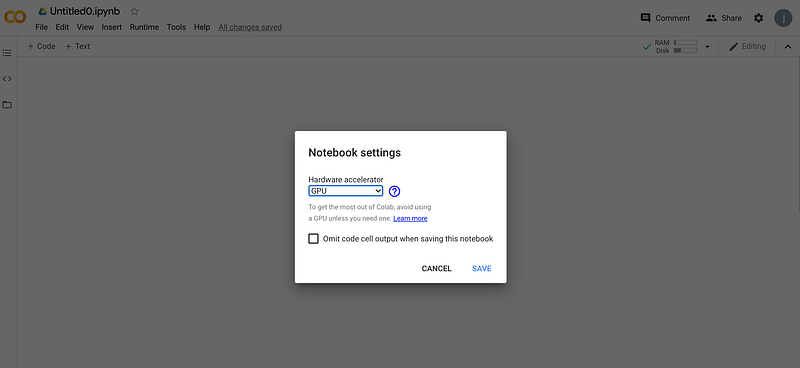
5. Click on GPU option.
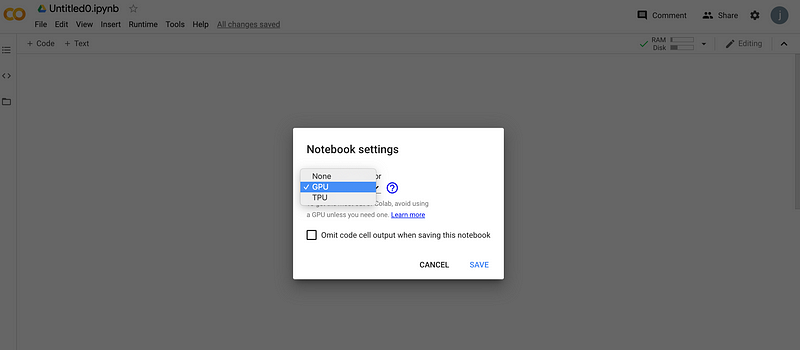
GPU option

6. Click on Save.

Save the settings

There you go, Once the settings are saved, you can easily run your program by using the GPU.

Enjoy Coding!!!

Google
Googlecolab
Programming
Python
Machine Learning
Recommended from ReadMedium