
All Kubernetes Backups Tools comparison, from Free to Paid, Restic, Kopia, Velero, CloudCasa, Kasten, etc.
The evaluation and optimization of backup costs within Kubernetes environments have gained considerable attention as organizations strive to ensure data reliability and application continuity in an increasingly containerized world.
Kubernetes, as the leading orchestration platform for managing containerized applications, presents unique challenges for data backup and recovery, necessitating specialized tools and strategies. Among the various solutions available, Restic and Kopia have emerged as notable options, each offering distinct advantages in terms of performance, cost- effectiveness, and ease of use. This article provides a comprehensive overview of optimizing Kubernetes backup costs, focusing on the comparative effectiveness of Restic and Kopia in addressing the specific needs of Kubernetes environments. Kubernetes environments, characterized by their dynamic and distributed nature, require robust backup mechanisms to safeguard against data loss due to accidental deletion, system failures, or malicious attacks. The complexity of Kubernetes infrastructure, involving multiple layers of data and configuration, underscores the importance of selecting the right backup tool that not only ensures data integrity but also optimizes operational costs. Restic and Kopia, both open-source solutions, offer features such as data deduplication, encryption, and efficient data transfer, making them attractive options for Kubernetes backups. However, differences in performance, ease of use, community support, and integration capabilities influence their cost-effectiveness and operational viability in different scenarios. The critical analysis of Restic and Kopia within the Kubernetes context reveals that while both tools provide reliable backup solutions, their appropriateness may vary depending on specific requirements such as backup speed, storage efficiency, and user interface preferences. Kopia, for example, is recognized for its superior performance in data movement and its efficient data deduplication feature, which can lead to significant savings on storage costs — a crucial consideration for large-scale deployments. On the other hand, Restic is praised for its user-friendly command- line interface and fast performance, making it a preferred choice for those prioritizing simplicity and speed. In conclusion, the quest to optimize Kubernetes backup costs involves a careful consideration of the available tools’ features, capabilities, and limitations. Through detailed comparisons and real-world applications, this article aims to equip readers with the knowledge to make informed decisions on selecting the most cost-effective backup solution for their Kubernetes environments. As the landscape of containerized applications continues to evolve, so too will the strategies and tools for ensuring their resilience and continuity, highlighting the ongoing importance of effective and efficient data management practices.
The Critical Role of Backups in Kubernetes Environments
The advent and proliferation of Kubernetes as the de facto standard for container orchestration have necessitated the development of robust backup and recovery mechanisms. These systems are vital for the protection and restoration of applications and data in the event of loss, whether accidental, systemic, or malicious. Kubernetes environments, with their dynamic and distributed nature, present unique challenges and considerations for backup strategies[1][2].
Kubernetes Backup Challenges
Kubernetes clusters are highly dynamic, with instances of containers being created and destroyed in response to load and other operational factors. Data within these environments is often written to Persistent Volumes (PVs), which can be provisioned dynamically. This dynamic nature complicates the backup process, as it requires capturing a wide array of information to enable successful restoration. To comprehensively backup a Kubernetes cluster, one must include all control plane data stored in etcd, all namespaces, and all PVs[1]. This complexity underscores the importance of a well- thought-out backup strategy to ensure that clusters and applications can be restored to a functional state without requiring heroic efforts.
Backup Approaches in Kubernetes
As Kubernetes has matured and been adopted for production use at scale, the need for “enterprise-level” backup and recovery services has become apparent. This need has led to the development of two main approaches for Kubernetes backup: specialized Kubernetes backup solutions and broader-based backup and recovery tools that include support for containerized environments[2].
Specialized Kubernetes Backup Solutions
These solutions are designed explicitly with Kubernetes environments in mind. They aim to address the unique challenges posed by Kubernetes, such as the need to backup and restore at the granularity of individual containers and services, as well as the entire cluster.
Broad-Based Backup and Recovery Tools
On the other hand, broader-based tools provide support for a wide range of environments, including Kubernetes. These solutions are often part of a more extensive data protection strategy that encompasses both containerized and non- containerized workloads.
Importance of Backup and Restore Processes
A robust backup and restore process forms the backbone of any Kubernetes backup system. This involves not only the ability to backup entire applications offsite from a local Kubernetes cluster but also the capability of the backup software to “understand” the components of a Kubernetes application. Such understanding allows for more effective and efficient restoration, ensuring that applications are returned to their proper state with minimal disruption[3]. The critical role of backups in Kubernetes environments cannot be overstated. As organizations continue to deploy and scale their Kubernetes clusters and applications, implementing effective backup and recovery practices is essential to safeguard against data loss and ensure operational continuity[1][2][3].
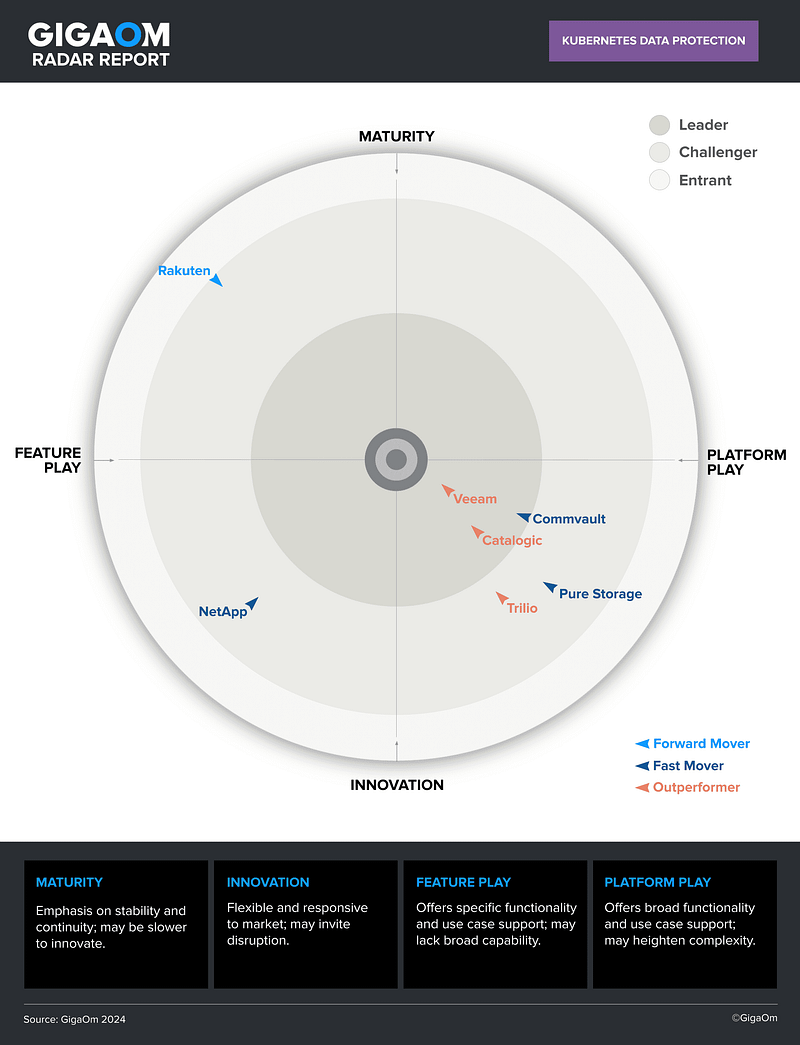
Overview of Kubernetes Backup Tools
Kubernetes has emerged as a leading platform for container orchestration, managing the complexity of running containerized applications across various environments. As the adoption of Kubernetes grows, so does the need for robust backup solutions to ensure data reliability and application continuity. The market for Kubernetes backup tools is diverse, featuring a range of dedicated products and broader-based backup and recovery tools that support container environments[2]. This overview explores the landscape of Kubernetes backup solutions, highlighting the main approaches and key features to consider when selecting a backup tool.
Main Approaches to Kubernetes Backup
There are two main approaches to backing up Kubernetes environments: using dedicated backup products designed specifically for Kubernetes, and employing broader-based backup and recovery tools that include support for container environments as part of their feature set[2]. Dedicated Kubernetes backup tools are built from the ground up to handle the unique challenges of containerized environments, such as managing stateful and stateless components and ensuring application consistency. On the other hand, broader-based tools offer a more holistic backup solution that can protect a
range of IT assets beyond just containers, making them a versatile choice for organizations with diverse infrastructure.
Top Kubernetes Backup and Storage Solutions
Exploring the market reveals the top Kubernetes backup and storage solutions, which offer features like data replication, cluster recovery, and storage orchestration[4]. These tools are designed to meet the specific demands of Kubernetes environments, ensuring that data is not only backed up but also easily recoverable in the event of a failure, and that storage resources are efficiently managed.
Key Features of Backup Solutions
When evaluating Kubernetes backup tools, it’s essential to consider key features that can impact the effectiveness and efficiency of backup operations. These features include service provider programs, which can offer added benefits like managed services and support[5]. Best practices in Kubernetes backup also emphasize the importance of reliability and integrity, ensuring that backups are not only performed regularly but are also secure and free from corruption[5].
Comparing Restic, Duplicacy, and Kopia
In the quest for the optimal Kubernetes backup tool, comparisons between popular options like Restic, Duplicacy, and Kopia reveal important insights[6]. Restic stands out for its combination of fast, secure, and open-source backup capabilities, offering encrypted, compressed, and deduplicated backups using the cloud storage of your choice7[8]. This makes Restic a compelling choice for those prioritizing cost-effectiveness and security in their Kubernetes backup strategy.
Detailed Comparison of Restic and Kopia
When considering the optimization of Kubernetes backup costs, it is essential to compare the two prominent solutions: Restic and Kopia. Both are reliable backup solutions, each with its unique features and advantages. This section delves into a detailed comparison of Restic and Kopia, focusing on performance, ease of use, community support, and integration capabilities to determine which is more cost-effective for Kubernetes backup.
Performance
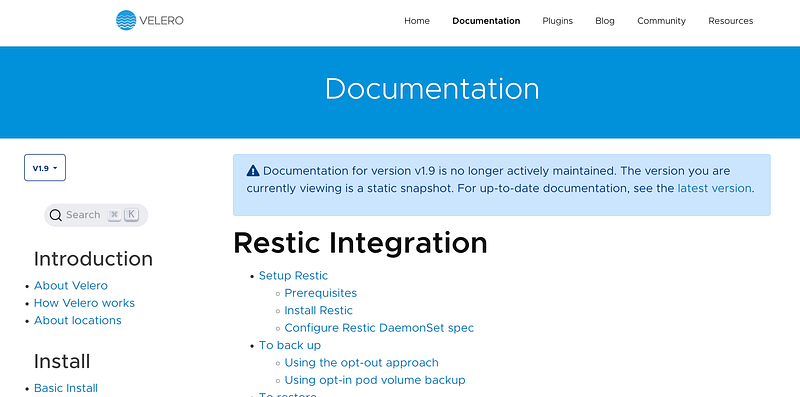
Kopia is noted for its superior performance in data movement, especially regarding the transfer of persistent volumes from Kubernetes clusters[9][10]. It has been shown that Kopia outperforms Restic in terms of speed and efficiency in these scenarios. This performance advantage makes Kopia a preferred choice for the Velero community, which has considered deprecating Restic as the tool of choice for Kubernetes persistent volume data transfers[9].
Ease of Use and Interface
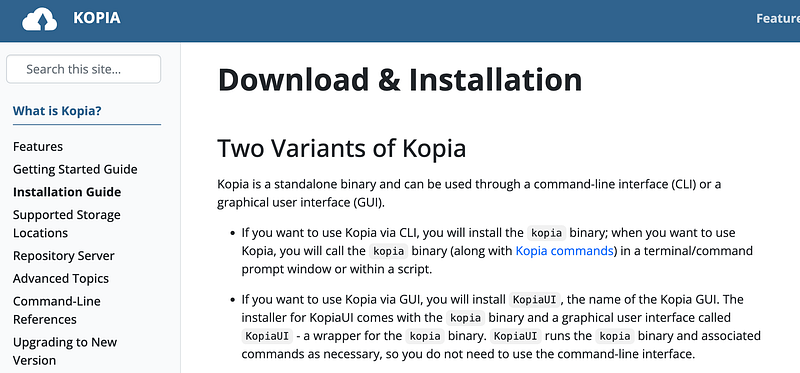
Restic is designed to be user-friendly with a simple Command Line Interface (CLI) that is easy to set up and use. It provides intuitive commands and options, making it accessible for users familiar with command-line tools[11][6]. However, Restic lacks a Graphical User Interface (GUI), which can be a disadvantage for users who prefer or require a GUI for their operations[11][12]. On the other hand, Kopia offers both a CLI and a GUI, catering to a wider range of users. The GUI version is particularly highlighted for making the backup and restore process more straightforward for users who may not be as comfortable using command-line interfaces[8]. While there are some critiques regarding the user-friendliness of Kopia’s GUI, it remains a significant advantage over Restic for users seeking graphical interface options[12].
Community Support and Documentation
Both Restic and Kopia have active community forums and comprehensive documentation, which are critical for user support and solution adoption. Restic provides various channels for community interaction, including a forum for usage or support questions and GitHub for bug reports or feature suggestions[13]. Similarly, Kopia has an active community forum and offers support through a Discord server, allowing users to interact directly with developers and other community members[10].
Integration and Compatibility
Restic supports various platforms and integrates well with other tools, making it a versatile solution for different environments[6]. It is designed with a focus on simplicity and efficiency, offering features like deduplication and encryption[11]. Kopia also supports a range of platforms and excels in handling large datasets, with features including compression, deduplication, and end-to-end encryption[10][8].
Comparative Analysis of Restic and Kopia
When it comes to optimizing backup costs in Kubernetes environments, both Restic and Kopia emerge as prominent solutions, each with its unique strengths and drawbacks. This analysis seeks to delineate these aspects to ascertain which tool may offer more cost-effectiveness for Kubernetes backup tasks.
Features and Capabilities
Kopia is acknowledged for its efficient data deduplication feature, which ensures that multiple copies of the same file are stored once, significantly saving storage space and, consequently, costs[8][14]. This aspect of Kopia is particularly advantageous when dealing with large volumes of data that include redundant information. Restic, while also a powerful tool, lacks the native GUI interface that Kopia provides, which could be a determining factor for ease of use and management[6][12].
Performance in Kubernetes Environments
The Velero community, focused on Kubernetes data protection, has recognized Kopia’s robustness, to the extent of considering the deprecation of Restic for Kubernetes persistent volume data transfers[9]. This decision underlines Kopia’s superior performance and reliability when handling the specific needs of Kubernetes environments. Kopia’s design allows for efficient storage and transfer of data to external storage, essential for minimizing both storage space requirements and compute costs[15].
Community Support and Development
Both Restic and Kopia have active communities that contribute to their development and provide support to users. Restic offers various channels for user support and feedback, including forums and GitHub issues, highlighting an open approach to development and user engagement[13]. Kopia, similarly, provides comprehensive documentation, user guides, and community support through a Discord server, reflecting a well-supported platform for users[10]. The active engagement with the community is crucial for the continuous improvement of these tools.
Cost Considerations
In terms of direct costs, both Restic and Kopia are open-source and free to use, which inherently provides a cost advantage over proprietary solutions[6]. However, the real cost-effectiveness comes from the operational efficiencies and storage savings they offer. Kopia’s data deduplication can lead to significant savings on storage costs, which is a critical factor in large-scale deployments[14]. On the other hand, Restic’s ease of use and fast performance for large datasets are also valuable traits that can reduce operational overhead and time costs[16].
Real-World Applications and Case Studies
In the quest to optimize Kubernetes backup costs, various organizations have deployed different strategies and tools, with Restic and Kopia emerging as notable solutions in the space. Through real-world applications and case studies, the effectiveness and efficiency of these tools can be observed in practical scenarios, highlighting their roles in cost optimization and data management within Kubernetes environments.
OpenEBS and Velero Integration
One notable application is the integration of OpenEBS with Velero, enhancing Kubernetes data management capabilities. This integration allows for the migration of Kubernetes stateful workloads along with their persistent data across different environments, whether on-premise or cloud-based. OpenEBS, focusing primarily on Local High Availability (HA), leverages this integration to offer Data Management as a Service (DMaaS), a solution that embodies cost-efficiency by reducing maintenance, lowering storage costs, and simplifying administration[17].
CloudCasa Implementation
Another case study highlights the implementation of Kopia as the data movement framework in CloudCasa. This decision was informed by Kopia’s performance advantages, particularly its multi-threaded framework, which excels in handling datasets with a large number of files. The adoption of Kopia in CloudCasa underscores the importance of scalable and efficient data management solutions in optimizing Kubernetes backup performance and, by extension, reducing overall costs[9].
Collaborative Innovations: Kanister and Kopia
The collaboration between Kanister and Kopia presents a unique case of open-source projects working together to enhance backup and recovery solutions for stateful applications on Kubernetes. Spearheaded by engineering teams at Kasten by Veeam, this collaboration focuses on creative data management solutions. It highlights the role of community-driven development in advancing cost-effective data management practices. Through this synergy, both Kanister and Kopia have demonstrated significant potential in streamlining backup processes and fostering innovation in Kubernetes data management[15].
Comparative Performance Analysis
A comparative performance analysis sheds light on the selection process for backup solutions, emphasizing cost- effectiveness, performance, and community support. Kopia’s superior speed and lower memory load, combined with its robust community support, underscore its viability as a cost-effective backup solution. Additionally, the analysis revealed the importance of free, open-source solutions in minimizing backup costs, with Kopia and Restic standing out for their performance and extensive documentation[6].
Optimizing Kubernetes Backup Strategies
Overview
As Kubernetes continues to be adopted for production environments, the importance of implementing robust backup strategies cannot be overstated. The necessity to safeguard applications against accidental loss, system failures, or security breaches is paramount[1]. The landscape of Kubernetes backup solutions is diverse, encompassing both specialized products and broader, container-supportive backup and recovery tools[2]. This section explores the essentials of optimizing Kubernetes backup strategies, focusing on cost-effectiveness and efficiency in the context of tools like Restic and Kopia.
Choosing the Right Tool
Selecting an appropriate backup tool is a critical first step in optimizing Kubernetes backup strategies. The market offers a variety of tools, each with distinct features and performance metrics. For instance, in comparative studies, Kopia has shown to be fast in backing up data, whereas Duplicacy excels in deduplication ratios, and Restic is favored for its overall backup capabilities despite having higher CPU usage[6]. The decision on which tool to employ should be informed by specific backup requirements, including speed, storage efficiency, deduplication capabilities, and compute resource consumption[15].
Compression and Deduplication
Efficient storage utilization is a key factor in optimizing backup costs. Tools like Kopia offer flexibility in compression settings, allowing for path-specific compression, which can be pivotal in managing storage space effectively[18]. It’s worth noting that changing compression settings or algorithms in Kopia applies only to new data and does not retroactively affect previously stored backups[19]. Zstandard (zstd) is recommended for its balance between speed and compression efficiency, while deduplication is enabled by default to further optimize storage[19].
Backup Scheduling and Retention
Determining an optimal backup schedule and defining a clear retention policy are critical components of an effective backup strategy. These elements help in balancing storage costs against the need for historical backups for potential data recovery needs[20]. Tools such as Velero facilitate the management of backup schedules and retention policies through their command-line interfaces, enabling administrators to initiate backups and perform restorations efficiently[20].
Cost vs. Efficiency
The balance between the operational costs of running backup tools (including storage and compute costs) and the efficiency of the backup process is crucial[15]. Organizations must evaluate the total cost of ownership (TCO) of their chosen backup solutions, considering both direct costs (such as storage and compute resources) and indirect costs (such as the potential cost of data loss and recovery time objectives)[5]. The goal is to achieve a cost-effective, yet reliable and efficient backup solution that meets the enterprise’s specific needs.
Addressing Challenges in Kubernetes Backups
Overview of Market Approaches
As Kubernetes continues to solidify its position as a key infrastructure for deploying and managing containerized applications, the demand for robust backup solutions has escalated[21]. This demand is being met with two primary approaches: dedicated Kubernetes backup products and broader backup and recovery tools that have extended their capabilities to support container environments[2]. These solutions are being developed to ensure that enterprises can provide the same level of service for Kubernetes applications as they do for other production applications, recognizing the importance of implementing effective Kubernetes backup strategies to protect against accidents, system failures, or malicious attacks[1].
Strategic Considerations for Effective Backup
To establish a comprehensive backup strategy within a Kubernetes environment, several key factors need to be considered. These include the significance of the data, Recovery Point Objectives (RPO), Recovery Time Objectives (RTO), compliance requirements, resource consumption, and testing protocols[20]. A balanced approach that considers these factors can help organizations protect their valuable data without unnecessarily straining storage resources.
Achieving this balance is critical for maintaining business continuity, mitigating risks, and preserving data integrity in the dynamic context of Kubernetes operations[20].
Challenges and Solutions
Handling Node Termination Events
One specific challenge in Kubernetes backups involves handling node termination events, particularly with Preemptible Virtual Machines (PVMs). These instances offer cost benefits but come with certain constraints, such as no guaranteed availability and the potential for stockouts in some regions. A community-driven solution to this problem involves deploying a Node Termination Event Handler project within the cluster. This project, although not officially endorsed by Google, provides an adapter that translates Compute Engine node termination events into graceful Pod terminations in Kubernetes[22]. However, this solution doesn’t fully address all constraints, as Pod Disruption Budgets may still be violated, potentially leading to delays in pod rescheduling.
Cloud Infrastructure Costs
The adoption of public cloud infrastructure plays a significant role in Kubernetes deployments, offering scalability and flexibility[5]. However, the costs associated with cloud services can be substantial. To manage and optimize these costs, it’s crucial for organizations to enable visibility across all stakeholders. By doing so, Kubernetes resource allocation can be fine-tuned, ensuring that resources are allocated precisely according to the needs of each cluster, namespace/label, node, pod, and container[23]. This optimized allocation not only helps in reducing expenditure but also formalizes accountability for Kubernetes costs, facilitating better financial management within organizations[23].


