
Align One Common Letter in Multiple Strings Using One Line of Python Code
A guide on aligning one common letter in multiple strings using one line of Python code.
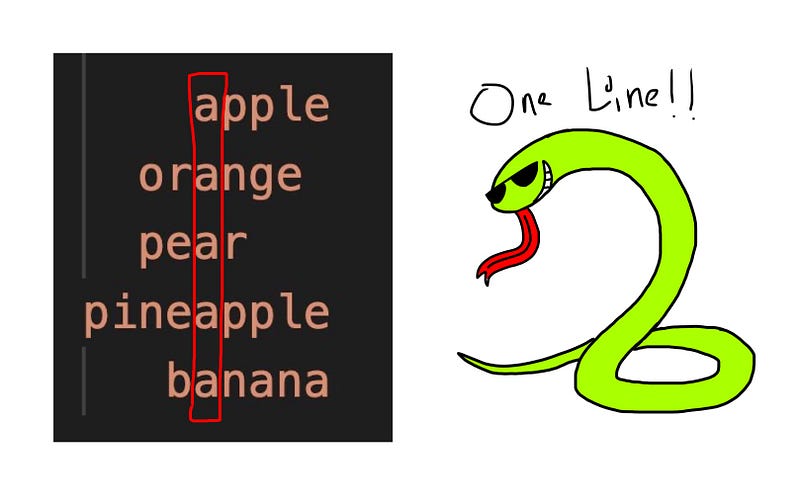
Let’s say we are given 1) a list of strings strings and 2) a letter letter. Write a one-liner function align(strings, letter) to print out the strings line by line, aligning letter vertically.
- If
letteris not inside a string, don’t print it - If there are more than 1
letter, use the first one
# Case 1
strings = ["apple", "orange", "pear", "pineapple", ]
letter = "a"
# the output: apple
orange
pear
pineapple
bananaNotice that the letter "a" is aligned vertically in all the strings, and spaces are padded in front of some of the strings in order to align the "a".
# Case 2
strings = ["apple", "orange", "pear", "pineapple", "banana"]
letter = "e"
# the output: apple
orange
pear
pineappleHere, e doesn’t appear in "banana" so "banana" is simply not printed. The e's in other strings are aligned vertically. Also, there are 2 e's in pineapple, but we align only the first e.
The Logic Behind The Solution
Let’s take a look at this test case:
strings = ["apple", "orange", "pear", "pineapple", "banana"]
letter = "a"
Analysis of the expected output:
           num_space  index_a  (num_space + index_a)
    apple  4          0        4
  orange   2          2        4
  pear     2          2        4
pineapple  0          4        4
   banana  3          1        4
Let num_space be the number of spaces we print before each string, and let index_abe the first-found index of the letter "a". Notice that num_space + index_a is always equal to the same number. This number happens to be the maximum index of "a" in all strings.
Finding The Maximum Index Of Letter In One Line
Method 1 — we create a list containing each string’s index of letter, and use the max function to find the largest index of letter.
max_index = max([string.find(letter) for string in strings])Method 2 — we use the max function to find the string with the largest index of letter, then find its index of letter.
max_index = max(strings, key=lambda x:x.find(letter)).find(letter)Both methods work, so just use whichever you like more.
Printing Each String With Spaces Added In Front
For each string, the index of letter + the number of spaces is equal to max_index. As such, the number of spaces to add in front of each string is equal to max_index minus the index of letter.
for string in strings:
    if letter in string:
        print(" "*(max_index-string.find(letter)) + string)
Doing This In One Line Using List Comprehension
Using list comprehension with a condition, we can convert the code chunk above into a one-liner.
[print(" "*(max_index-string.find(letter)) + string) for string in strings if letter in string]Our One-liner Function
We can thus combine these steps using a semicolon into a one-liner function. And here we have it:
def align(strings, letter):max_index = max([string.find(letter) for string in strings]);[print(" "*(max_index-string.find(letter)) + string) for string in strings if letter in string]Conclusion
If this article provided value and you wish to support me, do consider signing up for a Medium membership — It’s $5 a month, and you get unlimited access to articles on Medium. If you sign up using my link below, I’ll earn a tiny commission at zero additional cost to you.
Sign up using my link here to read unlimited Medium articles.
I write coding articles (once per 1–2 days) that would have probably helped the younger me speed up my learning curve. Do join my email list to get notified whenever I publish.
More content at PlainEnglish.io. Sign up for our free weekly newsletter. Follow us on Twitter and LinkedIn. Join our community Discord.