
Airbyte — Worth the hype?
A simple example and checking its capabilities and features. Is it worth the hype?
Introduction
Airbyte seems to be on the hype train at the moment. The majority of people in the data world are using it or planning to use it, so I decided to evaluate it from my point of view. I'm aware that it's processing row by row and in some parallel fashion with zero or very minimal transformations. It's pretty obvious since it's an EL tool. You can use multiple connections for sources and destinations created by the community members or Airbyte developers. You can even ask for some specific ones in the marketplace. Of course, you can contribute to the project as well since it's an open-source project!
Pre-requisites
I'm not going to cover the basic setup in this post. If you wish to replicate this tutorial, you should have available:
- Local (or remote if you prefer) Airflow running with apache-airflow-providers-airbyte installed for Airbyte operator (and any other libraries you'll need).
- Postgres DB running (can be the same as Airflow backend DB)
- Airbyte spun up. I've used official docs.
- Have AWS account and created some s3 bucket and have AWS access key id and Secret Key
Data flow
Let's take the famous NYC taxi data set and call it our provider data, which we can access by downloading it. To be fault-tolerant and idempotent in our data flow, we should store it in the S3 bucket and have it available no matter what application we're using. From there, we're going to leverage Airbyte and load to our Postgres DB staging schema.
Or long story short, you can check out the data flow in this image below:
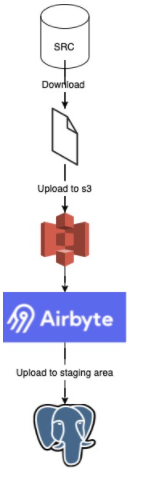
Downloading and loading to S3
For these operations, I'm going to leverage two operators—one to download the data and then the next one to upload it to s3. Keep in mind that my Airflow instance is running locally in a docker container. I don't want to add anything on top of my existing setup to make it a heavy behemoth, only the bare minimum things I'm adding to it. By splitting my tasks into atomical actions, I can guarantee that each step will work as it should and when I re-run it, it will return the same results.
For downloading the data, I'm going to use a straightforward Bash operator that is going to execute the curl command:
download = BashOperator(
    task_id="download_data",
    bash_command="""curl -o /opt/downloads/{{ macros.ds_format(ds, "%Y-%m-%d", "%Y-%m") }}.csv -L https://s3.amazonaws.com/nyc-tlc/trip+data/yellow_tripdata_{{ macros.ds_format(ds, "%Y-%m-%d", "%Y-%m") }}.csv""",
)
Since I'm mimicking monthly file creation, I'm using ds macro here as the file name. I think it's one of those rare cases where I prefer ds over next_ds in my flows (if you're familiar with Airflow, you know where my hate for these macros comes from, if you’re not I strongly suggest reading about macros and execution dates in Data Pipelines with Apache Airflow by Bas P. Harenslak and Julian Rutger de Ruiter, Astronomer training courses on Fundamentals and DAG authoring or check out Marc Lamberti Youtube Channel).
So to load to S3, I'm going Airflow way, and I'm going to use the S3 hook to do so. Using task flow API, I've created this task:
@task.python
def upload_file_to_s3(s3_conn_id, file_name, **kwargs):
    s3 = S3Hook(aws_conn_id=s3_conn_id)
    s3.get_conn()
    s3.load_file(filename=file_name,
                 bucket_name="tomasp-dwh-staging",
                 key=file_name.split("/")[-1])
Airbyte
First thing first, what I like is the UI. Super clean, easy to understand, though the tool itself is pretty simple. Set up source, set up the destination. Map the flows and add a timer if you want it triggered periodically.

Also, kudos for the images with Octopus (Not a Squid, but an Octopus! People in Slack channel pointed it out to me 😅 Octavia Squidington III) in the Airbyte Slack channel. For me, it’s an excellent way to do a simple onboarding to your product in an easy, non-invasive, but interactive way.
So let's start the setup. You can go away and start setting up sources and destinations separately and then map them in the connections section. I'm too lazy to browse multiple tabs. Let's see if onboarding from connections will work for me right away.

Again coming back to the octopus, still super lovely! Let’s get back to what I came here to do — create a new connection, as the squid says!
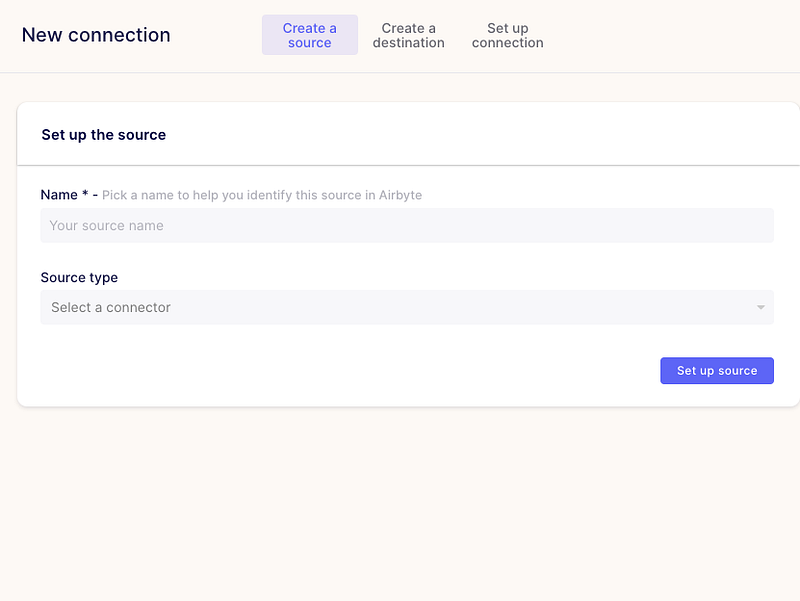
We can already see that our intro flow here is quite simple three steps.
- create a source
- create a destination
- create a connection
If you'd created source and destination before, you'd be able to connect them here. Otherwise, if you're using onboarding flow, you'll see something like this:
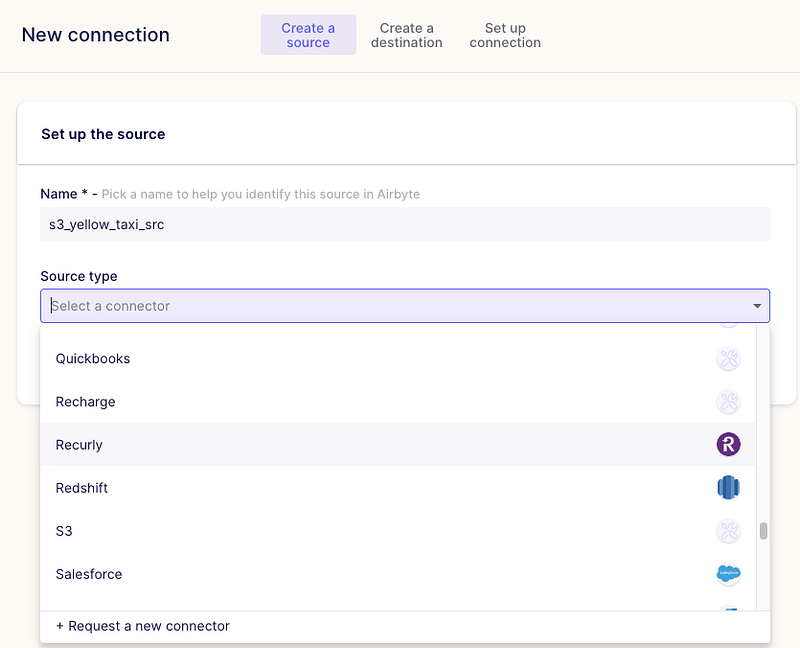
So what I like is that there were many sources already, and worst case, you can ask for a new connector right from here!
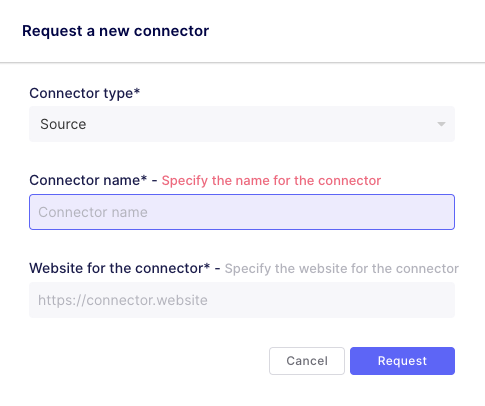
Also, you can check out their marketplace and request a connector there. It will open an issue in GitHub on their project.
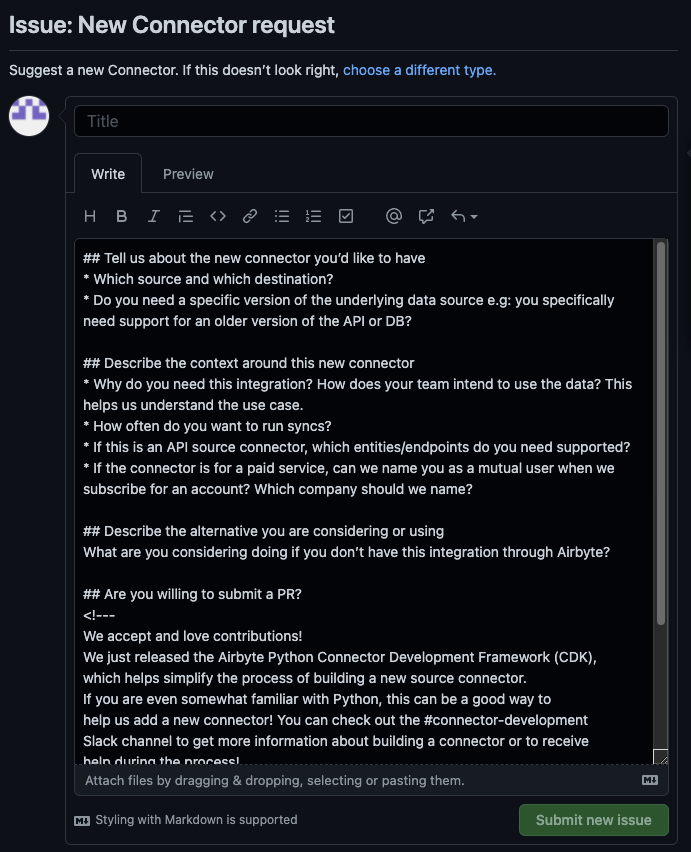
But, clicking on health status puts me on the page not found error :(

No worries, it's just a wrong link. Got an answer in the slack that we should see the contents in different link.
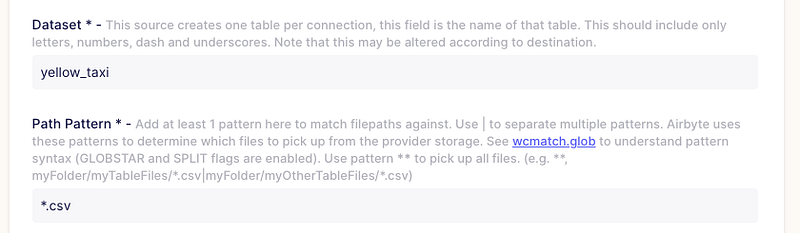
I think I sidetracked a bit here. So let's choose S3 as a source (since our yellow taxi data is residing there). And we can already see that our settings part just expanded. So fill the data with what you want. I'm going to use some of the configuration properties for the yellow taxi data. The dataset name I chose is yellow_taxi, and I'm taking only CSV files. Here I could set up multiple folders to check for data and other rules as specified in the helper text, but it didn't relate to my use case, though it's a nice and simple feature to handle multiple places where files land.
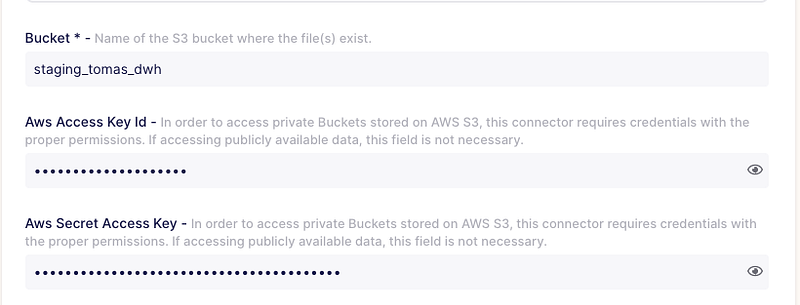
I've mentioned before that we need a bucket created, and if your bucket is not public — you have to pass credentials so that Airbyte can access them.
Also, the nice thing is that you can configure block size. It can give an improvement to your EL flow performance.

Keep in mind that Airbyte process all information in memory before pushing to the destination! If your DB has better tips and tricks (i.e., Redshift/Postgres copy command), try to leverage them instead (or open a PR on Airbyte if you have a solution to contribute to open source!).
If you've set up everything correctly, you should get no errors and be thrown to "Create a destination part."
This part is a bit more straightforward in my case. Simple connection configuration to my Postgres local instance:
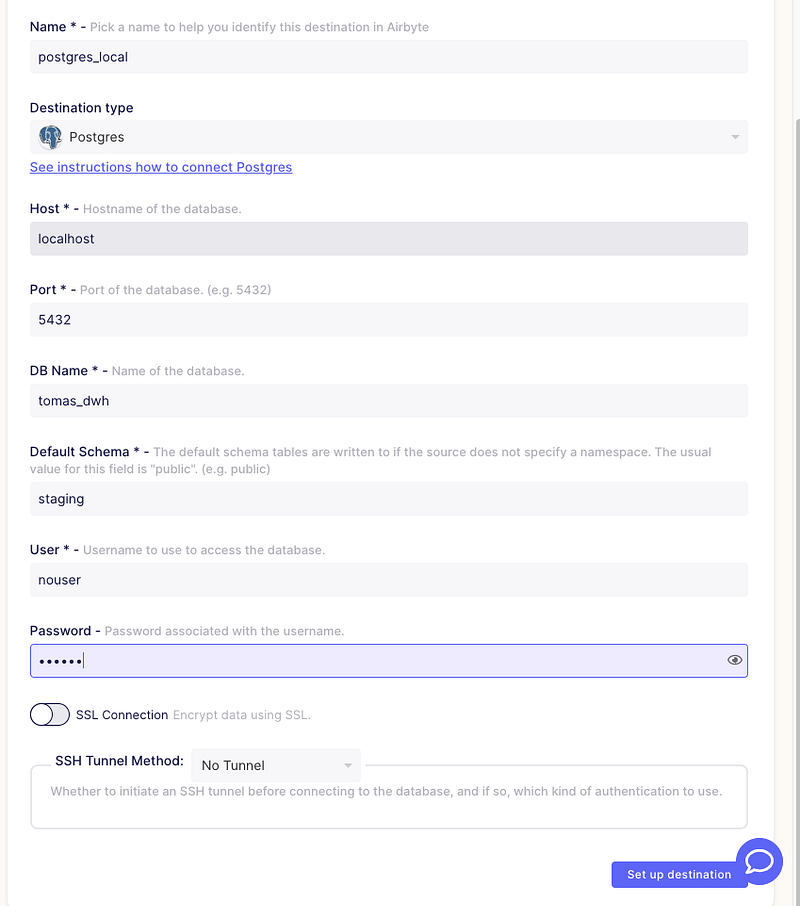
Setting up was also a success, so we're directed to the "Set up connection" part at last!
Here we can choose how often our syncs should happen:
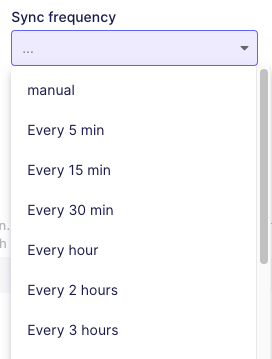
It depends on your use case, of course. In my case, I'm going to use Airflow for orchestrating the whole thing, so I'm going to choose manual here.
The next part is the namespace configuration. Here we see three options
- Mirror source structure
- Destination connector settings
- Custom format
You can read more in detail about the differences here in official Airbyte docs. In my case, I want to go for mirroring source structure.
Let's create yellow_taxi as a table prefix if multiple tables are crated based on a per-connection basis.
Refresh the schema! By default, it will just contain some systemic columns. Always double check if you're columns appear in the mapping part:
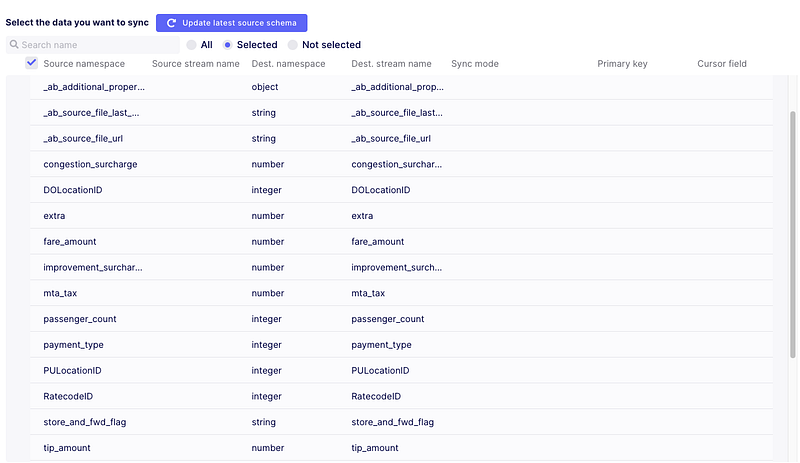
Now let's check the sync modes available. Super happy for Incremental ones to be there:
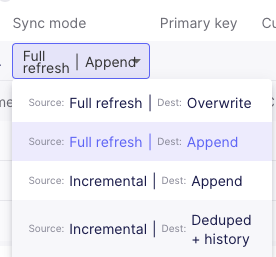
Check out more in-depth explanations about incremental append (new or changed data is processed only) and incremental deduped + history (SCD Type 1 on provided Unique key). My case is simple it's a fact table import, so Full refresh with Overwrite.
The next step is Normalization and transformations. Once again, I'm reminding you that Airbyte runs in memory to process row by row. No normalization in options means that it will be stored in the end table as a JSON together with some metadata by Airbyte! My later transformations will be executed on tabular data, so I prefer to use the normalization option here.
Spoilers: it uses dbt in order to normalize your data!
Another thing is that we can add some transformations here in this pipeline too! From what it looks like, it will run your transformations in a docker image and push to the destination afterward!
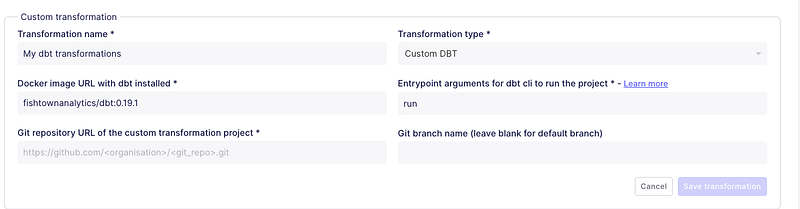
First thoughts were how it would handle private repositories, but checking in the docs, I've got all the answers and examples! This is super neat if you're data is synced periodically and not using any orchestrator. Use dbt models after the load is done—getting rid of Airflow to some extent.
In my example, I'm managing flows with Airflow, so I can have it all in one DAG and have complete control over it.
The only thing left — Airflow to call Airbyte when we're done moving data around.
Back to Airflow
If you haven't set up an Airbyte connection Airflow, follow their official docs. Though with docker images, you might encounter some issues communicating in between. Run docker ps to get Airbyte server docker image id and then run docker inspect IMAGE_ID. Take gateway as your host in the connections part:

Connection for me looked like this:
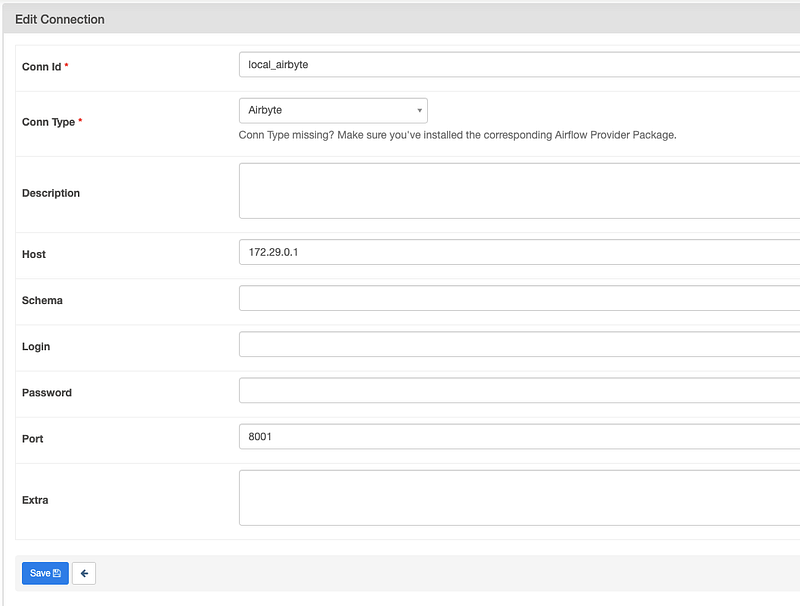
The only thing that was left I need to do is to add the Airbyte part to my DAG:
airbyte_s3_to_postgres = AirbyteTriggerSyncOperator(task_id='sync_airbyte_s3_to_postgres',
                                                    airbyte_conn_id='local_airbyte',
                                                    connection_id='902284d9-c0c3-43a7-a71f-636afd3c1b73',
                                                    timeout=3600,
                                                    wait_seconds=30
                                                    )
connection_id is what you see in the URL when you open your connection. Wait_seconds is poking time; how often it will check for completion.
So our final flow to the staging area Airflow looks like this:
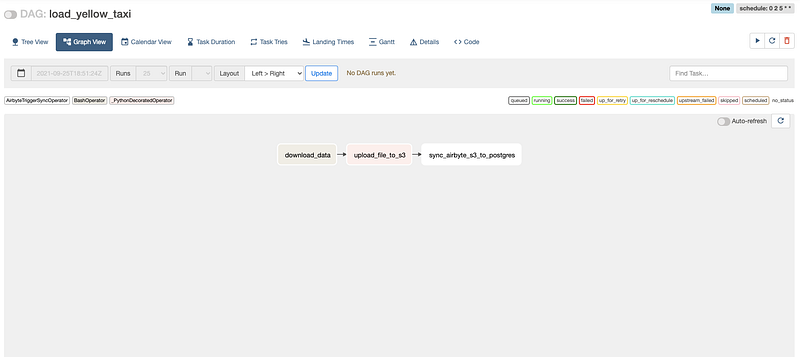
While our Airflow dag is running, we can go to the Airbyte UI and check for our connection if it's running, which would signal that all is fine:
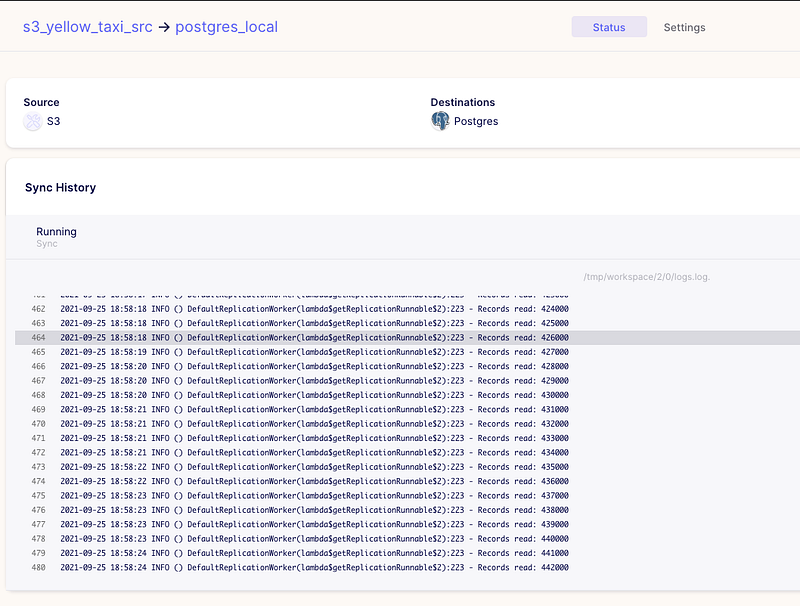
So we can see that it's running like a charm! So with my docker settings:
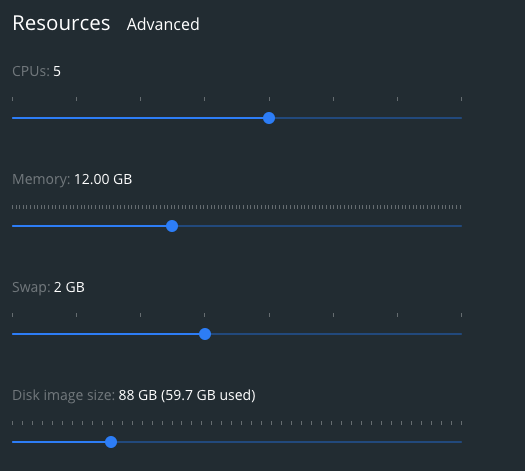
Data for 2020–11 yellow taxis data (consisting of 1508000 rows) took ~7mins to load. Data size 132M, so I would say it's a bit slow for those amounts. I think I'd need to do some tuning on some parameters inside Airbyte or my docker ones or move it out of the local docker container to a different environment.
The only thing left is to check our DB and what was created inside:
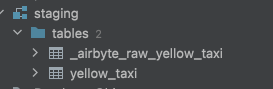
One table with raw table row information as a JSON:

and then the yellow_taxi, which has data in tabular format.
My notes and thoughts
With self-service becoming a must in the data world, I'd say it's an excellent and easy tool for companies to adopt. However, I don't think it's quite mature enough (not all connectors available, early stages and they're just working on their cloud solution to attract revenue, not only from investors).
I've missed some parameters passing in the operator. If data flow to the s3 bucket by some other flow, my Airflow flow wouldn't be idempotent. I might consume more files than I should!
So I tried incremental load. The disclaimer is that I dropped the file from s3 before and uploaded November and December right away and triggered the flow (Incremental|Append sync mode). What happened was that I've loaded them both; since both of them were modified, they got processed🤦 . I was lucky since I had 2020–01 on my laptop, so I quickly uploaded it and triggered sync manually again. So it had the last update timestamp of files and processed only the new one. Anyway, sometimes we should have some order in place, so providing specific files to sync would also be nice.
In general, it's pretty fresh, but if you're an early adopter — go for it. I see it's pretty integrated with dbt (it even created a normalized table out of JSON one using dbt):

My verdict here: if you're using dbt, Airbyte will add a nice touch to your whole pipeline model even without using Airflow! If you have Airflow, it will nicely fit inside as well!


