
Advanced Swift: MVC
Learn about the Model-View-Controller Swift Design Pattern

MVC stands for Model-View-Controller, and it is a software design pattern that separates the logic of an application into three distinct components: the model, the view, and the controller.
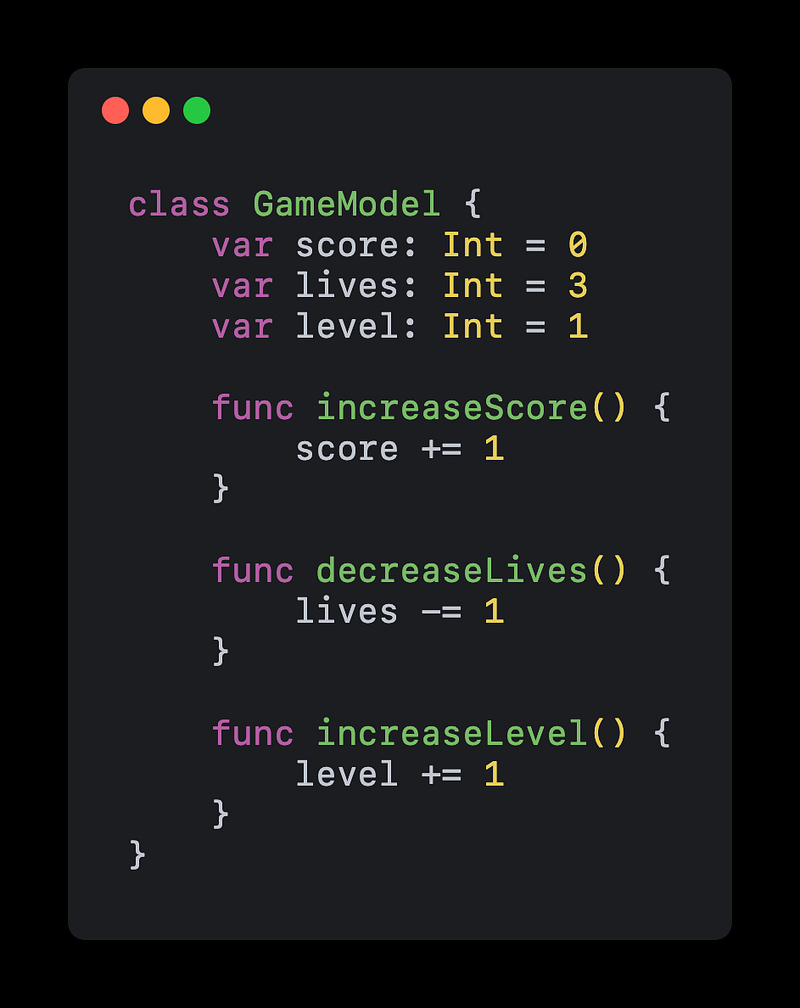
The model is responsible for managing the data of the application. This can include storing and retrieving data from a database, performing calculations, or any other logic that is related to the data. For example, in a game app, the model might keep track of the player’s score, the number of lives remaining, and the level that the player is on.
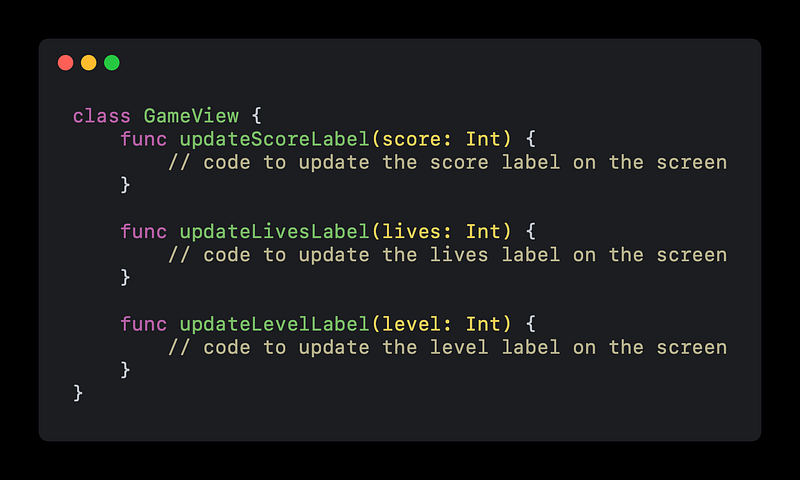
The view is responsible for displaying the data to the user. This can include the layout of the user interface, the text and images that are shown on the screen, and any other visual elements of the app. In our game app example, the view might display the player’s score at the top of the screen, show the number of lives remaining in the corner, and display the level that the player is on.
The controller is responsible for connecting the model and the view. It receives input from the user, updates the model as necessary, and then tells the view to display the updated data. In our game app example, the controller might listen for when the player taps the screen to move to the next level, update the model to reflect the new level, and then tell the view to display the new level.
Here’s some example code in Swift to illustrate how these three components might work together in an app.
First we create a model:
Next we create a view:
And finally a controller:
In this example, the GameModel class represents the model, the GameView class represents the view, and the GameController class represents the controller. The controller listens for various events, such as when the player taps the screen or defeats an enemy, and then updates the model and tells the view to display the updated data.
Using the MVC pattern can help make your code more organized and easier to maintain, as it clearly separates the different responsibilities of the different components of your app. It can also make it easier for multiple developers to work on the same project, as each developer can focus on a specific part of the code base.
🤟 If this article helps you, help someone else and share it.
🌮 BuyMeATaco if you’re in a generous mood.


