avatarSerhii Kucherenko

Free AI web copilot to create summaries, insights and extended knowledge, download it at here

1083

Abstract

Hub copilot</b> in my projects soon after it was released. That’s how I started using <b>Chat-GPT</b>, and <a href="https://readmedium.com/top-stack-for-scalable-next-js-project-80e1fc7b3a35"><b>Orval</b></a>, in my frontend projects. All of them are great tools.</p><p id="47ff">I wondered what else takes a lot of my time that I can try to improve, and I found that the majority of my time at the beginning of the project I spent on properly configuring the project itself.</p><p id="4d6b">My first solution was to create a template. It worked. I started using a template and improving it over time, and now I have a great template for my Next.js projects that is Scalable, Flexible, and very easy to grasp for new developers. <a href="https://readmedium.com/top-stack-for-scalable-next-js-project-80e1fc7b3a35">You can check it here</a>.</p><p id="71cb">But I would like to be even more efficient. Could I be? Yes. The latest release from the GitHub copilot team presented a new feature — workspaces. And OMG, it’s so damn good. You can ask it to generate a project with a prompt

Options

like <b>“Generate Next.js app with Auth0", </b>which will generate a folder with a real project that you can run immediately. (I also tried to generate a project with a framework you don’t know yet, like <b>“Generate Svelte app with 3 pages — ‘Home’, ‘About’, and ‘Blog’ with dummy text and a menu component”</b>, and it did perfectly).</p><figure id="9ab7"><img src="https://cdn-images-1.readmedium.com/v2/resize:fit:800/1*dmAeH0UaAUEV_zsi6SCWbg.png"><figcaption></figcaption></figure><p id="1597">I recommend you spend 30 minutes checking the <a href="https://githubnext.com/projects/copilot-workspace/">official documentation</a> to dive deep into everything you can do and share your experience accelerating your performance for yourself and your team.</p><p id="5193">Stay tuned; I am always looking for new ways to simplify a developer’s life.</p><p id="48d5"><a href="https://twitter.com/kucherenko_web">Twitter</a> | <a href="https://www.linkedin.com/in/sergey-kucherenko/">LinkedIn</a> | <a href="https://buy.stripe.com/fZe3fQfd9apdbEk3cd">Support me</a></p></article></body>

Accelerate Your Success: My Secrets to Starting Projects 10X Faster in 2024

Timing is Queen

Good timing is a crucial part of business. You can have a great idea — but if you deliver your product late, your competitors will crash you, or it will become obsolete.

You should always ask yourself — Can I do this faster? Can I achieve the same result in less time, anyhow? It will help you stay open-minded and creative in your daily work.

Don’t forget “AI”

As the word “AI” comes from every corner, why not utilize it for our routine tasks and always be curious about how and where we can “hire” AI to help us reduce the delivery time?

That’s how I discovered and started using GitHub copilot in my projects soon after it was released. That’s how I started using Chat-GPT, and Orval, in my frontend projects. All of them are great tools.

I wondered what else takes a lot of my time that I can try to improve, and I found that the majority of my time at the beginning of the project I spent on properly configuring the project itself.

My first solution was to create a template. It worked. I started using a template and improving it over time, and now I have a great template for my Next.js projects that is Scalable, Flexible, and very easy to grasp for new developers. You can check it here.

But I would like to be even more efficient. Could I be? Yes. The latest release from the GitHub copilot team presented a new feature — workspaces. And OMG, it’s so damn good. You can ask it to generate a project with a prompt like “Generate Next.js app with Auth0", which will generate a folder with a real project that you can run immediately. (I also tried to generate a project with a framework you don’t know yet, like “Generate Svelte app with 3 pages — ‘Home’, ‘About’, and ‘Blog’ with dummy text and a menu component”, and it did perfectly).
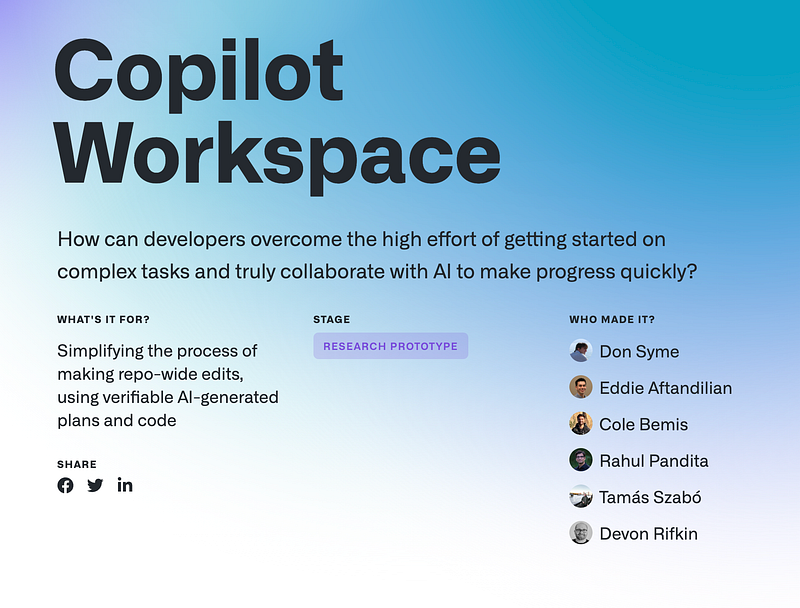
I recommend you spend 30 minutes checking the official documentation to dive deep into everything you can do and share your experience accelerating your performance for yourself and your team.

Stay tuned; I am always looking for new ways to simplify a developer’s life.

Twitter | LinkedIn | Support me

Development
Web Development
Frontend
Github
Software Development
Recommended from ReadMedium